Previous posts have described how to improve build time of Java builds on OpenShift (OpenShift blog) using a Sonatype Nexus Repository Manager (Sonatype blog).
You can now download Maven dependencies from within the OpenShift cluster using a repository manager. This dramatically speeds up the build times for JEE projects because the dependencies are local and you don't need to download them from somewhere on the internet every single time. However, we are still downloading the dependencies every time.
When using a Jenkins pipeline in an OpenShift environment, we can use dedicated Maven slave build pods to do the heavy lifting during a Maven build.
In order to further speed up the builds, we could create a customized Maven slave pod container image that already contains all of the dependencies—the problem is that this image may be out of date rather quickly if the dependencies change often.
Recent versions of Jenkins allow the addition of a volume to a slave pod definitions—and luckily, an OpenShift Persistent Volume Claim is one of the options available.
We can now create a Persistent Volume Claim in the same project that our Jenkins pod is running—because all the Maven slave pods are executed in that same project. Once we have created the Persistent Volume Claim (using a size that is sufficient for our cached repository artifacts and ReadWriteMany as the access mode) we can mount this volume into the Maven slave pods at /home/jenkins/.m2.
The first time we execute a build we now download the dependencies into our slave pod and therefore into our persistent volume. This download can happen from either the original repository locations or from a repository manager inside the firewall.
The next time we execute a build the dependencies are already in the right location; and all the pod needs to do is execute the build, therefore, decreasing build times rather dramatically.
This approach should work for both individual build pods, but because the repository is shared through the PVC, it should also work well for multiple parallel build pods. When building multiple different projects, simply make sure that the Persistent Volume Claim is big enough to hold the aggregate set of dependencies.
Here is how to set this up in Jenkins on OpenShift:
- In OpenShift go to your Jenkins project (the project where your Jenkins pod is running)
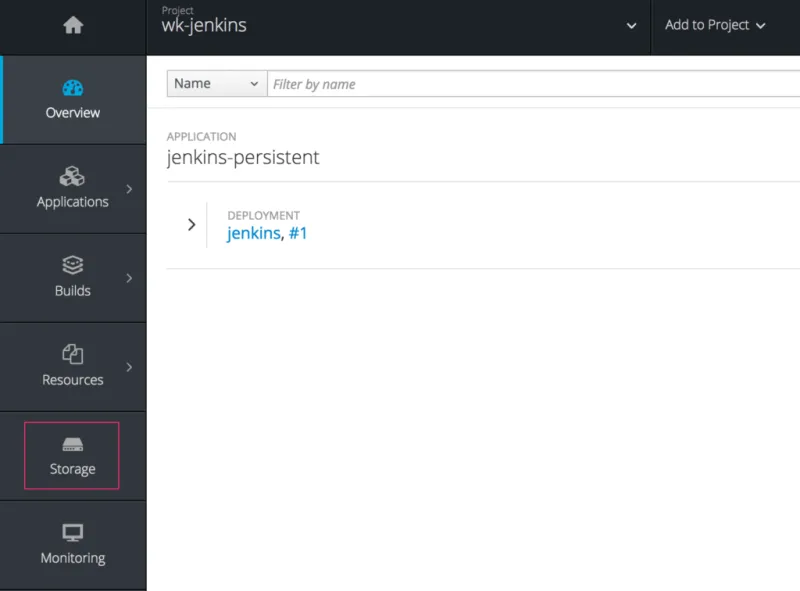
- In the navigator on the left click on Storage
- Click Create Storage
-
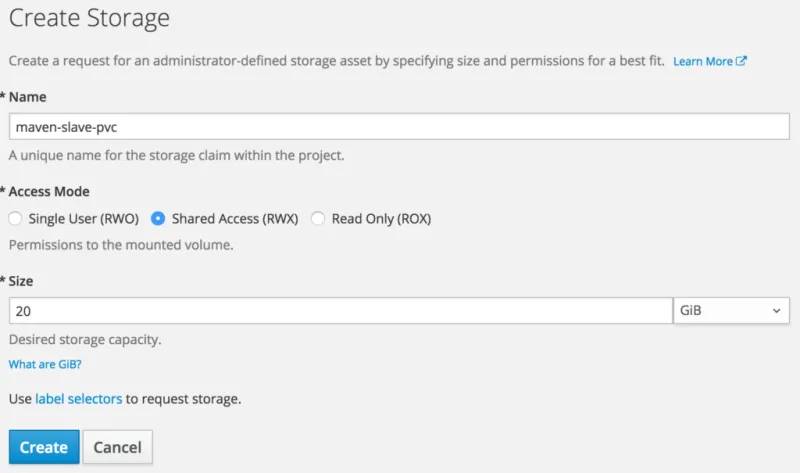
Use the following settings:
- Name: maven-slave-pvc
- Access Mode: Shared Access (RWX)
- Size: An appropriate size for your environment. E.g. 20 Gi.
- Click Create
-
Login to Jenkins
-
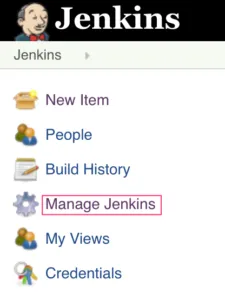
Click Manage Jenkins
-
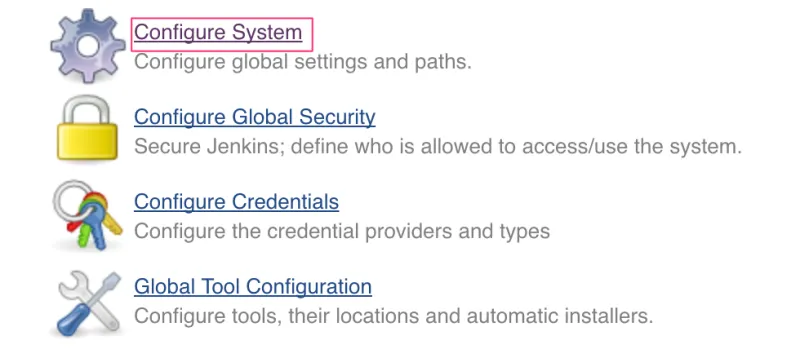
Click Configure System
-
Scroll down until you see the Kubernetes Cloud section.

-
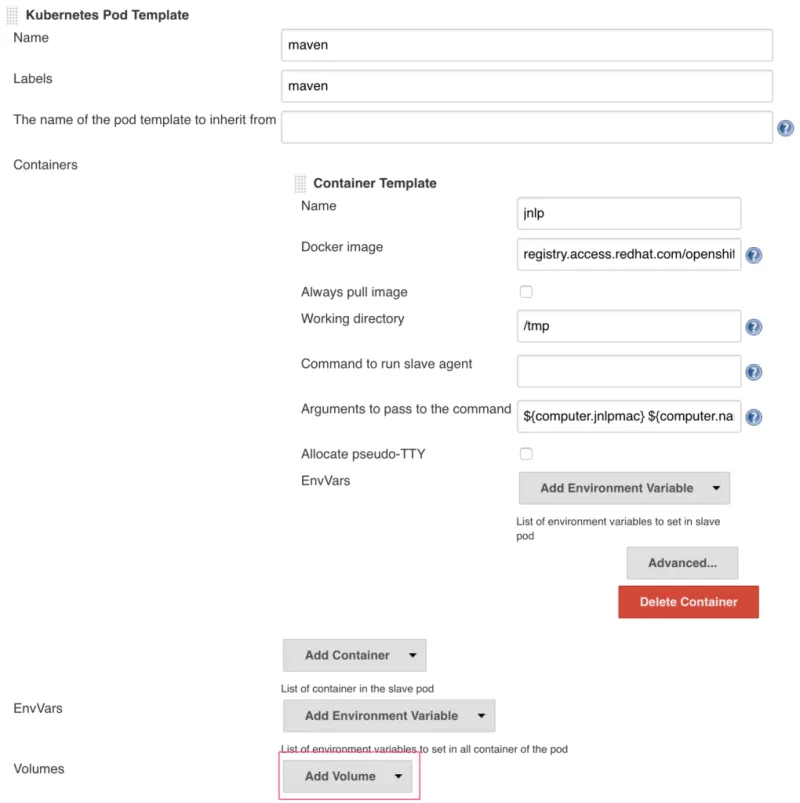
Find the
Mavenslave pod definition. -
Click Add Volume
-
Select Persistent Volume Claim

-
Use the following settings for the PVC:
- Claim Name: maven-slave-pvc (this is the same name that we provided when creating the PVC in the OpenShift Web Console)
- Mount path: /home/jenkins/.m2

- Scroll all the way to the bottom of the page and click Save.
The next time you execute your pipeline in a Maven slave pod you will notice improved build times.
Note that while the author didn't experience any problems with this approach, make sure to run your own tests before deploying this approach into a production environment.



