Ready to accelerate your AI journey? AI quickstarts are officially here!
AI quickstarts are a new catalog of ready-to-run, industry-specific use cases that put the power of open source AI directly into your hands. These are a playground you can use to master Red Hat AI and sharpen the skills needed to take your AI ideas from experimentation to production. Each AI quickstart is designed to be simple to deploy, explore, and extend, giving you and your team a fast, hands-on way to see how AI can power real-world solutions on enterprise-ready, open source infrastructure.
We believe the best way to prepare for the future of AI is through practical experience. No more staring at a blank slate—dive into these concrete use case examples and start turning "what if" into "what's next."
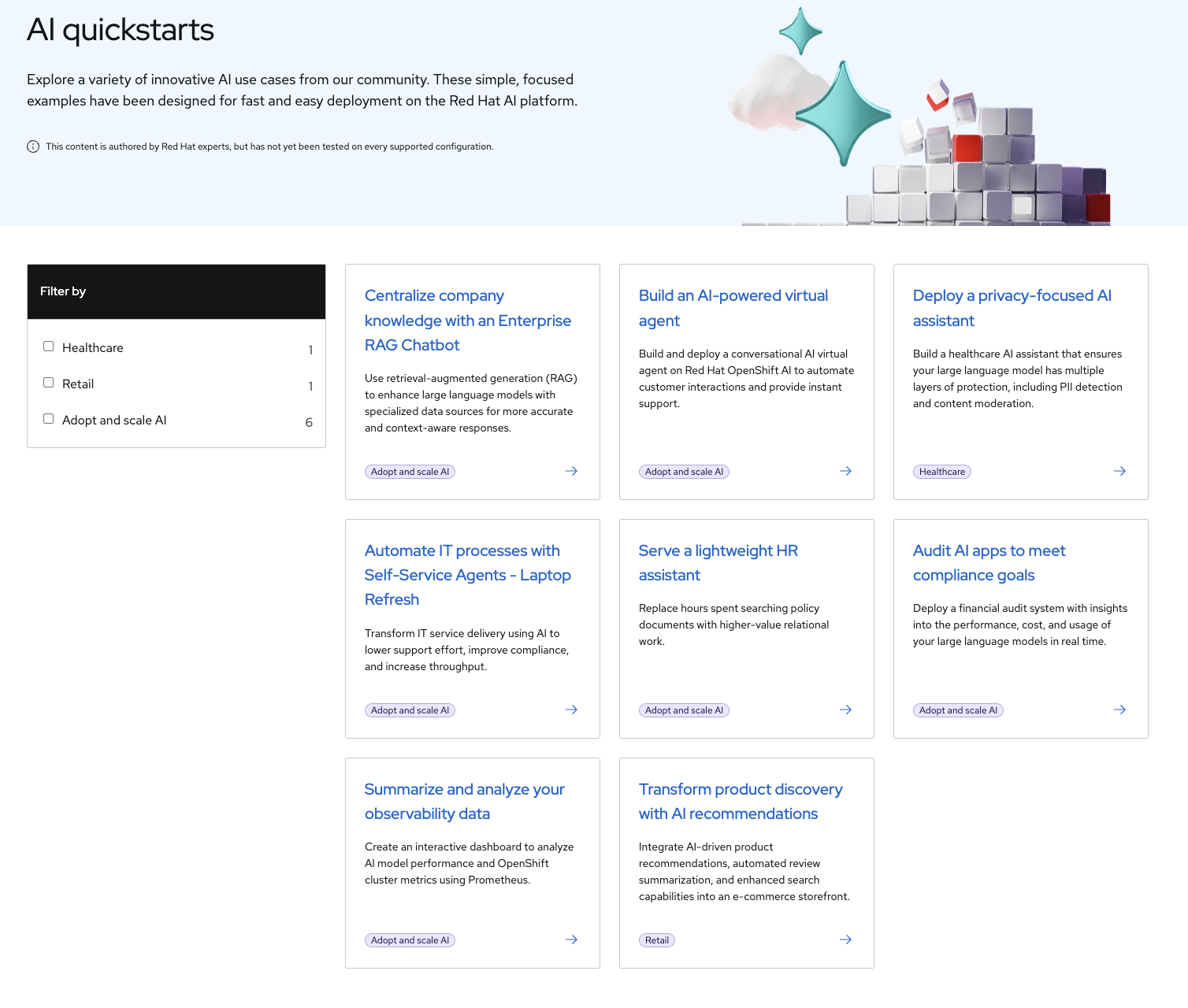
Figure 1: Preview of the AI quickstart catalog
Sounds great, right? Absolutely. Now, let’s get started. Start by visiting the AI quickstart catalog where you can browse for interesting use cases. Take the “Deploy a privacy-focused AI assistant” quickstart, for instance. It demonstrates how private information can be identified and protected in a healthcare setting. Clicking into the example shows more details about the use case, including minimum requirements and installation instructions. This AI quickstart is worth exploring even if you don’t work with patient data—it shows a simple and effective way to protect sensitive data within your organization, whatever that data may be.
If the healthcare AI quickstart doesn’t speak to your use case, we have a growing list for you to try. Other examples include:
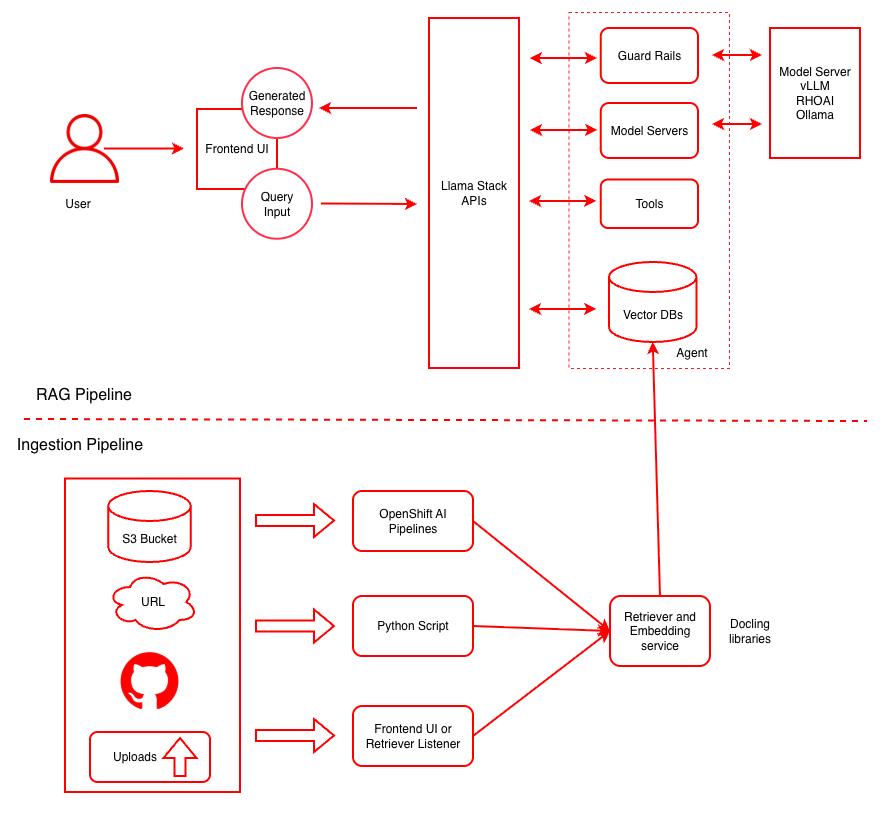
- Centralize company knowledge with an Enterprise RAG Chatbot: This AI quickstart demonstrates how to use retrieval-augmented generation (RAG) to enhance models with company-specific data stores for more accurate and context-aware responses.
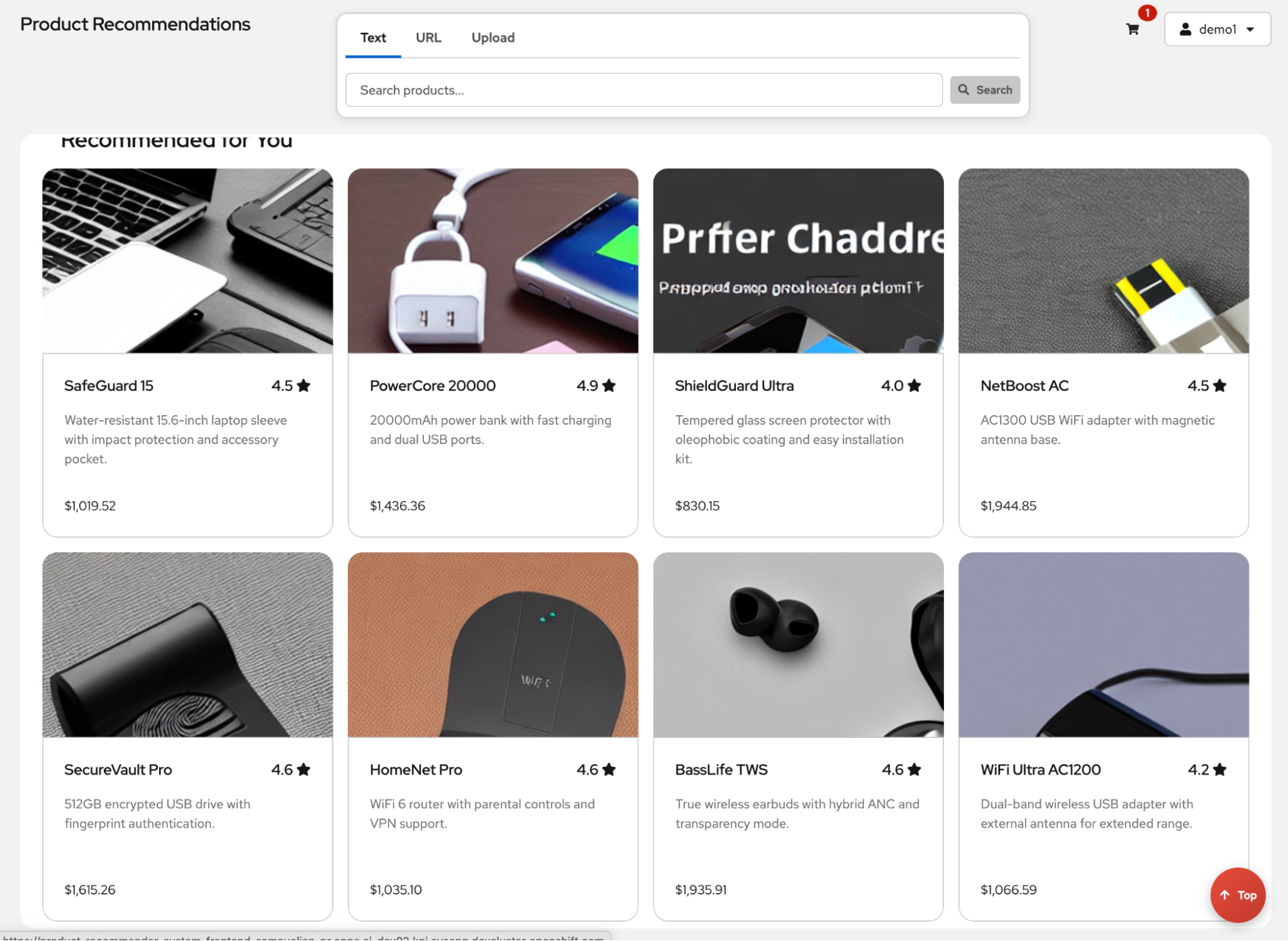
- Transform product discovery with AI recommendations: Here you'll learn how to integrate AI-driven product recommendations and automated review summaries into an e-commerce storefront.
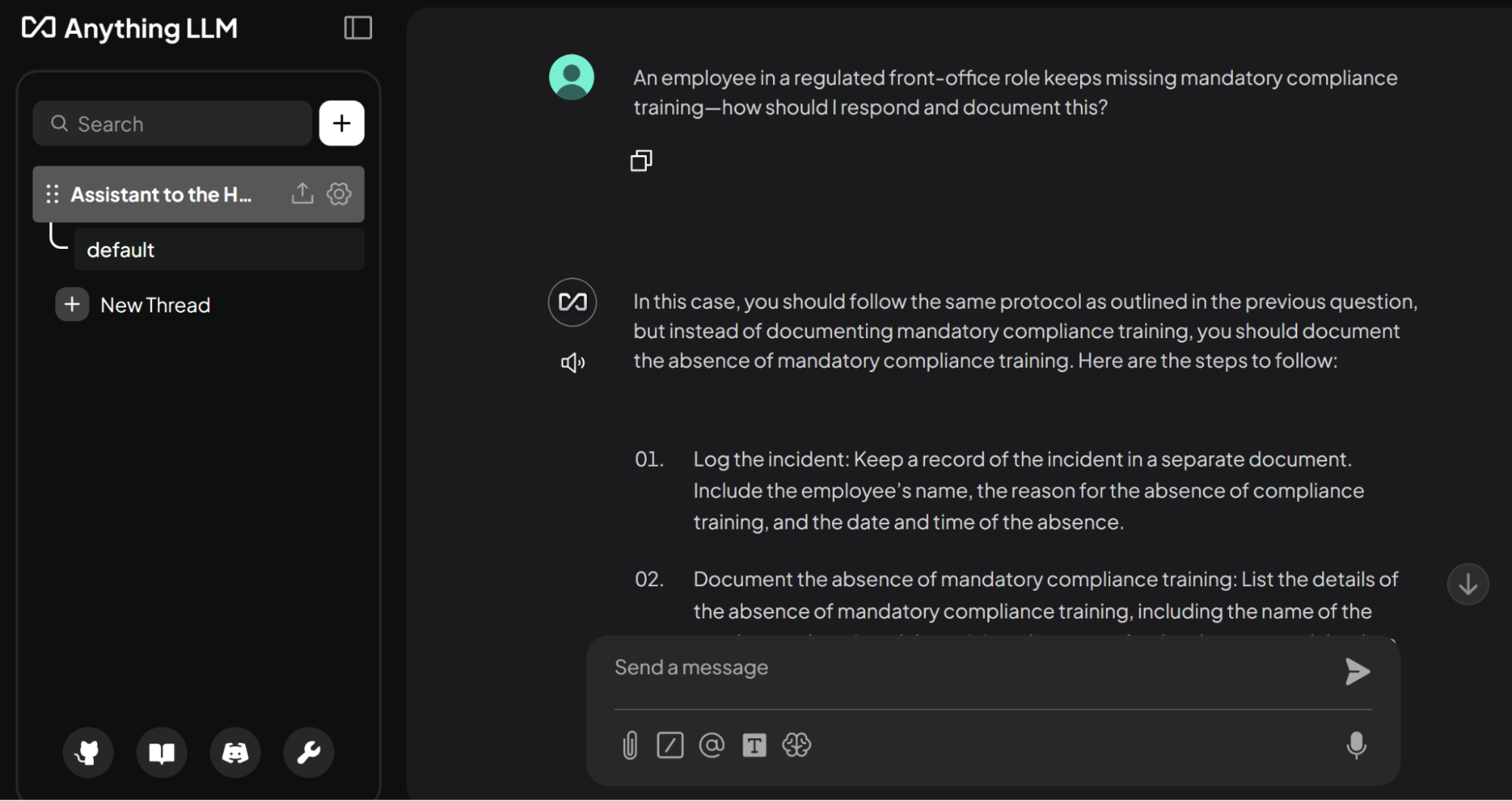
- Serve a lightweight HR assistant: This chatbot helps free up hours normally spent searching policy documents so HR representatives can spend that time doing higher-value relational work.
Figure 2: “Centralize company knowledge with an enterprise RAG chatbot” architecture diagram
Figure 3: Screenshot of the "Transform product discovery with AI recommendations" AI quickstart
The “Serve a lightweight HR assistant” AI quickstart is particularly interesting because it can be deployed without GPUs or specialized hardware. It runs TinyLlama on CPU so anyone can use it to get started with Red Hat OpenShift AI. In fact, let’s deploy the HR assistant together:
- Navigate to the deploy section of the quickstart and follow along.
- In another browser tab, open a web terminal in your Red Hat OpenShift environment. You can use oc locally, if you prefer.
- Simply clone the repository and change directories.
git clone https://github.com/rh-ai-quickstart/llm-cpu-serving.git
&& \
cd llm-cpu-serving/
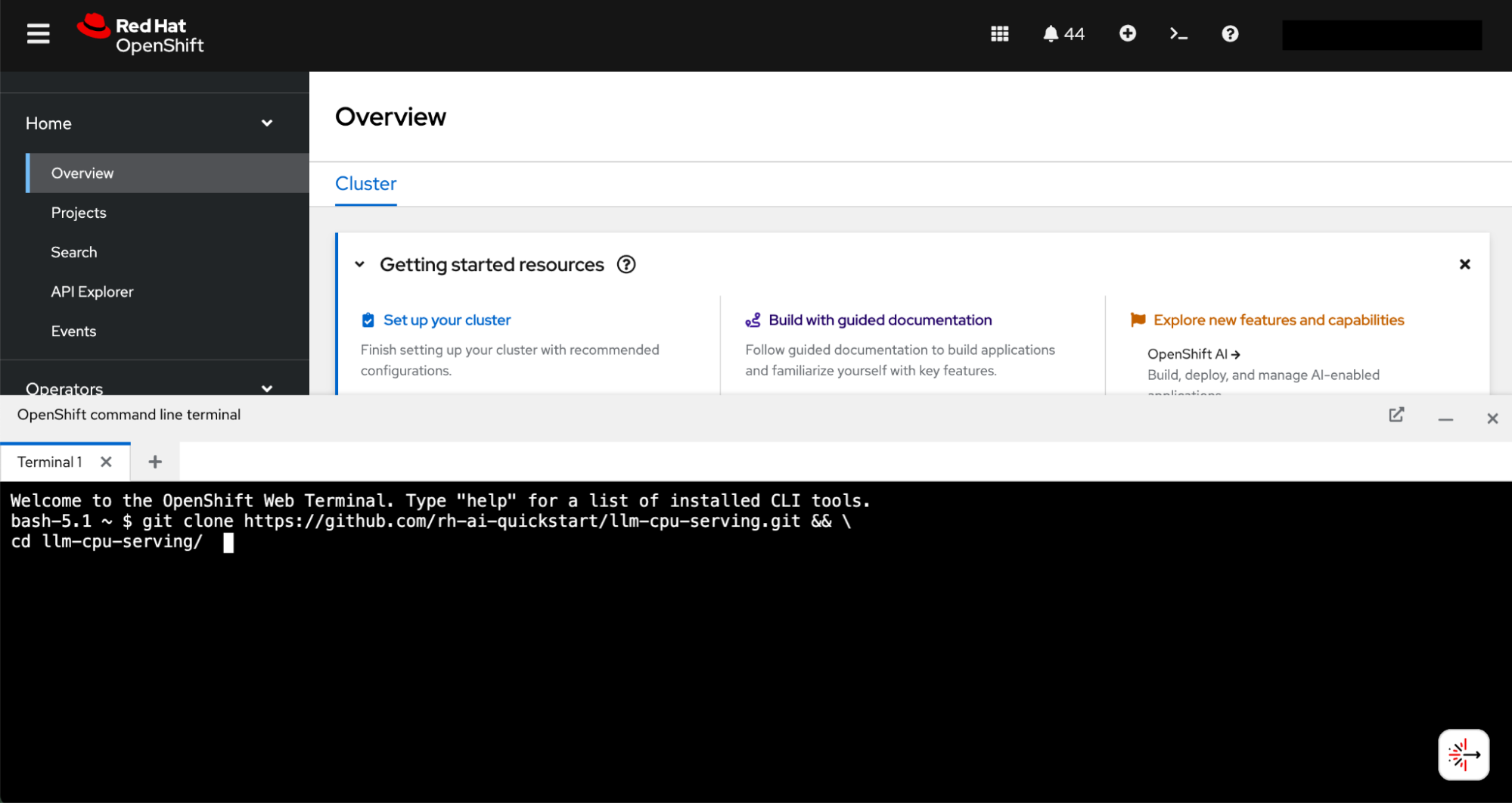
Figure 4: Deploy your first AI quickstart in Red Hat OpenShift
- Create a new project.
PROJECT="hr-assistant"
oc new-project ${PROJECT}- And then install.
helm install llm-cpu-serving helm/ --namespace ${PROJECT} After only a few commands, you'll be able to navigate to the “hr-assistant” project in the OpenShift AI dashboard and fire up your very own assistant!
Figure 5: Guidance from the "Serve a lightweight HR assistant" AI quickstart
How AI quickstarts are built and our future steps
AI quickstarts are built based on customer demand—your needs and requests. We want these to demonstrate both value and a clear path to real-world outcomes, and we're doing this with concrete and relevant examples powered by AI.
Red Hat’s AI experts, our software and delivery partners, and the open source community have been working together to develop these use cases. We work in the open and we invite customers and partners to try our latest AI quickstarts, help develop new ones, and submit new AI quickstart suggestions for future development efforts. Check out our intro page to learn more.
For those who just want to get started, the AI quickstarts catalog page is the place for you. This includes a list of our most popular AI quickstarts so they're easier to find. Of course our catalog will continue to grow as new AI quickstarts are developed and released in the future.
The true value of AI lies in its ability to solve real-world business problems, not just in its technical potential. By moving beyond a blank slate and into these ready-to-run use cases, your team can stop experimenting and start delivering tangible results on the trusted, open foundation of Red Hat AI.
Get started with AI quickstarts today.
Learn more
关于作者
Karl Eklund is a Principal Architect aligning customer goals to solutions provided by the open source community and commercial vendors within the Red Hat OpenShift Data Science platform. Prior to joining Red Hat, Karl advised technology leaders on enterprise data and technology strategies and built machine learning models across multiple academic disciplines.