
The Red Hat OpenShift Web Console has always strived to be the easiest way to interact with OpenShift resources, and in version 4.3 we’ve added more capabilities around viewing and editing user management resources. Dedicated pages to view Users and Groups for the cluster have been added, allowing cluster admins to easily see who has access to the cluster and how they are organized. These new pages are consolidated under one navigation section, so there is now just one place to look for any user management resource. Let’s take a closer look.
Viewing cluster users in the console
The OpenShift Web Console now includes a list of users who have previously logged into the cluster, a place where admins can come to see which users have authenticated to the system using which Identity Provider.
Admins can now impersonate users from this list to see the console exactly how a user with those permissions would, making it easy to test and troubleshoot RBAC settings. Previously this feature was available for the impersonation of role bindings to test a single role, however now being able to impersonate a user and exercise all of their roles at one time will ease more complex access-related tasks. To read more about impersonation in OpenShift, check out this blog post.
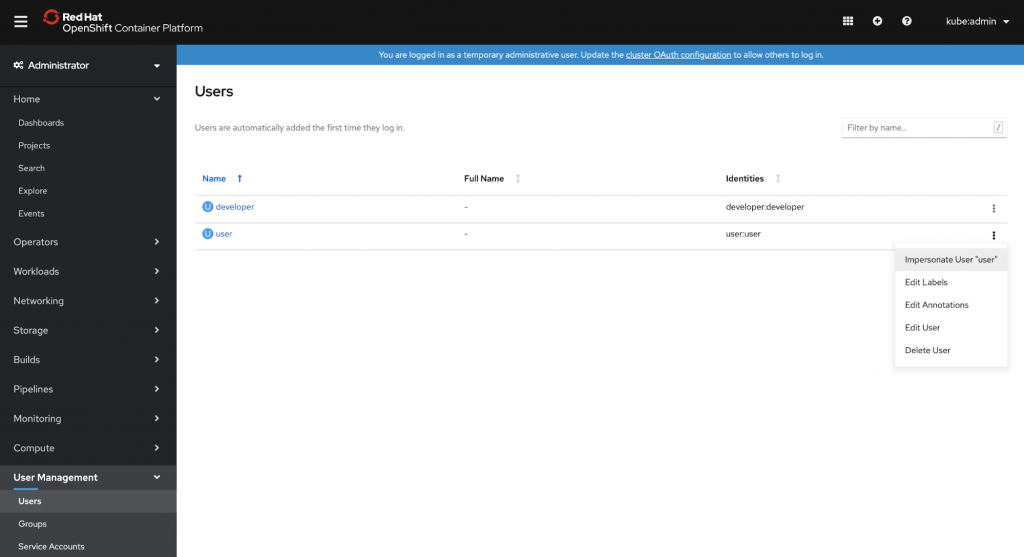
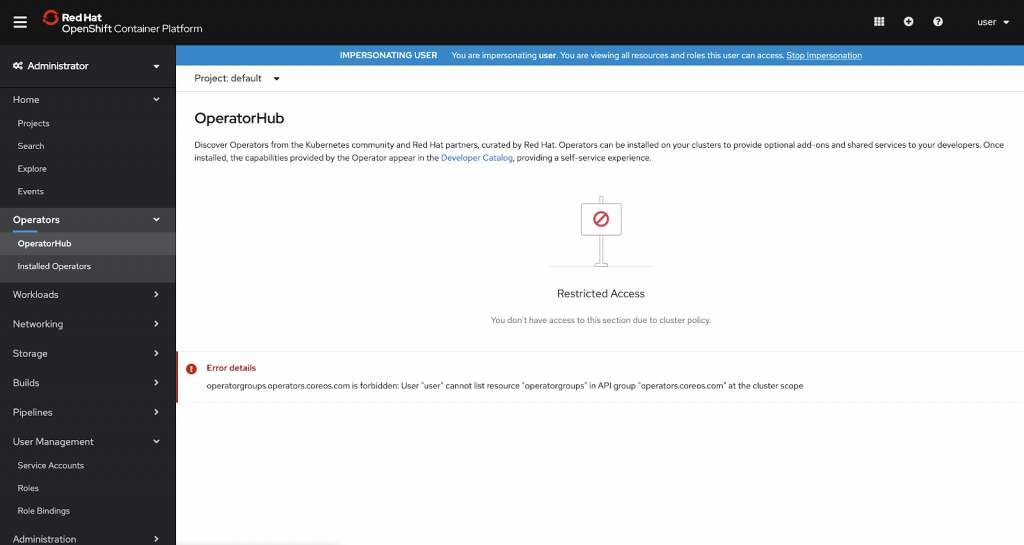
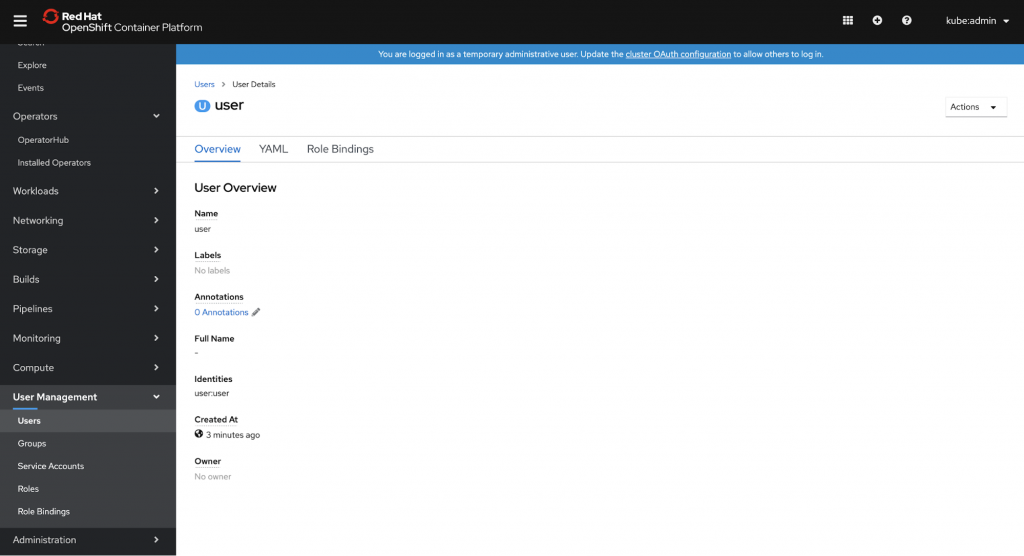
Details about an individual user can also be viewed, giving an admin a quick understanding of that user with the ability to view and edit the comprising YAML.
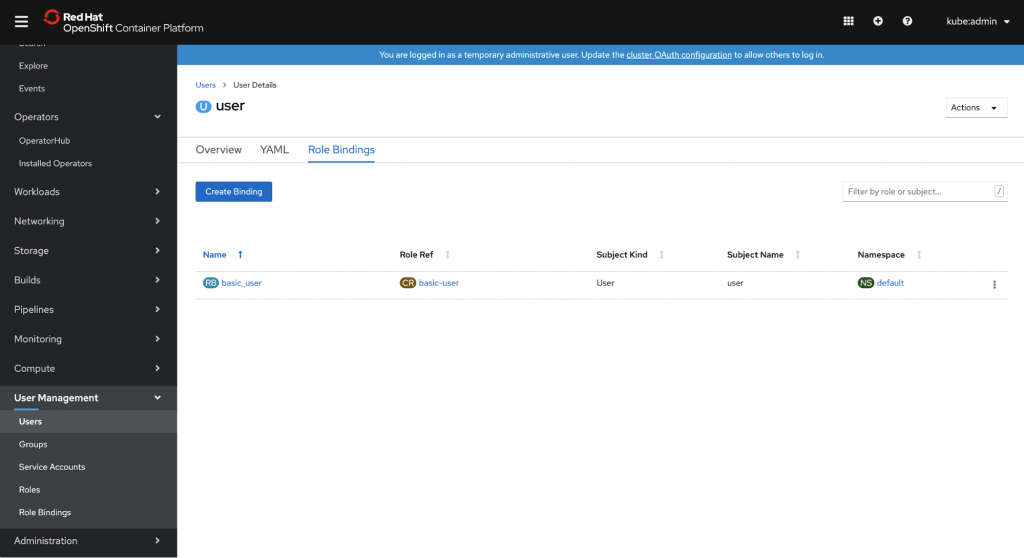
The Role Bindings tab for a user gives a summarized look at what roles that user has access to, with the ability to add additional role bindings right from that list.
Managing users in groups
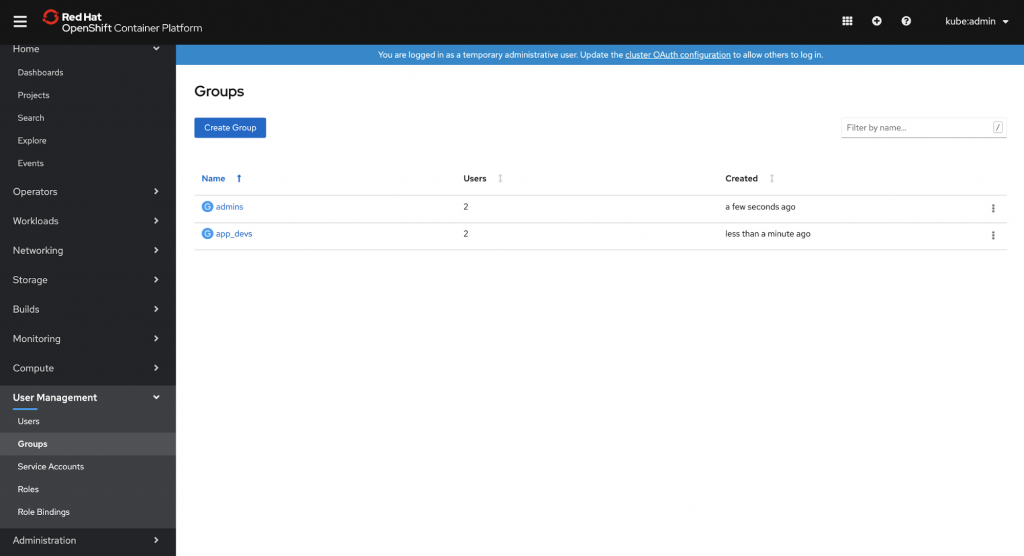
Also new in OpenShift 4.3 is a dedicated view of the groups on the cluster. Admins can see what groups exist and how many users are contained in each.
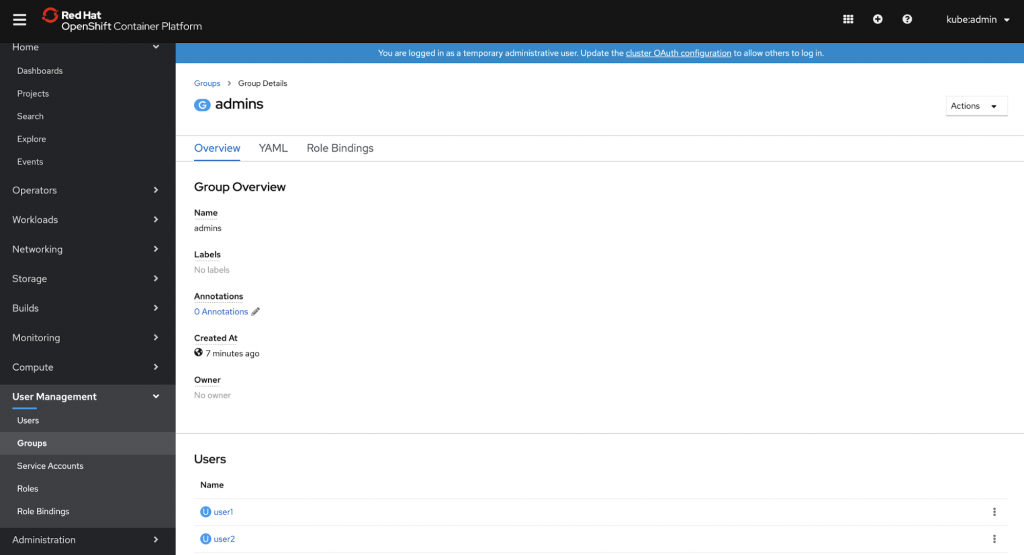
Viewing the details of a group gives an overview, including a list of its current members with the option to view the details of a particular user.
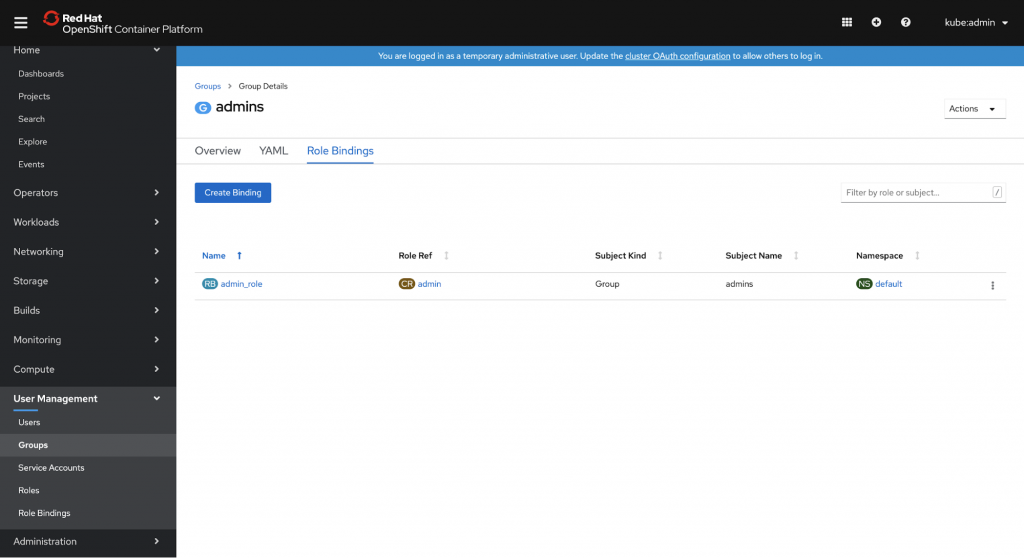
Role bindings for the group are also viewable, letting an admin know what roles users in that group are inheriting, with the option to add more.
All in one place, with more to come
To make these User Management pages quick to locate, we’ve created a new navigation section to contain Users and Groups alongside Service Account objects, and also Roles and Role Bindings. This one area for all things User Management will serve as the home for future improvements as well, like continuing to refine how users are assigned roles.
If you’d like to learn more about what the OpenShift team is up to, check out our github design repo, or if you are interested in providing any feedback on any of the new 4.3 features, please take this brief 3-minute survey.
关于作者
Red Hatter since 2018, technology historian and founder of The Museum of Art and Digital Entertainment. Two decades of journalism mixed with technology expertise, storytelling and oodles of computing experience from inception to ewaste recycling. I have taught or had my work used in classes at USF, SFSU, AAU, UC Law Hastings and Harvard Law.
I have worked with the EFF, Stanford, MIT, and Archive.org to brief the US Copyright Office and change US copyright law. We won multiple exemptions to the DMCA, accepted and implemented by the Librarian of Congress. My writings have appeared in Wired, Bloomberg, Make Magazine, SD Times, The Austin American Statesman, The Atlanta Journal Constitution and many other outlets.
I have been written about by the Wall Street Journal, The Washington Post, Wired and The Atlantic. I have been called "The Gertrude Stein of Video Games," an honor I accept, as I live less than a mile from her childhood home in Oakland, CA. I was project lead on the first successful institutional preservation and rebooting of the first massively multiplayer game, Habitat, for the C64, from 1986: https://neohabitat.org . I've consulted and collaborated with the NY MOMA, the Oakland Museum of California, Cisco, Semtech, Twilio, Game Developers Conference, NGNX, the Anti-Defamation League, the Library of Congress and the Oakland Public Library System on projects, contracts, and exhibitions.


