Through our built-in YAML editor, users can create and edit resources right in the Red Hat OpenShift Web Console UI. In the latest release, we’ve upgraded our editor to include language server support.
What is language server support?
The language server support feature uses the OpenAPI schema from Kubernetes to provide content assist inside the YAML editor based on the type of resource you are editing. More specifically, the language server support offers the following capabilities:
- Improved YAML validation: The new editor provides feedback in context, directing you to the exact line and position that requires attention.
- Document outlining: Document outlines offer a quick way to navigate your code.
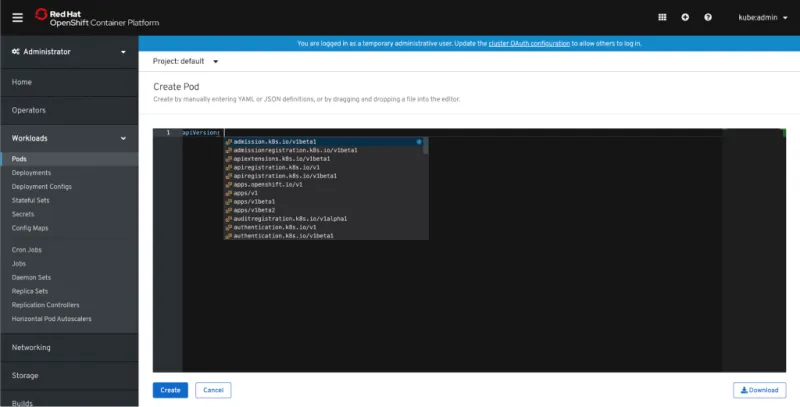
- Auto completion: While in the editor, language server support will provide you with valid configuration information as you type, allowing you to edit faster.
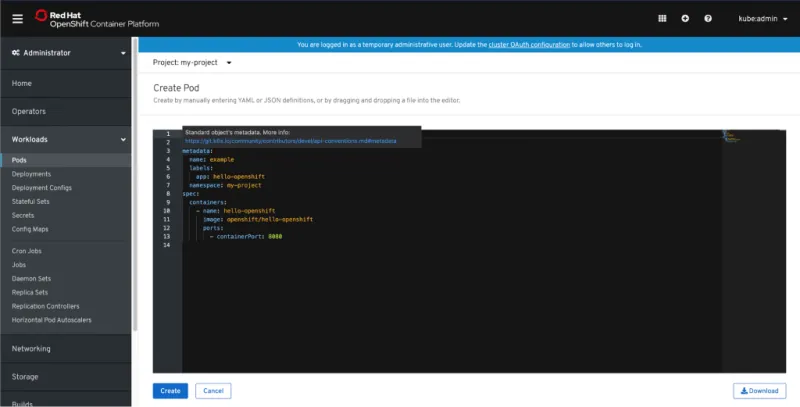
- Hover support: Hovering over a property will show a description of the associated schema.
- Advanced formatting: Format your YAML.
Why did we add language server support?
Because it’s awesome! With language server support, we improve users’ workflow by making it faster and easier to create and edit resources in the YAML editor. Specifically for novice users, these features can accelerate the learnability of Kubernetes concepts. This experience may look familiar; this utilizes the same editor and language server framework that is used in other tools like Eclipse Che or Visual Studio (VS) Code editor.
How can you use language server support?
Language server support is available in all YAML editors in the console, whether you are creating or editing resources.
Hover over a key to see more information. For example, while creating a Pod you can hover over a key such as containers. This will give you more information about the containers in the Pod and how you can define them using YAML.

When available, the property help will link out to more documentation around that property.
Use Ctrl + Space to activate auto complete.
If you’d like to learn more about what the OpenShift team is up to or provide feedback on any of the new 4.2 features, please take this brief 3-minute survey.




