Red Hat OpenShift is an enterprise-ready Kubernetes platform that offers many powerful features that meet today's enterprise needs. For example, one feature of OpenShift is its flexible way of integrating with different authentication mechanisms, whether basic authentication, LDAP, Active Directory, OpenShift login, GitHub login, and so on.
As you start OpenShift the first time, you might find it super easy to leverage the htpasswd utility, which is a built-in tool for most Linux distributions and macOS. This article demonstrates how you can create your own htpasswd file and add it to Red Hat OpenShift through an intuitive web interface.
[ Readers also liked: 5 reasons why you should develop a Linux container strategy ]
You can also follow this video that shows the video demo walking through the steps.
STEP 1: Create an htpasswd file
The command to create a new htpasswd file is shown below:
htpasswd -c -B -b <file name to store HTPASSWD> <username> <password>
You have to replace file name to store HTPASSWD, username, and password values with your own values.
Once the file is created, you can omit the -c option to simply append each username and password to the htpasswd file.
STEP 2: Load htpasswd file from OpenShift
In your Red Hat OpenShift, log in as one of the users with a cluster-admin privilege. Please follow these steps:
- Click Administration on the left menu
- Select Cluster Settings
- Select the Global configuration tab
- Scroll down to select OAuth
- Select the HTPASSWD option
- Select the file


You should be able to find the htpasswd converted to an OpenShift Secret under the openshift-config namespace.
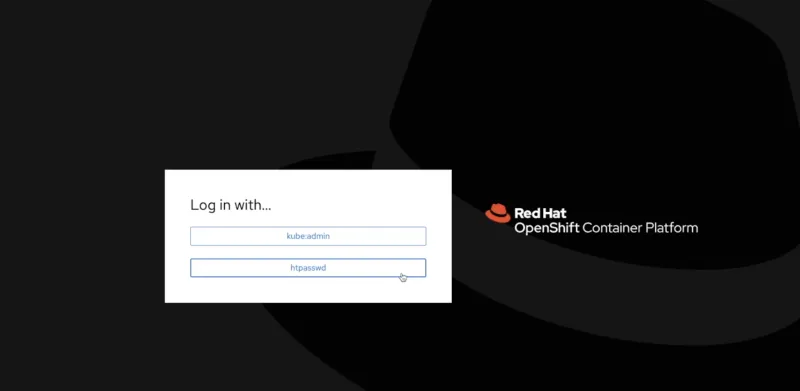
Log out and verify you can login with the htpasswd option
Now, everything is set up. Just log out and find a new selection that indicates the htpasswd login option.
[ Deploy an application with Red Hat OpenShift Service on AWS - Overview: How to deploy an application using Red Hat OpenShift Service on AWS. ]
Wrap up
If you're interested in learning how to automate the process to add multiple users to the htpasswd file, please check out this video that demonstrates a simple Bash script that I wrote. OpenShift is very flexible in integrating with different authentication mechanisms, which include basic authentication, LDAP, Active Directory, OpenShift login, GitHub login, and others.
关于作者

Bryant Jimin Son is a Consultant at Red Hat, a technology company known for its Linux server and opensource contributions. At work, he is working on building the technology for clients leveraging the Red Hat technology stacks like BPM, PAM, Openshift, Ansible, and full stack development using Java, Spring Framework, AngularJS, Material design. Prior to joining Red Hat, Bryant was at Citi Group's Citi Cloud team, building the private Infrastructure as a Service (IaaS) cloud platform serving 8,000+ teams across Citi departments. He also worked at American Airlines, IBM, and Home Depot Austin Technology Center. Bryant graduated with Bachelor of Sciences in Computer Science and Aerospace Engineering with minor concentration in Business at University of Texas at Austin.
He is also the President and Founder of Korean American IT Association group, known as KAITA (www.kaita.org). He is an avid coder spending extra time on building side projects at cafes, and he travels every week on business. He also loves to work out daily and to grow KAITA.


