Introduction
Note: At the time of this writing, MicroShift is Developer Preview software only. For more information about the support scope of Red Hat Developer Preview software, see Developer Preview Support Scope.
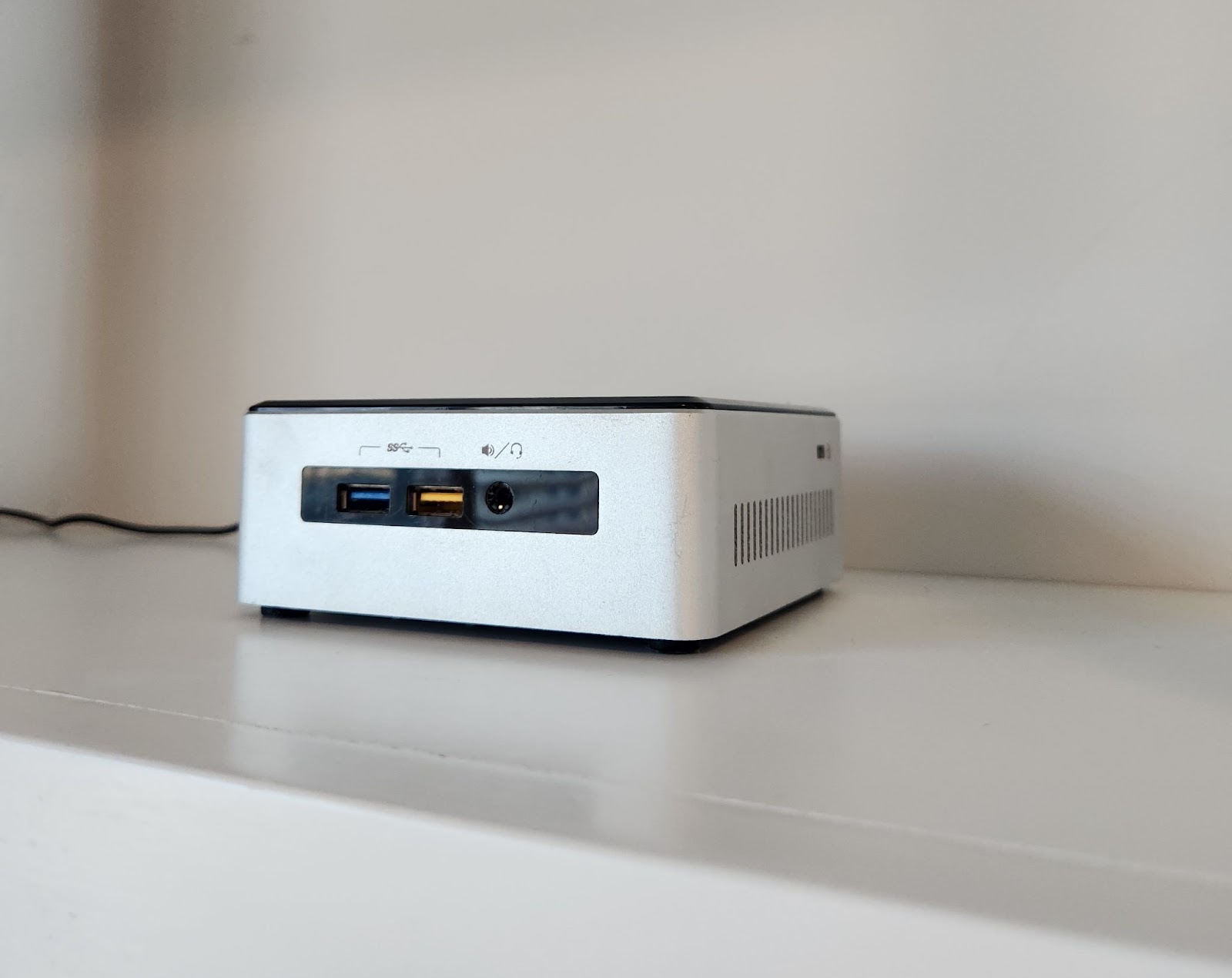
I have an older model 5th generation Intel NUC sitting at home just out of reach from my young kids. The small form factor helps me hide the machine from the kids but at 2 cores and 16 GB RAM, it often limits my ability to run a hypervisor and multiple application workloads. Personally, I wanted to self host Home Assistant on the machine while playing with containers and GitOps, but standing up a minimal Red Hat OpenShift cluster is too resource intensive. Instead, I recently decided to kick the tires on a Developer Preview offering of Red Hat’s build of MicroShift 4.12 on Red Hat Enterprise Linux (RHEL) 8.7. After setting up my MicroShift cluster, I applied GitOps principles by deploying infrastructure as code through lightweight tooling to manage my custom containerized homelab application.
In this article, I will demonstrate the use of MicroShift and GitOps in a homelab environment and explore some of my learnings from this exercise. While this article is intended to be written as a "here's what I did" rather than as step by step instructions, I thought it'd be useful to list the software versions that were used. At the time of this writing, MicroShift is only supported on hardware that supports Red Hat Enterprise Linux (RHEL) 8.7.
- Red Hat build of MicroShift 4.12.9
- Red Hat Enterprise Linux 8.7
- ArgoCD v2.6.7
- Gitea v1.18.5
Installing MicroShift
To begin, Red Hat provides two installation methods of MicroShift: through an RPM package or embedded in a RHEL for Edge image. On my Intel NUC, I host a private DNS server for my home network and require the flexibility to administer the server, so I opted to install a RHEL 8.7 server rather than a RHEL for Edge immutable operating system.
For persistent storage, MicroShift uses the logical volume manager storage (LVMS) Container Storage Interface (CSI) provider. While installing the RHEL OS, I also configured my LVM volume group to leave unused space in which LVMS would be able to create future persistent volumes.
After my server was built and subscribed to Red Hat, I installed MicroShift from an RPM package and configured my client to access the cluster locally.
Deploying my Application with GitOps
With my MicroShift cluster up and running, the next step was to install GitOps tooling in the cluster. I decided to host a private Git server to store sensitive infrastructure as code configurations pertaining to my home network. I selected Gitea as a lightweight Kubernetes deployment with persistent storage. PodSecurityStandards are enforced through a built-in admission controller, so I configured namespace and pod security to match Gitea’s application images which are intended to run as a known user.
$ oc create ns gitea
$ oc config set-context --current --namespace=gitea
$ oc label --overwrite ns gitea pod-security.kubernetes.io/enforce=baseline
$ helm repo add gitea-charts https://dl.gitea.io/charts/
$ helm install gitea gitea-charts/gitea
$ oc adm policy add-scc-to-user anyuid -z default -n gitea
$ oc adm policy add-scc-to-user nonroot-v2 -z gitea-memcached -n gitea
I also created a route to access the web console, and customized Gitea's server configuration.
$ oc create route passthrough gitea-http \
$ oc edit secret gitea-inline-config -n gitea
The next tool to stand up was ArgoCD. This manages my application configuration versioned in Git, automatically syncs to the MicroShift cluster, and detects and self-heals drift between current and desired state. I opted for the non high availability installation to balance lightweight architecture with usability of the web console.
$ oc create ns argocd
$ oc config set-context --current --namespace=argocd
$ oc apply -f https://raw.githubusercontent.com/argoproj/argo-cd/v2.6.7/manifests/install.yaml
$ oc adm policy add-scc-to-user nonroot-v2 -z argocd-redis
I created a route to access the web console, and customized ArgoCD afterwards.
$ oc create route passthrough argocd-server \
  --service argocd-server --insecure-policy='Redirect' --port='https'
$ oc edit cm argocd-cm
I also installed the ArgoCD CLI and configured user administration.
$ oc get secret argocd-initial-admin-secret -o go-template='{{.data.password | base64decode}}'
$ argocd login <server> --username=admin --insecure
$ argocd account update-password \
  --account <name> \
  --current-password <current-user-password>
For my home automation use case, I deployed Home Assistant, an open source application that provides integrations to various smart home devices across a variety of third party vendors. The upstream community provided an application container image, and I wrapped Kubernetes manifests around it to deploy to my MicroShift cluster. As a developer’s note when deploying applications, at the time of writing, MicroShift supports the Kubernetes API and a small subset of the OpenShift APIs. The defined Kubernetes manifests were saved to my Git repository in Gitea and deployed via GitOps through an ArgoCD application.
To put it all together, MicroShift provides a small form footprint for me to host a lightweight container platform and GitOps tooling to deploy and manage my containerized Home Assistant application. In the future, I’m considering deploying other containerized self-hosted applications such as Grafana, Plex, and Portainer.
关于作者

Kevin Chung is a Principal Architect focused on assisting enterprise customers in design, implementation and knowledge transfer through a hands-on approach to accelerate adoption of their managed OpenShift container platform.


