
If you’ve developed and deployed applications utilizing OpenShift Service Mesh (OSSM) or the open source project Istio (which is the upstream project OSSM is based on), then you most likely are very familiar with its observability tool known as Kiali. Kiali is a standalone application that allows you to configure, visualize, validate, and troubleshoot your service mesh via its own web frontend.
With the introduction of the new OpenShift Service Mesh Console, users can now have a more seamless experience when using Kiali within an OpenShift environment. OpenShift Service Mesh Console is an open source dynamic-plugin implementation that integrates the Kiali interface directly into the OpenShift Console. Now you no longer need to switch between the standalone Kiali interface and the OpenShift Console when navigating around your cluster and its mesh components since the Kiali features are directly accessible within the OpenShift Console itself.
With the OpenShift Service Mesh Console installed, the OpenShift Console will provide you direct access to Kiali features found under the “Service Mesh” options via the left-hand navigation menu . . .

. . . as well as via “Service Mesh” tabs found within other OpenShift Console pages such as the Workloads page:
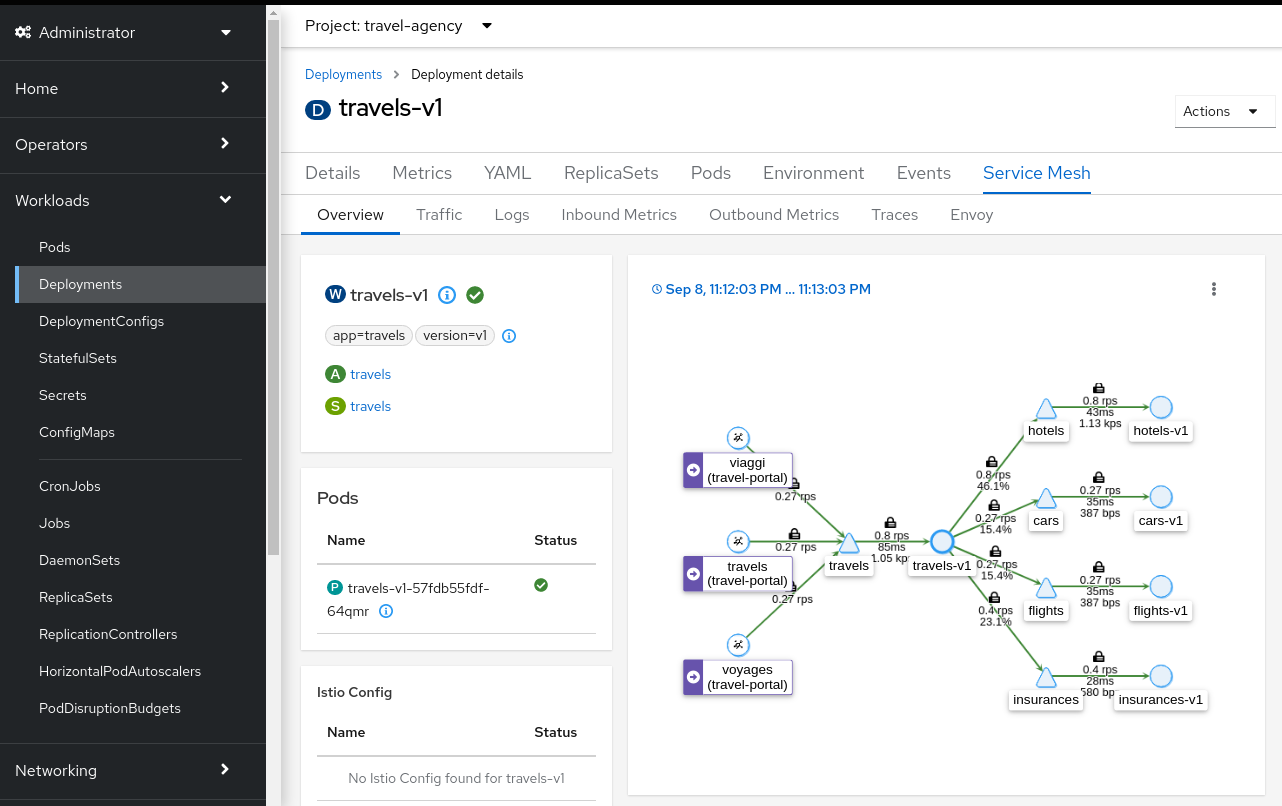
There is both an Install Guide and a User Guide to help you quickly install and use the OpenShift Service Mesh Console.
This new OpenShift Service Mesh Console is a Technology Preview and provides early access to potential product features, enabling users to test functionality and provide feedback during the development process. Because this is a brand new offering, there are some things you should consider:
- It is based on the new OpenShift Console dynamic plugin-in framework, which itself is a Technology Preview feature only. So it is on the bleeding edge - welcome to the party!
- Because it is currently a Technology Preview, we are not yet ready to provide official support for it, and it is not supported with Red Hat production service level agreements (SLAs).
- As with all Technology Preview releases, it is not intended to be run in production environments; Red Hat does not recommend using it in production.
With that said, the Kiali team hopes that the community will try out the new OpenShift Service Mesh Console and enter feedback in our issue tracker. We thank you for joining the effort in trying to provide Service Mesh observability features directly to the OpenShift Console.


