
Red Hat Openshift 4 provides two different ways to install its platform: Installer-provisioned infrastructure (IPI) and User-provisioned infrastructure (UPI). Between these two, IPI is a great option for a team with public access to the Internet, because it provides a quick installation that should not take more than 30 minutes with its automated wizard.
However, it's always possible that something could go wrong or you could accidentally lose information that you need. Some information can be very important, like the admin password or cluster URL. You may forget to write down the information or lose the file with the data. So how do you recover the lost password?
Lost kubeadmin password
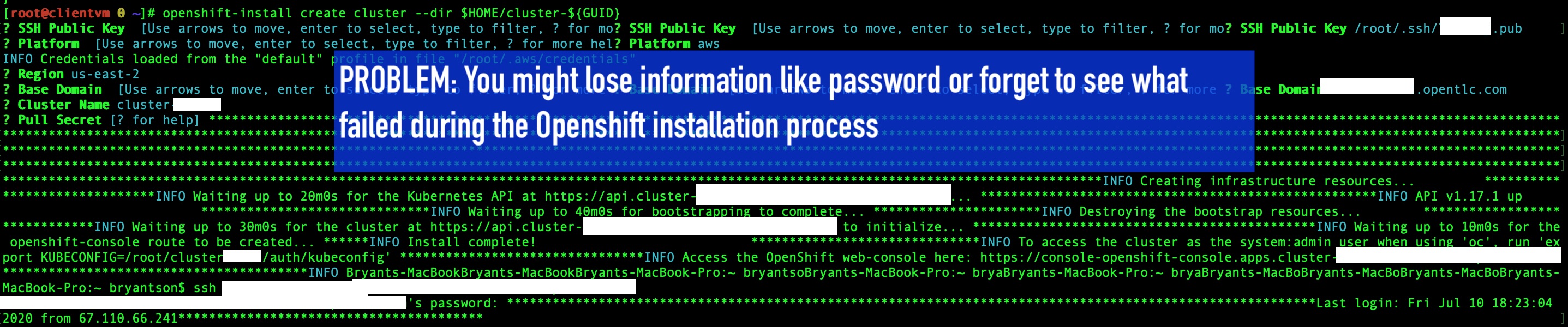
For example, as seen in the screenshot below, after I ran the openshift-install create cluster --dir $HOME/cluster-xxx command and went through the installation wizard, my Terminal window somehow forgot to print out the kubeadmin password.
[ Getting started with Red Hat OpenShift Service on AWS Learning Path - Getting started with Red Hat OpenShift Service on AWS. ]
OpenShift installation log
Fortunately, there is a way to recover the information. To retrieve the password, however, the following two requirements must be satisfied:
- You have
sudoaccess to the OpenShift cluster. - The path containing the OpenShift cluster is fresh, so the necessary installation log still exists.
The file you are looking for is named .openshift_install.log and it is found in the OpenShift installation directory. It is a hidden file, as indicated with a . (dot) preceding the file name, so use the ls -la command to display it.
Here are the steps:
- SSH into the machine that hosts the OpenShift cluster.
- Type
sudo -ito switch to a privileged user. cdinto the directory that has the OpenShift installation.- Type
ls -lato see the hidden log file. - View the contents of
.openshift_install.logwithcator another text editor, such asvim.

For example, if you need the kubeadmin password, it should be in the .openshift_install.log file. If you want to log in with the default credential, the username is kubeadmin. The password is the one found in the log.

Wrap up
I hope this article helps you understand how to recover the kubeadmin password for an OpenShift 4 cluster. Thank you for reading, and see you next time.
[ Getting started with containers? Check out this free course - Deploying containerized applications: A technical overview. ]
关于作者
Bryant Jimin Son is a Consultant at Red Hat, a technology company known for its Linux server and opensource contributions. At work, he is working on building the technology for clients leveraging the Red Hat technology stacks like BPM, PAM, Openshift, Ansible, and full stack development using Java, Spring Framework, AngularJS, Material design. Prior to joining Red Hat, Bryant was at Citi Group's Citi Cloud team, building the private Infrastructure as a Service (IaaS) cloud platform serving 8,000+ teams across Citi departments. He also worked at American Airlines, IBM, and Home Depot Austin Technology Center. Bryant graduated with Bachelor of Sciences in Computer Science and Aerospace Engineering with minor concentration in Business at University of Texas at Austin.
He is also the President and Founder of Korean American IT Association group, known as KAITA (www.kaita.org). He is an avid coder spending extra time on building side projects at cafes, and he travels every week on business. He also loves to work out daily and to grow KAITA.


