Two-Factor Authentication (2FA) is an additional layer of security that can be used to help protect enterprise applications from unauthorized access. While OAuth, and even some LDAP configs are viable options to enable 2FA in Ansible Automation Platform, users prefer to leverage Security Assertion Markup Language (SAML) for this purpose, as described in Using two-factor SAML with Red Hat Ansible Tower. On the other hand, 2FA to managed machines is discouraged.
 https://pixabay.com/illustrations/eye-iris-biometrics-2771174/
SAML is an open standard that allows Identity Providers (IdP) exchange authorization credentials with a Service Provider (SP). The IdP supplies an XML document—known as assertion—to the SP to deliver a series of attributes that identify the login user.
These attributes can be used in Ansible Automation Platform to determine the team and organization of a user. Let’s explore an example, with Microsoft Azure’s Active Directory as the IdP (and, of course, Ansible Automation Platform as the SP).
Attribute mapping
The goal of this example is to map users from four different groups (Alpha, Beta, Gamma and Delta) to either the Cloud or Network Organization in Ansible Tower, and make them part of a specific team (Engineering or Operations). Ansible Tower is the control plane for Ansible Automation Platform and includes a webUI and RESTful API.
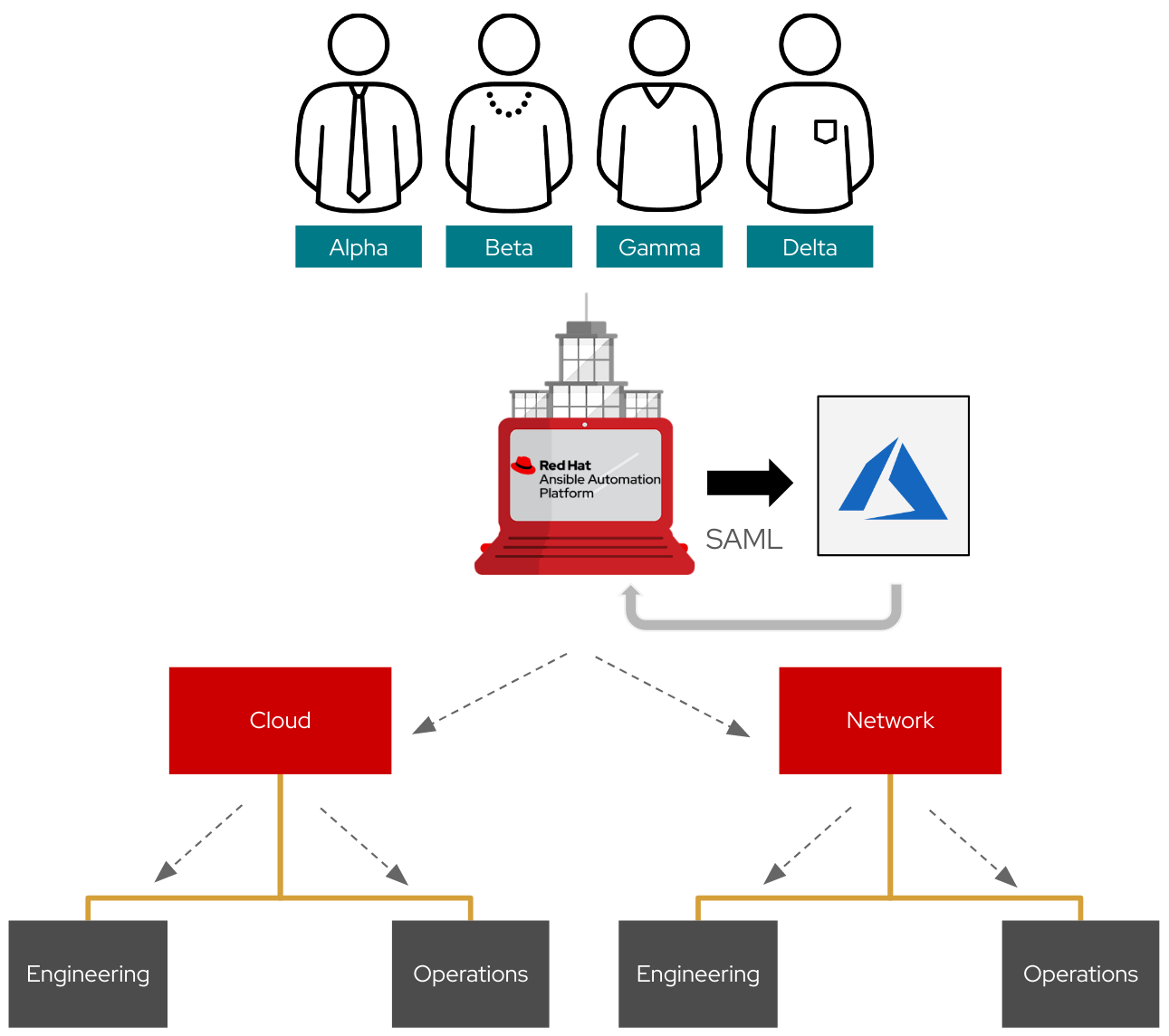
This post will cover three areas:
- Azure Active Directory settings
- Ansible Tower settings
- User login example
Azure Active Directory settings
The IdP in this example is Azure’s Active Directory where four test users are set up: Test 1, Test 2, Test 3 and Test 4 to validate the different team and organization combinations in Ansible Tower.
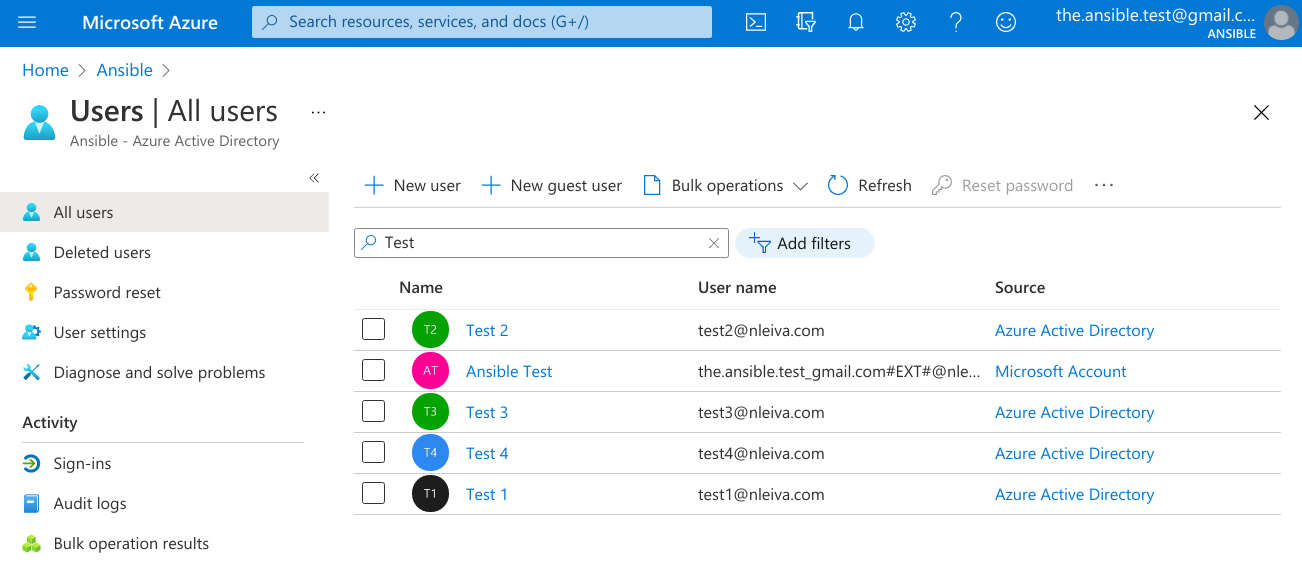 Test users in Azure’s AD
Each user is a member of a different group.
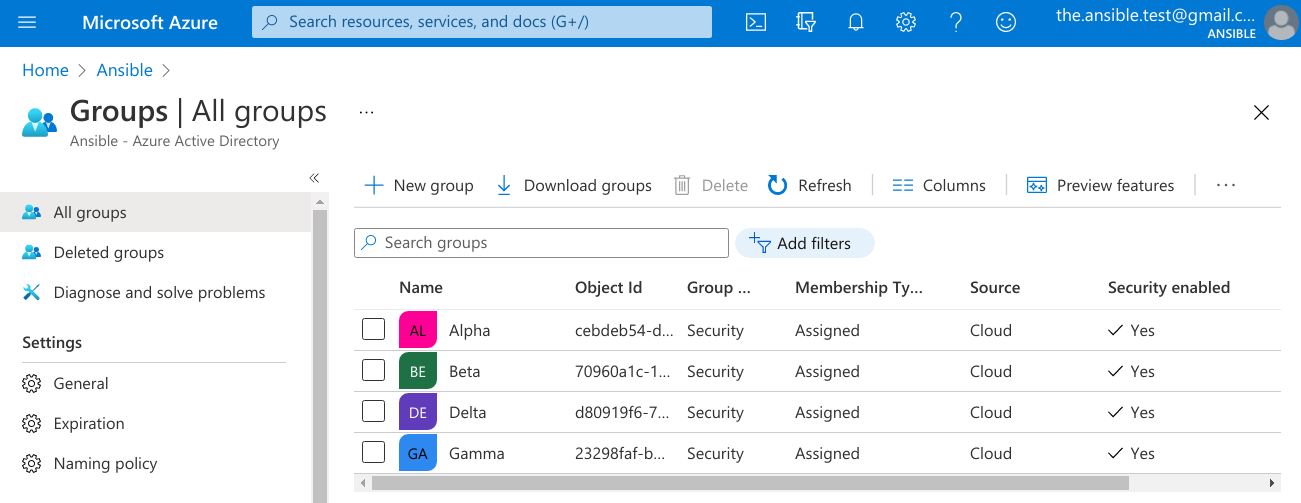
User groups in Azure’s AD
User Test 4 is a member of the group Delta, for example. We will use the Object Id of the group (`d80919f6-7...`) for mapping purposes later.
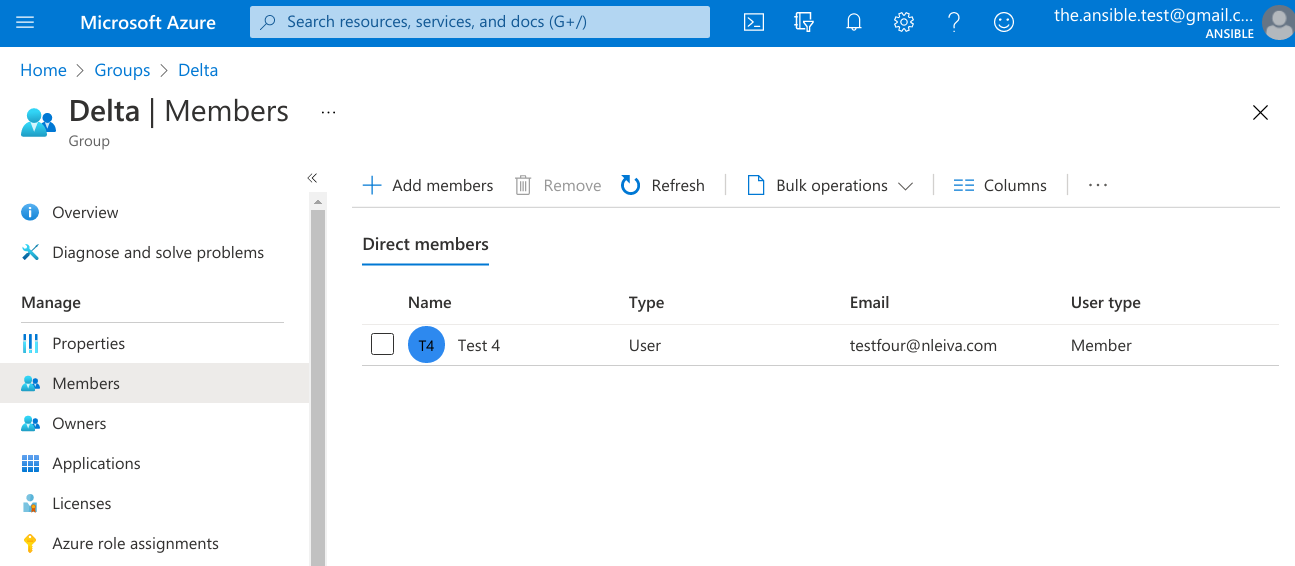
Delta group members in Azure’s AD
Enable users for SAML
These users need to be enabled to use SAML in Azure’s Active Directory. Go to Enterprise Application > Azure AD SAML Toolkit > Users and groups.
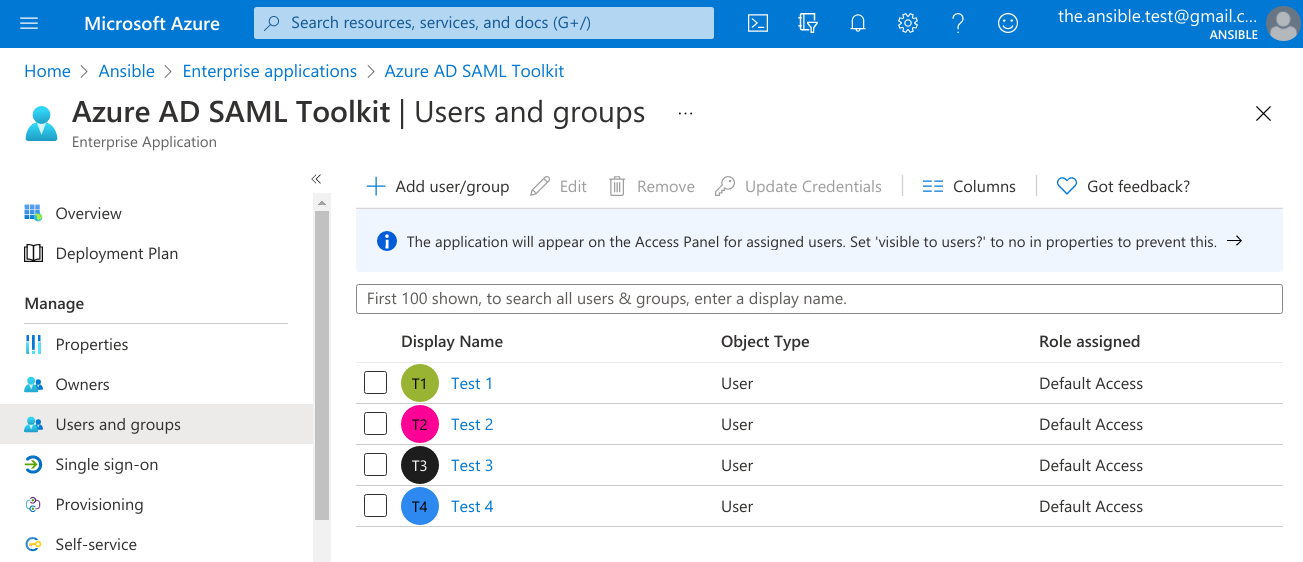
SAML enabled users in Azure’s AD
SAML attributes and claims
Next, the attributes that identify the login user should be defined. A number of them are included by default in Azure’s Active Directory. Group and organization are the only two that were manually added from the capture below.
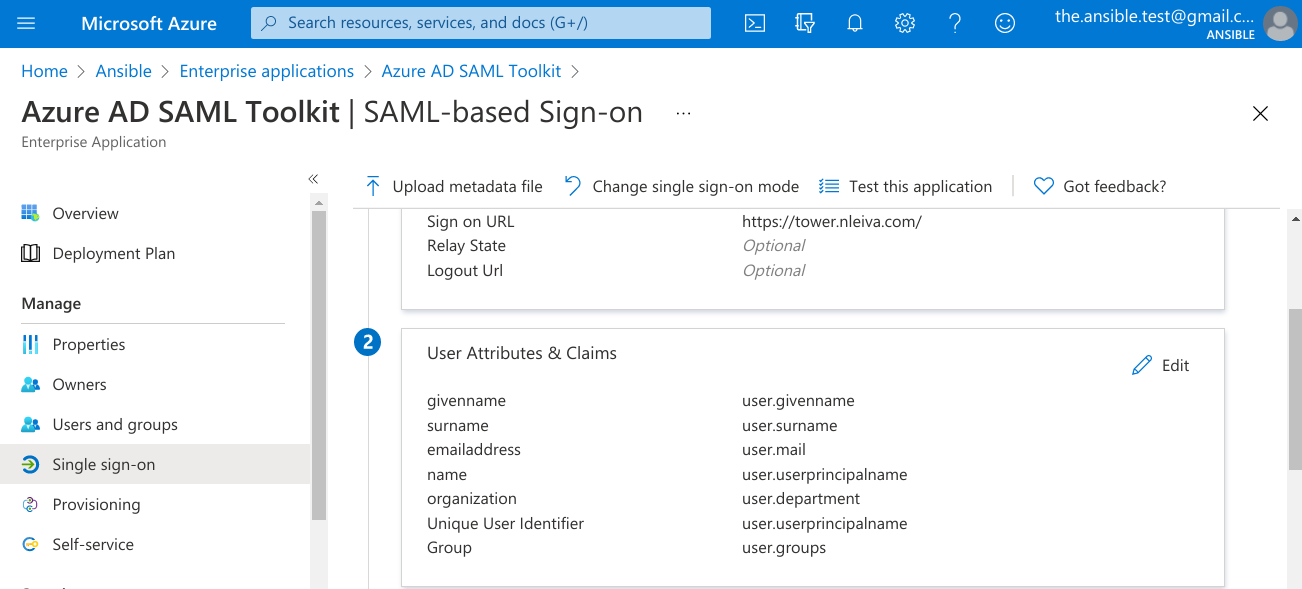
User SAML attributes in Azure’s AD
Claim the Group ID as an attribute
The attribute group was added by clicking edit in User Attributes & Claims.
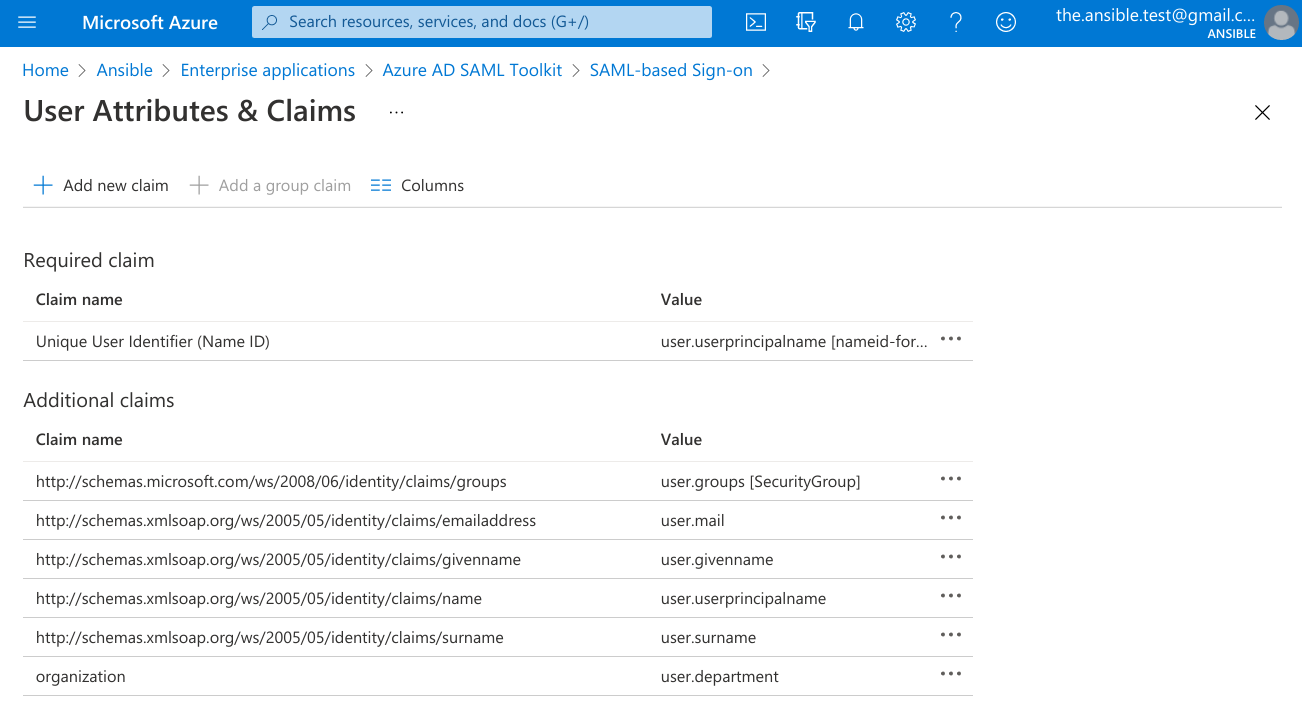
Adding a SAML attributes in Azure’s AD
The attribute “http://schemas.microsoft.com/.../claims/groups” is mapped to the Group ID of the group(s) the user is a member of (or Object Id as displayed in the groups table).

Adding the Group ID as a SAML attributes in Azure’s AD
The organization attribute is mapped to the department in Active Directory of the user.
Ansible Tower settings
With the IdP setting is ready, it’s time to look at the SP, i.e. Ansible Tower. The SAML config can be found in Settings > Authentication and click on the SAML tab.
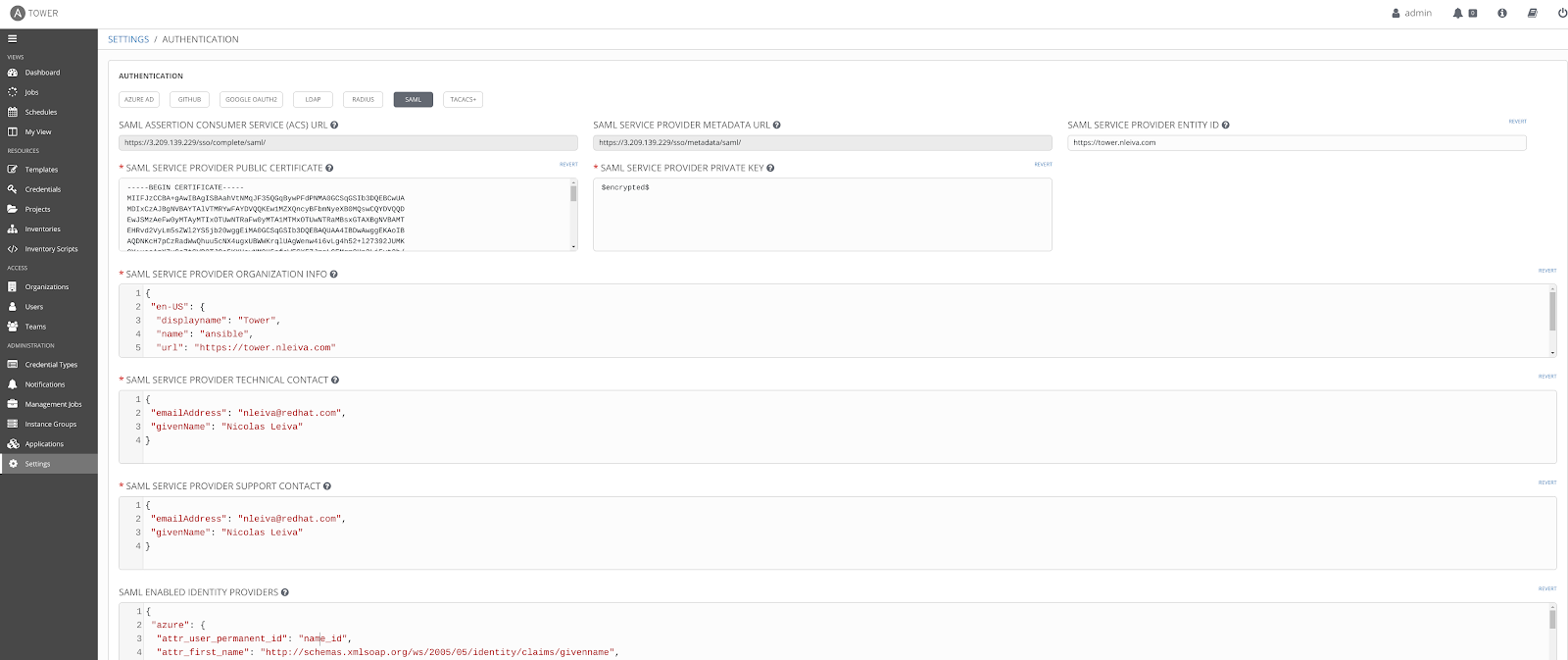
SAML settings in Ansible Tower
The following SAML sections need to be configured.
Service provider organization info
These values identify the Ansible Tower instance that acts as the service provider.
{
   "en-US": {
    "displayname": "Tower",
    "name": "ansible",
    "url": "https://tower.nleiva.com"
   }
}
SAML Service Provider Organization Info in Ansible Tower
Enabled identity providers
The information for this section can be found in Azure’s Active Directory.
{
   "azure": {
    "attr_user_permanent_id": "name_id",
    "attr_first_name": "http://schemas.xmlsoap.org/.../claims/givenname",
    "x509cert": "MIIC8DCCAdigAwIBAgIQYWF6cR/QnINMGv5oFZKSYzAN.../a",
    "entity_id": "https://sts.windows.net/4821e3da-...9/",
    "attr_email": "http://schemas.xmlsoap.org/.../claims/emailaddress",
    "attr_username": "http://schemas.microsoft.com/.../claims/displayname",
    "attr_last_name": "http://schemas.xmlsoap.org/.../claims/surname",
    "url": "https://login.microsoftonline.com/4821e3da-...9/saml2"
   }
}
SAML Enabled Identity Providers in Ansible Tower
It’s key to download the SAML Signing Certificate and copy the Login URL and Azure AD Identifier in Azure AD SAML Toolkit section to complete the previous configuration.
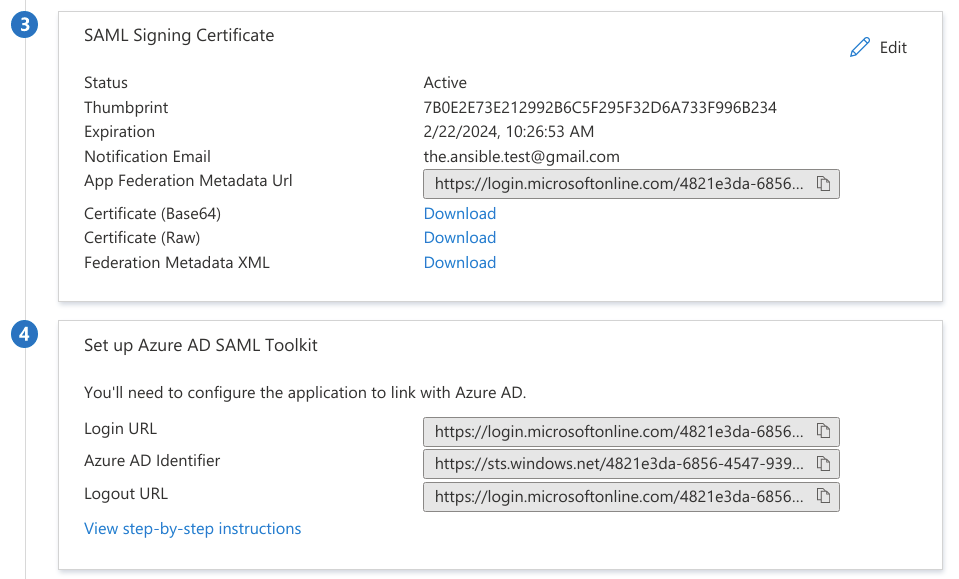
Azure AD SAML Toolkit section
Organization attribute mapping
Both users and teams can be members of an organization. We use the organization mapping attribute configuration to tell Ansible Tower what organization users belong to.
In this example, an attribute with the name organization, which in Azure’s Active Directory maps to user.department per our configuration, determines which organization the user will be placed in Ansible Tower.
{
   "saml_attr": "organization",
   "remove": true
}
SAML Organization Attribute Mapping
Team attribute mapping
In this section, a specific value of a SAML attribute derives the user’s team placement and to which organization the team belongs. The attribute selected is defined with the key saml_attr, in the example: “http://schemas.microsoft.com/.../claims/groups”.
As a result, user Test 4, which is a Delta group member in AD (group with Object Id = d80919f6-7...), maps to the team Operations in the Network organization.
{
   "remove": true,
   "team_org_map": [
    {
     "team": "cebdeb54-...",
     "organization": "Cloud",
     "team_alias": "Engineering"
    },
    {
     "team": "70960a1c-...",
     "organization": "Cloud",
     "team_alias": "Operations"
    },
    {
     "team": "23298faf-...",
     "organization": "Network",
     "team_alias": "Engineering"
    },
    {
     "team": "d80919f6-...",
     "organization": "Network",
     "team_alias": "Operations"
    }
   ],
   "saml_attr": "http://schemas.microsoft.com/ws/2008/06/identity/claims/groups"
  }
SAML Team Attribute Mapping
User login example
When logging in, the user needs to click on SIGN IN WITH (S) -> SAML.
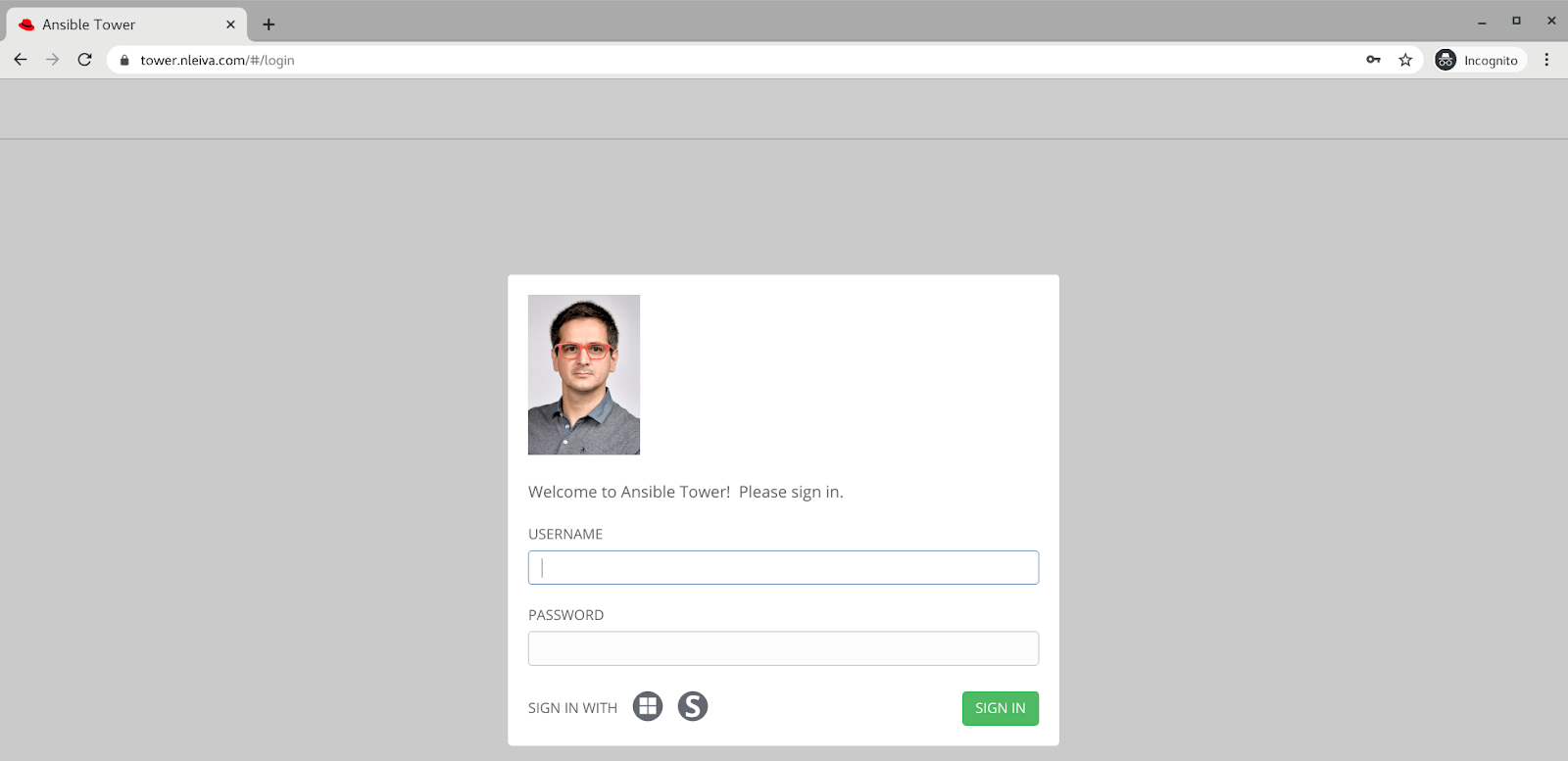
Ansible Tower landing page
The user will be redirected to Azure for authentication.

Azure’s login page
We log in with Test 4 user credentials.
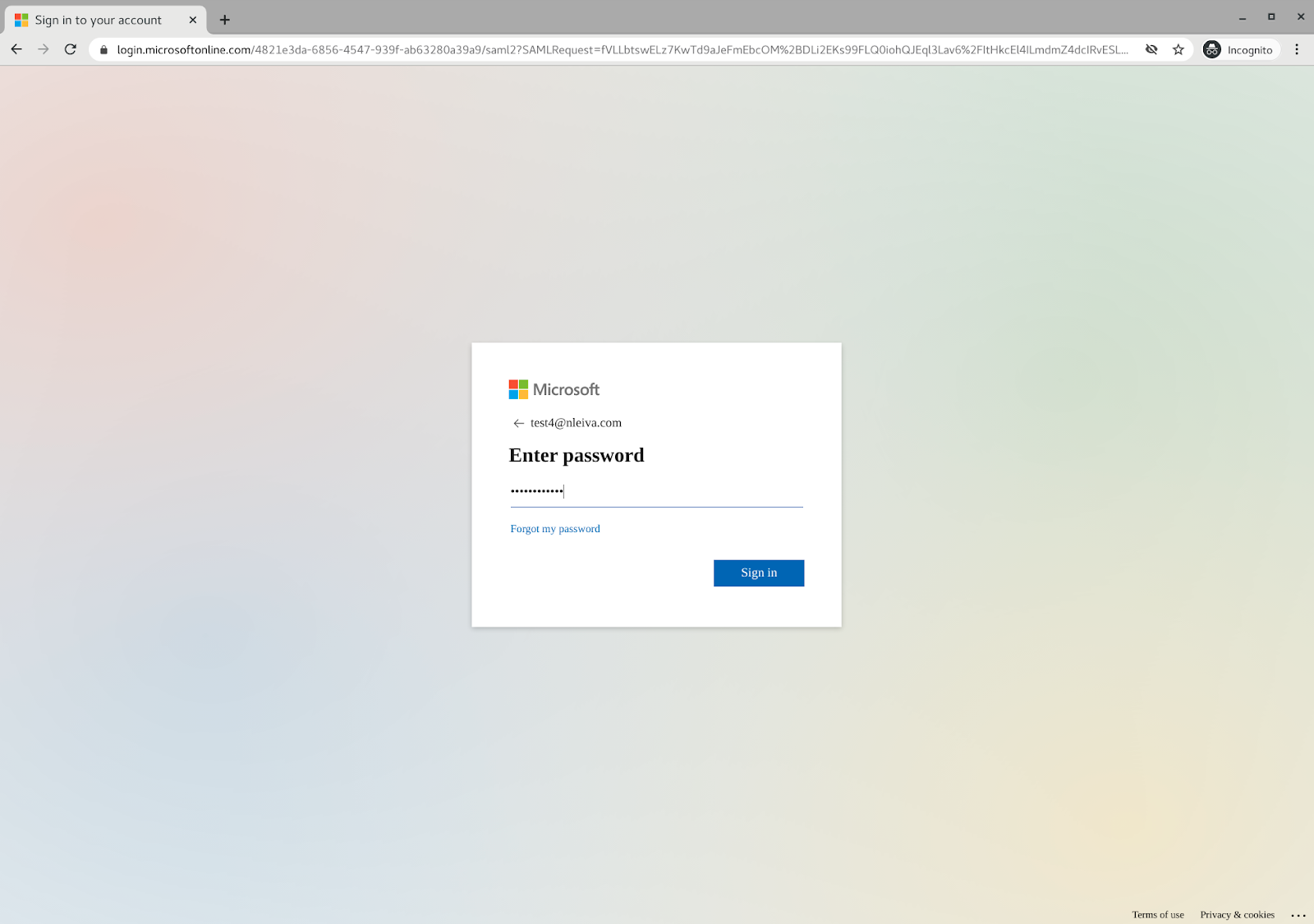
Azure’s login page
Two-factor authentication (2FA) will then kick in.
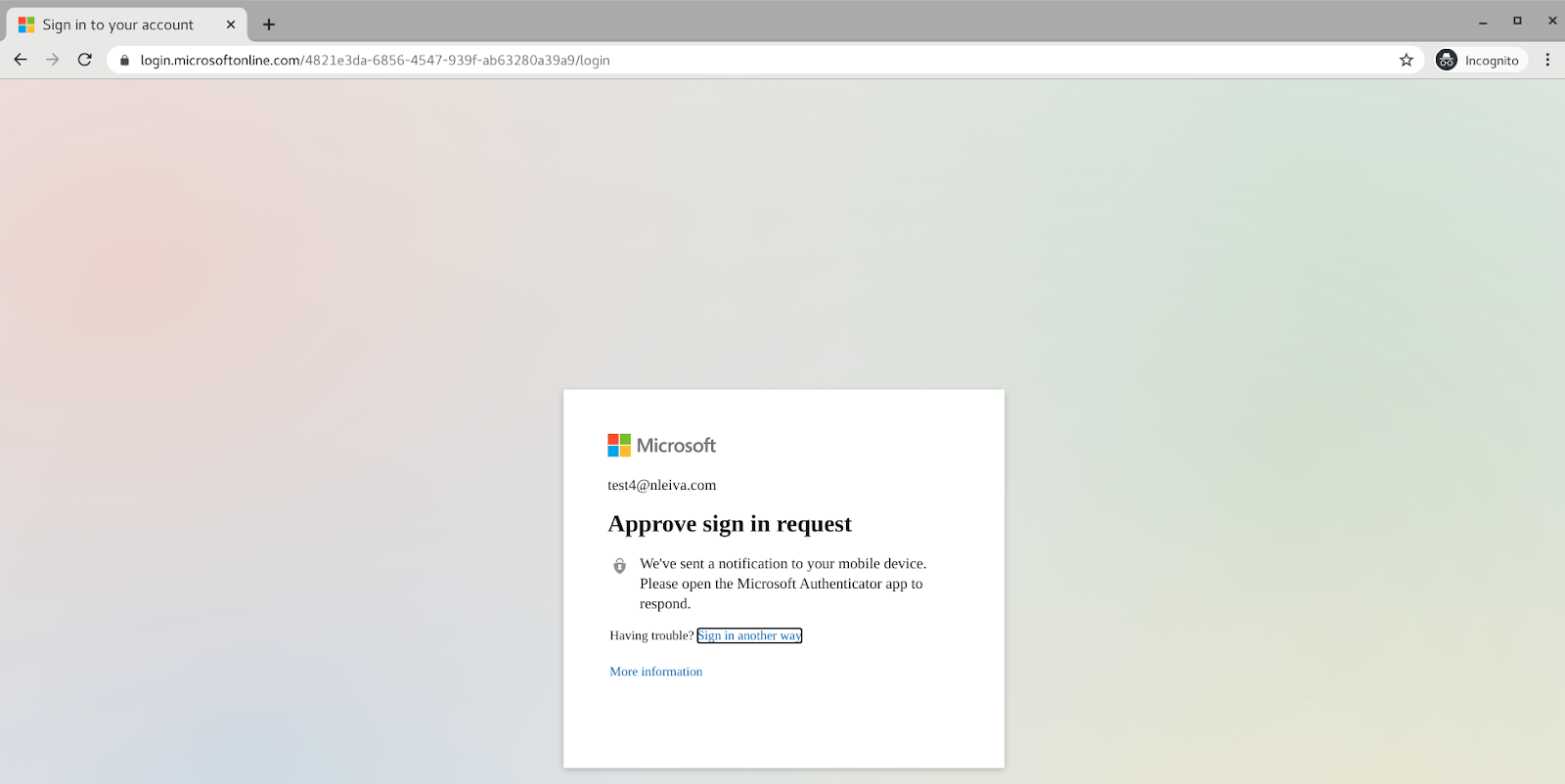
Azure 2FA
After approving this request with our mobile device, user Test 4 can access Ansible Tower. This user is now a member of the team Operations.
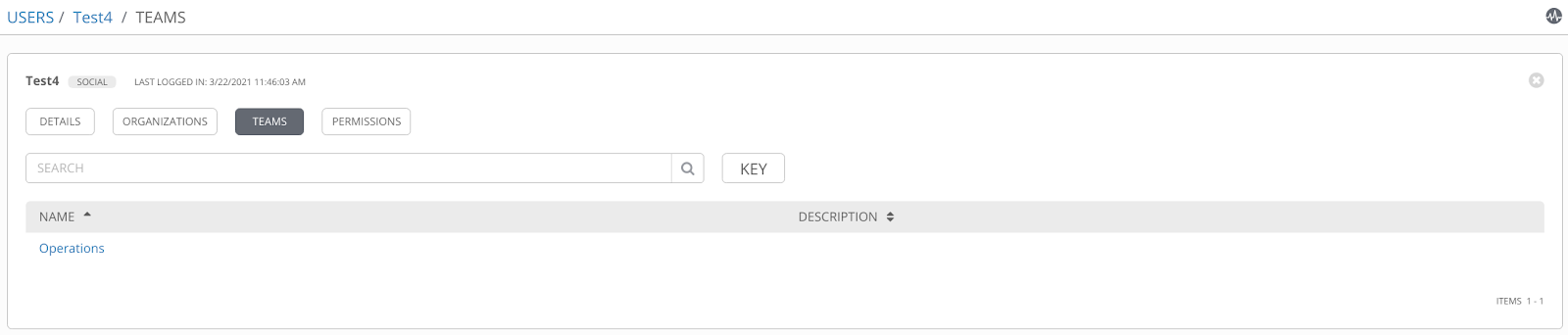
User Teams
This team is in the Network organization.

Team details
Optionally, the user by itself can be also made part of the Organization.
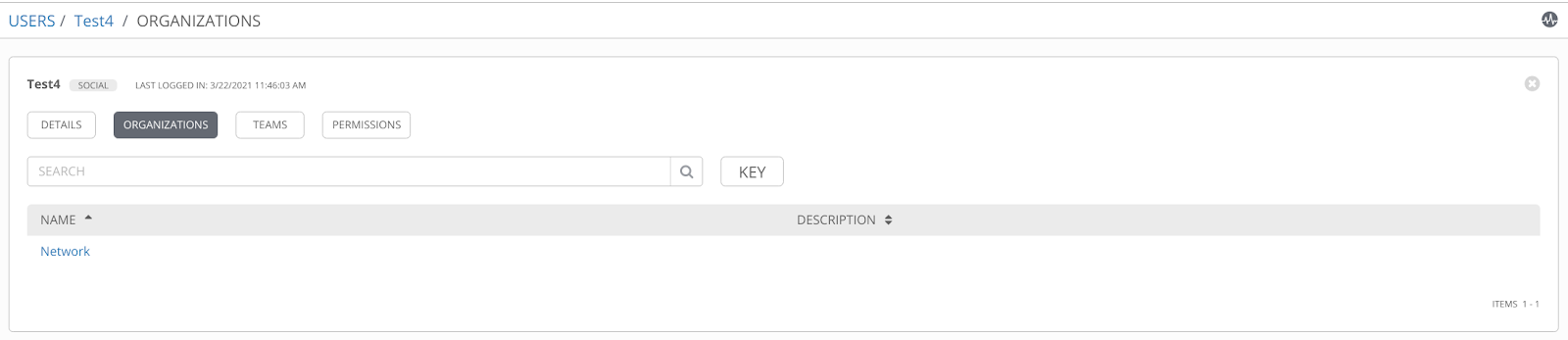
User Organizations
Conclusion
SAML provides a practical approach to integrate Azure Active Directory with Ansible Automation Platform, allowing us to take advantage of the user management capabilities AD offers.
If you'd like to dive deeper, take a look at:
- Ansible Tower RBAC and authentication links
- Using SAML with Ansible Tower (2017)
- Using two-factor SAML with Ansible Tower (2017)
- How to configure SAML authentication with Azure AD in Ansible Tower
Do you need a trial of Ansible Automation Platform? Go to red.ht/try_ansible.
Sobre el autor

Más como éste
Una IA preparada para agentes implica una estrategia lista para tokens
Deja de administrar el pasado y comienza a forjar el futuro de TI
Collaboration In Product Security | Compiler
Keeping Track Of Vulnerabilities With CVEs | Compiler
Navegar por canal

Automatización
Las últimas novedades en la automatización de la TI para los equipos, la tecnología y los entornos

Inteligencia artificial
Descubra las actualizaciones en las plataformas que permiten a los clientes ejecutar cargas de trabajo de inteligecia artificial en cualquier lugar

Nube híbrida abierta
Vea como construimos un futuro flexible con la nube híbrida

Seguridad
Vea las últimas novedades sobre cómo reducimos los riesgos en entornos y tecnologías

Edge computing
Conozca las actualizaciones en las plataformas que simplifican las operaciones en el edge

Infraestructura
Vea las últimas novedades sobre la plataforma Linux empresarial líder en el mundo

Aplicaciones
Conozca nuestras soluciones para abordar los desafíos más complejos de las aplicaciones

Virtualización
El futuro de la virtualización empresarial para tus cargas de trabajo locales o en la nube
