
Ansible Automation Platform (AAP) is an enterprise solution by Red Hat to make Ansible easier to use. It comes bundled with a lot of components to help you automate your processes across the entire Software Development Life Cycle (SDLC). It provides you with various features such as Role-Based Access Control (RBAC), workflows, third-party integration via an API, notifications, shared SSH key credentials, and more. It also integrates well with LDAP and comes with pre-configured logging.
[ You might also like: Using Ansible Automation Webhooks for GitOps ]
Understanding the problem
The process looks like this: The development team changes the code and pushes the code to the Git repository used by the product. Once the code has been updated, the DevOps team pulls the latest code and then pushes it to the required servers via a playbook. The problem? The latest code must be downloaded manually every time and then pushed to the required servers. I'm going to show you how to automate that process.
Bringing in the solution
AAP supports integration with GitHub and GitLab. This integration is accomplished using a webhook. A webhook is a user-defined HTTP callback action that is triggered by an event such as updating a piece of code and pushing it to a repository. The action triggered, in this case, is the execution of a playbook on the desired managed hosts.
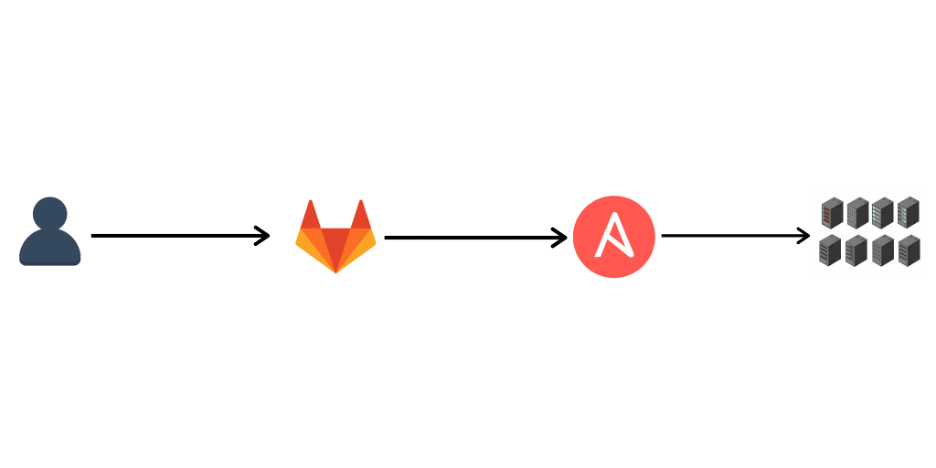
In the above diagram, the user pushes the latest code to the GitLab repository, triggering an event. The event is the code being pushed to the repository. This event further triggers an HTTP-based webhook that communicates with AAP via its API. This informs AAP to run the desired template on the selected inventory.
Configure an AAP webhook with GitLab:
So how does this process work? I've broken it down into six steps to make it easier to understand.
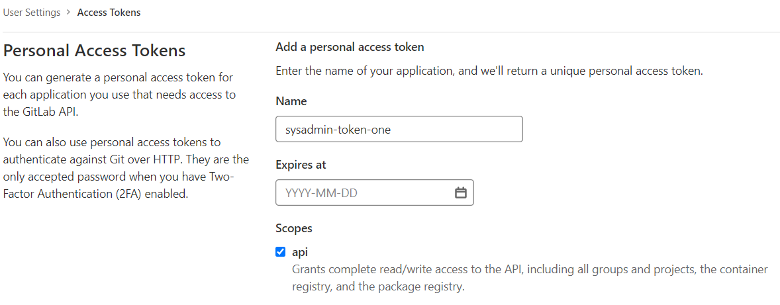
Step 1: Create a GitLab personal access token
Navigate to User Settings in your GitLab account and create a personal access token. This credential is used to establish an API connection to GitLab for use with webhook listener jobs to post status updates.
Step 2: Configure the GitLab personal access token
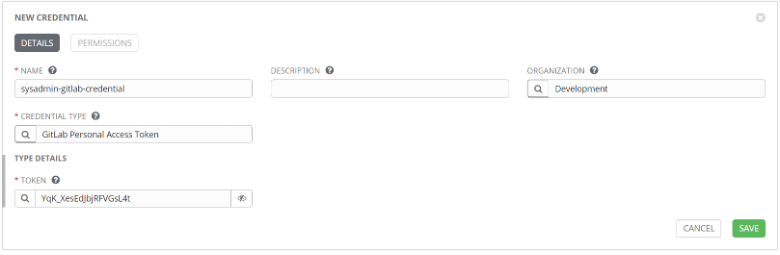
Create a new credential in AAP with the type, GitLab Personal Access Token. Provide a relevant name and organization, and then input your token.
Step 3: Enable webhooks in AAP Template
Go to your AAP Template and check the Webhook button. This will require you to enter the webhook service, which is GitLab. Choose your previously created credential in the Webhook Credential option. Copy the Webhook URL and Webhook Key you were given and save the settings.

Step 4: Enable the webhook in the GitLab project
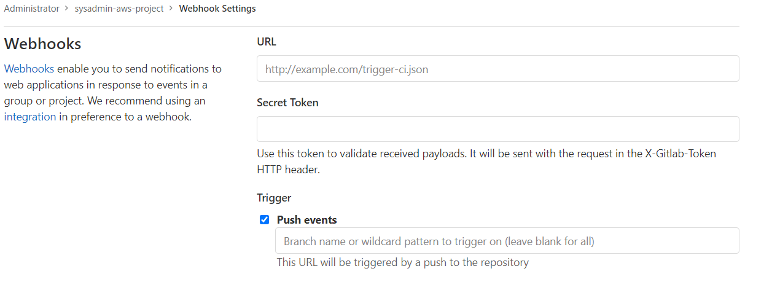
Navigate to the Webhook Settings of your GitLab project. Input the Webhook URL and Webhook Key you copied from the AAP Template. Choose Push events as the trigger because we wish to execute the template when the latest code is pushed. Disable SSL verification if your AAP does not have a valid SSL certificate.
Step 5: Make changes to your code and push to the repository
Push your changes to the GitLab repository via the GitLab interface or the Git CLI.

Step 6: Verify the Template execution
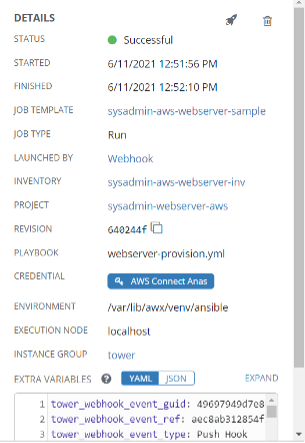
Navigate to Jobs in AAP. Your template should be in the process of execution or successfully executed. Notice the Launched By and the Extra Variables field. You will see the user as webhook and the extra variables employed by the webhook to complete the execution successfully.
[ Looking for more on system automation? Get started with The Automated Enterprise, a free book from Red Hat. ]
Wrap up
Automation has become a necessity in any organization’s management of its infrastructure. Using technologies like webhooks will make it easier for a system administrator to automatically deploy the latest changes on their managed hosts via an enterprise solution such as Ansible Automation Platform.
저자 소개
Technological consultant and instructor for a Red Hat training partner based in India. Works on Ansible Tower, Red Hat Satellite, Python, and Ethical Hacking. Experience in delivering security and automation solutions as per business needs.
유사한 검색 결과
Ansible Automation Platform 2.7: 시각적 실행 환경 빌더 및 콘텐츠 검색 가이드
Red Hat Ansible 올스타: 네트워크 및 인프라 자동화의 미래를 주도합니다
Random Acts Of Automation | Compiler
Untangling Networks | Compiler
채널별 검색

오토메이션
기술, 팀, 인프라를 위한 IT 자동화 최신 동향

인공지능
고객이 어디서나 AI 워크로드를 실행할 수 있도록 지원하는 플랫폼 업데이트

오픈 하이브리드 클라우드
하이브리드 클라우드로 더욱 유연한 미래를 구축하는 방법을 알아보세요

보안
환경과 기술 전반에 걸쳐 리스크를 감소하는 방법에 대한 최신 정보

엣지 컴퓨팅
엣지에서의 운영을 단순화하는 플랫폼 업데이트

인프라
세계적으로 인정받은 기업용 Linux 플랫폼에 대한 최신 정보

애플리케이션
복잡한 애플리케이션에 대한 솔루션 더 보기

가상화
온프레미스와 클라우드 환경에서 워크로드를 유연하게 운영하기 위한 엔터프라이즈 가상화의 미래
