
In this article we will discuss how to install and run an open source cloud native dedicated game server platform on OpenShift Container Platform (OCP) using Helm. My hope is in the end you'll be inspired by the possibilities of open source technology when it comes to multiplayer gaming infrastructure.
Video games are a huge part of the media and entertainment industry. There is a lot of time and capital invested from both a development and consumer perspective. There is also a lot of time spent on reinventing the wheel when it comes to creating and deploying scalable dedicated multiplayer game server platforms. The Agones project was created in an attempt curb that insanity loop. Or at least be an inspiring open source alternative to reinventing the wheel.
To quote the Agones.dev website:
Agones is an open source platform, for deploying, hosting, scaling, and orchestrating dedicated game servers for large scale multiplayer games, built on top of the industry standard, distributed system platform Kubernetes.
Being that OpenShift is a tried and true enterprise Kubernetes platform used by many orginizations throughout the world it's a perfect fit to pair with the Agones platform.
This example assumes that you have an OpenShift cluster available to you. If not, consider using something like OpenShift Local.
Setting up the foundation
- To start we will need to create an OpenShift Project called
agones-systemby selectingDeveloperfrom the upper left hand pane >Projectdropdown andCreate Project

-
Continue on to create one more project called
pcto house the GameServer resources we'll be using later. -
Switch back to the
agones-systemproject for the next step.
Create Helm Repo
Next we will start a simple game server install via helm on the OpenShift Console UI. As a part of that process we will need to create a Helm repository. You can do this under Developer > Helm then select the Create drop down and choose Repository.
- Fill out the form with the following information and click
Create:
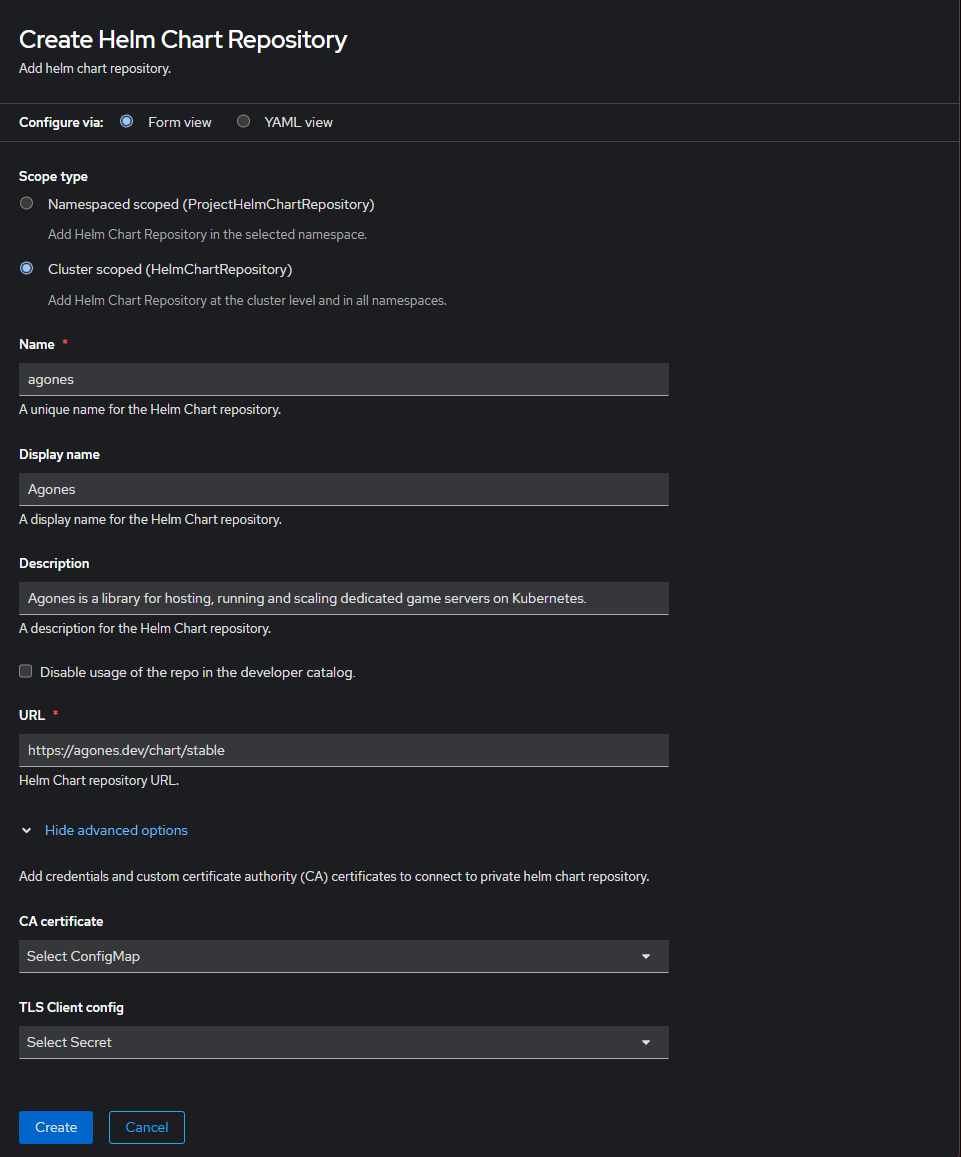
Alternatively if you want to save some typing select the yaml view and copy and paste this ProjectHelmChartRepository manifest there:
apiVersion: helm.openshift.io/v1beta1
kind: ProjectHelmChartRepository
metadata:
  name: agones
  namespace: agones-system
spec:
  connectionConfig:
    url: 'https://agones.dev/chart/stable'
  description: >-
    Agones is a library for hosting, running and scaling dedicated game servers
    on Kubernetes.
  name: Agones
- Once created you should now see it under
+Add>Developer Catalog>Helm Chart:
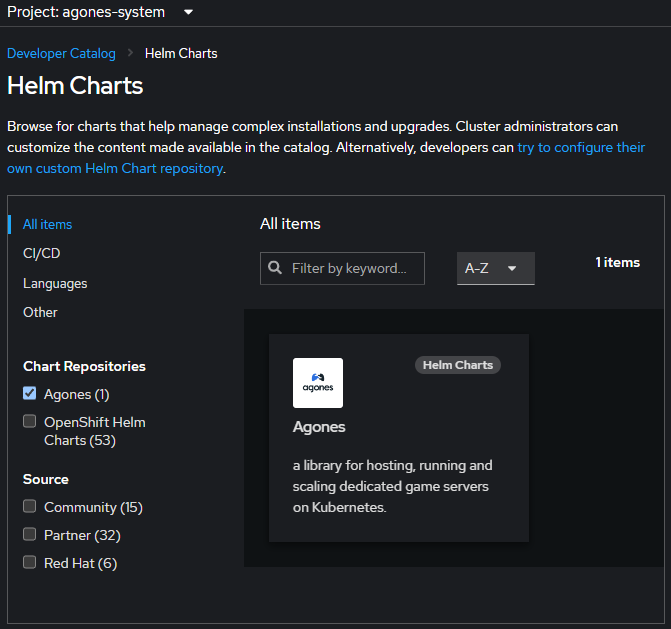
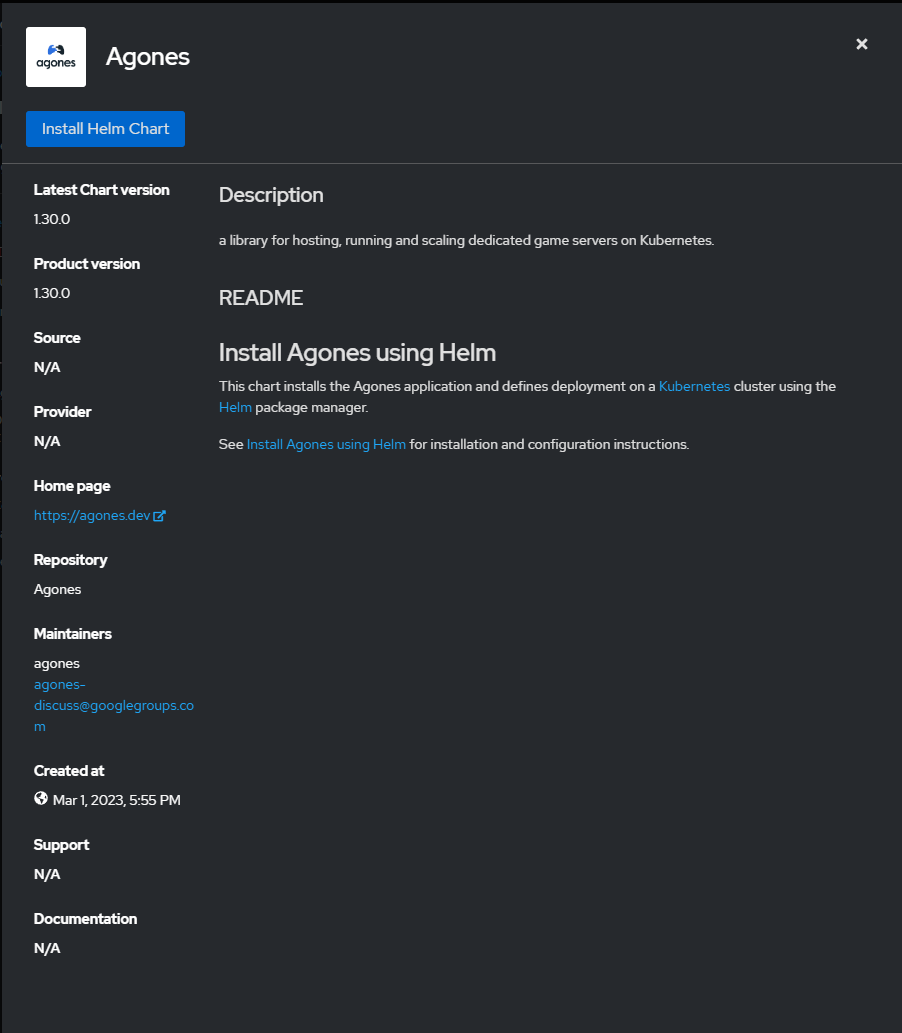
If you dive deeper into the catalog item you’ll see on the repo information:
Installing Agones
Lets move on to actually installing Agones.
-
Click on
Install Helm Chart -
Within the yaml enter the namespace(s) that you want to put your game servers in the chart yaml. For this example lets replace
defaultwithpc:
See the gameservers section:
gameservers:
  maxPort: 8000
  minPort: 7000
  namespaces:
    - pc
For a full list of configurable parameters see the Agones Documentaion
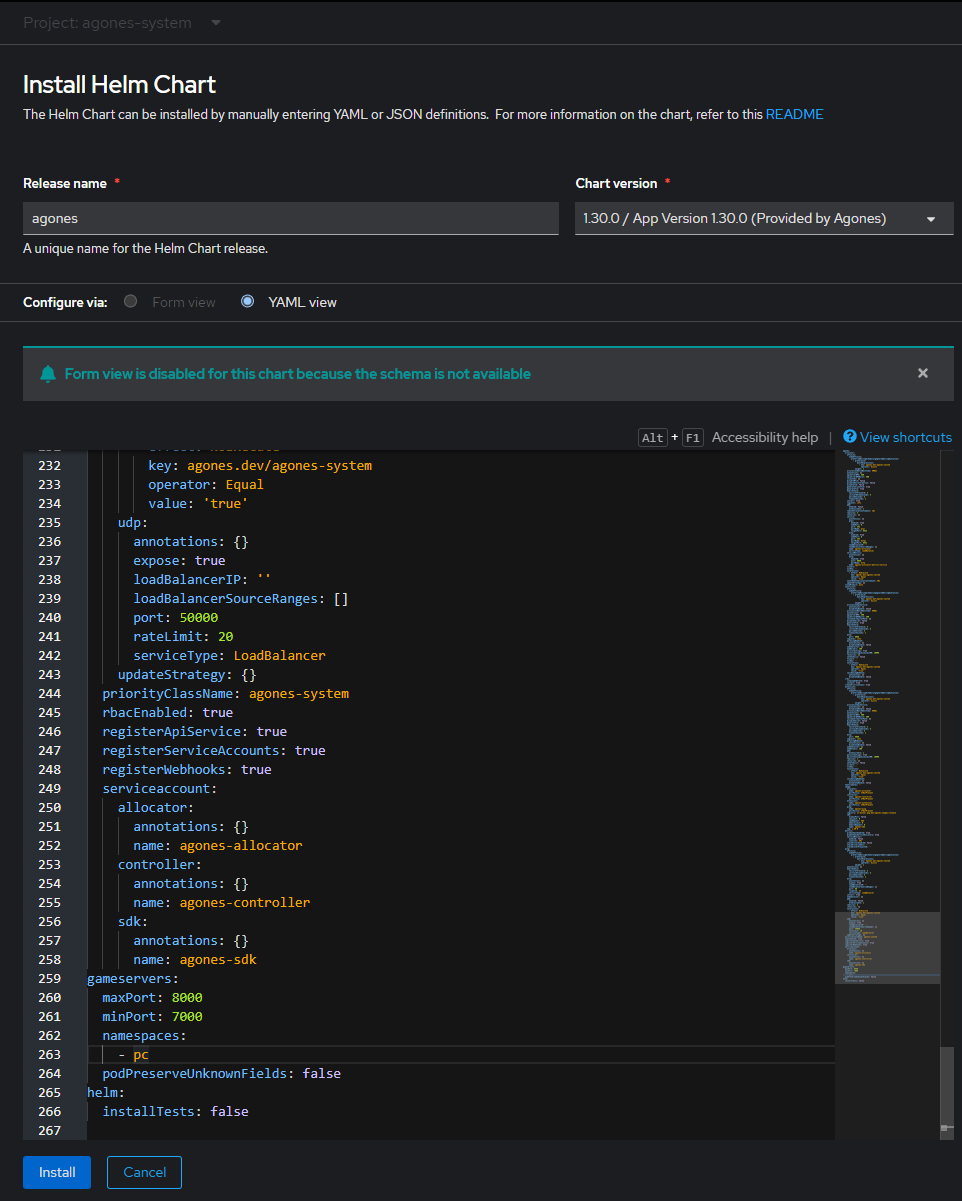
Note that you must create these gameserver projects/namespaces before hitting install.
Then hit Install.
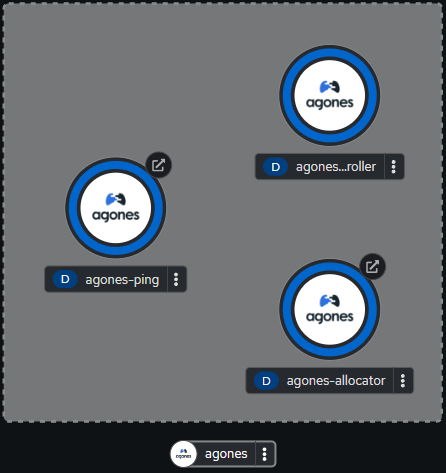
Now you have a helm release installed and the pods should be ready in no time:
Command Line Interface
Let’s move to the command line. Make sure you’re logged in as a user with a cluster-admin cluster role and issue the following commands:
oc project agones-system
oc get pods -n agones-system
There you will see something similar to the the following in the agones-system project/namespace:
NAME                                 READY   STATUS    RESTARTS   AGE
agones-allocator-f896b489-8kxrm      1/1     Running   0          102m
agones-allocator-f896b489-cvlks      1/1     Running   0          102m
agones-allocator-f896b489-t2bfz      1/1     Running   0          102m
agones-controller-56469dff4f-dl4cr   1/1     Running   0          102m
agones-ping-6d544ff796-t8t79         1/1     Running   0          102m
agones-ping-6d544ff796-wn4tr         1/1     Running   0          102m
Create a GameServer
Now that we’re at the command line lets setup our game servers from here as well.
When the helm install ran it setup your game server namespace(s) “pc” etc. with a Kubernetes Service Account, RoleBinding and a Secret
- To see what I'm talking about run this command:
oc get sa,secret,rolebinding -l app=agones -n pc
NAME                        SECRETS   AGE
serviceaccount/agones-sdk   1         30m

NAME                              TYPE                DATA   AGE
secret/allocator-client.default   kubernetes.io/tls   2      30m

NAME                                                      ROLE                     AGE
rolebinding.rbac.authorization.k8s.io/agones-sdk-access   ClusterRole/agones-sdk   30m
To learn more about the reason why see the Default Settings documentation
- Let’s go into our “pc” namespace:
oc project pc
- Here we will create a simple game server using the following command that utilizes a kubernetes manifest right from the agones source repo itself:
oc create -f https://raw.githubusercontent.com/googleforgames/agones/release-1.30.0/examples/simple-game-server/gameserver.yaml
Eventually you should see your GameServer kubernetes object come to life with a new home on your worker node along with a port:
oc get gameserver
NAME                       STATE   ADDRESS          PORT   NODE                      AGE
simple-game-server-4pr92   Ready   192.168.50.126   7277   ocp4-h86fb-worker-xwbhw   13m
If OpenShift was intalled on AWS via IPI you may need to give the agones-sdk service acccount the approprate permissions to utilize hostPort
Example:
oc adm policy add-cluster-role-to-user <custom cluster role> -z agones-sdk
Testing the Simple Game Server
Now lets put it to work!
- You can communicate with the
GameServervia netcatnc:
Example:
nc -u <IP> <PORT>
- Type "Hello OpenShift!" and hit enter:
Hello OpenShift!
Note if you installed OpenShift via an IPI install on AWS you will need to add an additional rule to the automatically generated security group to allow for UDP traffic over the allocated hostPort
The GameServer should return an answer like:
ACK Hello OpenShift!
- Next type "EXIT" to tell the SDK to run the Shutdown command:
EXIT
Poof! The game server is now gone.
oc get gs
No resources found in pc namespace.
Summary
Now you know how to create a helm repo and use a helm chart to install and utilize Agones on OpenShift. For more information about the Agones project visit: https://agones.dev
저자 소개
유사한 검색 결과
Red Hat 파트너가 최고의 통신 비즈니스 자산인 이유
에이전틱 패러독스와 하이브리드 AI의 필요성
Crack the Cloud_Open | Command Line Heroes
Edge computing covered and diced | Technically Speaking
채널별 검색

오토메이션
기술, 팀, 인프라를 위한 IT 자동화 최신 동향

인공지능
고객이 어디서나 AI 워크로드를 실행할 수 있도록 지원하는 플랫폼 업데이트

오픈 하이브리드 클라우드
하이브리드 클라우드로 더욱 유연한 미래를 구축하는 방법을 알아보세요

보안
환경과 기술 전반에 걸쳐 리스크를 감소하는 방법에 대한 최신 정보

엣지 컴퓨팅
엣지에서의 운영을 단순화하는 플랫폼 업데이트

인프라
세계적으로 인정받은 기업용 Linux 플랫폼에 대한 최신 정보

애플리케이션
복잡한 애플리케이션에 대한 솔루션 더 보기

가상화
온프레미스와 클라우드 환경에서 워크로드를 유연하게 운영하기 위한 엔터프라이즈 가상화의 미래
