
The complexity of software architecture has exploded in recent years. The number of tools, methodologies, execution environments, and services that you can incorporate into modern systems grew almost exponentially within just the last five years. If you take a closer look, you'll realize this wasn't driven by technology. The main drivers were continually evolving business requirements pushing established approaches to the limits.
[ Discover ways enterprise architects can map and implement modern IT strategy with a hybrid cloud strategy. ]
An architect is a driver behind successful and sustainable development projects. An architect is also indirectly responsible for team velocity. How can you put more emphasis on the kinds of technologies that help teams perform faster and more efficiently?
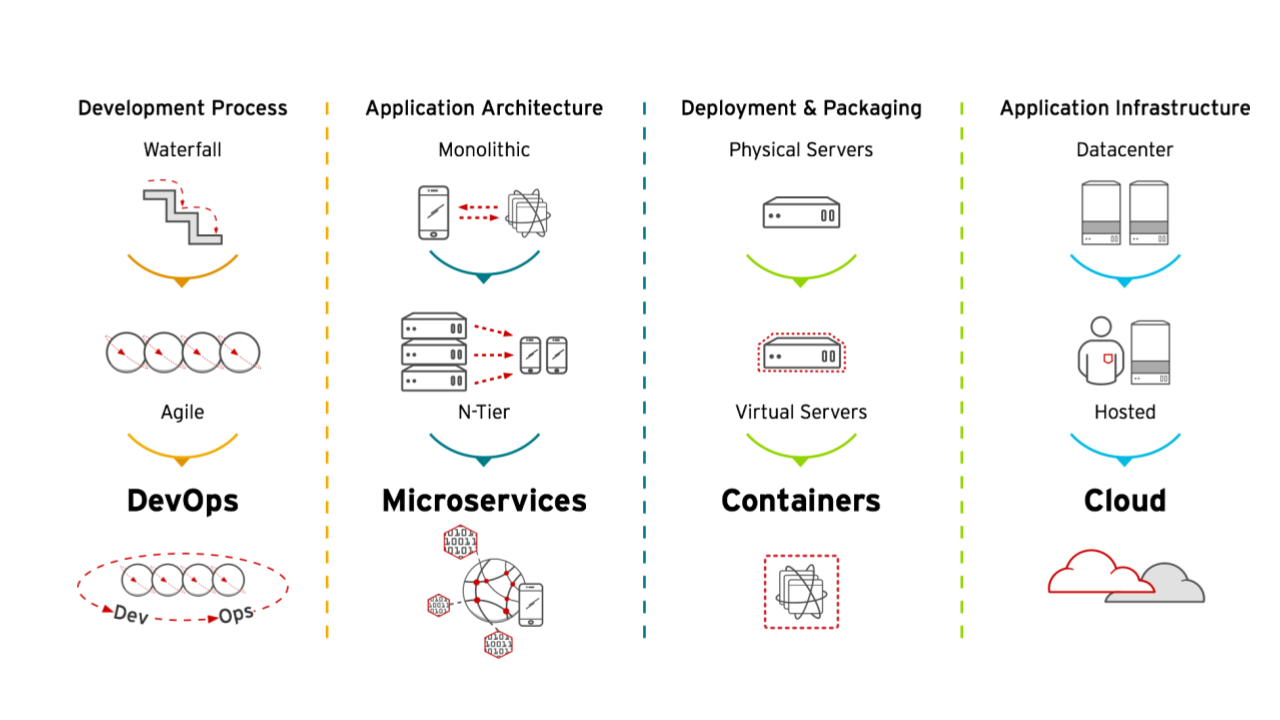
Even though DevSecOps and continuous integration/continuous development (CI/CD) pipelines are common now, setting up development environments continues to be challenging. It is a tedious but necessary task that usually happens during project creation. Creating development environments is somewhat documented, but as teams grow, the process is rarely optimized. That's less of a challenge when you're working within a well-defined set of technologies and smaller teams. But it quickly becomes a nightmare when you need more strict governance and as the team grows larger.
[ Learn how to build a flexible foundation for your organization. Download An architect's guide to multicloud infrastructure. ]
What makes up a development environment?
Development environments are usually separated into two areas. One is the inner loop, which describes everything happening on a developer's laptop, and the other part is called the outer loop. Here is a rough sketch of an inner/outer loop setup for a traditional Java project.

Within the inner loop are established tools like integrated development environments (IDEs), build tools like Maven or Gradle, and tools to package and test your services locally. You might even have client tooling for version control or various IDE plugins to secure conformant code and configuration. While this sounds trivial, it turns out to be a lot more complicated. You want to make sure that library and container dependencies are pulled from the correct repositories, and you might need to use corporate templates for code inspection. Tabs or spaces may seem like the least of your concerns. But configuration is critical because it has to be exactly the same on every developer's machine.
With every new piece of technology, the dependencies grow even further. Think about building and running containers locally to execute integration tests for individual services. One major advantage of modern Kubernetes-native frameworks like Quarkus is that they come with support for containers and local tests. With the help of Quarkus' DevServices, you can spin up containers locally for databases and directly test them. But some days, not even this type of convenience is enough, especially when you have to switch between different project settings often.
This is where centralized development environments come into play. One example of this is OpenShift Dev Spaces (previously known as CodeReady Workspaces).
3 advantages of cloud-based development tools
Cloud-based IDEs solve some of the boundaries of local IDEs in several ways. First and foremost, they decouple project environment descriptions from a local installation. This is done with the help of devfiles that contain a complete workspace description. It also allows replicated launches of the same environment for all team members. They enable you to provide a standardized, up-to-date environment within minutes for almost any number of developers joining a project.
Another advantage is that IDEs aren't limited by resource constraints. Spinning up complete clusters with dependent containers for various services may extend beyond the resources available in the most powerful developer laptops. In heavily regulated environments, it's mandatory to work as close as possible to the production environment.
If you're using OpenShift, instead of testing with different container versions and runtimes locally, Dev Spaces can work within the OpenShift platform to keep development as close as possible to the production environment.
[ Download Hybrid cloud and Kubernetes: A guide to successful architecture ]
Third, an important byproduct of cloud-based IDEs is increased data security for development artifacts and the complete environment. This is because everything a developer works on stays on the centralized cluster and corporate infrastructure. Nothing leaves the secure workspace that is governed by centralized access management, no matter where (or on which device) someone is working.
Wrap up
Centralized IDEs like OpenShift Dev Spaces help mitigate some of the challenges of remote work environments, speed onboarding, and limit context switching. These are very important aspects of enabling team velocity and productivity.
[ Become a Red Hat Certified Architect and boost your career. ]
저자 소개
Markus Eisele is a Red Hat Developer Tools Marketing Lead at Red Hat. He is also a JavaTM Champion, former Java EE Expert Group member, founder of German JavaLand and a speaker at Java conferences around the world.
유사한 검색 결과
귀사의 Lightwell 전략에 단순한 패치 그 이상이 필요한 5가지 이유
Red Hat 파트너가 최고의 통신 비즈니스 자산인 이유
Container Roundup | Compiler
Untangling Networks | Compiler
채널별 검색

오토메이션
기술, 팀, 인프라를 위한 IT 자동화 최신 동향

인공지능
고객이 어디서나 AI 워크로드를 실행할 수 있도록 지원하는 플랫폼 업데이트

오픈 하이브리드 클라우드
하이브리드 클라우드로 더욱 유연한 미래를 구축하는 방법을 알아보세요

보안
환경과 기술 전반에 걸쳐 리스크를 감소하는 방법에 대한 최신 정보

엣지 컴퓨팅
엣지에서의 운영을 단순화하는 플랫폼 업데이트

인프라
세계적으로 인정받은 기업용 Linux 플랫폼에 대한 최신 정보

애플리케이션
복잡한 애플리케이션에 대한 솔루션 더 보기

가상화
온프레미스와 클라우드 환경에서 워크로드를 유연하게 운영하기 위한 엔터프라이즈 가상화의 미래
