In the last blog, we talked about how to find out and block the IP address of the clients accessing our service running on OpenShift.
Once you have your content created as a service running on OpenShift on AWS, its delivery to the end customers is extremely important. This is where AWS CloudFront can help. CloudFront is a fast-content delivery network (CDN) service that securely delivers data, videos, applications, and APIs to customers globally with low latency and high transfer speeds within a developer-friendly environment.
CloudFront delivers static and dynamic content using a single distribution method.
CloudFront caches content at end locations, this allows customers to access content without adding additional load on the OpenShift cluster resources. Customers gain the benefit of reduced latency as they are able to access content from the edge location which may be geographically closer than the related AWS region. CloudFront can be part of the application resilience design complimenting the ability for workloads to operate at scale as well as allowing access to content should a failure manifest. As demand increases the edge locations reduce the need for backend OpenShift resources to scale, or provides time for these resources to scale. This is typically the case should additional underlying compute such as EC2 instances be required and provisioned. AWS CloudFront can also be combined with other caching solutions such as AWS elasticache which would be used with data sources such as the relational databases being used either in OpenShift or natively on AWS such as AWS relational database service (RDS).
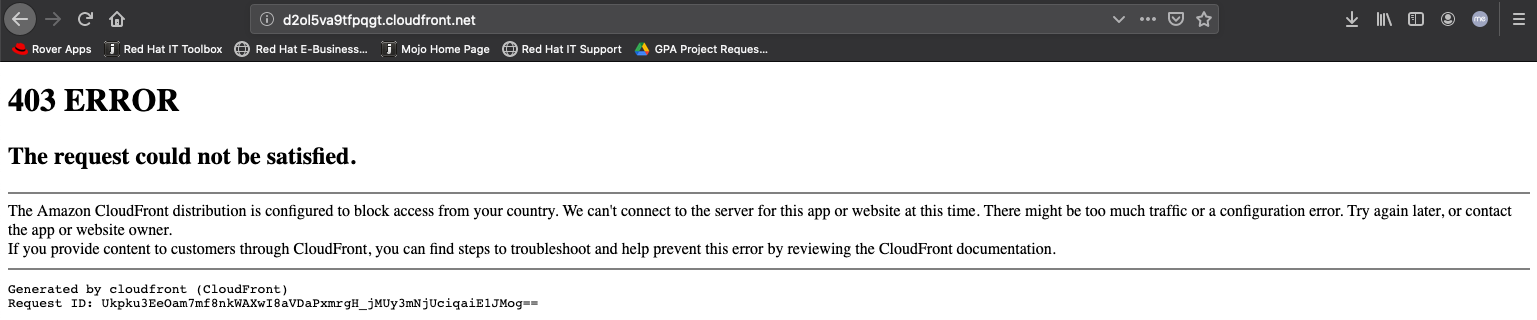
CloudFront also enables control over users in selected countries accessing our content, by creating a whitelist or blacklist. The whitelist allows countries access to content ) while the blacklist denies content access. countries
In this blog, we will look at how to create an AWS CloudFront Distribution as well as how to restrict countries from accessing your services running on OpenShift.
For this blog, I have deployed OpenShift on AWS using the IPI (Installer Provisioned Installer), and for the service, I created a blog application, which is designed to showcase OpenShift features. The application is implemented using Python and Django.
To learn more about installing the blog application from the source, please visit: https://learn.openshift.com/introduction/deploying-python/
As I created the application using the web console, a Route was automatically created for the application and will be exposed outside the cluster. The URL to access the blog application is: http://blog-django-py-myproject.apps.mytest.ocp4-test-mshetty.com
Let's look at how we can create an AWS CloudFront Distribution and use it to blacklist certain countries from accessing your blog service.
- First, we create a AWS CloudFront Distribution on CloudFront from the AWS console:

- Next, we create a new Distribution by clicking on the “Create Distribution” button.
- In the “Select a delivery method for your content,” select the “Get Started” button under the Web distribution.
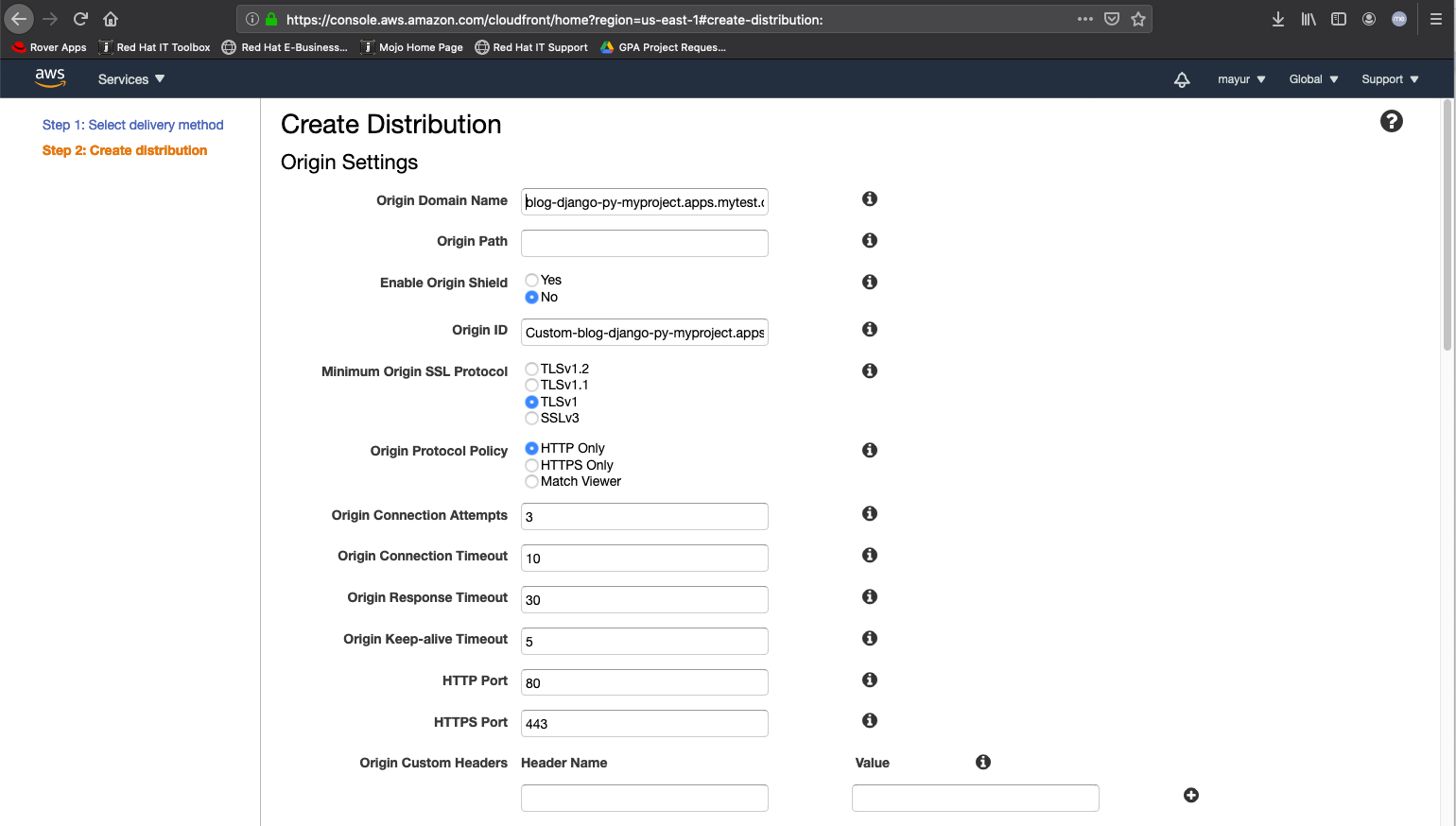
- When you click on the Origin Domain Name, field you’ll see the S3 buckets used for the registry and the Elastic Load Balancers, but ignore and that and enter “blog-django-py-myproject.apps.mytest.ocp4-test-mshetty.com”. I left the other values in the form as default for this post and clicked on the “Create Distribution” at the bottom of the page.
- The CloudFront Distribution is created when the State is Enabled, and the Status changes from “In Progress” to “Deployed”:
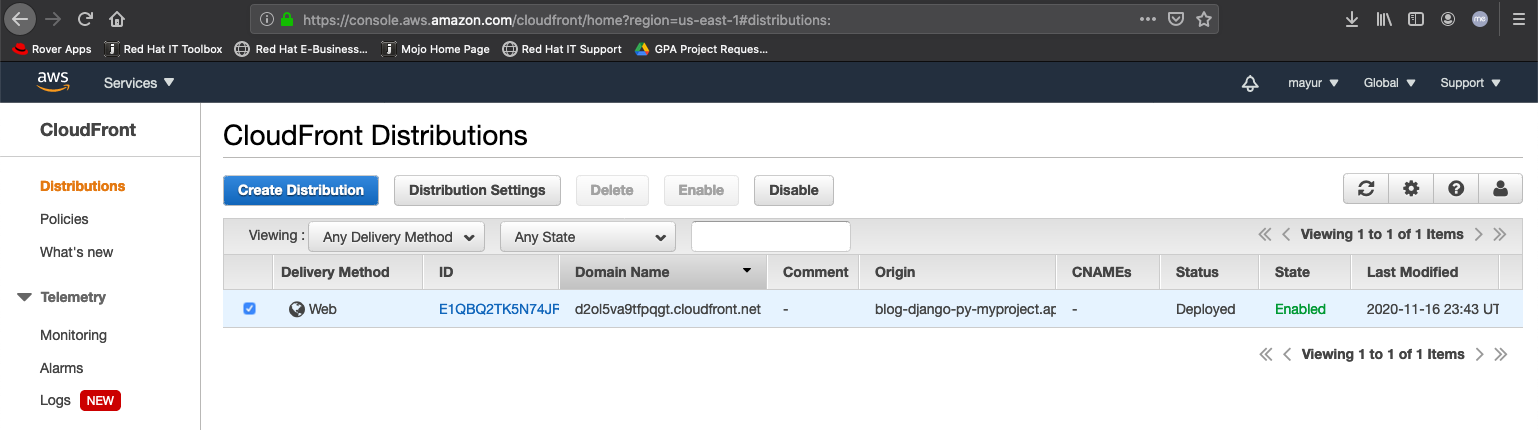
- We can now use the CloudFront Domain name “d2ol5va9tfpqgt.cloudfront.net” to access your service by entering it into the URL of the browser.
- Now, to blacklist a country, click on the “Distribution Settings” button, and then go to the “Restrictions” tab and click on Edit:

- Next, we can test this by connecting to a VPN server in that country or with LocaBrowser, by trying to access the service using the CloudFront domain name:
Using the CloudFront domain name is fine, but wouldn’t it be nice to use your own domain name (for example, www.example.com) in the files’ URLs instead? Check out this link for information on using alternate domain names.
AWS WAF for Additional Rules and Resources:
If you want to apply the country blacklist to your other resources on AWS, or you want to apply additional security rules to your service running on OpenShift, you could use AWS WAF to create the rules and apply them to your CloudFront distributions or other Regional resources (Application Load Balancer, API Gateway, AWS AppSync).
As you see, I have the rule that blocks countries along with three additional rules, that make up the AWS WAF Web ACL called myACL. The Web ACL is then applied to the my CloudFront Distribution resource type:
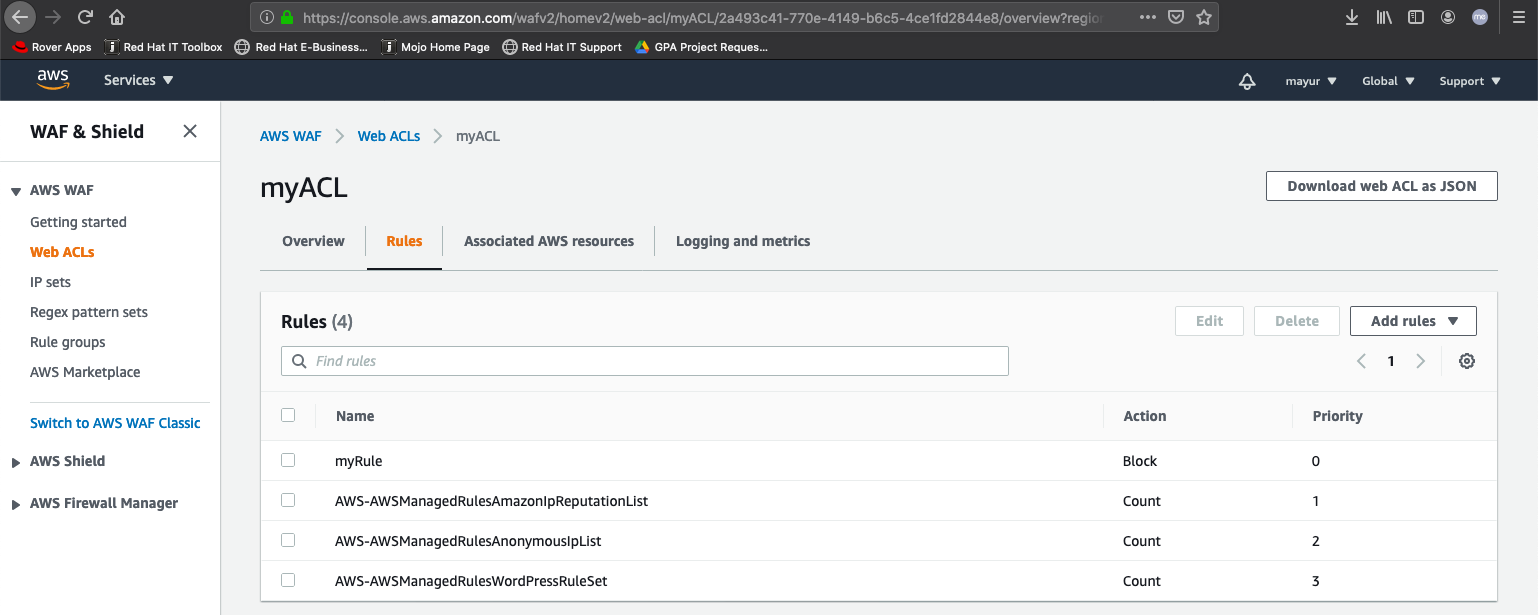
You can see below that the AWS WAF Web ACL is associated with the CloudFront resource used for your OpenShift service:
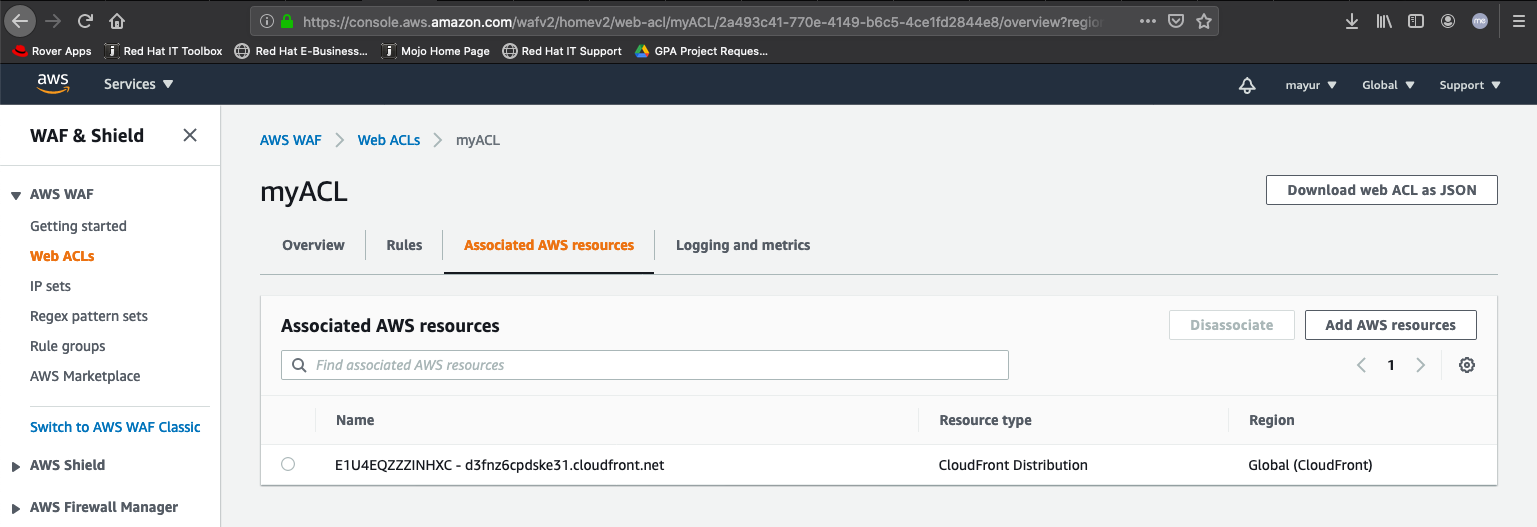
There we go! It is really that simple to deliver and block access from certain regions to services running on OpenShift on AWS.
저자 소개

Mayur Shetty is a Principal Solution Architect with Red Hat’s Global Partners and Alliances (GPA) organization, working closely with cloud and system partners. He has been with Red Hat for more than five years and was part of the OpenStack Tiger Team.
유사한 검색 결과
과거의 운영 방식에서 벗어나 IT의 미래 구축
AI의 다음 변곡점: 에이전트를 엔터프라이즈 슈퍼유저로 전환
Collaboration In Product Security | Compiler
Keeping Track Of Vulnerabilities With CVEs | Compiler
채널별 검색

오토메이션
기술, 팀, 인프라를 위한 IT 자동화 최신 동향

인공지능
고객이 어디서나 AI 워크로드를 실행할 수 있도록 지원하는 플랫폼 업데이트

오픈 하이브리드 클라우드
하이브리드 클라우드로 더욱 유연한 미래를 구축하는 방법을 알아보세요

보안
환경과 기술 전반에 걸쳐 리스크를 감소하는 방법에 대한 최신 정보

엣지 컴퓨팅
엣지에서의 운영을 단순화하는 플랫폼 업데이트

인프라
세계적으로 인정받은 기업용 Linux 플랫폼에 대한 최신 정보

애플리케이션
복잡한 애플리케이션에 대한 솔루션 더 보기

가상화
온프레미스와 클라우드 환경에서 워크로드를 유연하게 운영하기 위한 엔터프라이즈 가상화의 미래
