
This post was a collaboration with Amazon Web Services' Ryan Niksch; Partner Solutions Architect focusing on application platforms, hybrid application solutions, and modernization.
Traditionally, the creation of a Red Hat OpenShift on AWS (ROSA) cluster required an Identity and Access Management (IAM) user with elevated permissions. However, with the implementation of the Security Token Service (STS) on AWS, IAM users can request temporary, limited-privilege credentials capable of performing administrative tasks without retaining the long-term, elevated level of access reserved for permanent IAM user credentials.
Temporary, short-term credentials can be configured to last from minutes to hours, and once expired, they are no longer recognized by AWS. Additionally, the temporary credentials are not stored with the user and instead are generated dynamically and provided to the user on demand. When the temporary credentials expire, the user can simply request new ones.
In this document, we will discuss how the STS service can be used to create a ROSA cluster on AWS, providing fine-grained security controls for your cloud operations team.
As you can see in the diagram below, an IAM user can call the STS:AssumeRole API requesting privileged access. If approved, temporary security credentials are returned to the IAM user with a specified timeout. The IAM user can call AWS APIs with the privileged access token to perform tasks until the timeout expires or the token is invalidated.
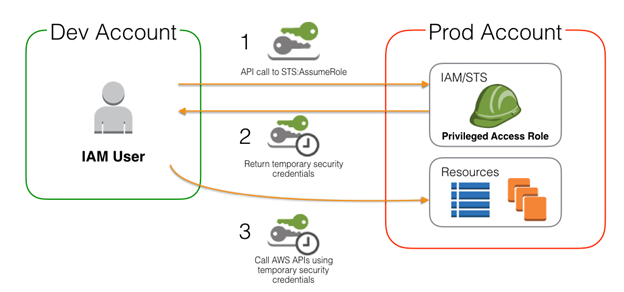
Source: How to Use a Single IAM User to Easily Access All Your Accounts by Using the AWS CLI (documentation)
The official Red Hat OpenShift Getting started using STS workflow guide is here.
Before we look into the STS setup, let’s first see the components required to install ROSA on AWS:
- Compute (EC2 instances)
- Block Storage (EBS)
- Object Storage (S3)
- Load balancers (Network and Classic)
- Security Groups
- Virtual Private Cloud (VPC)
As you can imagine, a permanent IAM user with administrative access to create, modify, and delete that wide array of resources is not preferred. With STS, it is possible to provide administrative access on demand. ROSA breaks this down into four distinct roles that are created during the installation process:
1. ManagedOpenShift-IAM-Role
2. ManagedOpenShift-ControlPlane-Role
3. ManagedOpenShift-Worker-Role
4. ManagedOpenShift-Support-Role
ManagedOpenShift-IAM-Role - This role is used to manage the installation and deletion of clusters using STS and has the most policies due to the nature and components of cluster creation and deletion.
ManagedOpenShift-ControlPlane-Role - This role is responsible for the control plane, including the elastic load balancers, EC2 volumes, and KMS.
ManagedOpenShift-Worker-Role - This is the least privileged role with focus on just the worker nodes, specifically instances and regions.
ManagedOpenShift-Support-Role - This role is for the Red Hat site reliability engineering (SRE) team to support and troubleshoot clusters.
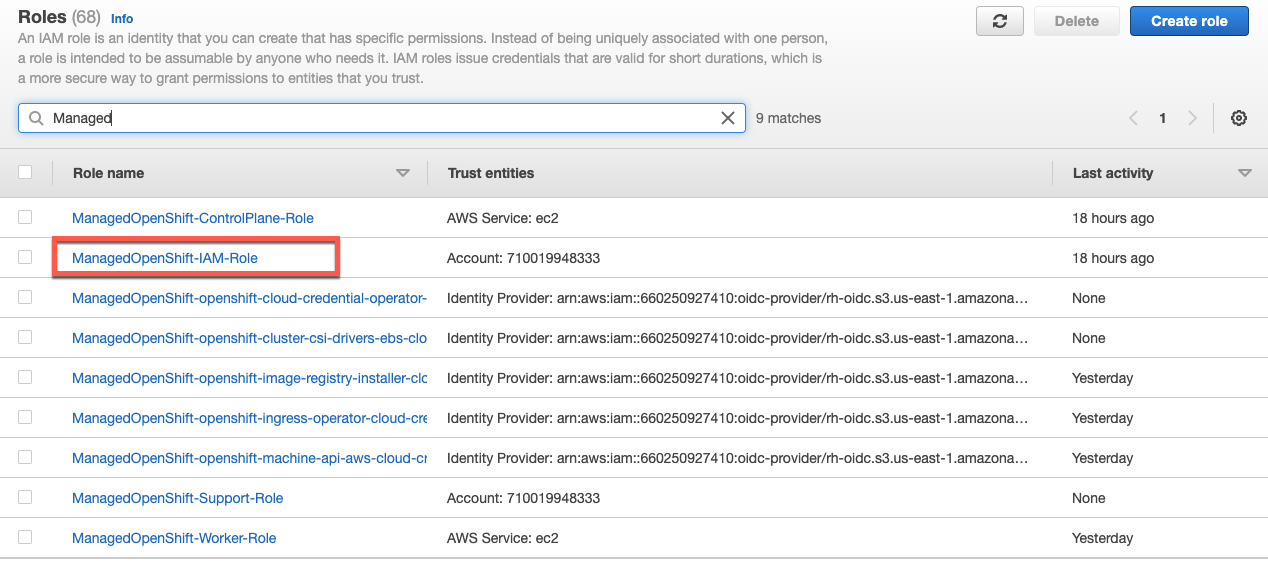
Once the roles and policies are created in AWS, we can visually inspect to see the complete set of permissions ROSA requires. Let’s start by viewing the Managed-OpenShift-IAM_Role, listed among the four primary roles described above:
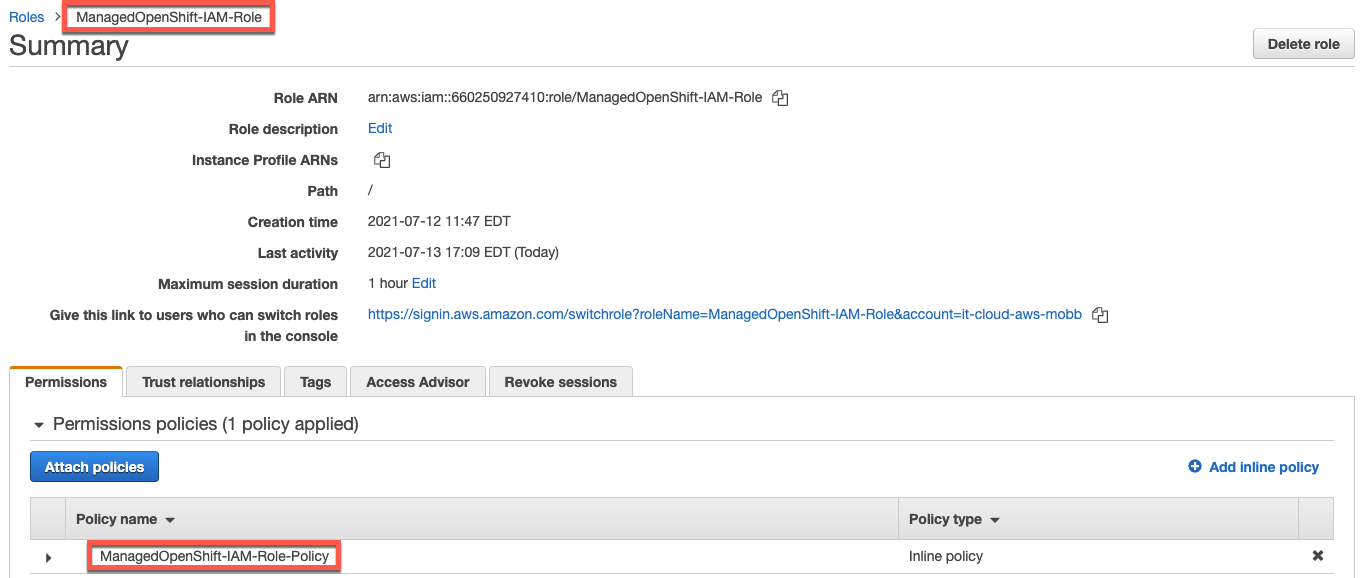
Digging deeper into the role itself, we can see that this role has the Managed-OpenShift-IAM-Role-Policy applied:
From a policy perspective, we can see a list of the included services along with an overview of the access level assigned:

Using S3 as an example, we can see the explicit actions that this policy temporarily permits approved users to execute through STS:

Additionally, we can see that this role has a single trusted entity that can assume it, RH-Managed-OpenShift-Installer:

Along with AWS roles and policies, it is also necessary to set up OpenID Connect (OIDC) access-based IAM roles that are cluster based, not universal like the four primary roles described earlier.
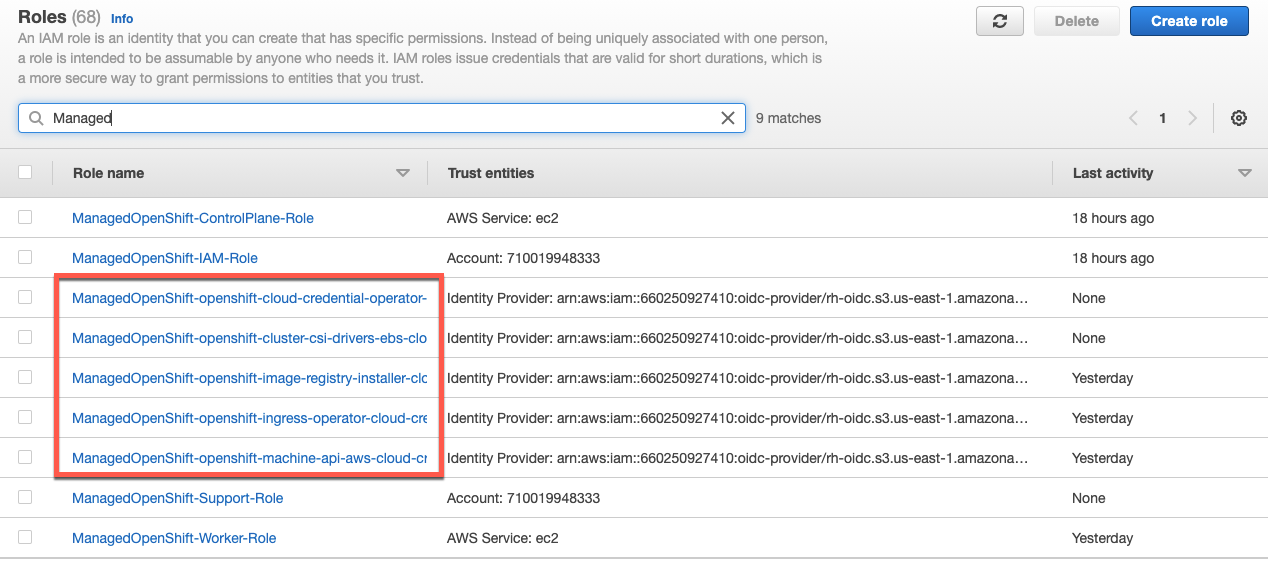
Once configured, each role will have a trusted relationship through the cluster specific OIDC provider:
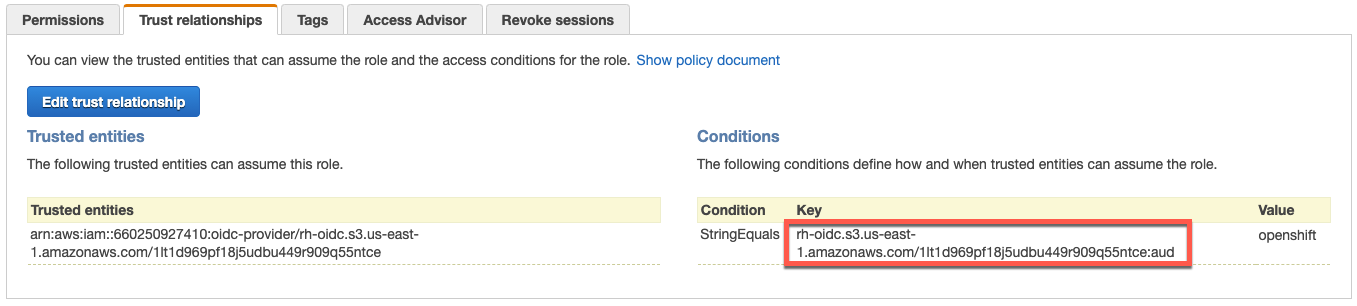
With these roles and policies in place, the ROSA cluster creation can proceed as directed in the installation guide. All role management and usage will be automatic through the installer. For Day 2 operations, the existing accounts will continue using STS for elevated access as the situation dictates. Additionally, STS tokens can be revoked on demand through the AWS console and CLI.
Conclusion
The traditional security implementation of permanent, dedicated administrative accounts for infrastructure and platform operations of Red Hat OpenShift on AWS (ROSA) is no longer required. With the implementation of STS, all teams (operations, development, testing, and others.) can have permanent accounts in the cluster with elevated privileges applied only when needed. It is the right level of access at the right time, making the configuration and operation of ROSA more secure and robust than ever before.
저자 소개
유사한 검색 결과
Red Hat 파트너가 최고의 통신 비즈니스 자산인 이유
에이전틱 패러독스와 하이브리드 AI의 필요성
Crack the Cloud_Open | Command Line Heroes
Edge computing covered and diced | Technically Speaking
채널별 검색

오토메이션
기술, 팀, 인프라를 위한 IT 자동화 최신 동향

인공지능
고객이 어디서나 AI 워크로드를 실행할 수 있도록 지원하는 플랫폼 업데이트

오픈 하이브리드 클라우드
하이브리드 클라우드로 더욱 유연한 미래를 구축하는 방법을 알아보세요

보안
환경과 기술 전반에 걸쳐 리스크를 감소하는 방법에 대한 최신 정보

엣지 컴퓨팅
엣지에서의 운영을 단순화하는 플랫폼 업데이트

인프라
세계적으로 인정받은 기업용 Linux 플랫폼에 대한 최신 정보

애플리케이션
복잡한 애플리케이션에 대한 솔루션 더 보기

가상화
온프레미스와 클라우드 환경에서 워크로드를 유연하게 운영하기 위한 엔터프라이즈 가상화의 미래
