
In OpenShift 4.9, we introduced User Preferences. This enhancement allows individual users to set preferences across the console, providing a customizable experience.
User Preferences consists of two tabs in 4.9:
- General - Users can set their preferences for perspective, project, topology, and create/edit resource methods for the console
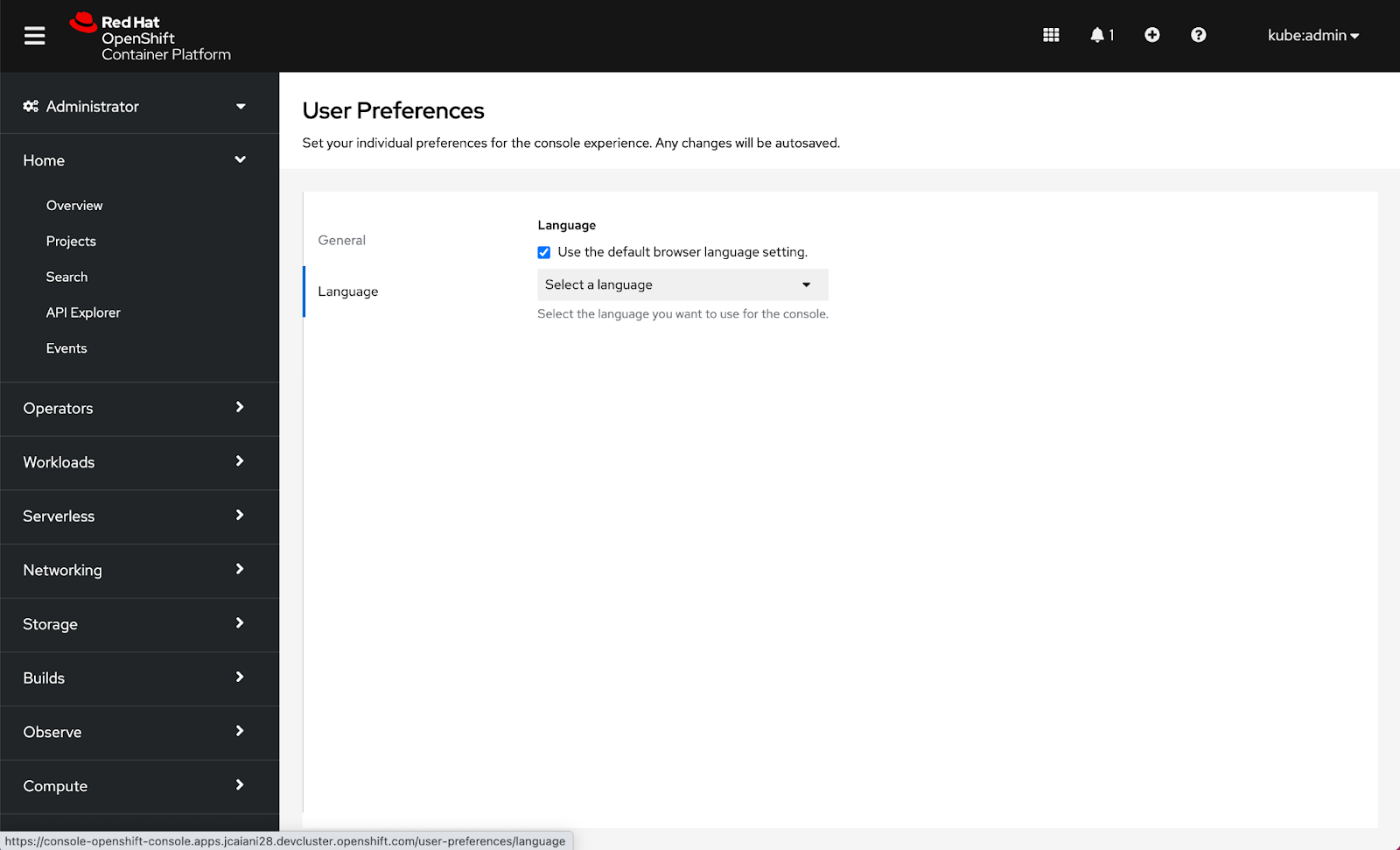
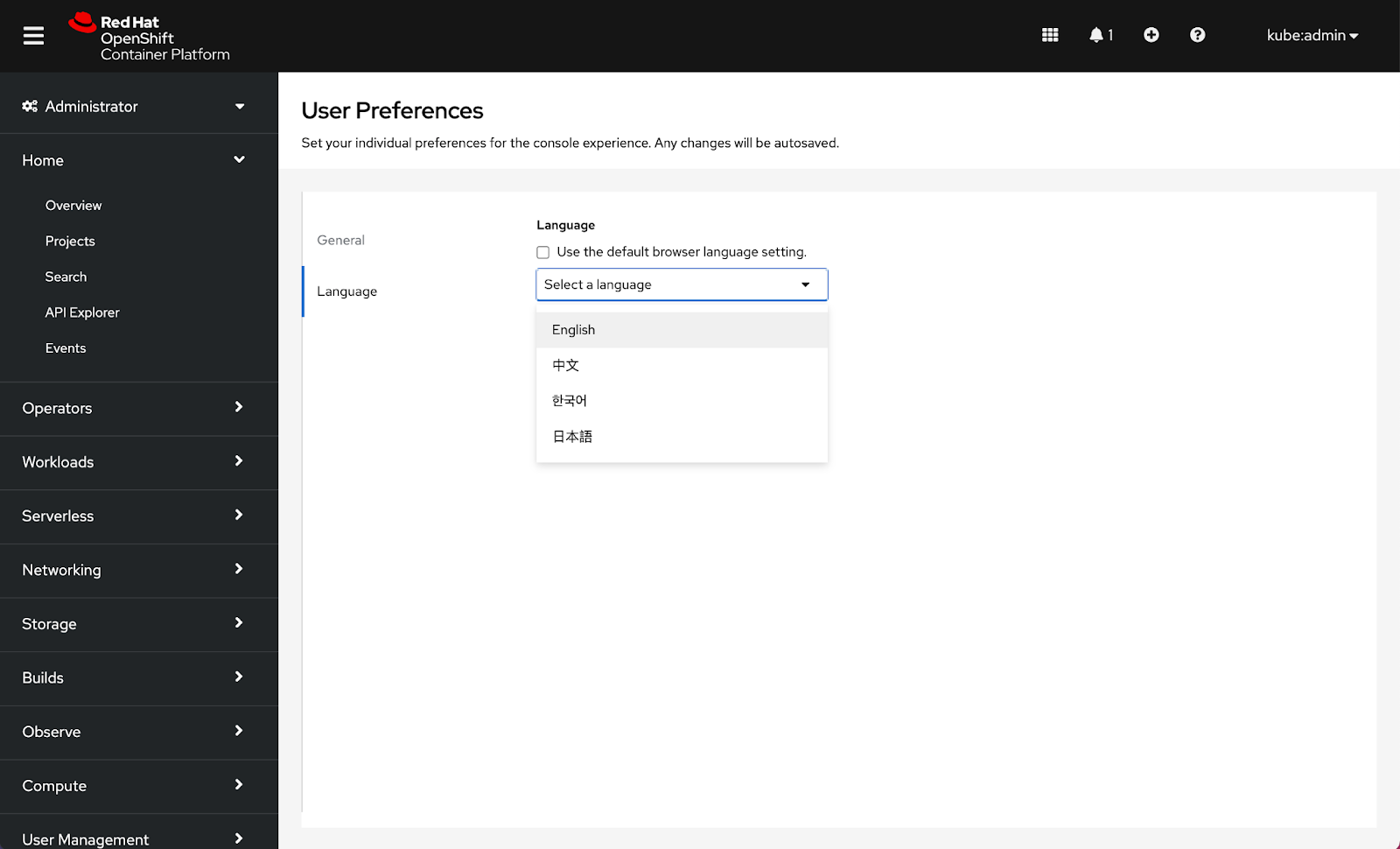
- Language - Users can set their language preference for the console
Let’s take a closer look at how to access preferences as well as the type of customizations provided in 4.9.
How to access user preferences in the console
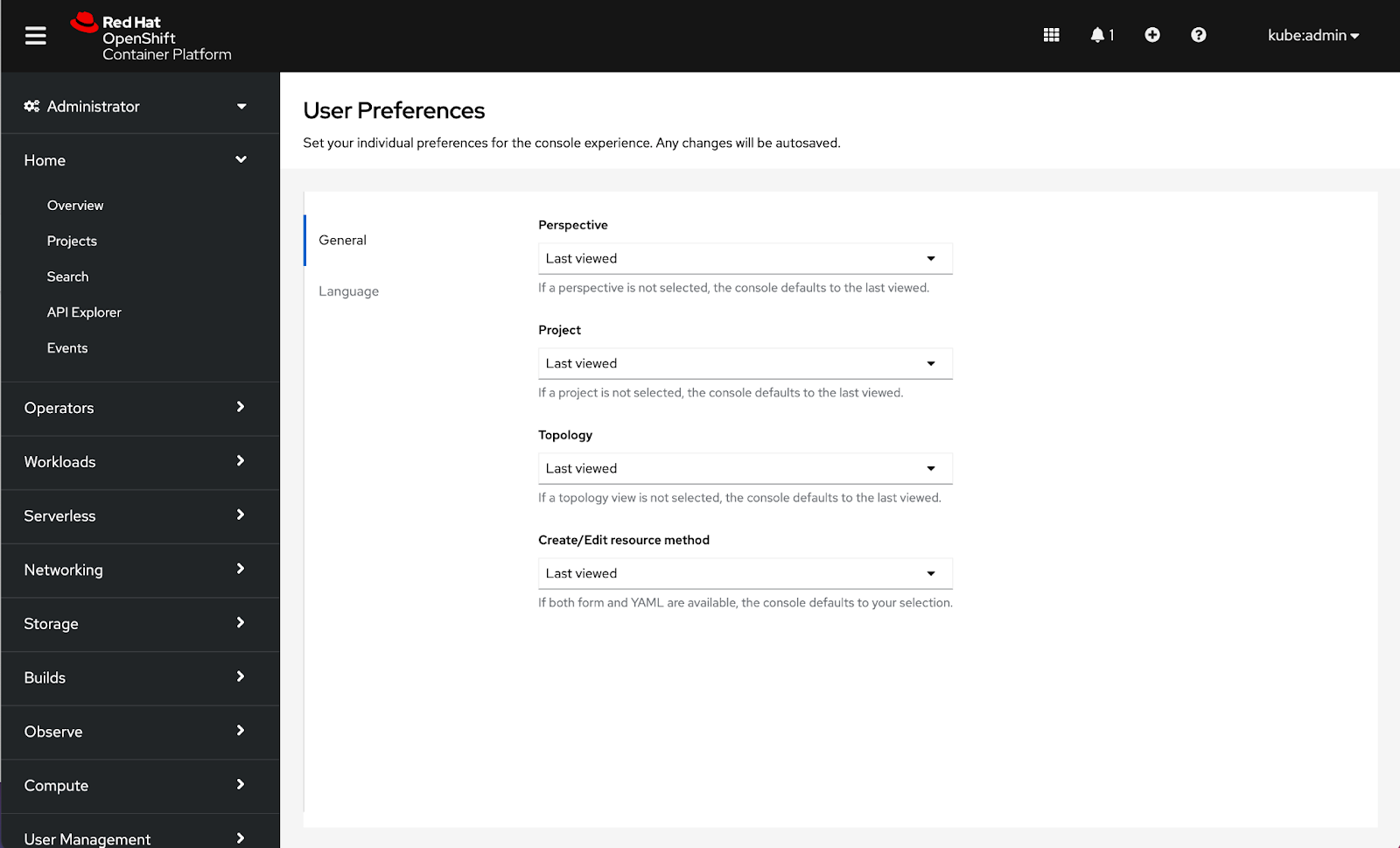
To access user preferences, navigate to the user drop-down in the masthead and click on User Preferences. Any changes will be autosaved.

 How to configure general console preferences
General preferences will enable users to customize defaults for Perspective, Project, Topology, and Create/Edit resource method.
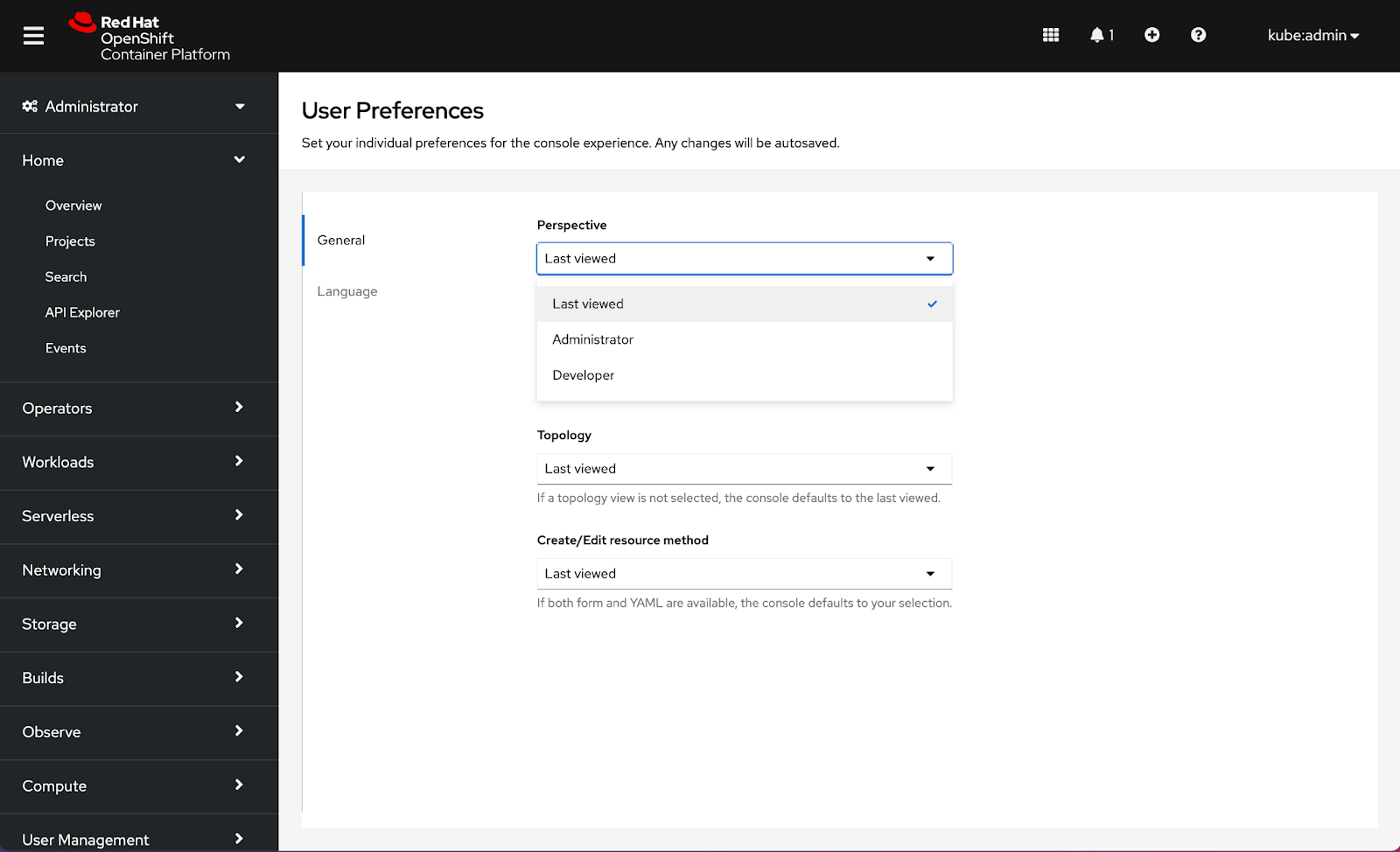
Configuring a Perspective will allow users to select a default perspective for when they log in to the console. RBAC may detect a perspective for the first login, but the console will default to Last viewed until an alternative selection is made. Choices for Perspective include Last viewed, Administrator, and Developer.
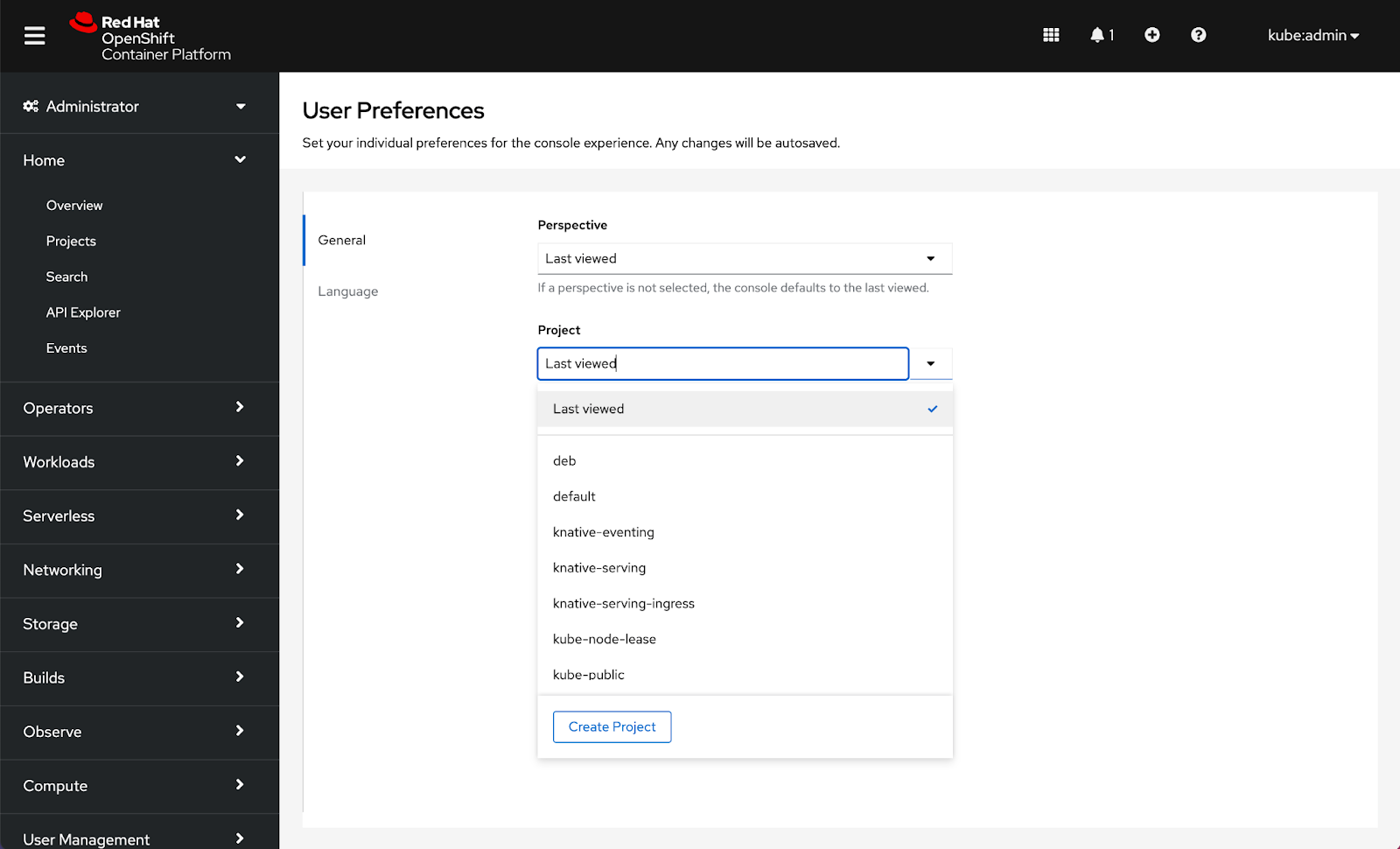
Setting a Project will allow users to select a default project for when they log in to the console. The console will default to Last viewed until an alternative selection is made. Choices that appear in the Project drop-down are controlled by RBAC:
Setting a Topology preference allows users to select a default view to be applied across the console. RBAC may detect a default view for first login, but the console will default to Last viewed until an alternative selection is made. Choices for Topology are Last viewed, Graph, and List:

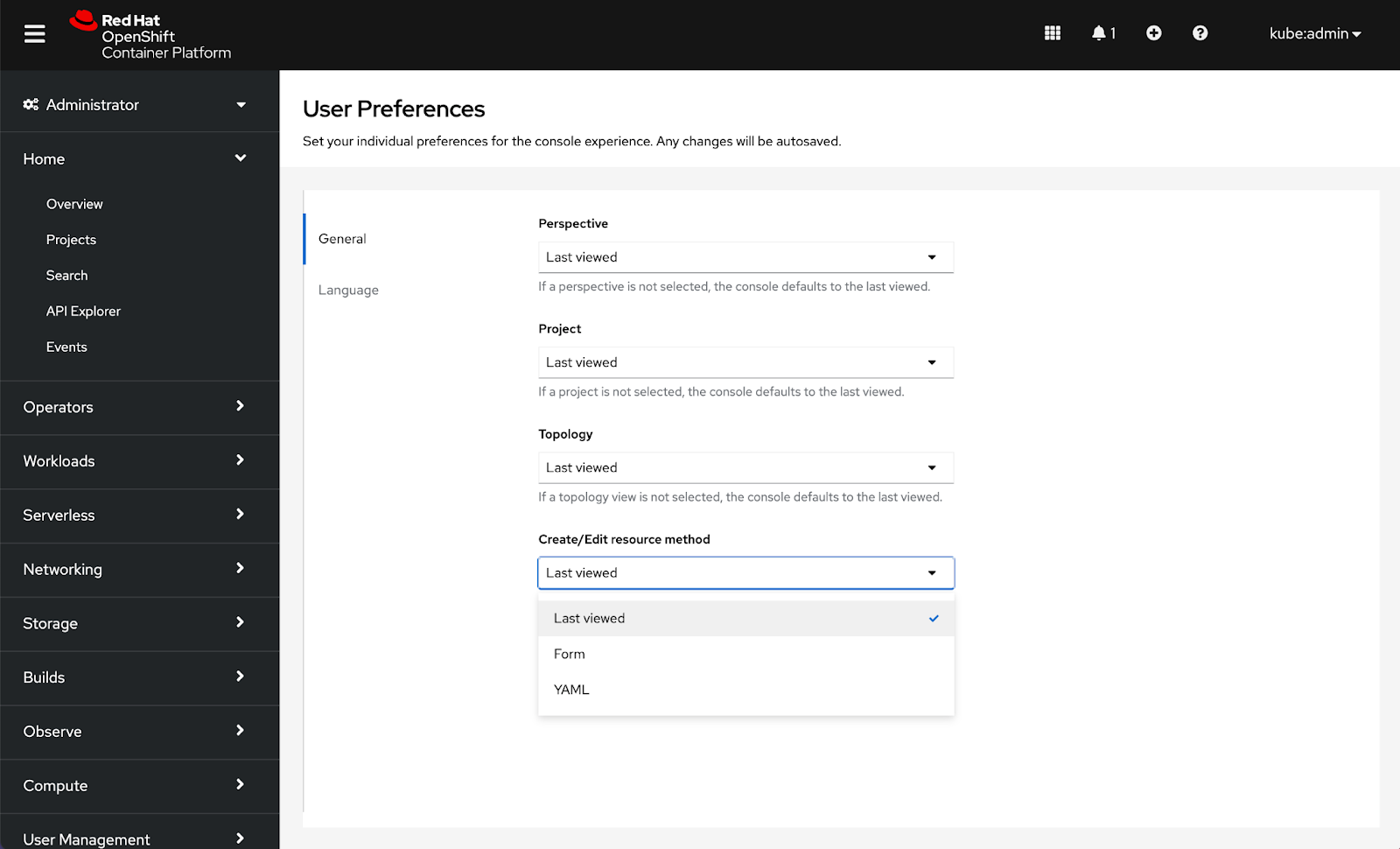
Setting a preferred method to Create/Edit resources will allow users to select a default to be applied across the console whenever both choices are available. The console will default to Last viewed until an alternative selection is made. Choices for Create/Edit resource methods are Last viewed, Form, and YAML:
How to configure language preferences
Language preferences were added in 4.7 and are now located under the Language tab inside User Preferences.
Note: Date format, Time format, Time zone, and Relative timestamps are considerations for additional preferences in the future.
Connect with us
Look for more user preference enhancements in upcoming releases.
We are always growing and evolving our improvements to OpenShift with a customer-first mindset. Be on the lookout for more enhancements in future releases. And do not forget to sign up to participate in future research opportunities to share your OpenShift experiences.
Let us know your thoughts. We would love to connect with users like you. Stay up to speed with the OpenShift design team on our OpenShift Design site, and be sure to catch us on the OpenShift Twitch channel.
저자 소개
유사한 검색 결과
Red Hat 파트너가 최고의 통신 비즈니스 자산인 이유
에이전틱 패러독스와 하이브리드 AI의 필요성
Edge computing covered and diced | Technically Speaking
Crack the Cloud_Open | Command Line Heroes
채널별 검색

오토메이션
기술, 팀, 인프라를 위한 IT 자동화 최신 동향

인공지능
고객이 어디서나 AI 워크로드를 실행할 수 있도록 지원하는 플랫폼 업데이트

오픈 하이브리드 클라우드
하이브리드 클라우드로 더욱 유연한 미래를 구축하는 방법을 알아보세요

보안
환경과 기술 전반에 걸쳐 리스크를 감소하는 방법에 대한 최신 정보

엣지 컴퓨팅
엣지에서의 운영을 단순화하는 플랫폼 업데이트

인프라
세계적으로 인정받은 기업용 Linux 플랫폼에 대한 최신 정보

애플리케이션
복잡한 애플리케이션에 대한 솔루션 더 보기

가상화
온프레미스와 클라우드 환경에서 워크로드를 유연하게 운영하기 위한 엔터프라이즈 가상화의 미래
