
We’re pleased to announce the general availability of Dynamic Plugins in OpenShift 4.12. It was first introduced as a tech preview in OpenShift 4.10 with a limited set of customization. Now it delivers greater flexibility to build the high-quality integrations and unique experiences for your console.
What are Dynamic Plugins?
Dynamic Plugins allow you to add custom pages and other extensions to your interface at runtime. If you’d like to develop a single pane of glass that everybody goes for, Dynamic Plugins are a great resource to be able to tailor your console natively in a supported manner. Set up your environment to write a new OpenShift console Dynamic Plugin.
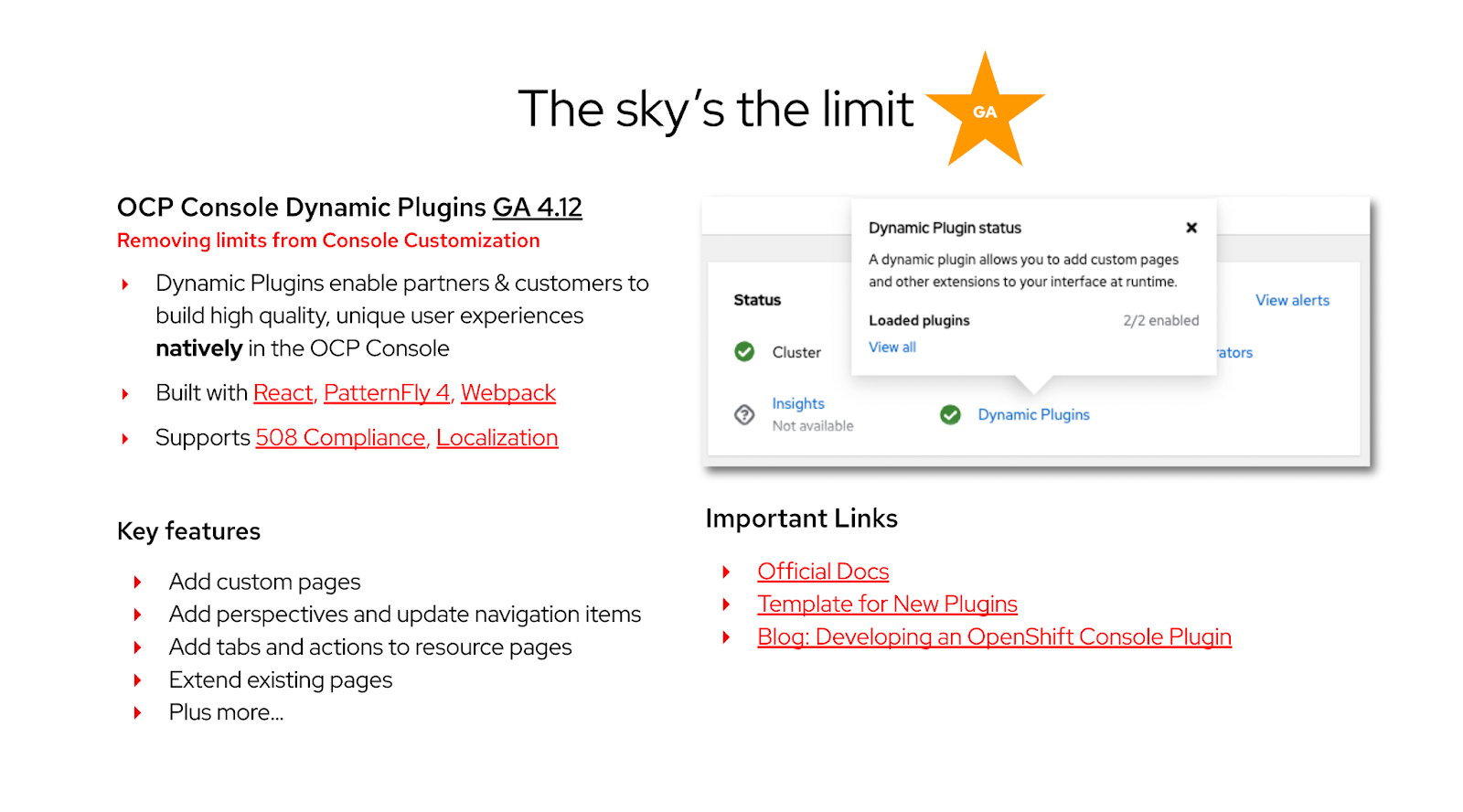
Dynamic Plugins use cases
Because of the static plugin that lived inside the console, we couldn't always take advantage of the new features and external customers could not add their own. Now, with Dynamic Plugins, we are able to meet the demand for customization of the OpenShift console. Let’s walk through some of the ways you can use the Dynamic Plugins.
Use case 1: Existing perspective update
In the past we had prescriptive ways of updating the OpenShift console using either console CRDs or OLM descriptors. With the Dynamic Plugins, you’ll have a lot more flexibility to tailor the existing perspectives. You can add new navigation items, flows, pages, and actions to either the “admin” or “developer” perspectives.
Use case 2: New perspective creation
You can also create new task-based perspectives, such as DevOps or SecOps by combining either from OpenShift or from external tools. This will make the process much quicker and easier for developers. When this mechanism is combined with PatternFly components, Dynamic Plugins will be a game changer for you.
Use case 3: Independent code delivery
Previously with the static plugins we could not have the same release cadence. One of the questions we constantly ask ourselves is how can we iterate new features and user experience more quickly on the OpenShift console. With the Dynamic Plugins, code delivery is independent of the OpenShift release cycle, enabling you to update at your own cadence and as often as you’d like.
Use case 4: Easy operator plugin integration
In order to manage multiple clusters, you can install the multi-cluster engine (MCE) operator or Advanced Cluster Management (ACM) operator on the top of the OpenShift console. During installation of these operators, the “multi-cluster switcher” plugin will be delivered. With the Dynamic Plugins, you don’t have to wait for a new release or update of the OpenShift console. It will be loaded to the console at run-time.
Additional resources
Connect with us
We’re always growing and evolving our improvements to OpenShift with a customer-first mindset. Be on the lookout for more enhancements in future releases. And don’t forget to sign up to participate in future research opportunities to share your OpenShift experiences.
Let us know your thoughts. We’d love to connect with users like you. Be sure to catch us on the OpenShift Twitch channel.
저자 소개
유사한 검색 결과
Red Hat 파트너가 최고의 통신 비즈니스 자산인 이유
에이전틱 패러독스와 하이브리드 AI의 필요성
Crack the Cloud_Open | Command Line Heroes
Edge computing covered and diced | Technically Speaking
채널별 검색

오토메이션
기술, 팀, 인프라를 위한 IT 자동화 최신 동향

인공지능
고객이 어디서나 AI 워크로드를 실행할 수 있도록 지원하는 플랫폼 업데이트

오픈 하이브리드 클라우드
하이브리드 클라우드로 더욱 유연한 미래를 구축하는 방법을 알아보세요

보안
환경과 기술 전반에 걸쳐 리스크를 감소하는 방법에 대한 최신 정보

엣지 컴퓨팅
엣지에서의 운영을 단순화하는 플랫폼 업데이트

인프라
세계적으로 인정받은 기업용 Linux 플랫폼에 대한 최신 정보

애플리케이션
복잡한 애플리케이션에 대한 솔루션 더 보기

가상화
온프레미스와 클라우드 환경에서 워크로드를 유연하게 운영하기 위한 엔터프라이즈 가상화의 미래
