
This post was originally published by Sebastian Faulhaber on OpenSourcers.com.
Install Ansible Service Broker Addon into Your CDK Installation
Start your Red Hat Container Development Kit (CDK) environment with registration (this is important, as yum gets used during Addon installation).
export MINISHIFT_ENABLE_EXPERIMENTAL=y

minishift start --service-catalog
Clone the addon repository and install Ansible Service Broker Addon:
git clone https://github.com/minishift/minishift-addons.git

cd minishift-addons/add-ons/

minishift addon install ansible-service-broker

minishift addon apply ansible-service-broker
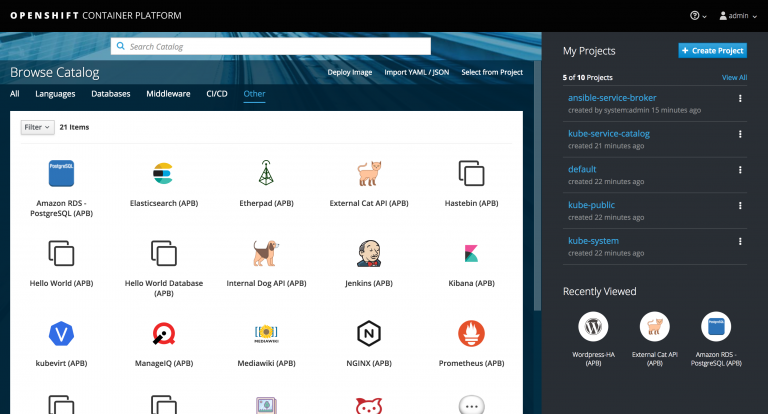
When logging in to your CDK console, you should already see the preinstalled Ansible APBs:
Install the ABP Command Line on Your Client Machine
Configure your shell to use the Minishift Docker daemon:
eval $(minishift docker-env)
Fetch the APB command line script and make it available in your PATH:
wget https://raw.githubusercontent.com/ansibleplaybookbundle/ansible-playbook-bundle/master/scripts/apb-docker-run.sh && mv apb-docker-run.sh apb && chmod +x apb
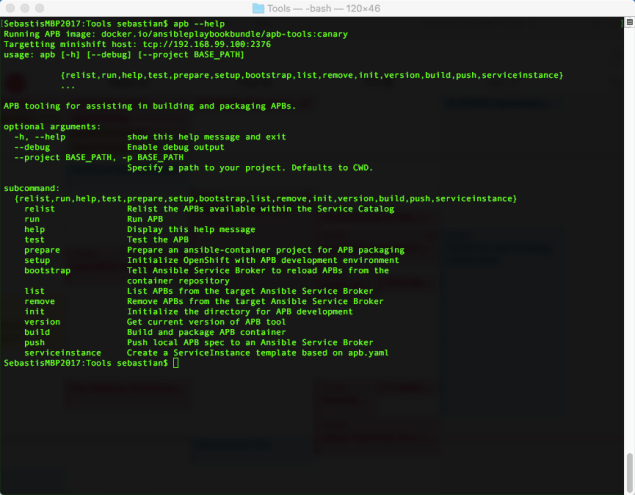
Verify that your installation works:
apb --help
If everything went well, you should see something like this:
Test the Connection Between ABP CLI and CDK
You will need special permissions to work with the broker on your CDK installation. Therefore, we need to execute the following:
oc adm policy add-cluster-role-to-user cluster-admin developer

oc login -u developer
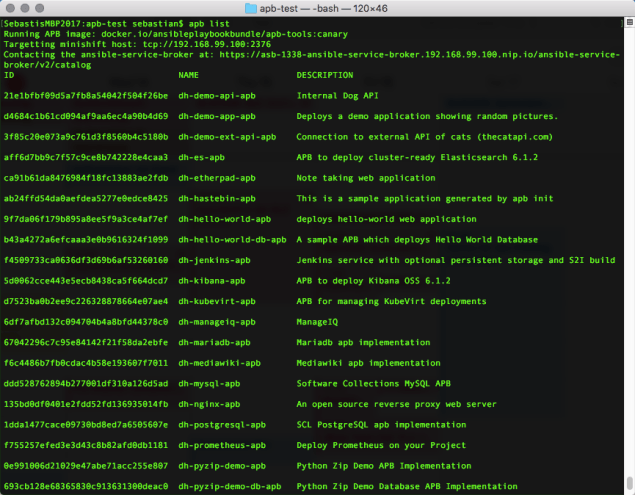
Now let’s see if we can list the preinstalled APBs:
apb list
Configure Ansible Service Broker to Pull Images from Local Registry
In the default config of our Ansible Service Broker, the APBs are pulled from https://registry.hub.docker.com/. We need to change this to our local registry running within CDK.
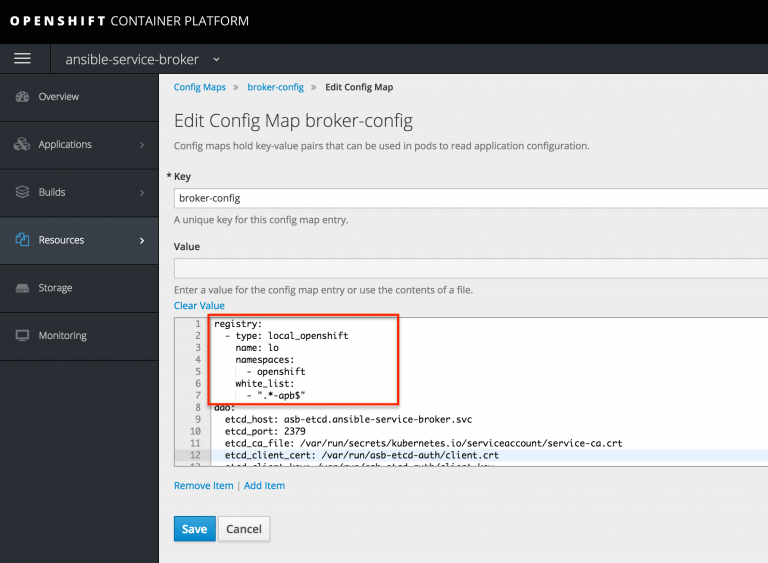
registry:

- type: local_openshift

name: lo

namespaces:

- openshift

white_list:

- ".*-apb$"
The Ansible Service Broker pod now needs to be restarted in order to pull in the new configuration.
Create your first APB
First, we use the CLI to scaffold our new service:
apb init sample-service-apb

cd sample-service-apb
Now we locally build our APB. After the process has completed, the newly built APB docker image should appear in your local Docker registry:
apb build
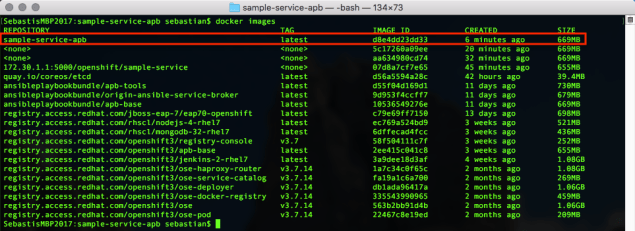
Finally, we need to push the Docker image to our Service Broker inside CDK:
apb push
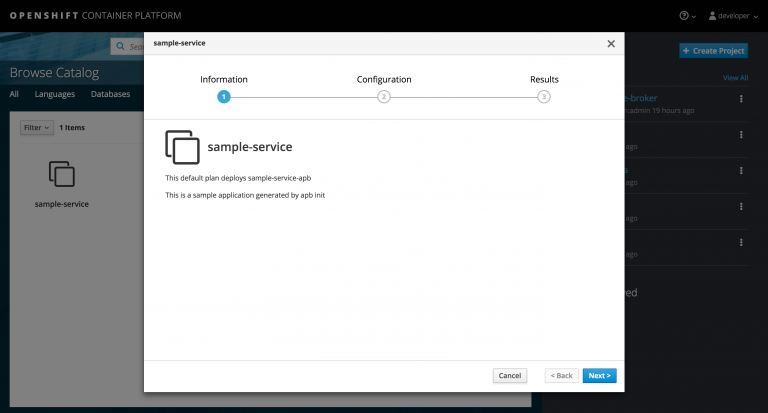
Now you should be able to see your first APB in your CDK’s service catalog:
References
Learn more about Ansible Playbook development and the Minishift Addon from these resources:
저자 소개
유사한 검색 결과
신속한 패치 적용이 어려우신가요? 최후의 방어선, 제로 트러스트
Red Hat Enterprise Linux의 이미지 모드를 지금 바로 사용해야 하는 4가지 이유
Scaling with Orchestrators | Compiler
Container Roundup | Compiler
채널별 검색

오토메이션
기술, 팀, 인프라를 위한 IT 자동화 최신 동향

인공지능
고객이 어디서나 AI 워크로드를 실행할 수 있도록 지원하는 플랫폼 업데이트

오픈 하이브리드 클라우드
하이브리드 클라우드로 더욱 유연한 미래를 구축하는 방법을 알아보세요

보안
환경과 기술 전반에 걸쳐 리스크를 감소하는 방법에 대한 최신 정보

엣지 컴퓨팅
엣지에서의 운영을 단순화하는 플랫폼 업데이트

인프라
세계적으로 인정받은 기업용 Linux 플랫폼에 대한 최신 정보

애플리케이션
복잡한 애플리케이션에 대한 솔루션 더 보기

가상화
온프레미스와 클라우드 환경에서 워크로드를 유연하게 운영하기 위한 엔터프라이즈 가상화의 미래
