
The original post, created by Eric D. Schabell can be found here: How to install Red Hat Container Development Kit (CDK) in minutes
 Red Hat Container Development Kit (CDK) installation made easy!
As an application developer or architect tasked with exploring the possibilities that containerized applications offer, there is little help with getting all the tools together to get you started.
Until now.
Red Hat provides a Container Development Kit (CDK) that has all the tooling you need for your local OSX, Linux or Windows environment. It also has a few containers pre-configured for you to explore.
Since the announcement of the Red Hat CDK 2 beta a few months ago, we thought it was time to take a closer look and that resulted in creating an automated installation project called the Container Development Kit Install Demo.
What you get
First off, the Red Hat CDK is a product that is available to customers and partners, for more details on who has access and how to obtain access, see Red Hat Developers. Also for the details around what specifications for your machine, see the online documentation.
The Red Hat CDK is packaged into a RHEL 7 virtual machine that you can start on your machine after installing this project. There are several choices provided with pre-configured installations, but they all include the basic setup for Docker and the tools needed to start leveraging Docker based containers.
The following containers can be started after installing this project for you to start exploring:
- OpenShift Enterprise - a containerized version of OpenShift Enterprise can be started that can be accesses through a Web console in your browser or via the OpenShift command line tools. Explore your very own private PaaS developer experience with this container.
- Kubernetes - a container to set you up for exploring a Kubernetes cluster. It is setup to run as an all-in-one Kubernetes master to manage pods and node for running multiple pods.
- Eclipse - a container setup for you to use the Eclipse IDE with a Linux Tools/Docker Tooling plug-in allowing developers to manage containers directly from their development environment.
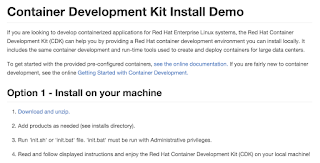 CDK install demo!
On top of this you can start creating your own container based applications after you are comfortable with how these examples work.
Container development
As you might not want to go through all the steps in the installation guide time and again to setup the Red Hat CDK on your machine, here I hope to make it so simple anyone can do it.
Not only that, you can do it in just four steps, I promise!
It is really that easy with the fully automated Container Development Kit Install Demo project put together to make the process both fool proof and repeatable. So what are the three steps you ask?
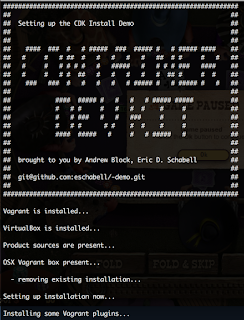 Installing the Red Hat CDK project is so easy that anyone can do it!
- Download and unzip CDK install demo.
- Add products as needed.
- Run 'init.sh' or 'init.bat' file.
- Read and follow displayed instructions and enjoy the Red Hat Container Development Kit (CDK) on your local machine!
It will check if you have the pre-requisites installed, but if you don't and start the installation it will stop, warn you and provide the links to go and get what is missing. The same goes for the products needed, which depend on your OS for the correct virtual image you need to run the Red Hat CDK, don't worry, it will point you in the right direction if you read the output.
For more information around containers, a Cloud stack and why you need to care about this containerized stack for your application development, see the App Dev Cloud Stack series that takes you on a tour of the Red Hat Cloud Suite.
We will be back soon to dive deeper into how these container examples in the Red Hat CDK look and how to get started with them.
The Author
Eric D. Schabell is a Red Hat Technology Evangelist.
You can visit Eric's blog here. He has created a multitude of demos that cover interesting aspects of Red Hat's technologies and offers.
You can also follow Eric's twitter account: @ericschabell
저자 소개
유사한 검색 결과
귀사의 애플리케이션 플랫폼은 미래에 대비되어 있나요?
전문성을 검증하는 새로운 기준: Red Hat 자격증 주요 업데이트
Learning the BASICs | Command Line Heroes
Compiler: Re:Role | The Designer And The Blueprint
채널별 검색

오토메이션
기술, 팀, 인프라를 위한 IT 자동화 최신 동향

인공지능
고객이 어디서나 AI 워크로드를 실행할 수 있도록 지원하는 플랫폼 업데이트

오픈 하이브리드 클라우드
하이브리드 클라우드로 더욱 유연한 미래를 구축하는 방법을 알아보세요

보안
환경과 기술 전반에 걸쳐 리스크를 감소하는 방법에 대한 최신 정보

엣지 컴퓨팅
엣지에서의 운영을 단순화하는 플랫폼 업데이트

인프라
세계적으로 인정받은 기업용 Linux 플랫폼에 대한 최신 정보

애플리케이션
복잡한 애플리케이션에 대한 솔루션 더 보기

가상화
온프레미스와 클라우드 환경에서 워크로드를 유연하게 운영하기 위한 엔터프라이즈 가상화의 미래
