
OpenShift Assisted Installer is a user-friendly OpenShift installation solution for the various platforms, but focused on bare metal.
It comprises two key components:
The Assisted Service provides hosting of installation artifacts (Ignition files, installation configuration, discovery ISO), exposed UI or REST API, etc.
Assisted Installer provide the following advantages:
- A web interface to perform cluster installation without having to create the installation configuration file.
- Boostrap machine is no longer required, the bootstrapping process takes place on a random node of the cluster.
- A simplified deployment model that does not require in-depth knowledge of OpenShift.
- Flexible API.
- Deploying Single Node OpenShift (SNO).
- Installing OpenShift Virtualization and OpenShift Data Foundation (formerly OpenShift Container Storage) from the web interface.
This article is the first in a series of two articles covering Assisted Installer installation. The second part of article explains implemented high availability (HA) and load balancing (LB).
Prerequisites
Network settings are performed in the following modes:
- Cluster-Managed Networking.
- User-Managed Networking.
Assisted Installer requires underlying infrastructure (DNS/DHCP/LB) in User-Managed Networking mode. By default, Assisted Installer expects existing DHCP in both modes. However, it is also possible to use the Assisted Service API to configure static configuration via NMState
CoreDNS provides an internal name resolution within the cluster. External access to the requires either an external DNS server or static entries in the hosts file.
Cluster details
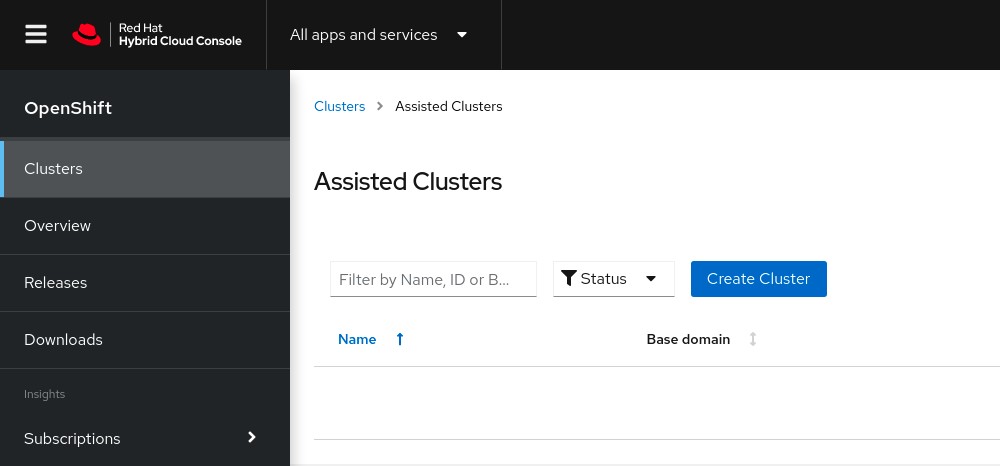
Login to RedHat Hybrid Cloud Console
Click Create cluster to start the process.
Complete the Cluster name, Base Domain and choose OpenShift version. At this step, it is possible to select the SNO installation and change the pull secret if necessary.
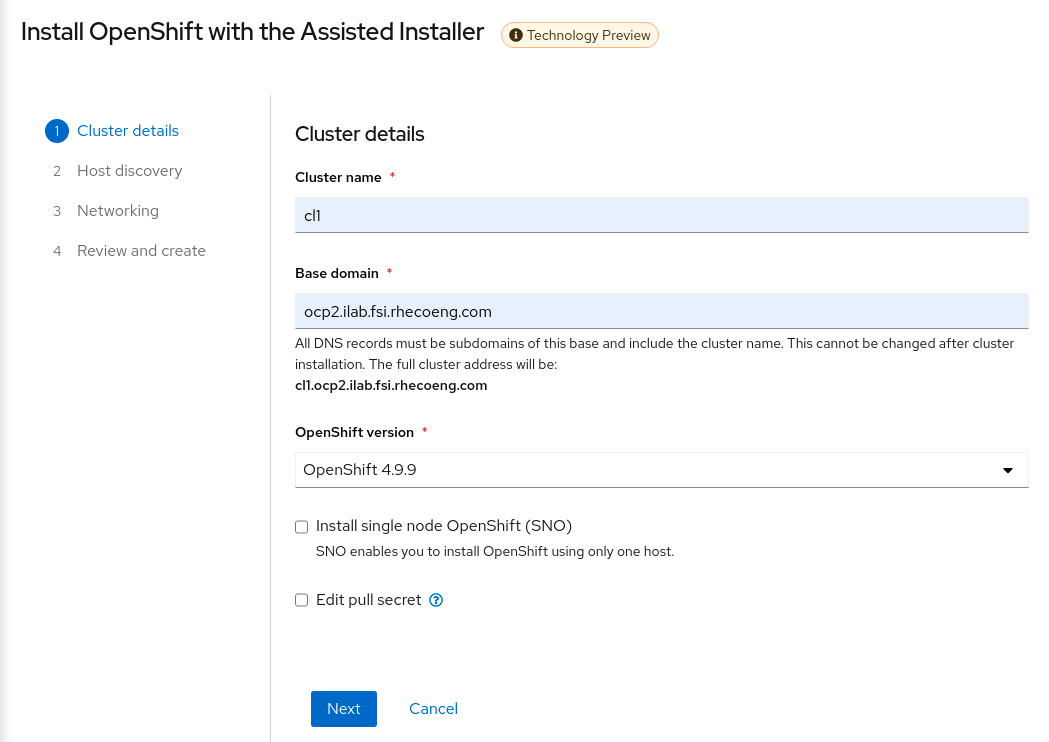
Click Next
Host discovery
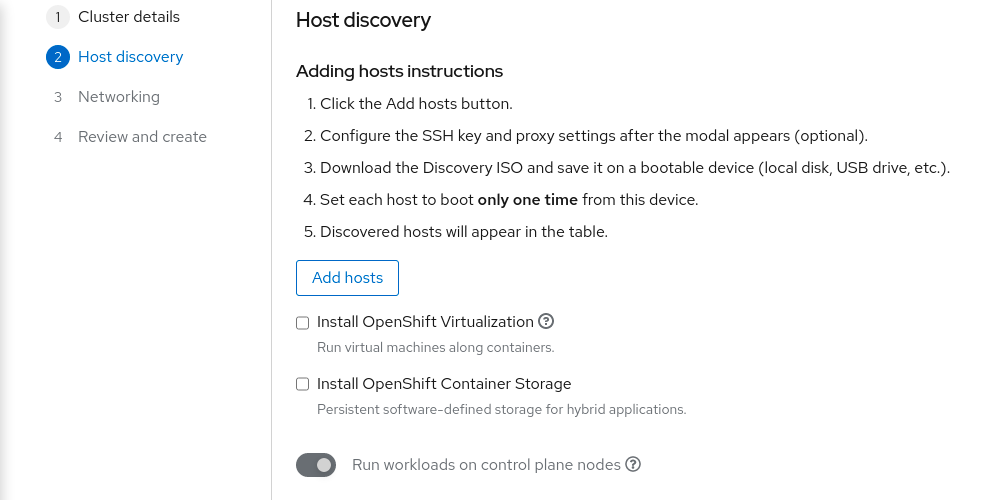
Here we can choose to install OpenShift Virtualization and OpenShift Data Foundation (ODF). By default ODF will use all non-installation disks for local storage.
Click Add hosts
Choose Full image file and paste SSH-public key for cluster nodes SSH access. The difference between Full image file and Minimal image file it that Full image file is Red Hat Enterprise Linux CoreOS (RHCOS) live ISO with embedded Ignition config. The Minimal image file is significantly smaller because rootfs downloaded during the RHCOS installation.
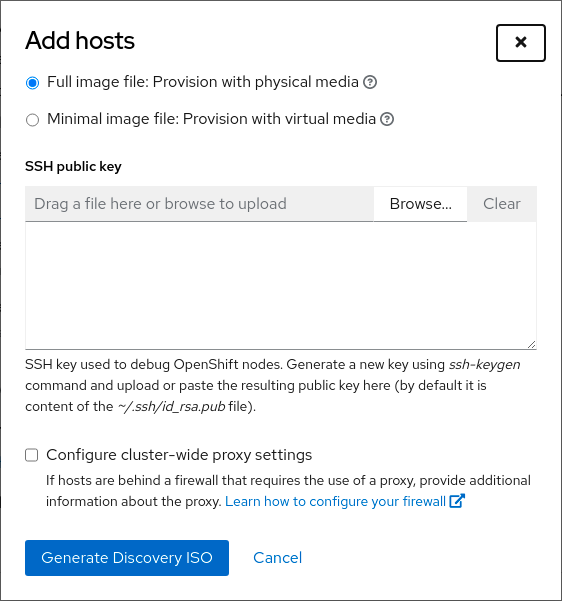
Click Generate Discovery ISO
Download the created image using any convenient method.
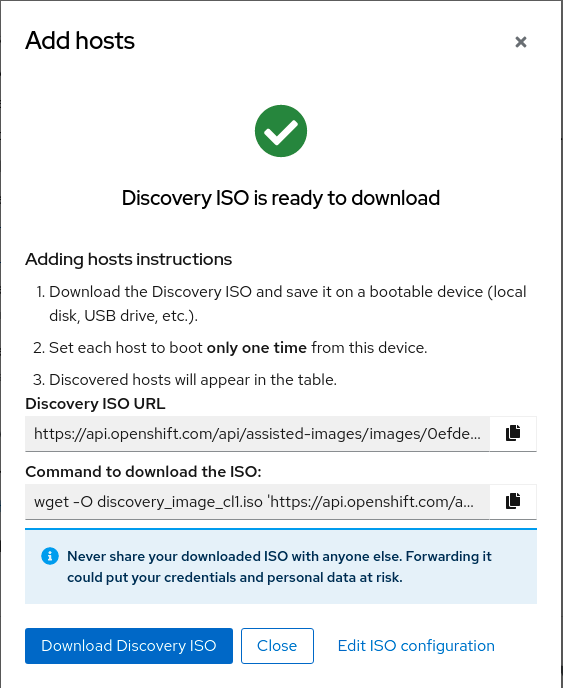
Mount downloaded ISO to all necessary servers via BMC (IPMI).
Boot from the mounted virtual device.
The installation process starts automatically.
After a while, the servers will appear in the RedHat Hybrid Cloud Console.
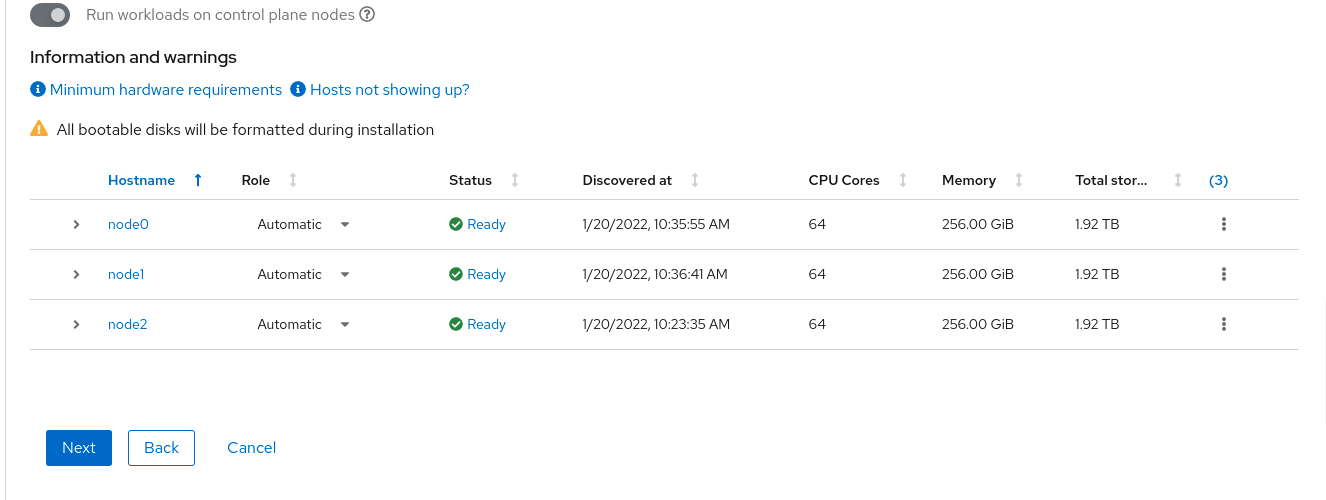
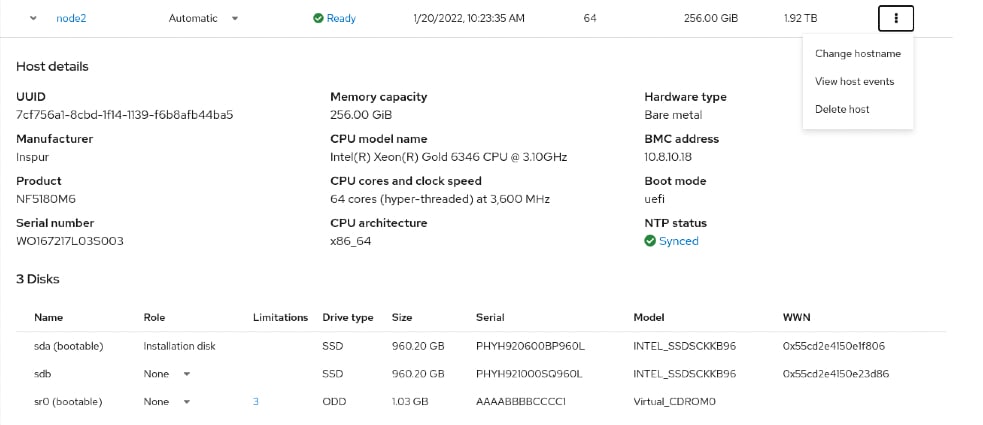
It is possible to change the cluster node hostname, role, and installation disk.
When all nodes will be in Ready state, click Next.
Networking
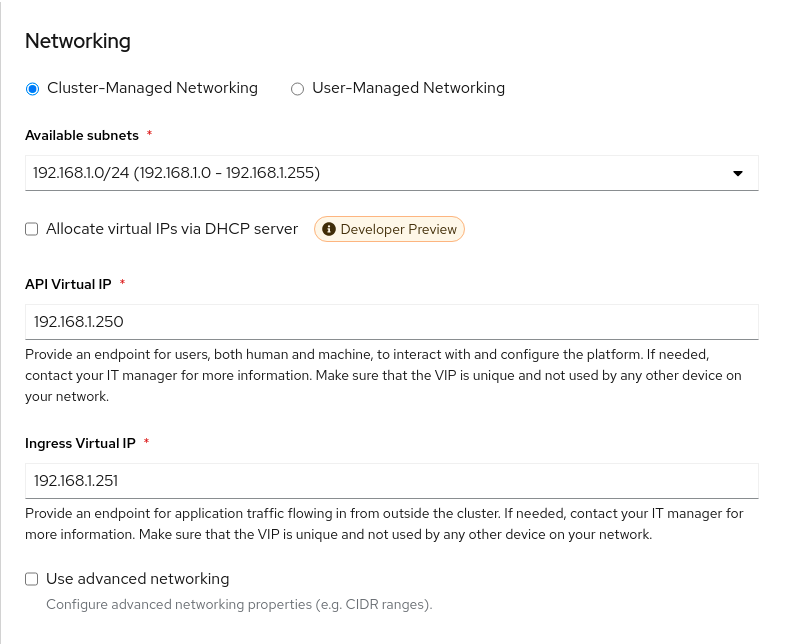
Choose Cluster-Managed Networking.
Complete Available subnet, API Virtual API and Ingress Virtual API. Please note that VIP addresses cannot be the same.
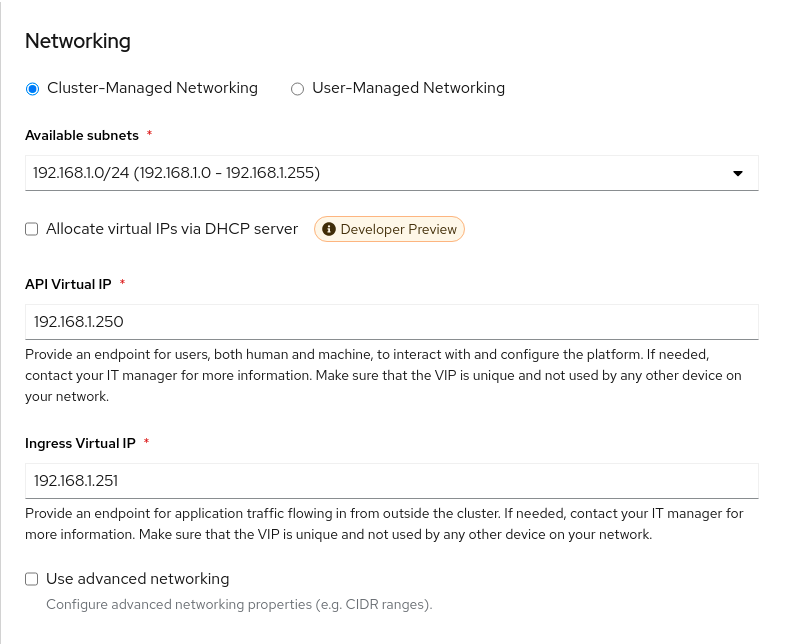
Also, it is possible to allocate IP addresses via DHCP and Use advanced networking for additional network configuration. For example, change cluster network, cluster network host prefix, service network and choose OpenShift SDN or Open Virtual Networking(OVN).
Click Next
Configuration review
Review the configuration and click Install cluster
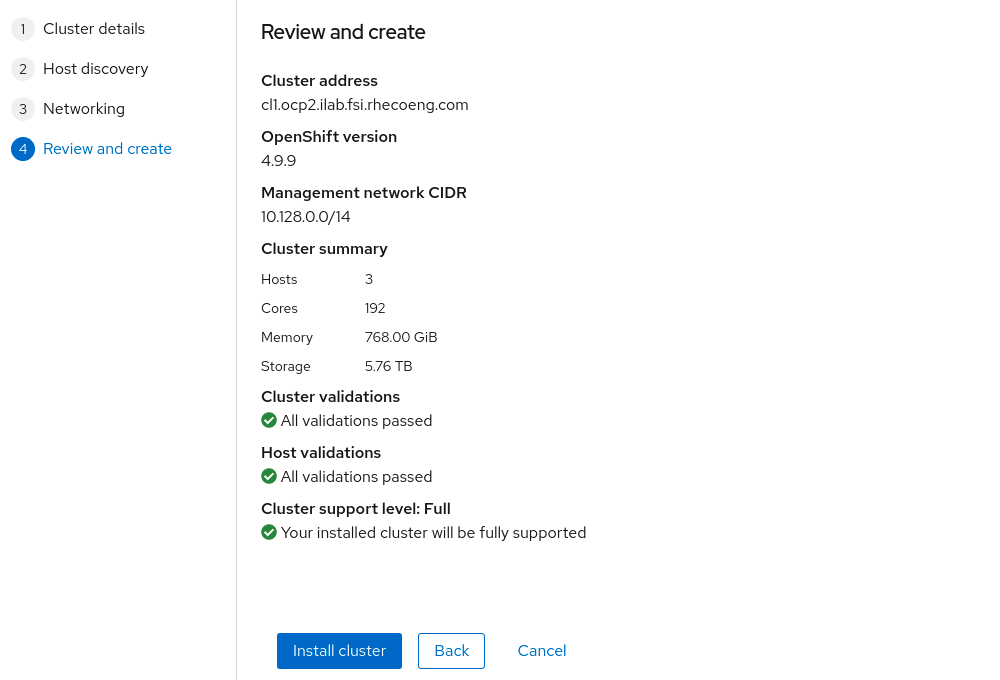
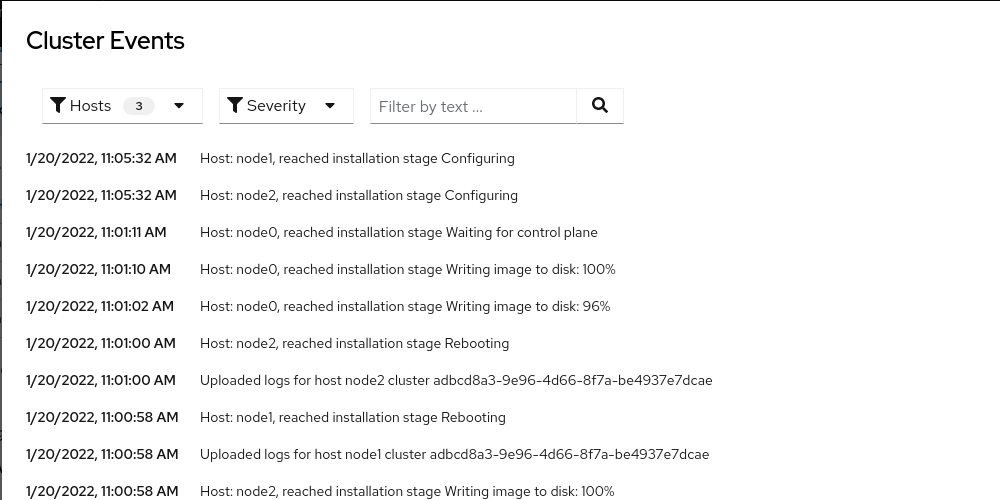
Wait for the installation process to finish. During the installation of the cluster, the nodes will reboot several times.
Click View cluster events to show cluster setup events.
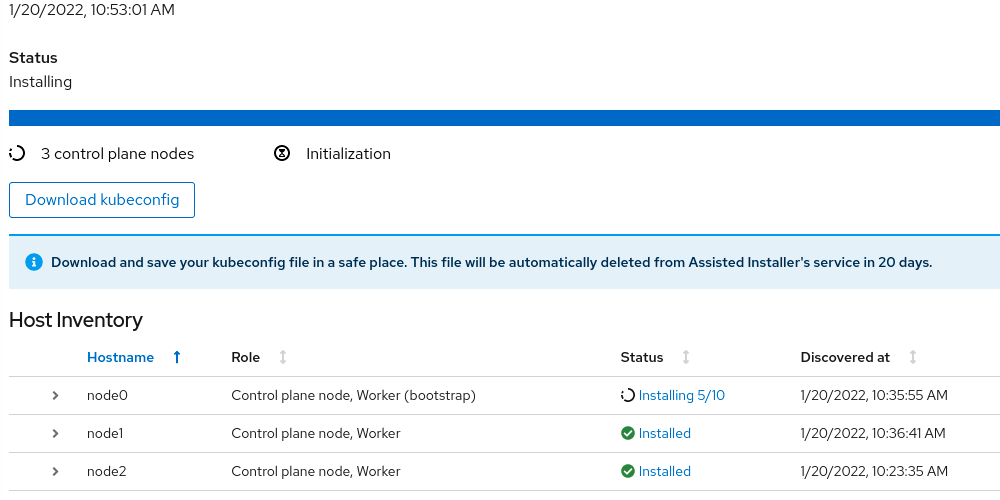
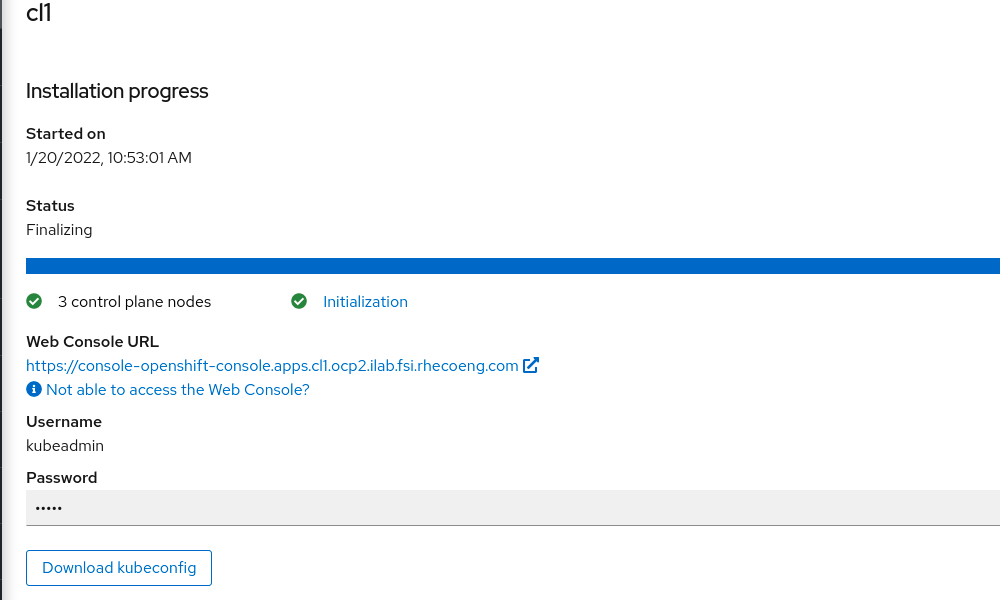
Finished installation
After installing the cluster, download kubeconfig and save the kubeadmin password.
The next part of the article will describe the HA and LB implementation.
저자 소개
유사한 검색 결과
Red Hat 파트너가 최고의 통신 비즈니스 자산인 이유
에이전틱 패러독스와 하이브리드 AI의 필요성
Crack the Cloud_Open | Command Line Heroes
Edge computing covered and diced | Technically Speaking
채널별 검색

오토메이션
기술, 팀, 인프라를 위한 IT 자동화 최신 동향

인공지능
고객이 어디서나 AI 워크로드를 실행할 수 있도록 지원하는 플랫폼 업데이트

오픈 하이브리드 클라우드
하이브리드 클라우드로 더욱 유연한 미래를 구축하는 방법을 알아보세요

보안
환경과 기술 전반에 걸쳐 리스크를 감소하는 방법에 대한 최신 정보

엣지 컴퓨팅
엣지에서의 운영을 단순화하는 플랫폼 업데이트

인프라
세계적으로 인정받은 기업용 Linux 플랫폼에 대한 최신 정보

애플리케이션
복잡한 애플리케이션에 대한 솔루션 더 보기

가상화
온프레미스와 클라우드 환경에서 워크로드를 유연하게 운영하기 위한 엔터프라이즈 가상화의 미래
