
After a long day at work, sysadmins deserve a little downtime. But even downtime can be an opportunity to practice your sysadmin skills. For example, I created an Ansible playbook to install a classic game to help me relax and clear my mind. You can use my playbook to practice using Ansible, and you can use it as inspiration for writing your own playbooks.
LBreakoutHD is a simple, fun, and addictive game developed for Linux (thus "L" at the beginning) but now also available for other platforms. LBreakoutHD is an HD remake of LBreakout2, which is itself a remake of the classic Breakout developed in the 1970s.
The game's idea is to use a ball to break bricks at the top of the screen using a paddle at the bottom to bounce and redirect the ball. You go up a level after breaking all the bricks, and you lose the game if you let the balls fall below the paddle.
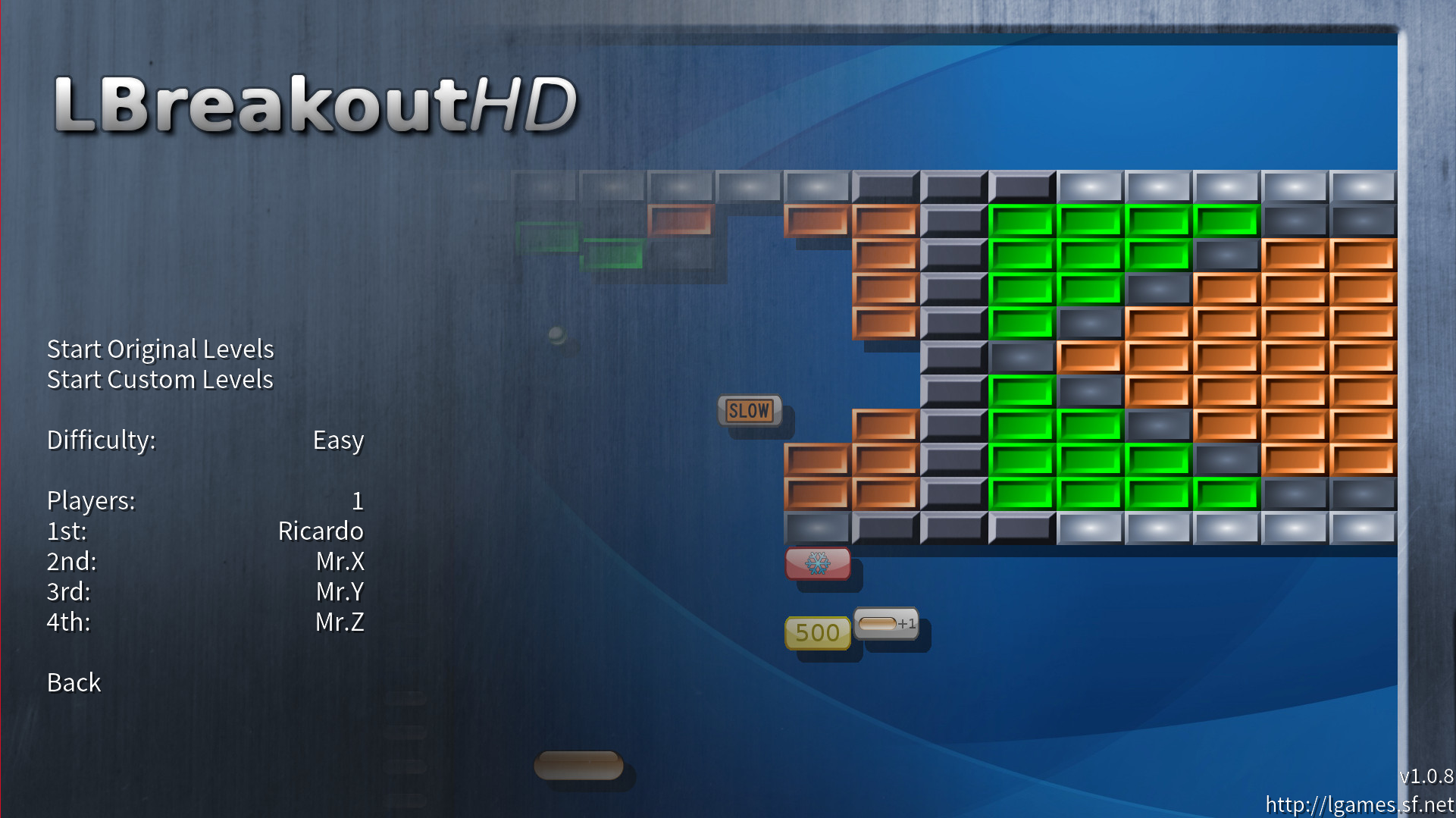
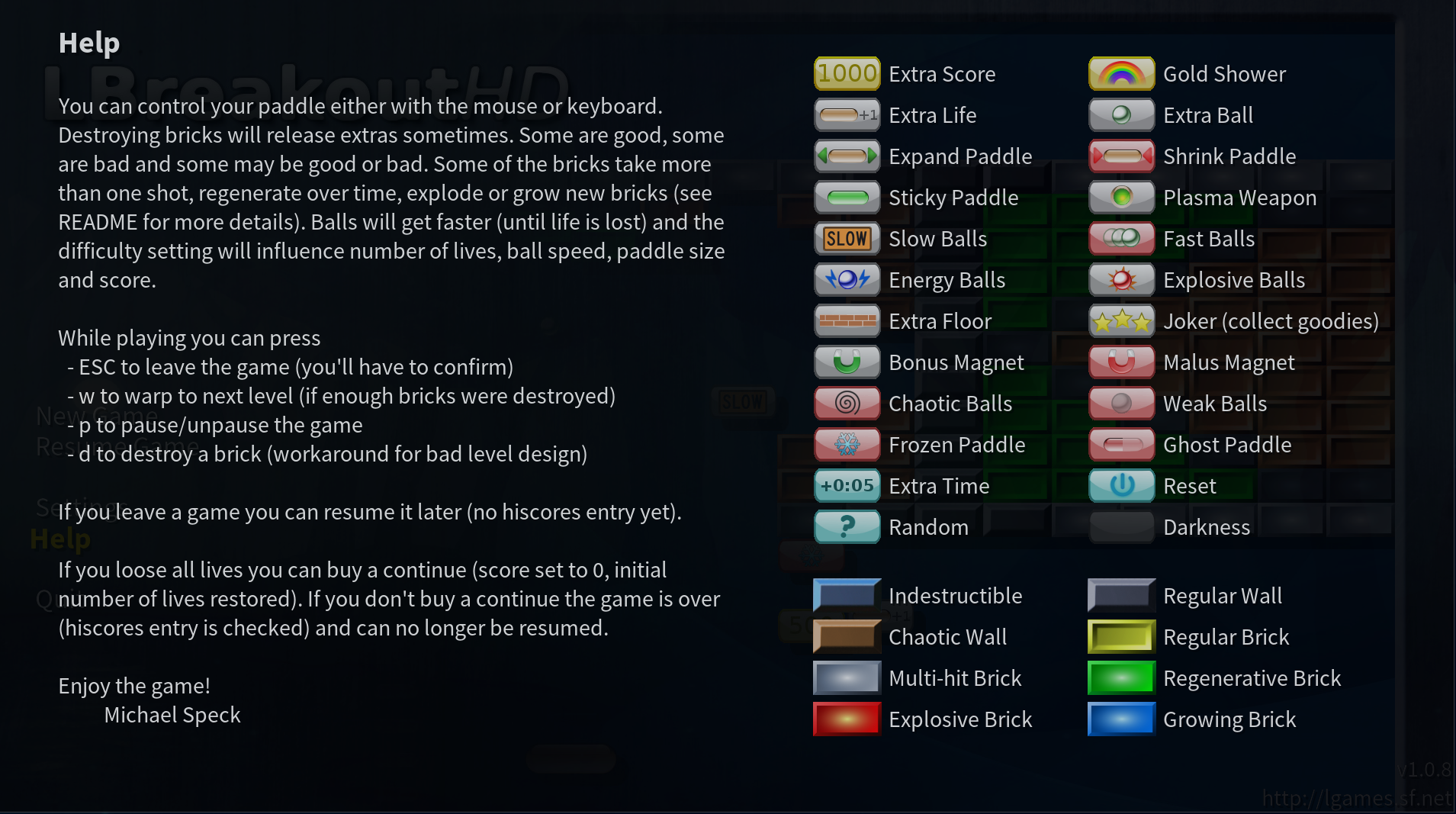
Some bricks hide surprise boxes that can give you extra points or powers (such as a larger paddle size or exploding balls) to add to the fun. There are also bad surprises that increase the game's difficulty, such as freezing the paddle or decreasing its size.
You can find LBreakoutHD in the LGames collection. These games are developed by Michael Speck and are open source, released under the GPL license.
[ If you're living life at your terminal emulator anyway, why not have a little fun while you're there? See 5 command-line games for sysadmins .]
Installing the game using Ansible
To install LBreakoutHD on Linux, you need to compile it from its source code. You also need the GCC compiler, make, and the SDL2 development libraries. To make it easier, you can use this Ansible playbook I designed to install it on Fedora 34:
- name: Manages a local source install of lbreakouthd
  hosts: localhost
  gather_facts: yes
  vars:
    prefix_dir: "{{ ansible_env.HOME }}/.local/"
    version: "1.0.8"
    make_action: "install"
    cleanup_tmp: yes

  tasks:
    - name: Ensure requirements in place
      dnf:
        name:
          - SDL2
          - SDL2_image
          - SDL2_mixer
          - SDL2_ttf
          - SDL2-devel
          - SDL2_ttf-devel
          - SDL2_image-devel
          - SDL2_mixer-devel
          - make
          - gcc
          - gcc-c++
        update_cache: yes
        state: present
      become: yes

    - name: Create temporary directory
      file:
        path: /tmp/lbreakout
        state: directory
        mode: 0770

    - name: Download and extract source code
      unarchive:
        src: "https://sourceforge.net/projects/lgames/files/lbreakouthd/lbreakouthd-{{ version }}.tar.gz"
        dest: /tmp/lbreakout/
        remote_src: yes

    - name: Configure the build
      command: ./configure --prefix={{ prefix_dir }}
      args:
        chdir: "/tmp/lbreakout/lbreakouthd-{{ version }}"
        creates: "/tmp/lbreakout/lbreakouthd-{{ version }}/Makefile"

    - name: Make game according to defined make_action install / uninstall
      make:
        chdir: "/tmp/lbreakout/lbreakouthd-{{ version }}"
        target: "{{ make_action }}"

    - name: Ensure temporary directory is deleted
      file:
        path: /tmp/lbreakout
        state: absent
      when: cleanup_tmp | bool
This playbook installation includes dependencies; creates a temporary directory; downloads and extracts the source; and configures, compiles, and installs it using the Ansible make module with the target install. Finally, it removes the temporary directory and the source code in it to clean up the system.
Now, run the playbook to install the game. Use ansible option -K to enable privilege escalation required to install the dependencies:
$ ansible-playbook -K lbreakout.yaml
BECOME password:
[WARNING]: provided hosts list is empty, only localhost is available. Note that the implicit localhost does not match 'all'

PLAY [Manages a local source install of lbreakouthd] ************************

TASK [Gathering Facts] ******************************************************
ok: [localhost]

TASK [Ensure requirements in place] *****************************************
ok: [localhost]

TASK [Create temporary directory] *******************************************
changed: [localhost]

TASK [Download and extract source code] *************************************
changed: [localhost]

TASK [Configure the build] **************************************************
changed: [localhost]

TASK [Make game according to defined make_action install / uninstall] *******
changed: [localhost]

TASK [Ensure temporary directory is deleted] ********************************
changed: [localhost]

PLAY RECAP ******************************************************************
localhost: ok=7 changed=5 unreachable=0 failed=0 skipped=0 rescued=0 ignored=0
If you want to use this playbook on other distributions, update the task Ensure requirements in place to use the correct module and package names for your distribution. By default, this playbook installs LBreakoutHD into the .local subdirectory under the current user's home directory. You can update it by changing the variable prefix_dir. If you set it to a system directory, you need to run the playbook with a privileged user. You can also change other variables to change the playbook's behavior, such as setting make_action=uninstall to uninstall the game or cleanup_tmp=no to preserve the temporary directory instead of deleting it at the end.
Playing the game
Once it's installed, ensure the directory $HOME/.local/bin is in your $PATH, and start the game by running lbreakouthd. The installation script creates a shortcut for the game in $HOME/.local/share/applications. If your system uses this location for desktop files, you can launch the game using your desktop menus.
When the game starts, select New Game to start a new game, then select Start Original Levels to play the levels designed with the game or Start Custom Level to choose among a large number of user-contributed custom levels.
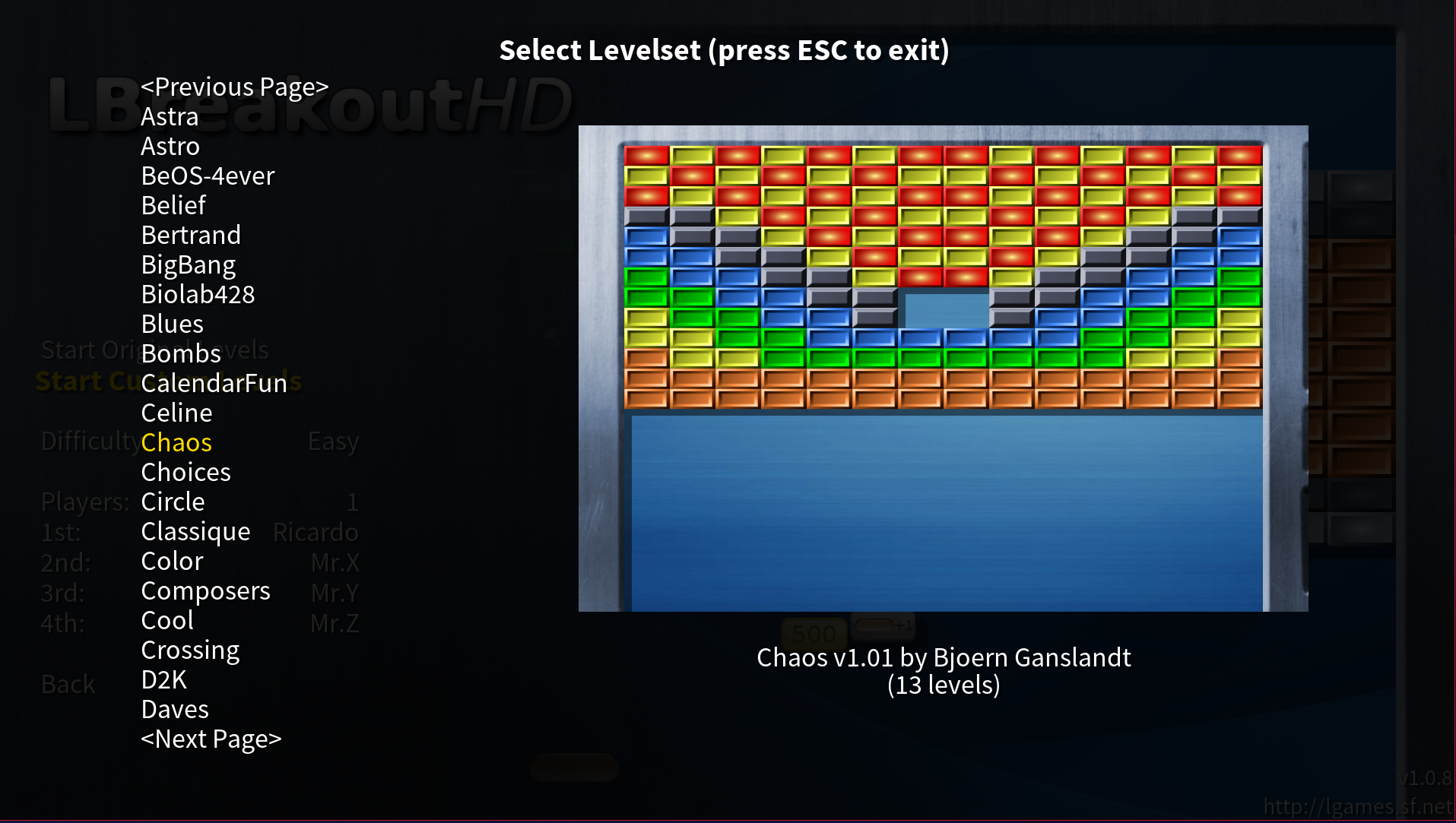
These custom levels add extra fun to the game, as some of these levels are challenging or very creative.
Uninstalling the game
To uninstall the game, rerun the playbook, setting the variable make_action=uninstall:
$ ansible-playbook -K lbreakout.yaml -e make_action=uninstall
The playbook removes all game files from the installation directories, but it leaves any saved game data under your $HOME directory intact.
[ Want to test your sysadmin skills? Take a skills assessment today. ]
Have fun
LBreakoutHD is a fun game. It's simple enough to allow you to start playing quickly but is challenging enough that is still entertaining. There's a little bit of learning to understand what all the powers do and how they impact the game. These same powers add to the game replay factor as they change the levels every time you play.
Overall, this is an excellent game with some nostalgia while still modern with nice graphics and cool sound. It's great to refresh your mind after work and to practice your sysadmin skills while having fun.
저자 소개
Ricardo Gerardi is a Principal Consultant at Red Hat, having transitioned from his previous role as a Technical Community Advocate for Enable Sysadmin. He's been at Red Hat since 2018, specializing in IT automation using Ansible and OpenShift.
With over 25 years of industry experience and 20+ years as a Linux and open source enthusiast and contributor, Ricardo is passionate about technology. He is particularly interested in hacking with the Go programming language and is the author of Powerful Command-Line Applications in Go and Automate Your Home Using Go. Ricardo also writes regularly for Red Hat and other blogs, covering topics like Linux, Vim, Ansible, Containers, Kubernetes, and command-line applications.
Outside of work, Ricardo enjoys spending time with his daughters, reading science fiction books, and playing video games.
유사한 검색 결과
Ansible Automation Platform 2.7: 시각적 실행 환경 빌더 및 콘텐츠 검색 가이드
Red Hat Ansible 올스타: 네트워크 및 인프라 자동화의 미래를 주도합니다
Random Acts Of Automation | Compiler
Untangling Networks | Compiler
채널별 검색

오토메이션
기술, 팀, 인프라를 위한 IT 자동화 최신 동향

인공지능
고객이 어디서나 AI 워크로드를 실행할 수 있도록 지원하는 플랫폼 업데이트

오픈 하이브리드 클라우드
하이브리드 클라우드로 더욱 유연한 미래를 구축하는 방법을 알아보세요

보안
환경과 기술 전반에 걸쳐 리스크를 감소하는 방법에 대한 최신 정보

엣지 컴퓨팅
엣지에서의 운영을 단순화하는 플랫폼 업데이트

인프라
세계적으로 인정받은 기업용 Linux 플랫폼에 대한 최신 정보

애플리케이션
복잡한 애플리케이션에 대한 솔루션 더 보기

가상화
온프레미스와 클라우드 환경에서 워크로드를 유연하게 운영하기 위한 엔터프라이즈 가상화의 미래
