
If you've been around computers, and technology in general, for any amount of time, you're probably aware of the huge advancements in storage that have been made over the last few decades. I'm a 90's kid, so I only have a limited scope of experience with some of the older storage mediums. I did get the chance to work with a few companies at my last job that stored off-site data on massive tape drives but the read/write functions to those enormous sloths were less than pleasant.
To my knowledge, most of our enterprise storage is probably still done via disk drives (spinning platter drives), commonly referred to as HDDs (hard disk drives). However, solid-state drives (SSDs) have replaced HDDs and are what most people currently use in their personal computers. Previously, SSDs were more expensive. However, lately, those prices have dropped to affordable levels.
[ You might also like: Converting to solid-state disks (SSDs) on the desktop ]
As storage mediums evolve, so do storage interfaces. Traditionally, HDDs and SSDs used SATA interfaces to communicate with their motherboards (unless you work on ancient gear such as SCSI or PATA. Shoutout to the US Navy).
SATA interfaces need two things to operate correctly:
- SATA power from the power supply to the drive
- SATA data from the drive to the motherboard controller
These are delivered through two separate cables (not ideal) or through a single integrated cable. Either way, the cables used have fragile connectors, and any cable introduces some form of latency. Maybe it's time for some evolution.
NVMe has entered the chat
Non-Volatile Memory Express (NVMe) was developed as a new standard specification for storage drives (and other components) to be connected directly to the PCIe interface. Using this bus allows the SSD to communicate directly with the CPU instead of going through the motherboard as SATA previously required, increasing read/write speeds and decreasing program load times.
So what is M.2?
To answer this question, we need to talk about form factors. Many commercial HDDs are sold in 3.5" and 2.5" form factors. Up until recently, most SSDs were sold in 2.5" form factors. Most all of these drives were SATA drives, requiring data and power cables. M.2 is the newest form factor of SSD to hit the market, with an incredibly small footprint thanks to the NVMe interface.
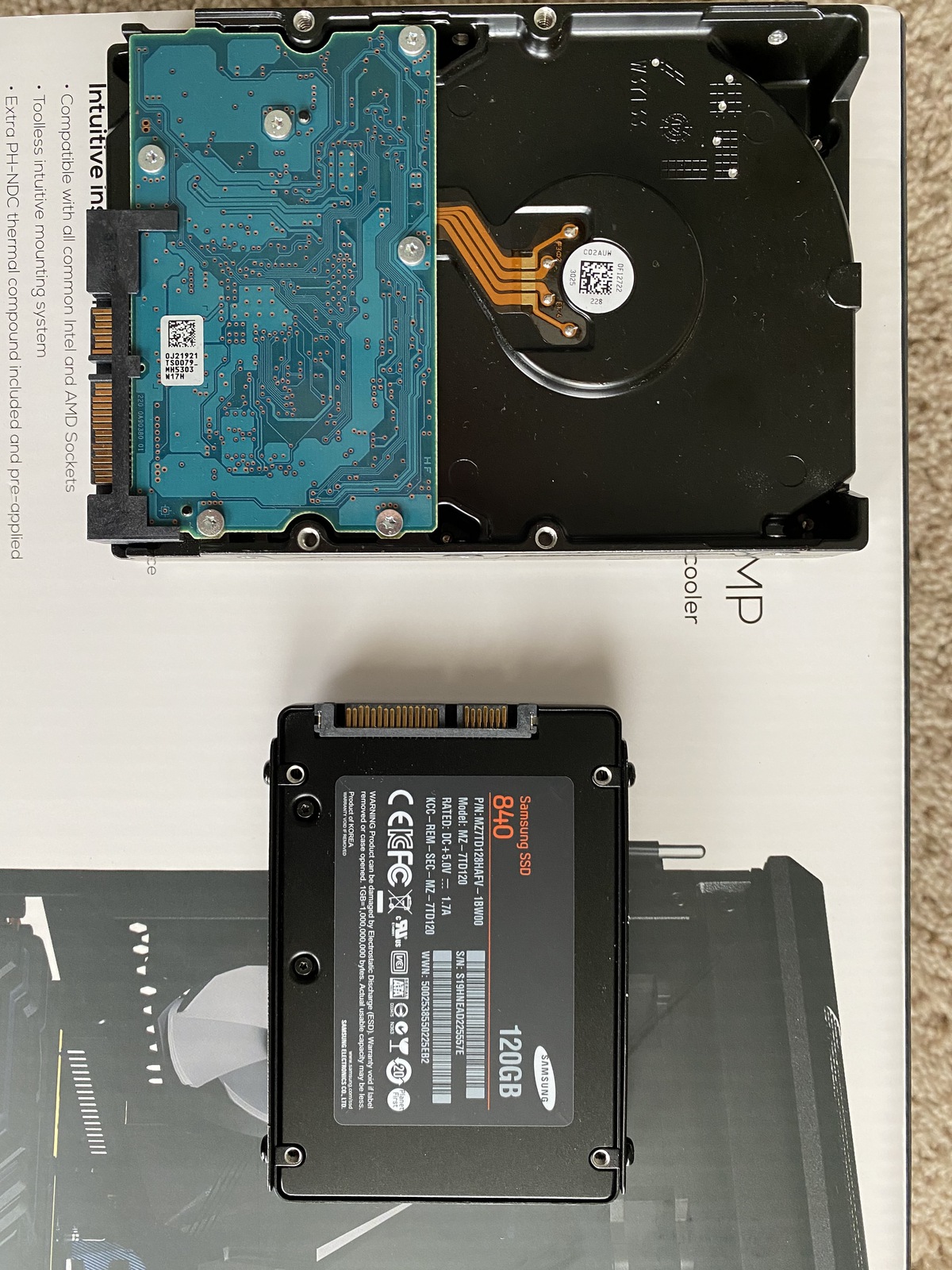
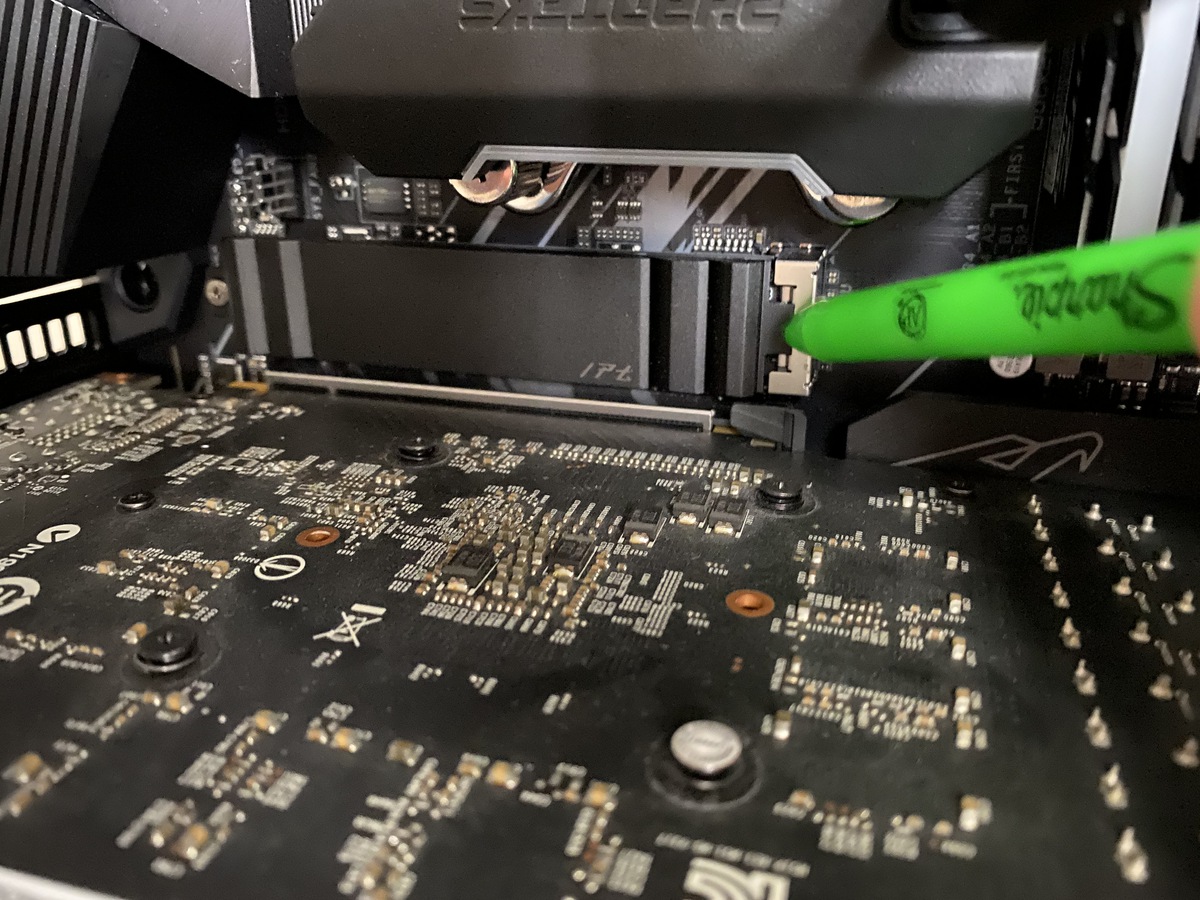
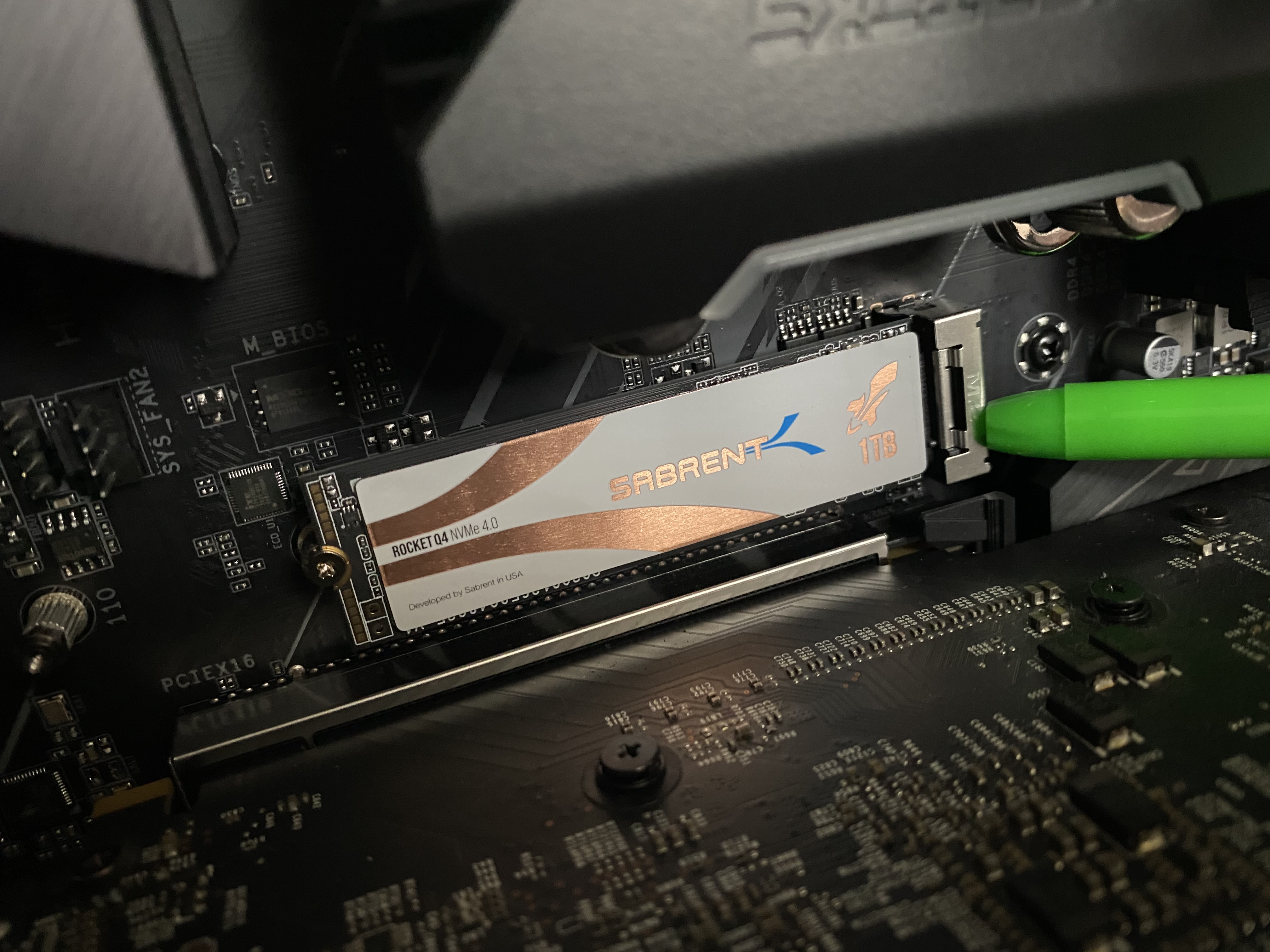
An M.2 slot is 22mm wide and can vary in length depending on your motherboard slots. The measurements can range from 16 - 110 mm (most drives are 80mm). Be sure to pick a drive that fits the space available on your device! The beauty of this form factor is that there are absolutely no cables involved. The drives just slot into the M.2 slot on the motherboard and are connected via NVMe to the CPU.
[ A free guide from Red Hat: 5 steps to automate your business. ]
What to shop for
The quick answer to the NVMe versus M.2 question is that there is no versus at all. NVMe is the interface, and M.2 is the latest form factor for SSDs. Combine the two, and you have a lightning-fast drive with almost no visible footprint, and it is super-easy to install. Win. Win. Win.
When shopping for a drive, make sure that you know the interface and the form factor, on top of the capacity and read/write speeds. Keep this information in mind during your next storage expansion, and you will make a well-informed purchase.
Also, if you are planning on building a new system, be sure to check out my previous article, "Sysadmin hardware: Considerations for planning a PC build."
저자 소개
Tyler is the Sr. Community Manager at Enable Sysadmin, a submarine veteran, and an all-round tech enthusiast! He was first introduced to Red Hat in 2012 by way of a Red Hat Enterprise Linux-based combat system inside the USS Georgia Missile Control Center. Now that he has surfaced, he lives with his wife and son near Raleigh, where he worked as a data storage engineer before finding his way to the Red Hat team. He has written numerous technical documents, from military procedures to knowledgebase articles and even some training curricula. In his free time, he blends a passion for hiking, climbing, and bushcraft with video games and computer building. He is loves to read and enjoy a scotch or bourbon. Find him on Twitter or on LinkedIn.
유사한 검색 결과
Ansible Automation Platform 2.7: 시각적 실행 환경 빌더 및 콘텐츠 검색 가이드
Red Hat Ansible 올스타: 네트워크 및 인프라 자동화의 미래를 주도합니다
Random Acts Of Automation | Compiler
Untangling Networks | Compiler
채널별 검색

오토메이션
기술, 팀, 인프라를 위한 IT 자동화 최신 동향

인공지능
고객이 어디서나 AI 워크로드를 실행할 수 있도록 지원하는 플랫폼 업데이트

오픈 하이브리드 클라우드
하이브리드 클라우드로 더욱 유연한 미래를 구축하는 방법을 알아보세요

보안
환경과 기술 전반에 걸쳐 리스크를 감소하는 방법에 대한 최신 정보

엣지 컴퓨팅
엣지에서의 운영을 단순화하는 플랫폼 업데이트

인프라
세계적으로 인정받은 기업용 Linux 플랫폼에 대한 최신 정보

애플리케이션
복잡한 애플리케이션에 대한 솔루션 더 보기

가상화
온프레미스와 클라우드 환경에서 워크로드를 유연하게 운영하기 위한 엔터프라이즈 가상화의 미래
