
This post was written by Christian Hernandez, Solution Architect of the OpenShift Tiger Team.
OpenShift 3.1 provides a lot of new features and upgrades one of which is the introduction of a "horizontal pod autoscaler". The pod autoscaler tells OpenShift how it should scale up or down the replication controller (or deployment configuration) automatically. Scaling is based on metrics collected from the pods that belong to that specific replication controller.
NOTEs:
- Pod autoscaling is currently a Technology Preview feature.
- Currently, the only metric supported is CPU Utilization.
- The OpenShift administrator must first enable Cluster Metrics before you can enable autoscaling.
- The OpenShift administrator must also enable Resource Limits on the project.
Create An Application
I will start off by creating a simple PHP applicaiton under my demo project.
$ oc project

Using project "demo" from context named "demo/ose3-master-example-com:8443/demo" on server "https://ose3-master.example.com:8443".


$ oc new-app openshift/php~https://github.com/RedHatWorkshops/welcome-php.git
The build will automatically starts. It will take a little while but once it's done, go ahead and expose the service to create a route.
$ oc expose svc welcome-php

route "welcome-php" exposed


$ oc get routes

NAME  HOST/PORT  PATH  SERVICE  LABELS  INSECURE POLICY  TLS TERMINATION

welcome-php welcome-php-demo.cloudapps.example.com welcome-php app=welcome-php
At this point login to the web console and select the "demo" project. The overview page should look like this:
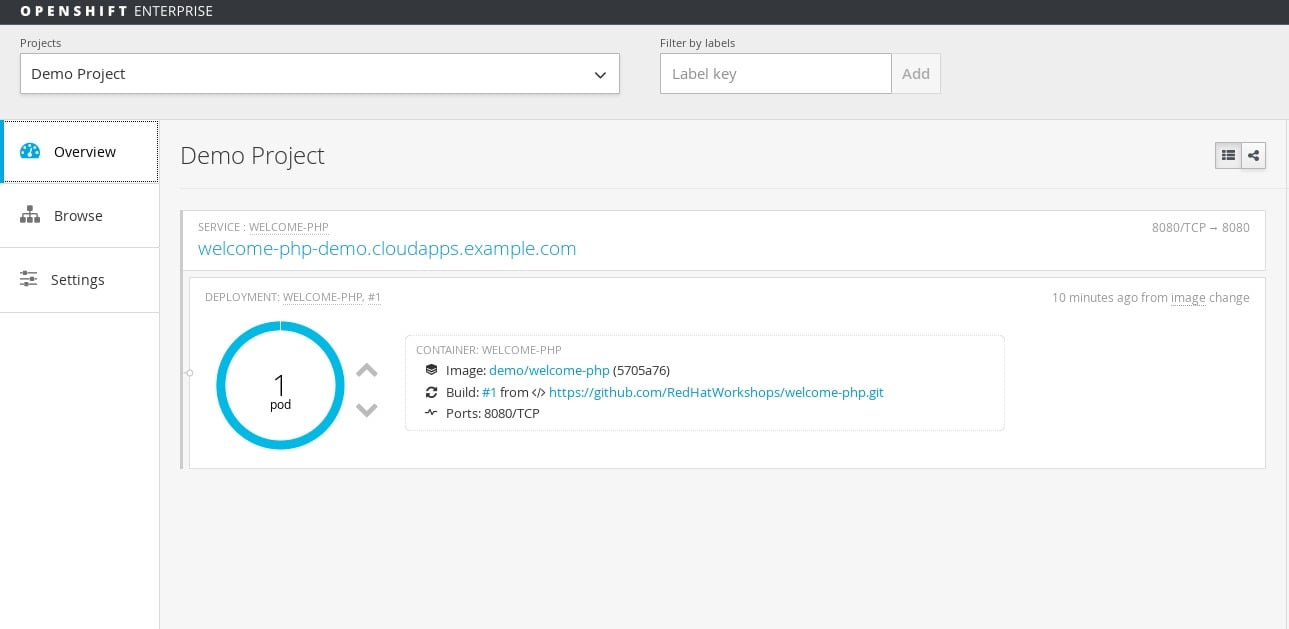
Click on the circle graph and it should show you a list of pods (currently only one) for this deployment.
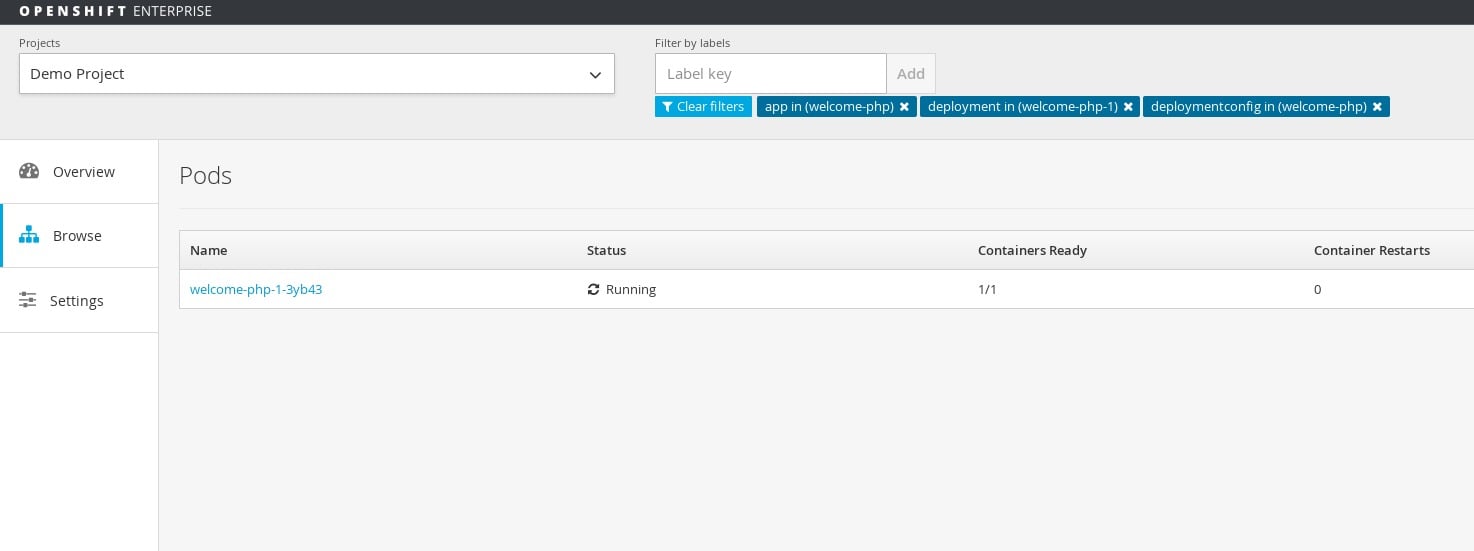
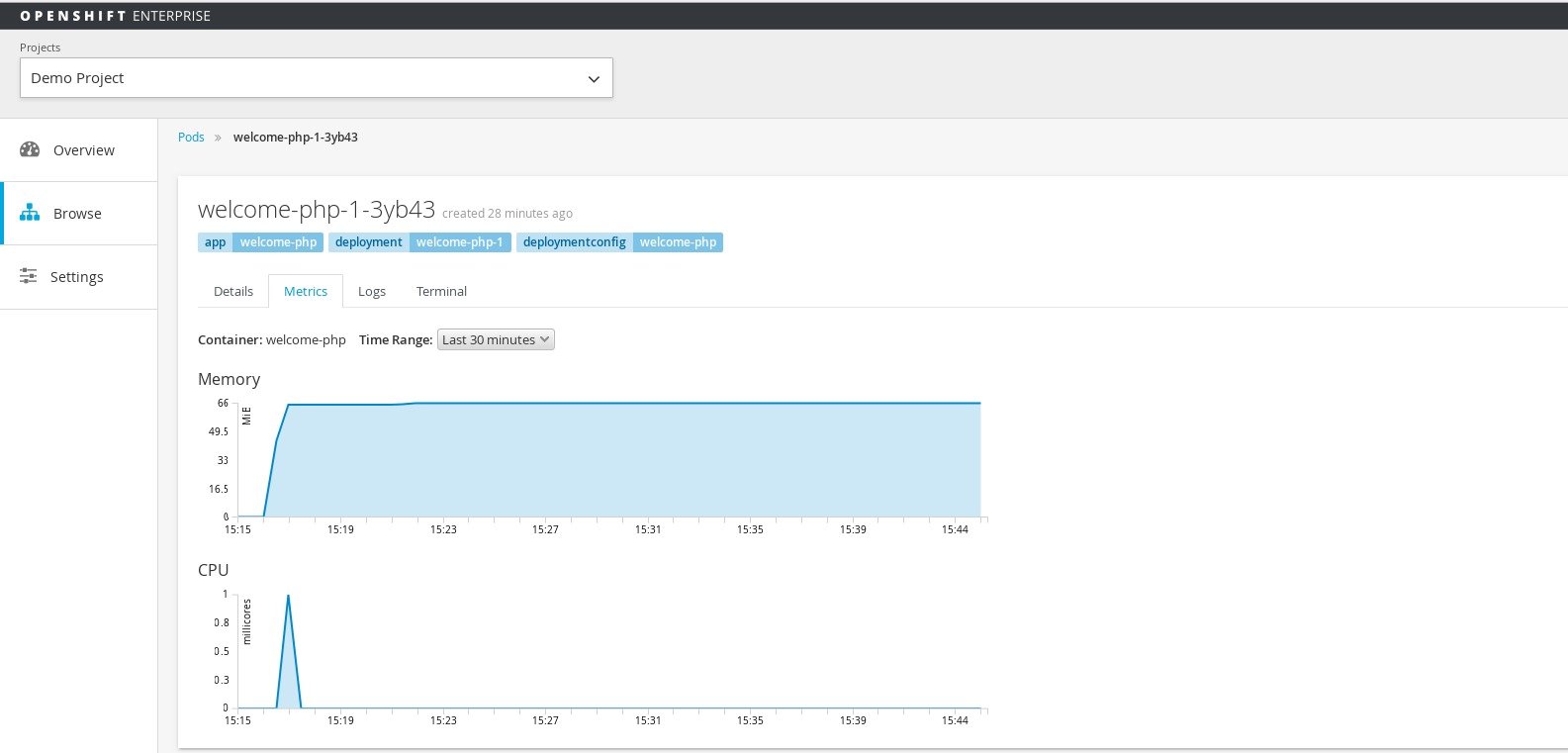
Go ahead and click on the pod name (in this case it's welcome-php-1-0jihu) to bring up the details page about the pod.
There should be a tab that says Metrics. Go ahead and click on that to view the metrics for this paticualr pod. The CPU metrics you see will be used to scale this application.
Set up Autoscaling
Once the HorizontalPodAutoscaler object is set up; the autoscaler begins to query Heapster for CPU Utilzation on the pods. It will take some time before it collects the initial metrics.
When the metrics are available, the autoscaler compares the current CPU utilization with the desired CPU utilization, and scales up or down accordingly. The scaling will occur at a regular interval, but it may take a little bit before the metrics make their way into Heapster.
Depending on what you're applying the autoscaler to...
- Replication controllers - this scaling corresponds directly to the replicas of the replication controller.
- Deployment configs - this will scale the latest deployment, or the replication controller template in the deployment config if none is present.
We will use this sample yaml config:
apiVersion: extensions/v1beta1

kind: HorizontalPodAutoscaler

metadata:

 name: frontend-scaler

spec:

 scaleRef:

 kind: DeploymentConfig

 name: welcome-php

 apiVersion: v1

 subresource: scale

 minReplicas: 1

 maxReplicas: 10

 cpuUtilization:

 targetPercentage: 5
A few things to note:
name- An arbitrary name for this specific autoscaler (in this instance it'sfrontend-scaler)kind- Which object we want to scale (in this case it's theDeploymentConfig)name- Name of theDeploymentConfigwe are scalingminReplicas- Minimum amount of pods to runmaxReplicas- Maximum number of pods to scale totargetPercentage- The percentage of the requested CPU that each pod should ideally be using
In this instance we are using 5% in order to test. Realistically you will use something like 70%-80%
Create the autoscaler
$ oc create -f scaler.yaml

horizontalpodautoscaler "frontend-scaler" created
View the status of a horizontal pod autoscaler.
$ oc get hpa

NAME REFERENCE TARGET CURRENT MINPODS MAXPODS AGE

frontend-scaler DeploymentConfig/welcome-php/scale 5% <waiting> 1 10 5s
At first it should show <waiting> but after a while it sould show the correct metric
$ oc get hpa

NAME REFERENCE TARGET CURRENT MINPODS MAXPODS AGE

frontend-scaler DeploymentConfig/welcome-php/scale 5% 0% 1 10 1m
Test Autoscaling
I will be using Apache Benchmark (the ab command) to simulate load on my applicaiton.
$ ab -n 100000000 -c 75 http://welcome-php-demo.cloudapps.example.com/
At first you should only see one pod
$ oc get pods

NAME READY STATUS RESTARTS AGE

welcome-php-1-0jihu 1/1 Running 0
It takes a while for the metrics to reach Heapster; so you can run
$ oc get hpa --watch
After a while you should see it reach the threshold
$ oc get hpa

NAME REFERENCE TARGET CURRENT MINPODS MAXPODS AGE

frontend-scaler DeploymentConfig/welcome-php/scale 5% 46% 1 10 5m
You should now see 10 pods spin up
$ oc get pods

NAME READY STATUS RESTARTS AGE

welcome-php-1-0jihu 1/1 Running 0 1h

welcome-php-1-3ag79 1/1 Running 0 47s

welcome-php-1-6emrs 1/1 Running 0 47s

welcome-php-1-chkmz 1/1 Running 0 47s

welcome-php-1-dwrnz 1/1 Running 0 47s

welcome-php-1-l2ood 1/1 Running 0 48s

welcome-php-1-os4mu 1/1 Running 0 47s

welcome-php-1-rb8lb 1/1 Running 0 47s

welcome-php-1-rv1k2 1/1 Running 0 47s

welcome-php-1-tm7rn 1/1 Running 0 47s
Once your ab command finishes you should see your oc get hpa --watch command go down until it gets back to 0%
$ oc get hpa

NAME REFERENCE TARGET CURRENT MINPODS MAXPODS AGE

frontend-scaler DeploymentConfig/welcome-php/scale 5% 0% 1 10 24m
Now your pods should be back down to 1
$ oc get pods

NAME READY STATUS RESTARTS AGE

welcome-php-1-rb8lb 1/1 Running 0 19m
Summary
In this article we went over how to enable autoscaling for your application in the newest release of OpenShift.
Author
Christian Hernandez
Solution Architect
US CSO Solution Architect- OpenShift Tiger Team
@christianh814
저자 소개
Christian is a well-rounded technologist with experience in infrastructure engineering, system administration, enterprise architecture, tech support, advocacy, and product management. He is passionate about open source and containerizing the world one application at a time. He is currently a maintainer of the OpenGitOps project, a maintainer of the Argo project, and works as a Technical Marketing Engineer and Tech Lead at Cisco. He focuses on GitOps practices, DevOps, Kubernetes, network security, and containers.
유사한 검색 결과
과거의 운영 방식에서 벗어나 IT의 미래 구축
AI의 다음 변곡점: 에이전트를 엔터프라이즈 슈퍼유저로 전환
Crack the Cloud_Open | Command Line Heroes
Edge computing covered and diced | Technically Speaking
채널별 검색

오토메이션
기술, 팀, 인프라를 위한 IT 자동화 최신 동향

인공지능
고객이 어디서나 AI 워크로드를 실행할 수 있도록 지원하는 플랫폼 업데이트

오픈 하이브리드 클라우드
하이브리드 클라우드로 더욱 유연한 미래를 구축하는 방법을 알아보세요

보안
환경과 기술 전반에 걸쳐 리스크를 감소하는 방법에 대한 최신 정보

엣지 컴퓨팅
엣지에서의 운영을 단순화하는 플랫폼 업데이트

인프라
세계적으로 인정받은 기업용 Linux 플랫폼에 대한 최신 정보

애플리케이션
복잡한 애플리케이션에 대한 솔루션 더 보기

가상화
온프레미스와 클라우드 환경에서 워크로드를 유연하게 운영하기 위한 엔터프라이즈 가상화의 미래
