
Alerts are only useful if you know about them. That’s why we’re working on adding features to Red Hat OpenShift to make it easier for you to find out about potential problems and solve them before they become incidents. The new cluster overview dashboard is great for looking at the status of a cluster. But to get information when you might be away from your cluster, you’ll need to correctly configure your alerting system. One of the first things you should do when you set up a cluster is to use the tools described in this post. Without correct configuration you will not get critical alerts outside of the OpenShift console, and may miss out on features designed to reduce your mean time to resolution.
Alertmanager Configuration
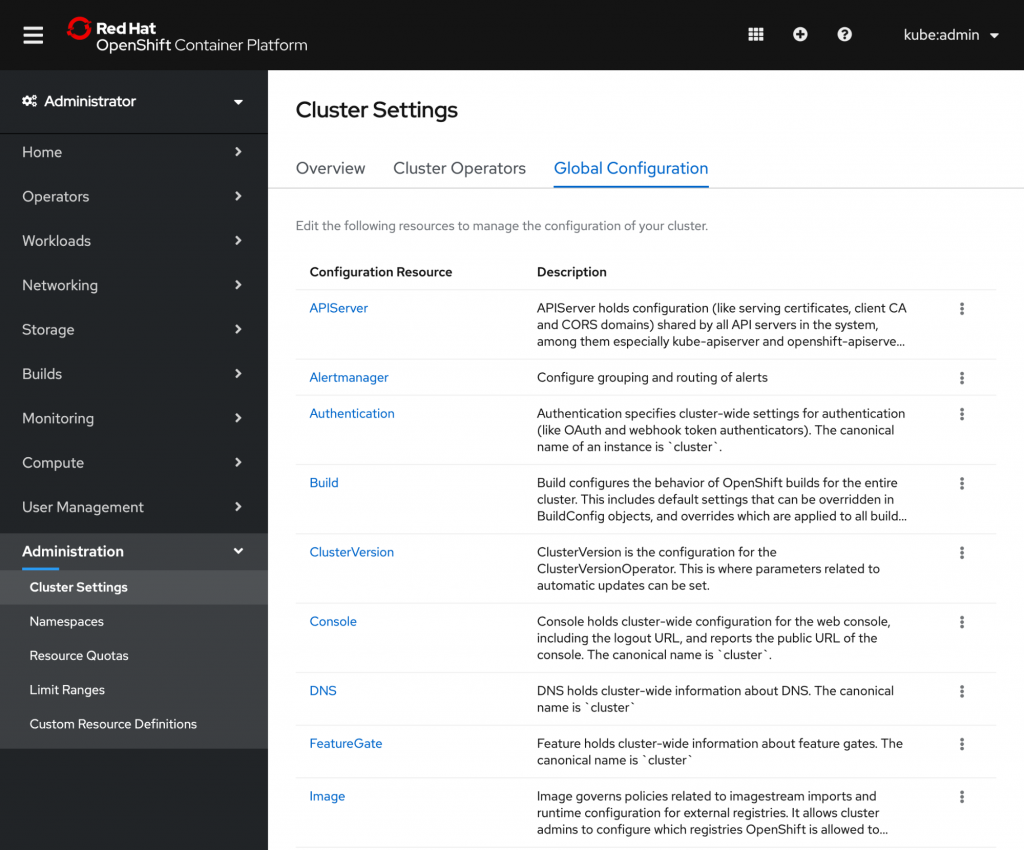
OpenShift 4.3 contains a new Alertmanager section on the cluster settings page. The options it provides make it easier than ever to tell OpenShift’s monitoring tools how and where to send you notifications.
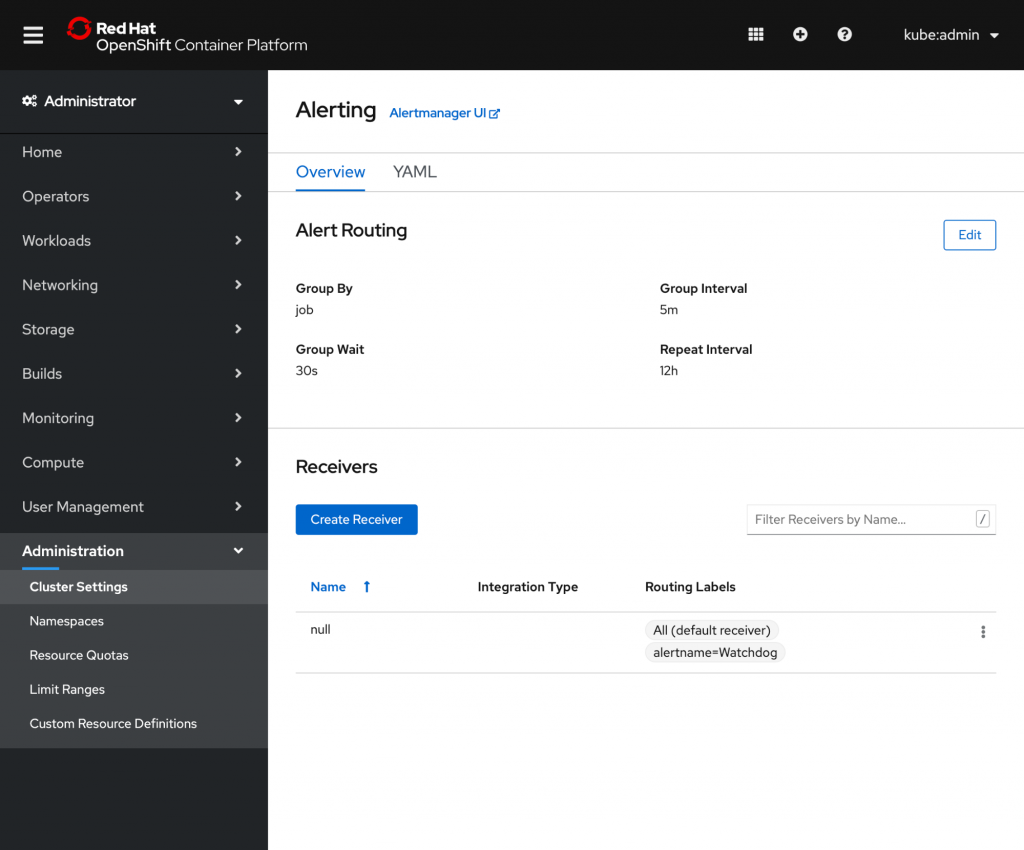
The first group is the alert routing settings. These fields determine how alerts are grouped into notifications and how long to wait before sending the notifications. Those notifications are then sent to Receivers that can be created and edited from the bottom of the page.
Receivers
Every OpenShift cluster needs a default receiver to handle any alerts not sent to other places. The default receiver that comes with a fresh install is initially very basic, so your first step should be to configure it to suit your needs. For more complex team structures, you may want to send different kinds of alerts to different places by creating more receivers. The easiest way to do this is to simply click the create receiver button. We currently offer forms for two types of receivers--webhook and PagerDuty--but more form types coming in the future.

Once you’ve entered the necessary details for the receiver, you can add some routing labels to decide which alerts will be sent there. For instance, you could send warning alerts to an email address and critical alerts to a specific Slack channel.
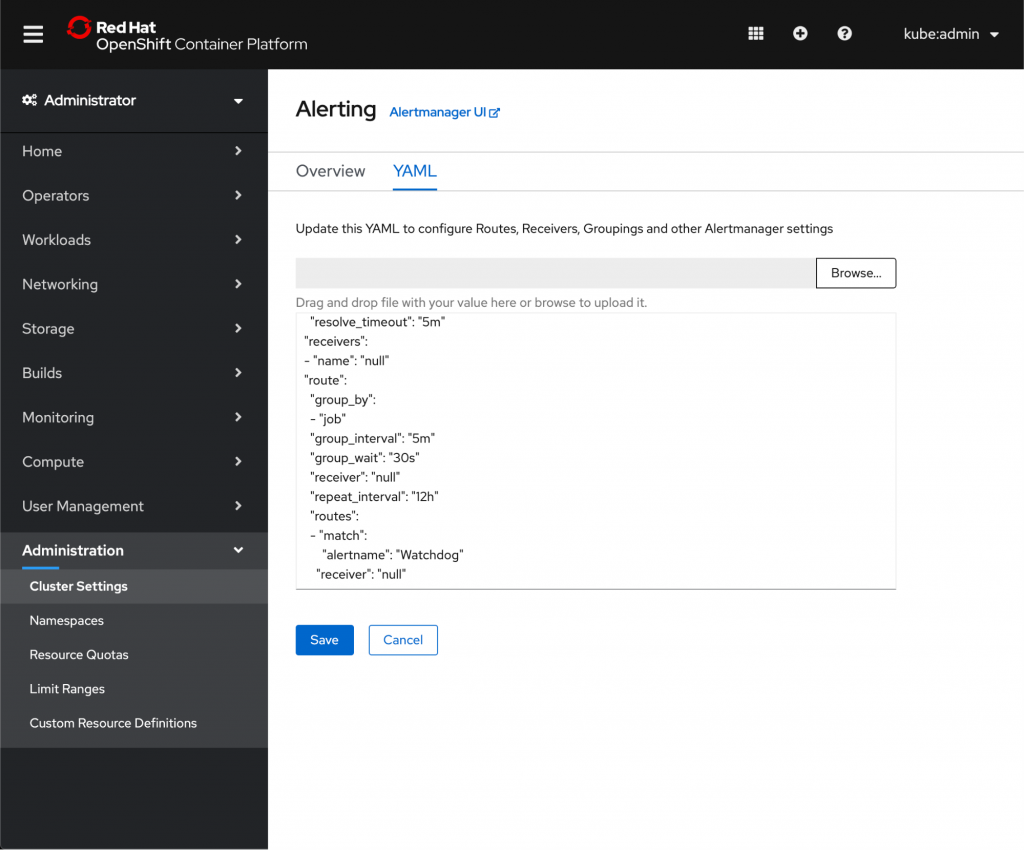
You can use these forms to create a robust alerting system. But for really complex configuration, it helps to go straight to the source. Switch to the YAML tab to view the raw version of your config and make any necessary changes. You can also use this view to create receiver types that are not currently supported by forms.
Information in the right places
Using the new Alertmanager configuration tools in OpenShift 4.3, you can direct alerts to the teams that need them--and avoid bothering teams that don’t. These features are part of an effort to make problem-solving in OpenShift simpler and reduce time to resolution. Follow along with the OpenShift Console and OpenShift Design GitHub repositories to see what new work is happening. If you’d like to provide feedback on any of the new 4.3 features, please take this brief 3-minute survey
저자 소개
유사한 검색 결과
Red Hat OpenShift 4.22가 엔터프라이즈 AI의 수익성에 미치는 영향
Red Hat 파트너가 최고의 통신 비즈니스 자산인 이유
Crack the Cloud_Open | Command Line Heroes
Edge computing covered and diced | Technically Speaking
채널별 검색

오토메이션
기술, 팀, 인프라를 위한 IT 자동화 최신 동향

인공지능
고객이 어디서나 AI 워크로드를 실행할 수 있도록 지원하는 플랫폼 업데이트

오픈 하이브리드 클라우드
하이브리드 클라우드로 더욱 유연한 미래를 구축하는 방법을 알아보세요

보안
환경과 기술 전반에 걸쳐 리스크를 감소하는 방법에 대한 최신 정보

엣지 컴퓨팅
엣지에서의 운영을 단순화하는 플랫폼 업데이트

인프라
세계적으로 인정받은 기업용 Linux 플랫폼에 대한 최신 정보

애플리케이션
복잡한 애플리케이션에 대한 솔루션 더 보기

가상화
온프레미스와 클라우드 환경에서 워크로드를 유연하게 운영하기 위한 엔터프라이즈 가상화의 미래
