
Imagine you’re a cluster administrator managing a huge number of users. A user reaches out to you with a problem: “My console is broken.” There’s seemingly an infinite number of possible explanations for why this user can’t access the console. However, you can’t see their system and they have difficulty explaining what the console is doing. The Red Hat OpenShift team recently met with a university customer whose admins frequently run into this scenario. Luckily, OpenShift 4.3’s web console UI addresses this exact problem. New to 4.3, we’ve introduced the ability to spoof users and groups.
Users of Red Hat OpenShift have long had the ability to impersonate Role Bindings through the web console UI. However, since the addition of the user management section, users and administrators can now spoof other users and groups.
To impersonate a user, simply navigate to the Users page under the User Management section of the navigation. Open the menu for a particular user and select “Impersonate User ‘[user]’”. In our case, we are impersonating the user “Ali.”
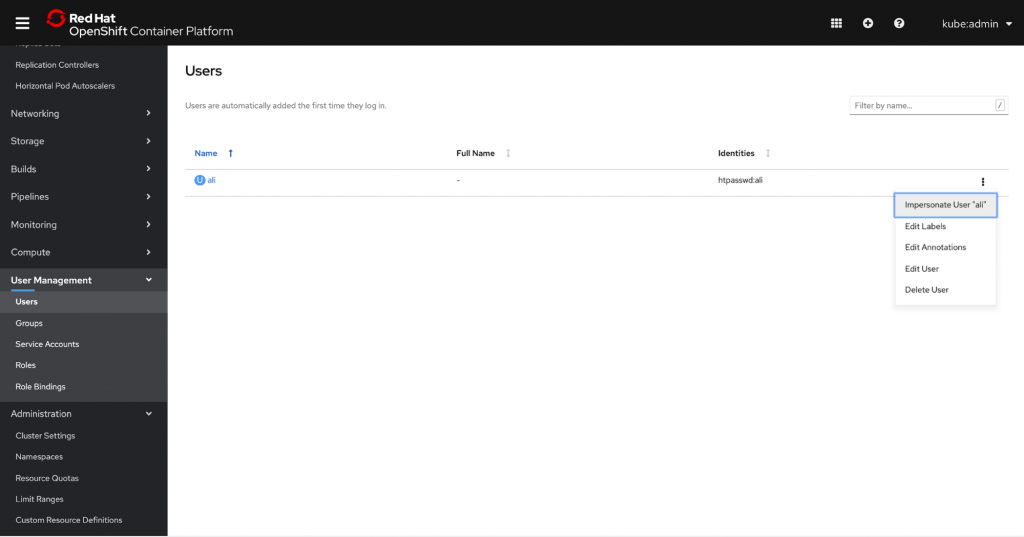
Note that a user can have multiple role bindings; thus, by spoofing the user instead of a role binding, system administrators can impersonate the user and see the console with their exact authorization credentials. This allows for much quicker and easier troubleshooting access, enabling admins to resolve issues faster and more efficiently.
Once you’ve elected to impersonate a user, you’ll be brought to the Projects page in their view. A console notification banner will appear to remind you that you are viewing the console from Ali’s perspective. You can stop by clicking the “Stop Impersonation” link in the banner.

Administrators can also choose to impersonate a group. To do this, simply navigate to the Groups page under the User Management section of the navigation. Just as we did for user impersonation, open the menu for a particular group and select “Impersonate Group ‘[group]’”. In this case, we are impersonating the group “system:authenticated”.
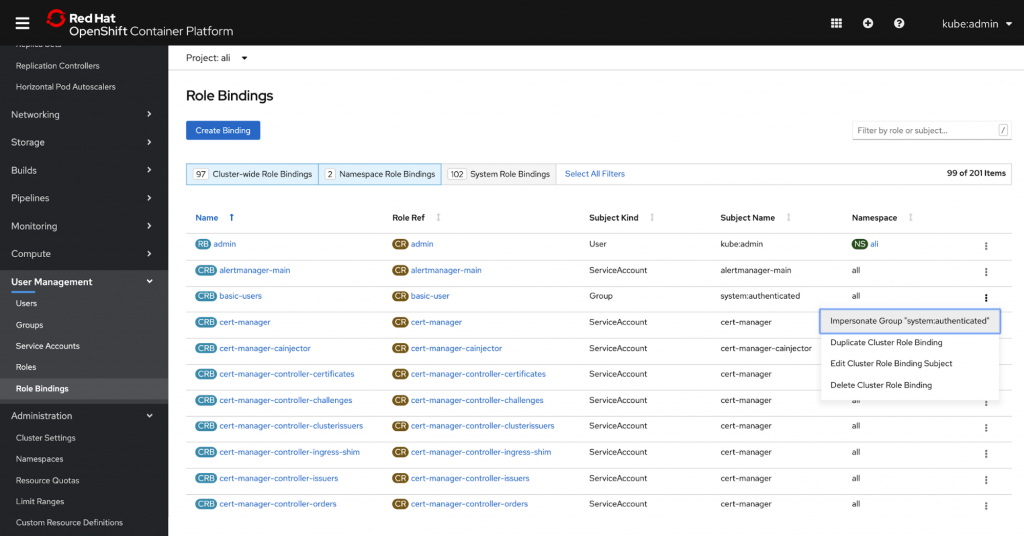
You can also access impersonation tools from the Role Bindings page. Again, open the menu for a particular role binding and subject and select “Impersonate User ‘[User]’”.

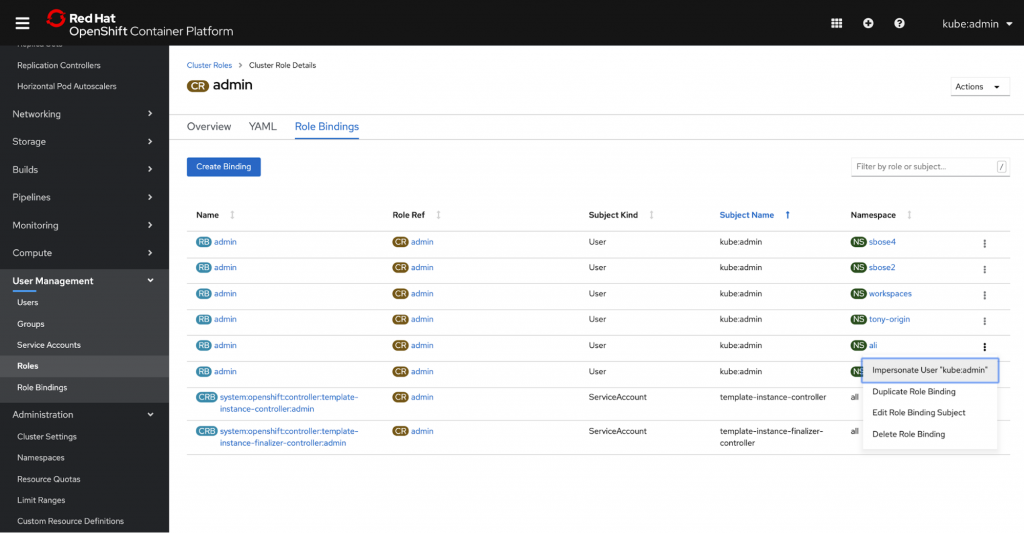
Access is also available from the Role Bindings tab within a particular role.
We know that helping others troubleshoot can be a huge pain point for our users, so we hope that this new feature helps administrators resolve issues faster and more easily. To learn more about our other user management updates, check out our User Management Improvements blog.
If you’d like to learn more about what the OpenShift team is up to or provide feedback on any of the new 4.3 features, please take this brief 3-minute survey.
저자 소개
유사한 검색 결과
신속한 패치 적용이 어려우신가요? 최후의 방어선, 제로 트러스트
Red Hat Enterprise Linux의 이미지 모드를 지금 바로 사용해야 하는 4가지 이유
Scaling with Orchestrators | Compiler
Container Roundup | Compiler
채널별 검색

오토메이션
기술, 팀, 인프라를 위한 IT 자동화 최신 동향

인공지능
고객이 어디서나 AI 워크로드를 실행할 수 있도록 지원하는 플랫폼 업데이트

오픈 하이브리드 클라우드
하이브리드 클라우드로 더욱 유연한 미래를 구축하는 방법을 알아보세요

보안
환경과 기술 전반에 걸쳐 리스크를 감소하는 방법에 대한 최신 정보

엣지 컴퓨팅
엣지에서의 운영을 단순화하는 플랫폼 업데이트

인프라
세계적으로 인정받은 기업용 Linux 플랫폼에 대한 최신 정보

애플리케이션
복잡한 애플리케이션에 대한 솔루션 더 보기

가상화
온프레미스와 클라우드 환경에서 워크로드를 유연하게 운영하기 위한 엔터프라이즈 가상화의 미래
