As you know, a Kubernetes cluster can contain many inter-resource relationships, including resources that are managed by another resource. Modifying a resource, just to find your changes undone, can be a frustrating process. OpenShift is here to help.
To further convey these relationships, OpenShift 4.6 now shows which resources are managed by a particular operator. It also shows a list of resources that relate to cluster operators, which can be useful for troubleshooting. Ready to explore these new features? Let's dive in.
Resources Managed by Operators
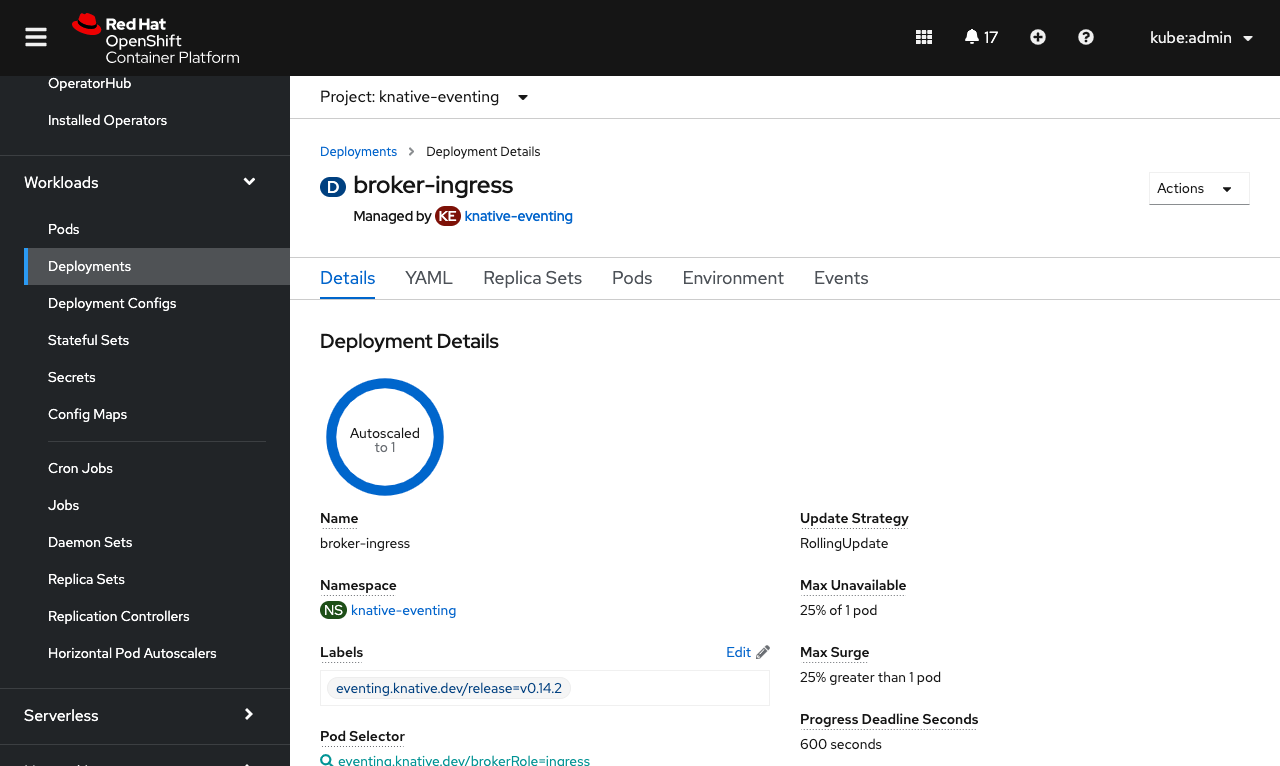
Resources that are managed by a particular operand from an operator are now marked with a Managed by label under their name, to show the relationship. The label also includes a link to the operand for quick navigation to edit that managing resource where you can be sure your changes will stick.
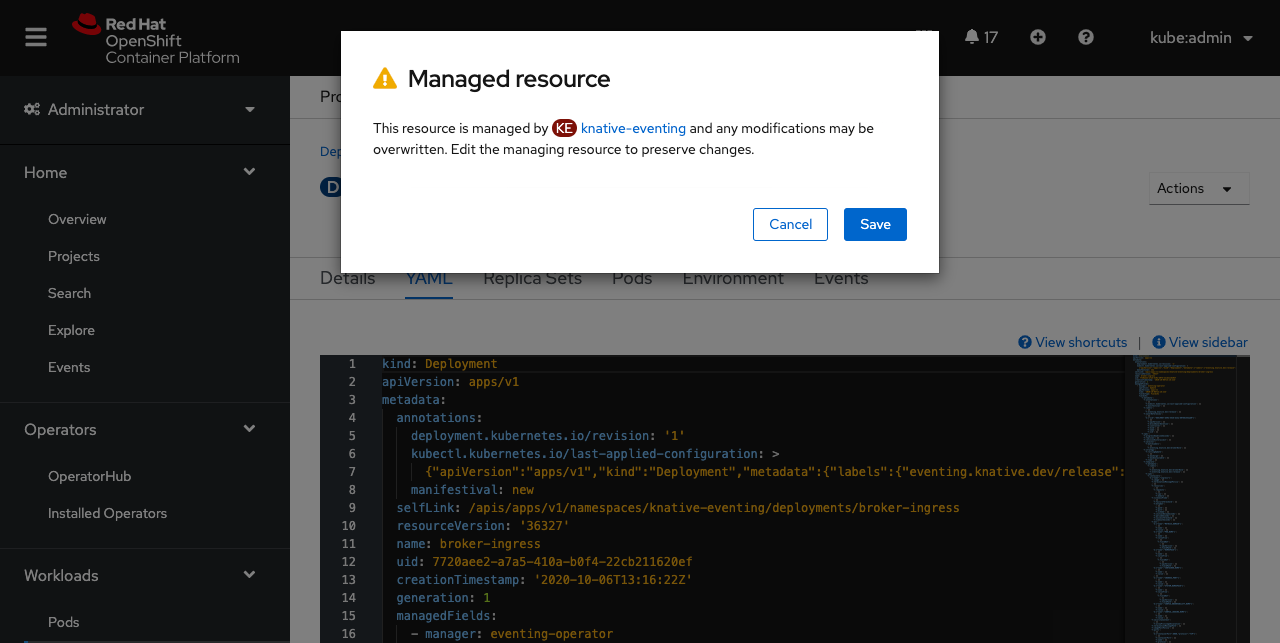
If you find yourself making changes to a resource that is managed, a warning message will appear when the changes are saved. This serves as a friendly reminder to edit the managing resource so that your changes don't become overwritten.
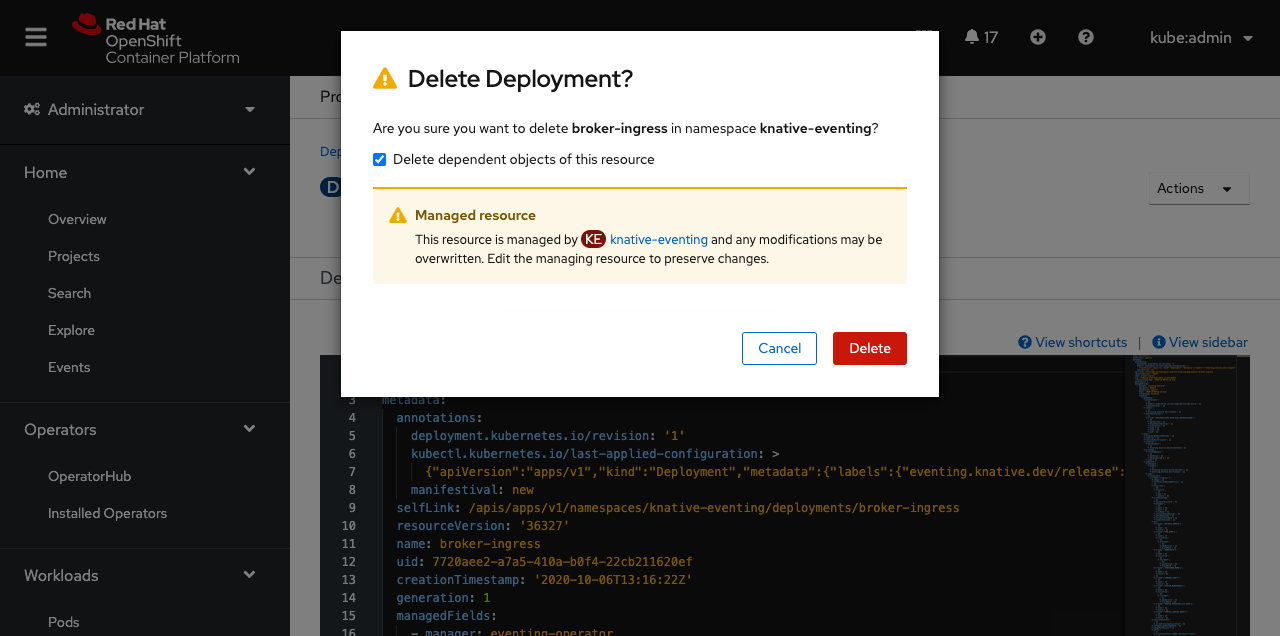
Also, if a managed resource is deleted, an additional warning in the confirmation message appears. This message reminds you that your changes can be overwritten if the managed resource isn't edited. In this case, your resource could reappear if changes are not made to the managing resource.
Cluster Operator Related Objects
Sometimes you may want to know what resources are associated with a particular cluster operator, perhaps for troubleshooting an underlying issue.
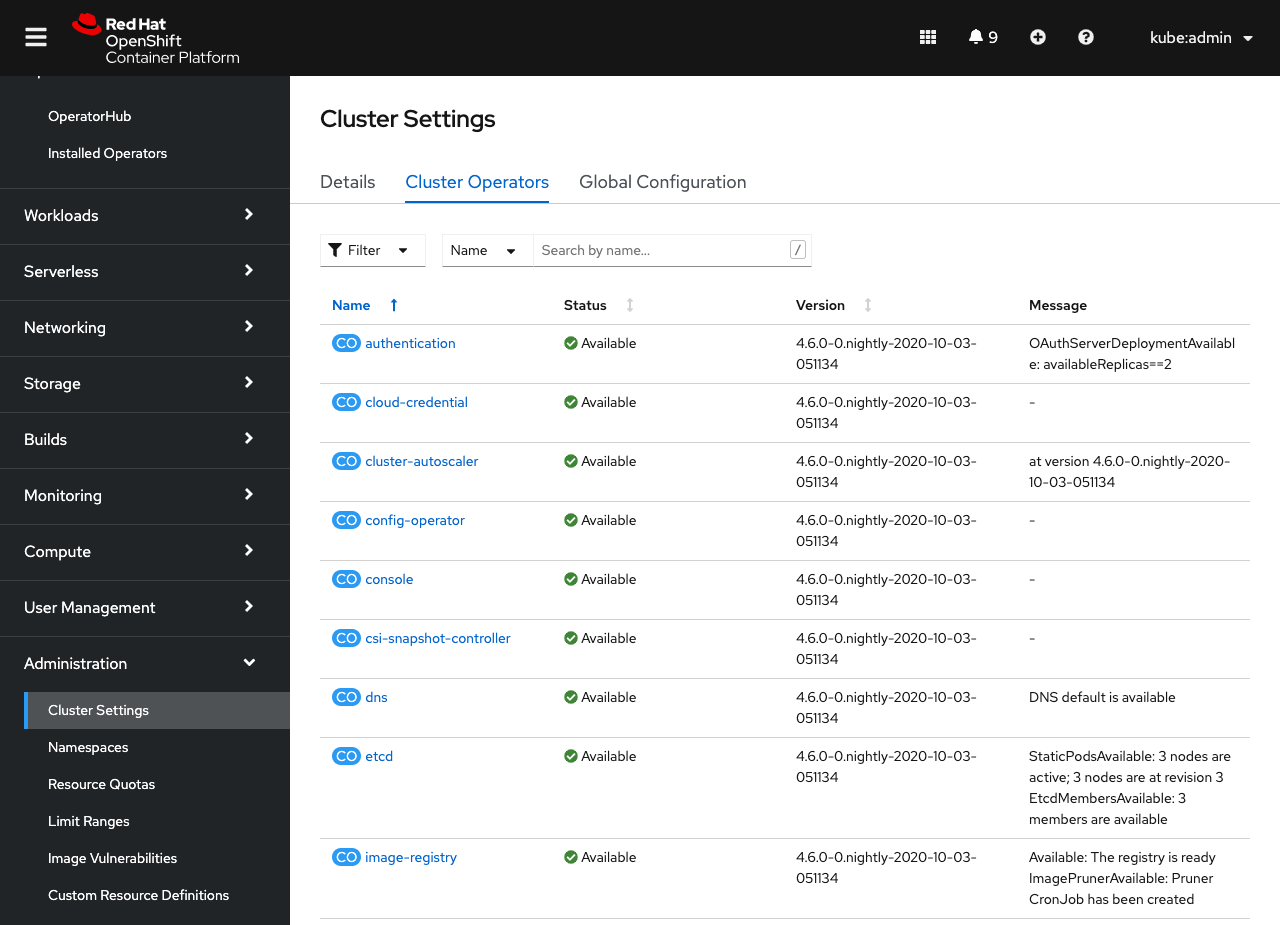
You can access this information from the Cluster Settings page under the Cluster Operators tab.
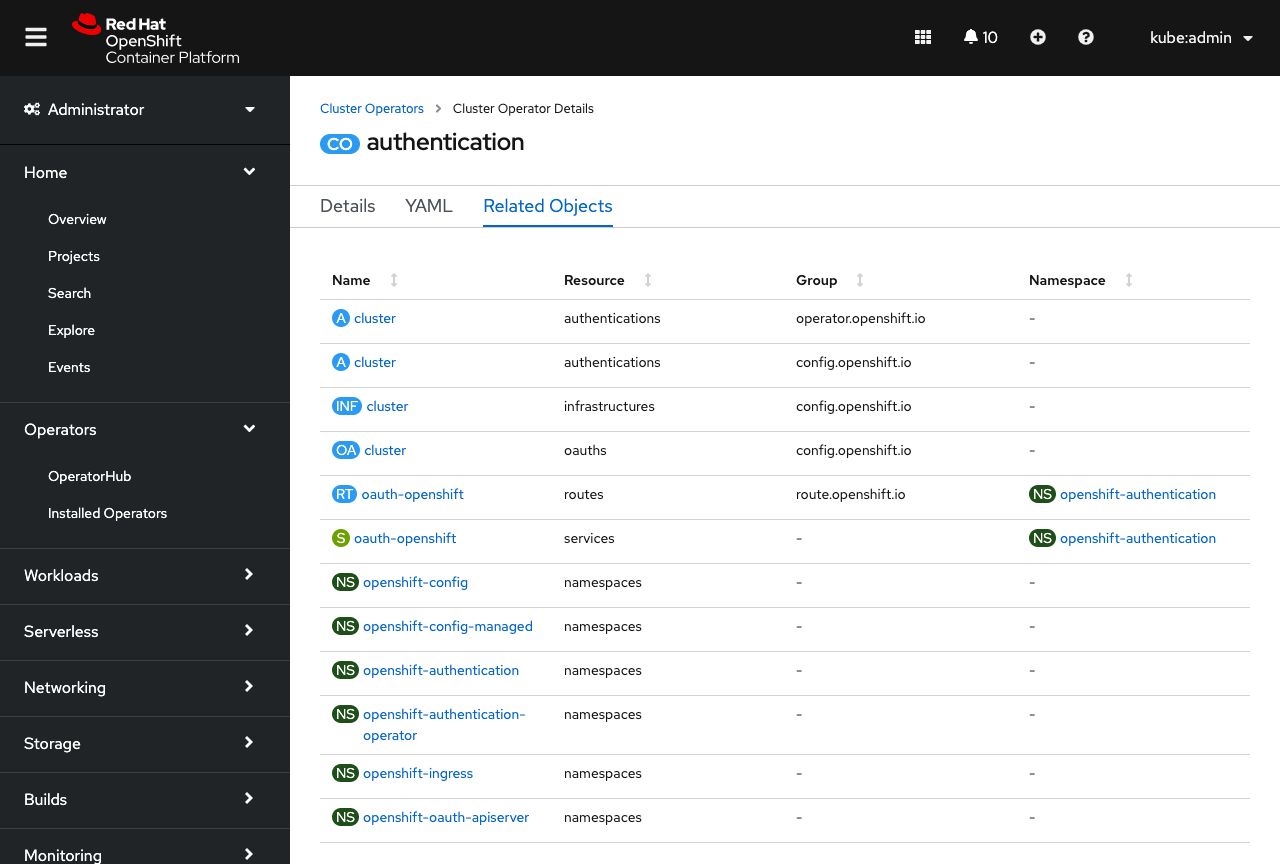
When viewing the details of a cluster operator, you'll now see a new Related Objects tab, which lists out any resources related to that cluster operator. If you ever need to troubleshoot a cluster operator issue, these resources and their logs are a great place to start.
More Relationships
This is just the start of how OpenShift can help you manage your cluster resource relationships. In the future, look for more enhancements around conveying “Managed by” relationships, like relating pods to other workloads.
If you are up for trying out these new features, or if you are just getting started with OpenShift, visit Try OpenShift to get instant access to a cluster.
And, as always, we want to connect with users like you. Learn more about what the OpenShift design team is up to on our OpenShift Design site, and be sure to catch us on the OpenShift Twitch channel.
{{cta('1ba92822-e866-48f0-8a92-ade9f0c3b6ca','justifycenter')}}
저자 소개

채널별 검색

오토메이션
기술, 팀, 인프라를 위한 IT 자동화 최신 동향

인공지능
고객이 어디서나 AI 워크로드를 실행할 수 있도록 지원하는 플랫폼 업데이트

오픈 하이브리드 클라우드
하이브리드 클라우드로 더욱 유연한 미래를 구축하는 방법을 알아보세요

보안
환경과 기술 전반에 걸쳐 리스크를 감소하는 방법에 대한 최신 정보

엣지 컴퓨팅
엣지에서의 운영을 단순화하는 플랫폼 업데이트

인프라
세계적으로 인정받은 기업용 Linux 플랫폼에 대한 최신 정보

애플리케이션
복잡한 애플리케이션에 대한 솔루션 더 보기

가상화
온프레미스와 클라우드 환경에서 워크로드를 유연하게 운영하기 위한 엔터프라이즈 가상화의 미래
