
We’re always looking for ways to provide a better user experience. With growing numbers of users across the globe, localization has become increasingly important. In OpenShift 4.7, we’re introducing support for two new languages: Simplified Chinese and Japanese. And there are more languages to come. Read on to learn more about our new localization features.
How to Change the Language
If your browser language is set to Simplified Chinese, Japanese, or English, OpenShift should automatically default to your preferred language. If your browser language is set to one that we do not yet support, you will continue to see OpenShift in English.
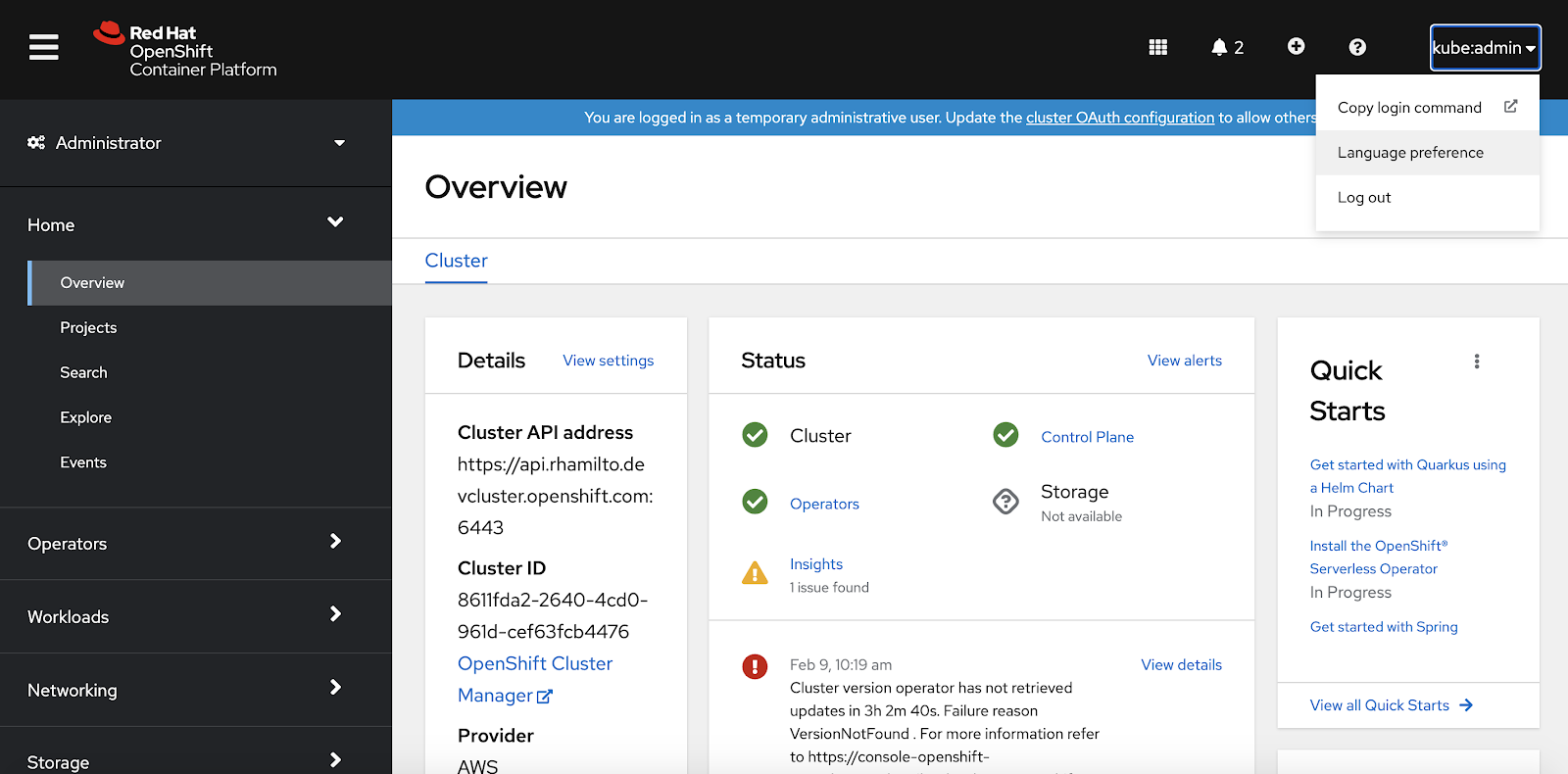
You can also manually update your preferred language. To get started, select the Language preference option in the user dropdown:
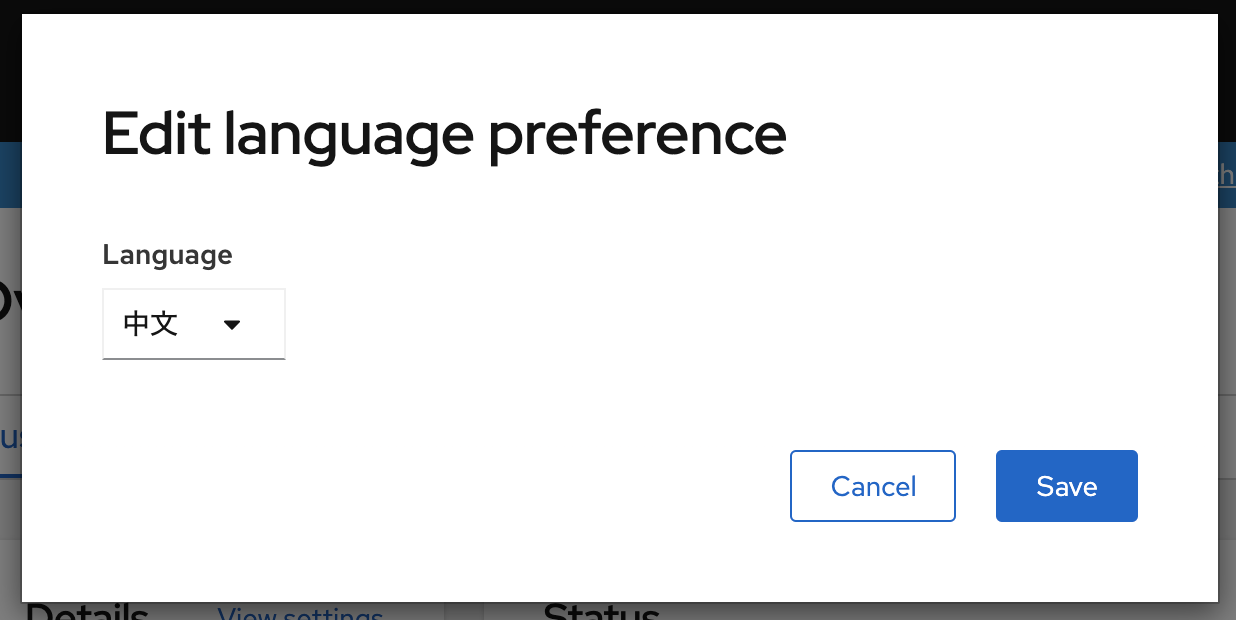
In the modal, you can select the language that you would like to use OpenShift in:
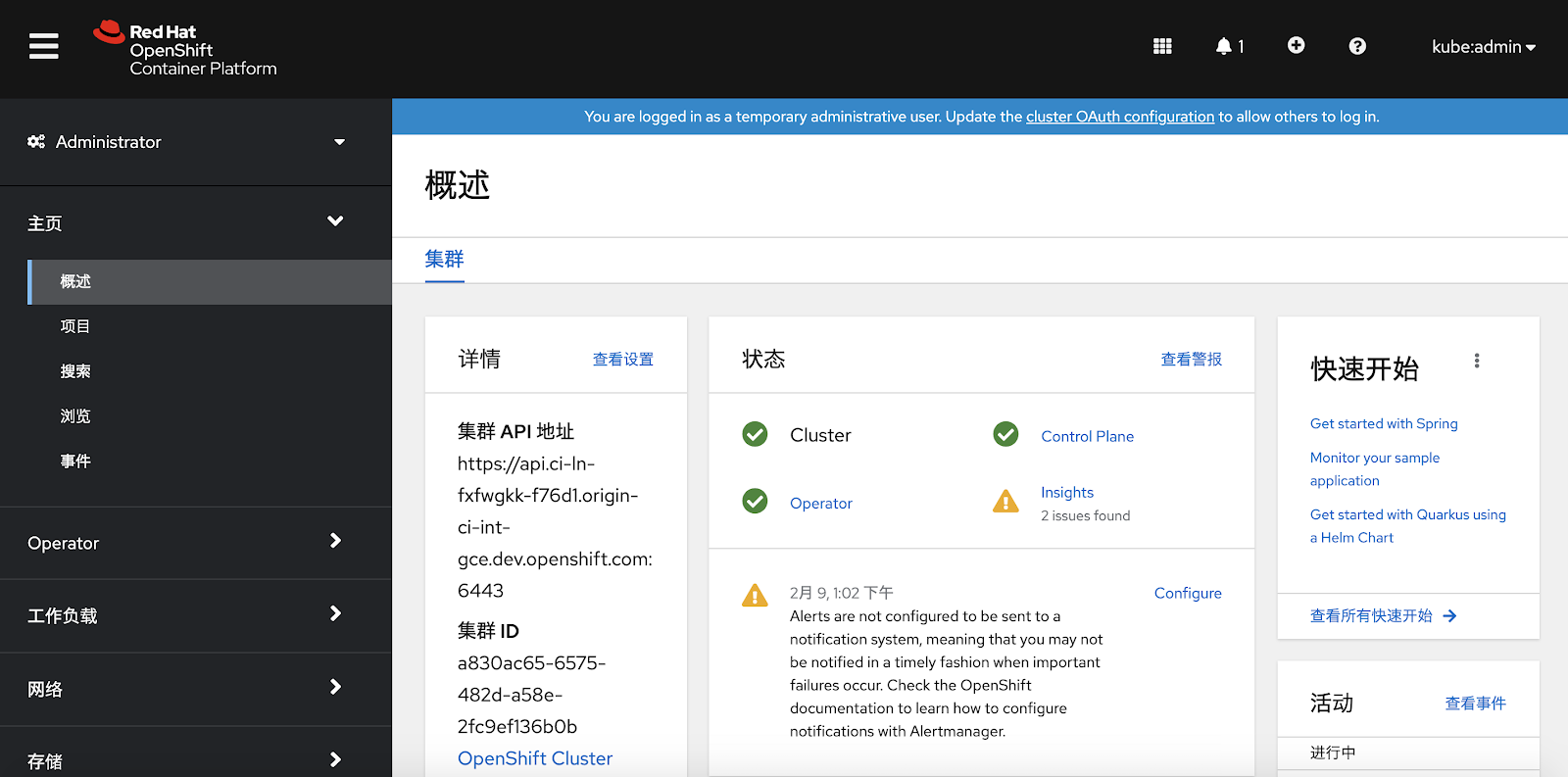
Once your preferred language is saved, OpenShift will update to the selected language.
Accessibility
We care about accessibility, and we have translated many ARIA attributes to support a great experience for assistive technology users. The attributes we’ve targeted are aria-label, aria-placeholder, aria-roledescription, and aria-valuetext. They will update automatically when the language is changed so we can support users in multiple languages. We will continue increasing our translation coverage for aria attributes in 4.8.
Things to Consider
As you explore the newly translated console, there are a few things to keep in mind:
- Localization of all text in OpenShift was not possible at this time. Items such as events surfaced from Kubernetes, alerts, error messages, informational messages from Operators, and logging messages will still be displayed in English.
- Localization is not included in the CLI at this time.
- We will continue to add more translations for Simplified Chinese and Japanese in future releases.
More Languages Are on the Way
We look forward to adding support for Korean, Traditional Chinese, and other languages.
If you are up for trying out this new feature, or if you are just getting started with OpenShift, visit Try OpenShift to get instant access to a cluster.
And, as always, we want to connect with users like you. Learn more about what the OpenShift design team is up to on the OpenShift Design site, and be sure to catch us on the OpenShift Twitch channel.
저자 소개
유사한 검색 결과
Red Hat 파트너가 최고의 통신 비즈니스 자산인 이유
에이전틱 패러독스와 하이브리드 AI의 필요성
Crack the Cloud_Open | Command Line Heroes
Edge computing covered and diced | Technically Speaking
채널별 검색

오토메이션
기술, 팀, 인프라를 위한 IT 자동화 최신 동향

인공지능
고객이 어디서나 AI 워크로드를 실행할 수 있도록 지원하는 플랫폼 업데이트

오픈 하이브리드 클라우드
하이브리드 클라우드로 더욱 유연한 미래를 구축하는 방법을 알아보세요

보안
환경과 기술 전반에 걸쳐 리스크를 감소하는 방법에 대한 최신 정보

엣지 컴퓨팅
엣지에서의 운영을 단순화하는 플랫폼 업데이트

인프라
세계적으로 인정받은 기업용 Linux 플랫폼에 대한 최신 정보

애플리케이션
복잡한 애플리케이션에 대한 솔루션 더 보기

가상화
온프레미스와 클라우드 환경에서 워크로드를 유연하게 운영하기 위한 엔터프라이즈 가상화의 미래
