
With each Red Hat OpenShift release, we aim to improve the user experience of the console UI to make it even easier for our customers to use. We prioritize what we work on based on the feedback we hear directly from customers, and this release, one of the most exciting enhancements we have added, addresses a major pain point: Previously, on our Import YAML page, you could add only a single YAML entry at a time. Now, you can easily import multiple YAML definitions at a time by simply dragging and dropping them into the console.
How it works
Navigate to the Import YAML page by clicking the + icon in the masthead. The page description has been updated to provide instructions on how to import multiple YAML files.

There are three main ways you can import multiple YAML files:
- Drag and drop a single YAML file with multiple resources defined and separated with the YAML delimiter, - - -.
- Drag and drop multiple files into the YAML area at once.
- Manually enter multiple definitions in the editor, using - - - to separate them.
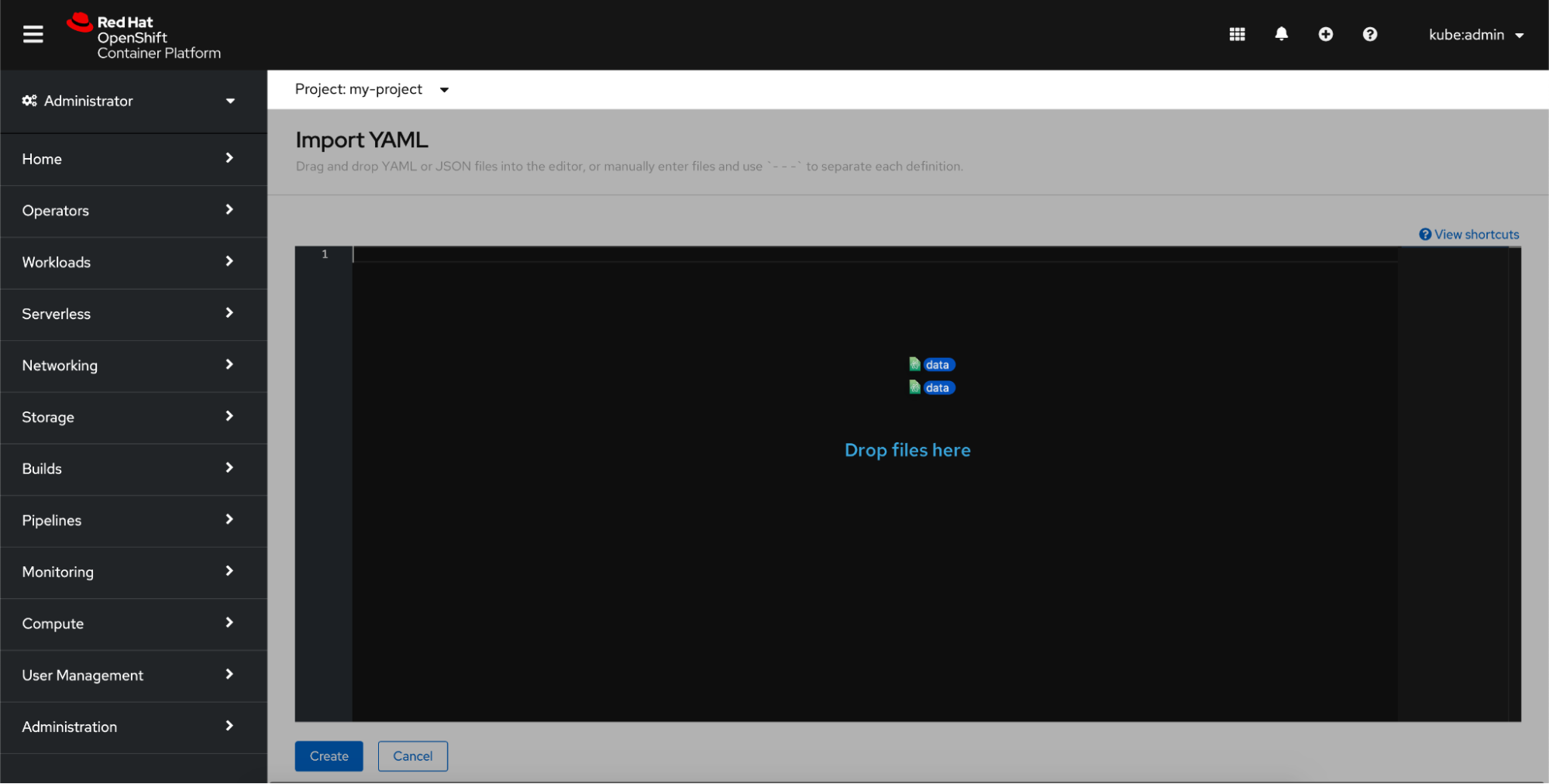
Each method of uploading the YAML files shows the definitions in the editor. Here, you can view or edit your definitions before creating them.

Click Create. A loading screen appears to indicate that the creation process is in progress. You will not wait long. Your resource will be almost instantaneously created.
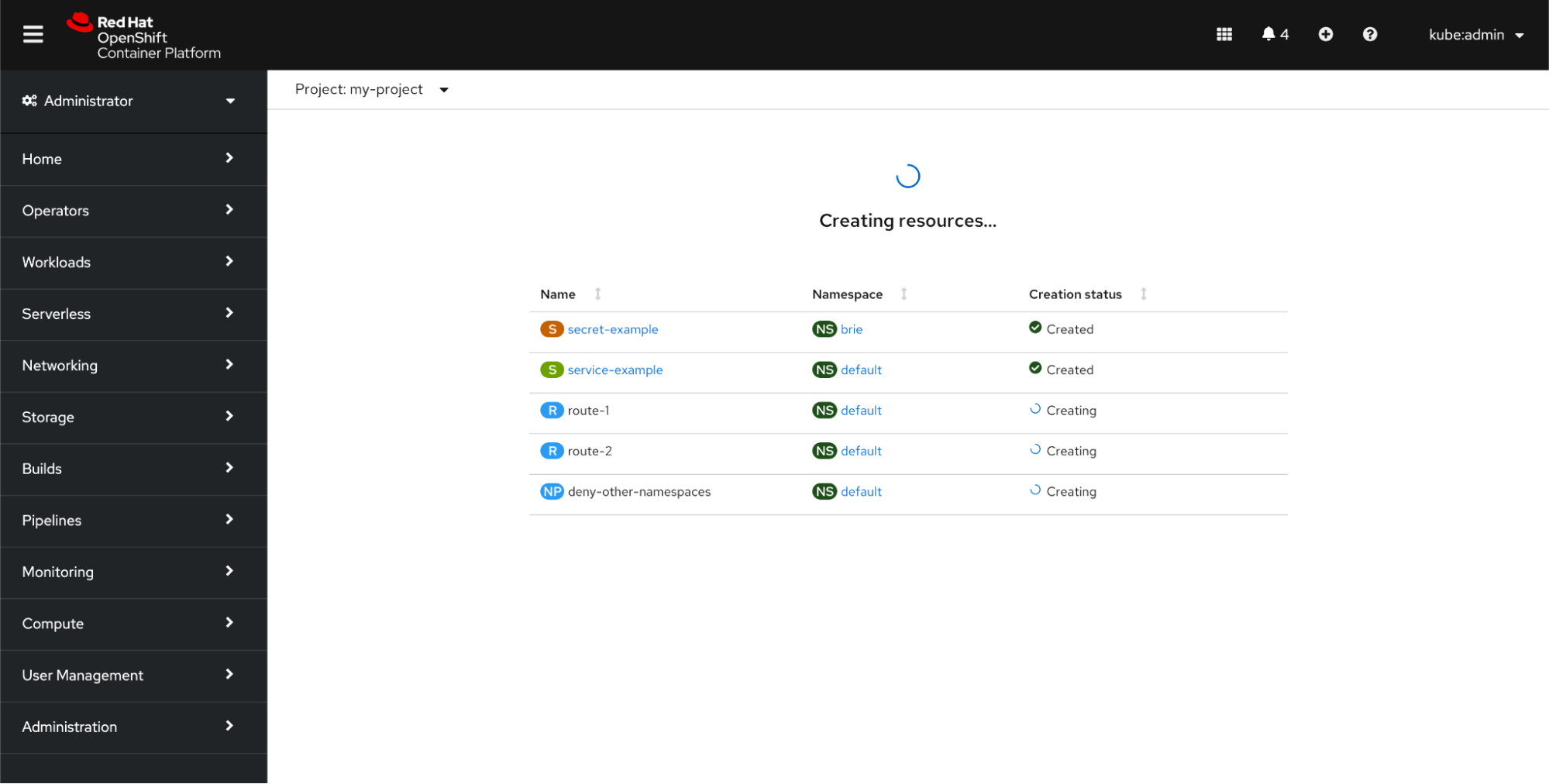
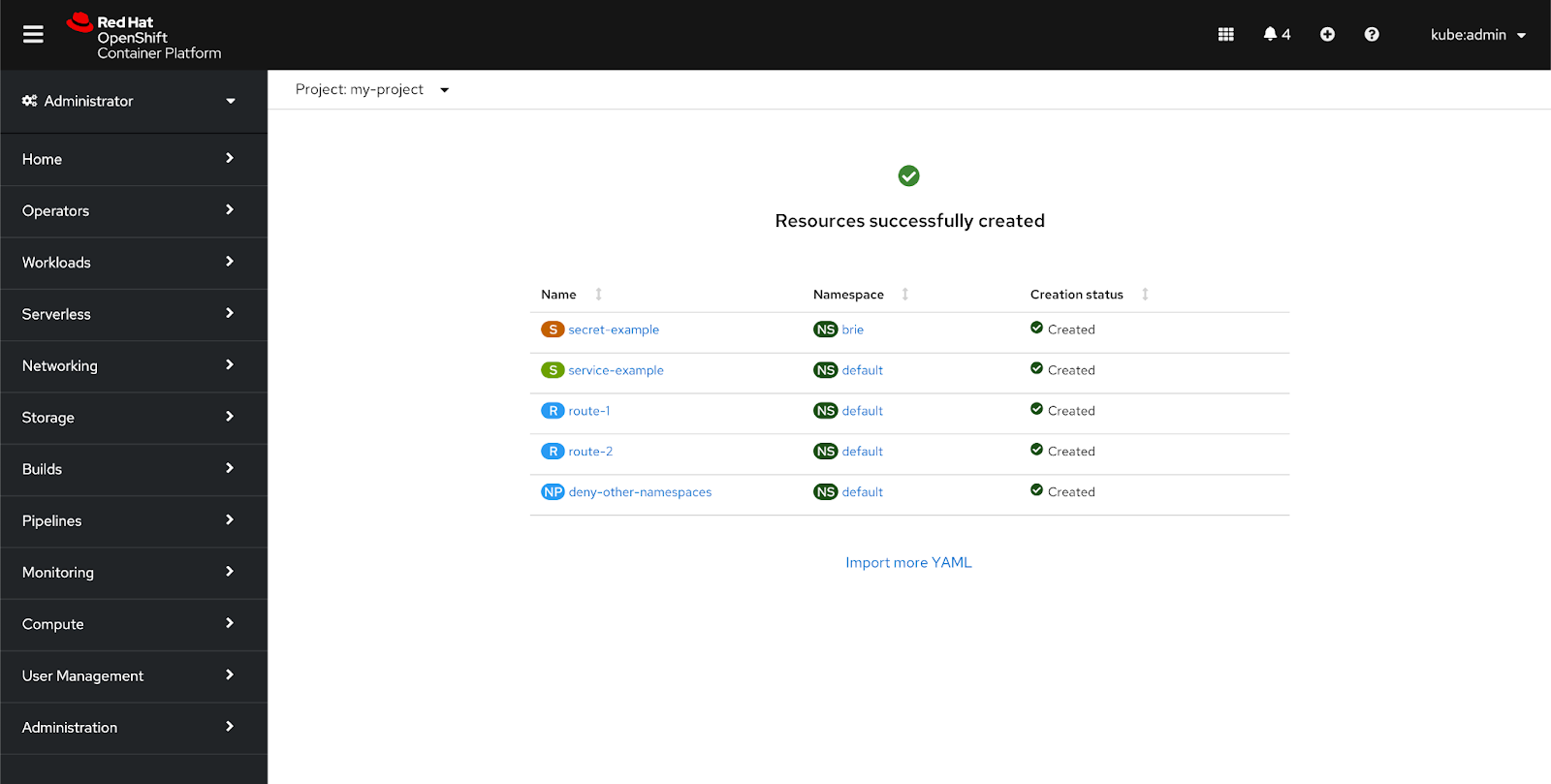
Once the resources are created, click any of the resource links to go directly to that resource’s details page. The status page also provides the namespace in which each resource was created, the creation status, and a link to return to the Import YAML page.
Troubleshooting
In most cases, your resources will finish the creation process without any issues. However, you might occasionally hit some errors.
YAML Errors
If you drag a binary file or a file that is too large into the editor, the file will be ignored, and an inline alert will appear beneath the editor.
Other reasons you may see the console surface an inline alert on the Import YAML page is if there is a syntax error or a missing or incorrect specification in any of your YAML files. A good example of a syntax error is a file missing a name or version. You will also receive an error if you try to create a resource in a namespace that does not exist. In this case, the missing namespace is realized during the “simulated create” (or dry run) that is run before actually sending the resources for creation to find any system errors such as a nonexistent namespace. All of these types of alerts will show up after you click Create.
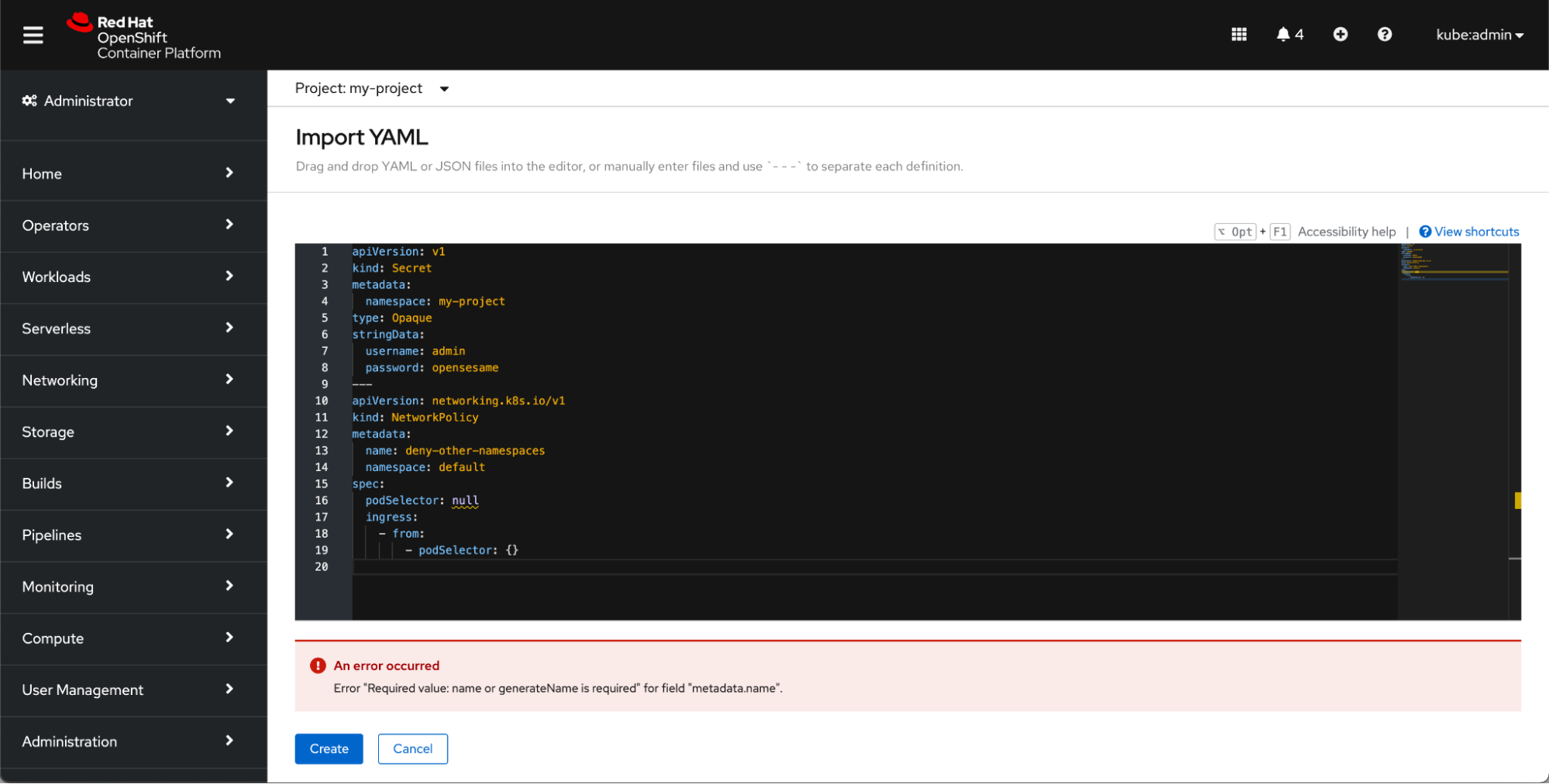
Upload a compatible file or correct the syntax mistakes, and click Create to try again.
Creation Errors
If the console does not detect any syntax or file errors, the console will begin to create the resources from your YAML files once you click Create. However, there may be cases where something prevents the creation of a resource. For example, imagine you are creating five resources: a secret, a service, two routes, and a networkpolicy. You drag and drop your files into the editor, scan the files for any missing information, and click Create. But, in that short period, someone else in your organization has created a route with the same name as one of yours. In this case, you may see the import progress page look something like this:

Where possible, the console will provide a clear and succinct description of the creation error. In the scenario described above, it would say “route-1 route already exists.”
If you ever run into an error at this stage, you can click Retry failed resources to return to the YAML editor on the Import YAML page. The YAML for the failed resource will already be in the editor, so you can quickly remediate the issue and try creating the resource again.
Want to try it out?
If you want to try out this new feature, or if you are just getting started with OpenShift, visit Try OpenShift to get instant access to a cluster.
And, as always, we want to connect with users like you. Learn more about what the OpenShift design team is up to on our OpenShift Design site, and be sure to catch us on the OpenShift Twitch channel.
저자 소개
유사한 검색 결과
Red Hat 파트너가 최고의 통신 비즈니스 자산인 이유
에이전틱 패러독스와 하이브리드 AI의 필요성
Crack the Cloud_Open | Command Line Heroes
Edge computing covered and diced | Technically Speaking
채널별 검색

오토메이션
기술, 팀, 인프라를 위한 IT 자동화 최신 동향

인공지능
고객이 어디서나 AI 워크로드를 실행할 수 있도록 지원하는 플랫폼 업데이트

오픈 하이브리드 클라우드
하이브리드 클라우드로 더욱 유연한 미래를 구축하는 방법을 알아보세요

보안
환경과 기술 전반에 걸쳐 리스크를 감소하는 방법에 대한 최신 정보

엣지 컴퓨팅
엣지에서의 운영을 단순화하는 플랫폼 업데이트

인프라
세계적으로 인정받은 기업용 Linux 플랫폼에 대한 최신 정보

애플리케이션
복잡한 애플리케이션에 대한 솔루션 더 보기

가상화
온프레미스와 클라우드 환경에서 워크로드를 유연하게 운영하기 위한 엔터프라이즈 가상화의 미래
