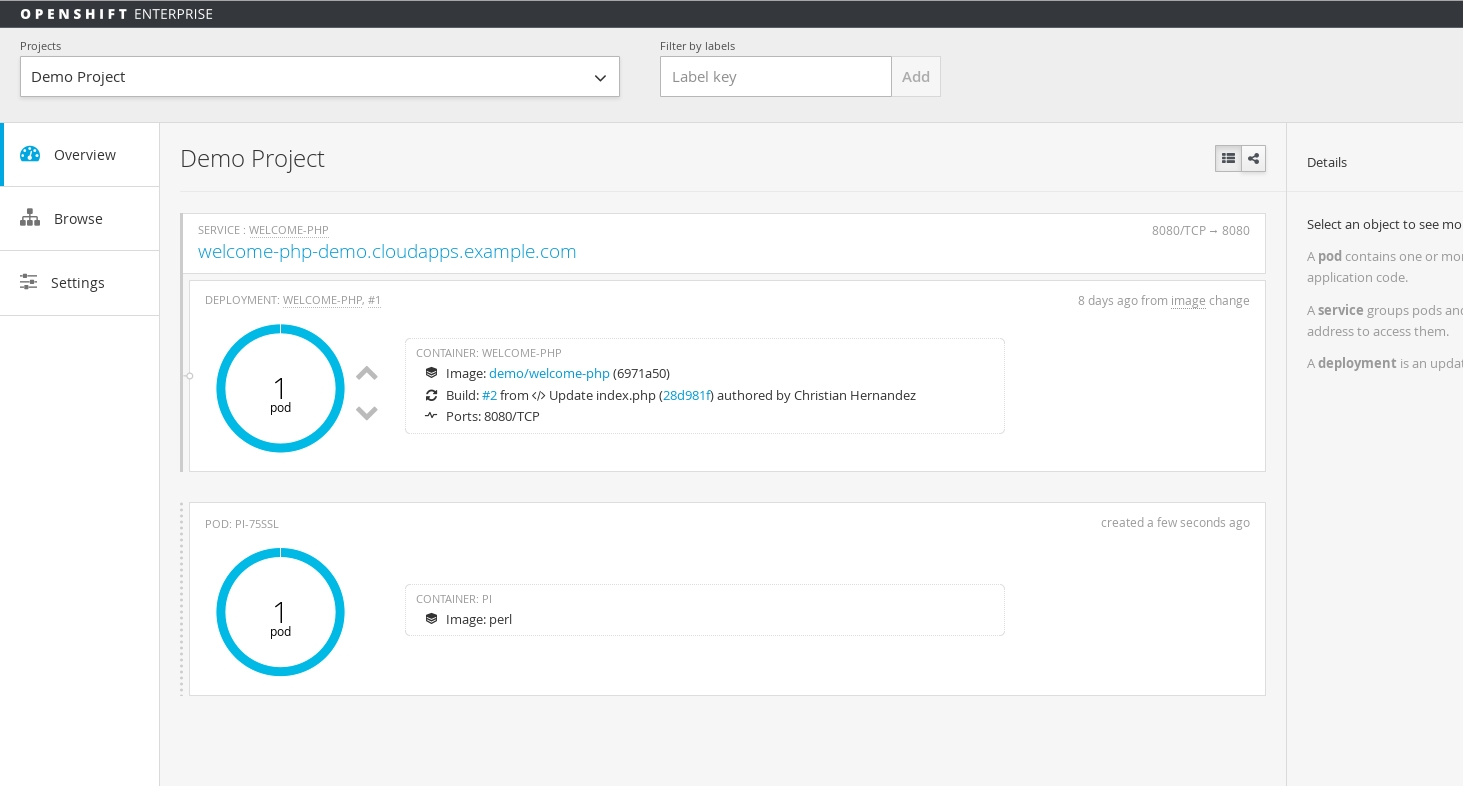
In OpenShift 3.1 we introduced the concept of jobs. A job will create one or more pods and run them to completion. This is different from a replicationController, which keeps the pods up and running. A job will run the pod until the pod finishes the task it was assigned. You can think of a job as a pod with a restartPolicy of Never.
A job will track the progress of the assigned task and then will update with the status: active, succeeded, or failed.
A few use cases for using a job:
- Batch Process That need to run at regular intervals
- Distributed processing of very large data sets
- Long running process for system maintanace
Job Object
The configuration of a job is done by using the "Job" object type. An example would look like this:
apiVersion: extensions/v1beta1

kind: Job

metadata:

  name: pi

spec:

  selector:

    matchLabels:

      app: pi

  parallelism: 1

  completions: 1

  template:

    metadata:

      name: pi

      labels:

        app: pi

    spec:

      containers:

      - name: pi

        image: perl

        command: ["perl",  "-Mbignum=bpi", "-wle", "print bpi(2000)"]

      restartPolicy: Never
A few key points here...
- The
selectorreferences the label selector and it sets up where thejobwill run parallelismis an optional parameter for how many pods to run at the same time for the task (defaults tocompletions)completionsstates how many times the pod needs to run successfully in order to be markedsucceeded(defaults to one if not specified)- The created
templatefor the pod the controller.
Creating a Job
We can use this example (which just counts Pi to 2,000 digits) to see how to create a job. I have saved the example as pijob.yaml and use oc create to create the job:
$ oc create -f pijob.yaml

job "pi" created
List job status with the oc command...
$ oc get jobs

JOB       CONTAINER(S)   IMAGE(S)   SELECTOR      SUCCESSFUL

pi        pi             perl       app in (pi)   0
If list your pods you should see it in the "pending" state
$ oc get pods

NAME                  READY     STATUS      RESTARTS   AGE

pi-169h2              0/1       Pending     0          31s

welcome-php-1-be674   1/1       Running     1          7d

welcome-php-2-build   0/1       Completed   0          7d
After the image gets pulled into the node; the status will change to "running"
$ oc get pods

NAME                  READY     STATUS      RESTARTS   AGE

pi-169h2              1/1       Running     0          7m

welcome-php-1-be674   1/1       Running     1          7d

welcome-php-2-build   0/1       Completed   0          7d
If you are logged into the Web UI; you should see the job appear in the overview page
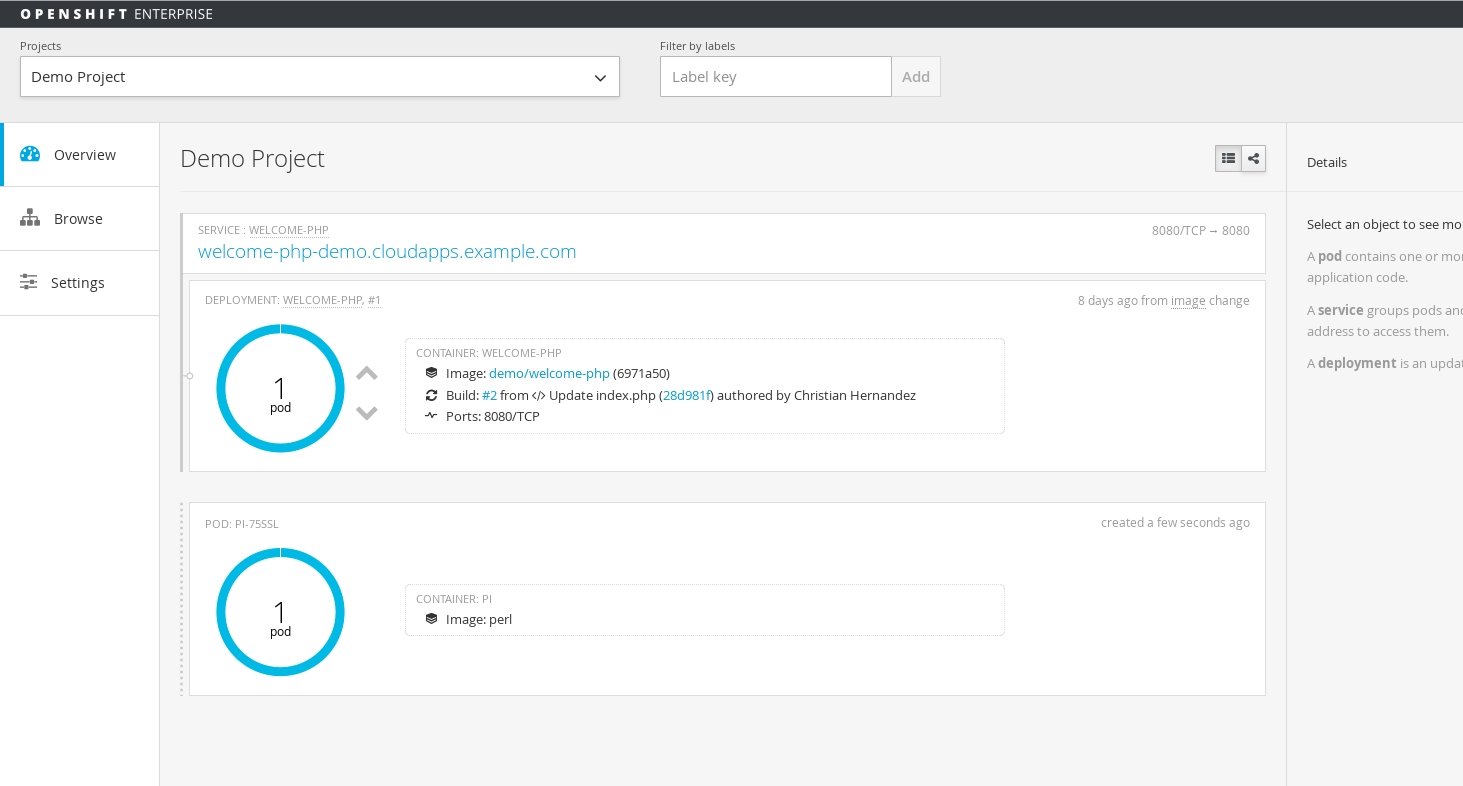
Once the pod is completed; you can see the status of the job
$ oc get jobs

JOB       CONTAINER(S)   IMAGE(S)   SELECTOR      SUCCESSFUL

pi        pi             perl       app in (pi)   1
View the logs to see the output of the job
$ oc logs pi-75ssl

3.1415926535897932384626433832795028841971693993751058209749445923078164062862089986280348253421170679821480865132823066470938446095505822317253594081284811174502841027019385211055596446229489549303819644288109756659334461284756482337867831652712019091456485669234603486104543266482133936072602491412737245870066063155881748815209209628292540917153643678925903600113305305488204665213841469519415116094330572703657595919530921861173819326117931051185480744623799627495673518857527248912279381830119491298336733624406566430860213949463952247371907021798609437027705392171762931767523846748184676694051320005681271452635608277857713427577896091736371787214684409012249534301465495853710507922796892589235420199561121290219608640344181598136297747713099605187072113499999983729780499510597317328160963185950244594553469083026425223082533446850352619311881710100031378387528865875332083814206171776691473035982534904287554687311595628638823537875937519577818577805321712268066130019278766111959092164201989380952572010654858632788659361533818279682303019520353018529689957736225994138912497217752834791315155748572424541506959508295331168617278558890750983817546374649393192550604009277016711390098488240128583616035637076601047101819429555961989467678374494482553797747268471040475346462080466842590694912933136770289891521047521620569660240580381501935112533824300355876402474964732639141992726042699227967823547816360093417216412199245863150302861829745557067498385054945885869269956909272107975093029553211653449872027559602364806654991198818347977535663698074265425278625518184175746728909777727938000816470600161452491921732172147723501414419735685481613611573525521334757418494684385233239073941433345477624168625189835694855620992192221842725502542568876717904946016534668049886272327917860857843838279679766814541009538837863609506800642251252051173929848960841284886269456042419652850222106611863067442786220391949450471237137869609563643719172874677646575739624138908658326459958133904780275901
Scaling
You can scale the job after it's creation by using the oc scale command. This modifies the parallelism dymanicaly while your job is running according to what you pass to the --replicas option.
$ oc scale job pi --replicas=3

job "pi" scaled
Summary
In this article we explored the job object, talked about some use cases, and ran through an example in which we also scaled the job.
Author
Christian Hernandez
Solution Architect
US CSO Solution Architect- OpenShift Tiger Team
@christianh814
저자 소개
Christian is a well-rounded technologist with experience in infrastructure engineering, system administration, enterprise architecture, tech support, advocacy, and product management. He is passionate about open source and containerizing the world one application at a time. He is currently a maintainer of the OpenGitOps project, a maintainer of the Argo project, and works as a Technical Marketing Engineer and Tech Lead at Cisco. He focuses on GitOps practices, DevOps, Kubernetes, network security, and containers.
유사한 검색 결과
Red Hat 파트너가 최고의 통신 비즈니스 자산인 이유
에이전틱 패러독스와 하이브리드 AI의 필요성
Crack the Cloud_Open | Command Line Heroes
Edge computing covered and diced | Technically Speaking
채널별 검색

오토메이션
기술, 팀, 인프라를 위한 IT 자동화 최신 동향

인공지능
고객이 어디서나 AI 워크로드를 실행할 수 있도록 지원하는 플랫폼 업데이트

오픈 하이브리드 클라우드
하이브리드 클라우드로 더욱 유연한 미래를 구축하는 방법을 알아보세요

보안
환경과 기술 전반에 걸쳐 리스크를 감소하는 방법에 대한 최신 정보

엣지 컴퓨팅
엣지에서의 운영을 단순화하는 플랫폼 업데이트

인프라
세계적으로 인정받은 기업용 Linux 플랫폼에 대한 최신 정보

애플리케이션
복잡한 애플리케이션에 대한 솔루션 더 보기

가상화
온프레미스와 클라우드 환경에서 워크로드를 유연하게 운영하기 위한 엔터프라이즈 가상화의 미래