
In this blog post, I explain how you can use Red Hat Offline Knowledge Portal to provide access to Red Hat documentation in environments with limited or no connectivity to the internet.
The Red Hat Offline Knowledge Portal is a secure offline version of Red Hat's proprietary knowledge content for our products. It's a pocket library of our award-winning knowledgebase, product documentation, CVEs, errata, and more that's light enough to run at the edge. Offline Knowledge Portal is useful anywhere Red Hat products are used where connectivity is limited, from intentionally disconnected secure sites to situations with planned intervals of low or no bandwidth. As a single small container image, it is easy to install and use, and is compatible with Red Hat OpenShift, Podman, or any OCI-compliant container runtime.
To get access to all the information included in the Offline Knowledge Portal, you need a Red Hat Satellite subscription to generate an access key.
However, even without a Satellite subscription, the Offline Knowledge Portal provides value to all Red Hat customers, as it provides access to the product documentation, security data API documentation, and product life cycle information, without any access key. All you need to do is:
1. Log in
2. Get the image
Use podman to get the image:
podman pull registry.redhat.io/offline-knowledge-portal/rhokp-rhel9:latest3. Transfer the image and run
Next, transfer the image to the host where you want to run the container. To run it, use podman:
podman run –rm –detach -p 8080:8080 registry.redhat.io/offline-knowledge-portal/rhokp-rhel9:latestAccess the Offline Knowledge Portal from your browser at http://localhost:8080.
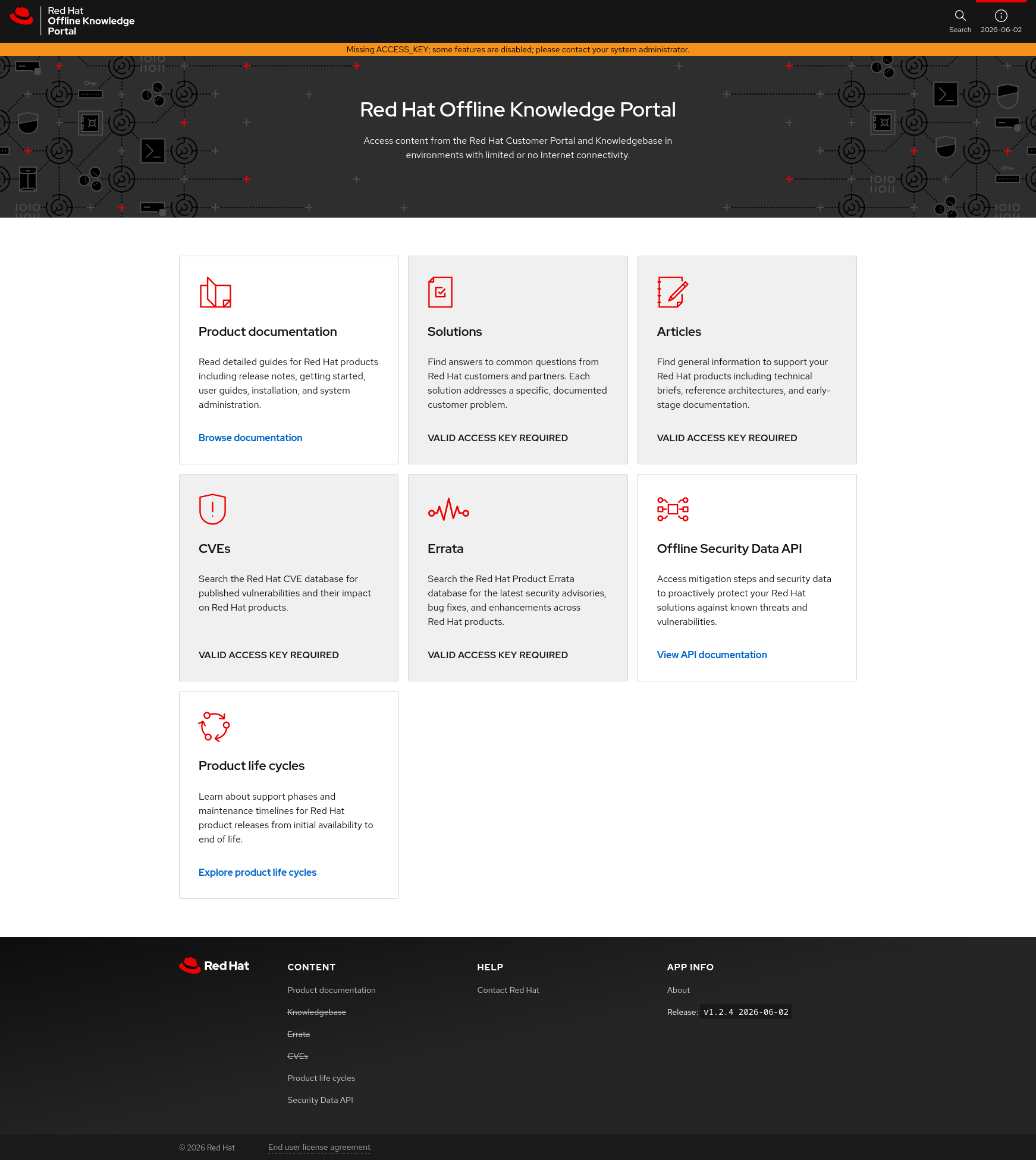
Screenshot of the Red Hat Offline Knowledge Portal with access to product documentation, offline security data API docs, and product life cycles only.
The content that requires a valid access key is marked with a grey background and the text “VALID ACCESS KEY REQUIRED”. You can access all remaining content without a key.
Using this method, you can provide access to Red Hat documentation for your users and peers without granting them internal access to an important system. If you find the content useful, reach out to your sales representative to learn more about Red Hat Satellite subscriptions.
Using Offline Knowledge Portal with an access key to enable all content
To enable access to proprietary content, you need an access key. When you have an active Satellite subscription, just follow the process outlined in our documentation. Those instructions will help you deploy the Offline Knowledge Portal, and it includes the steps to generate and use an access key.
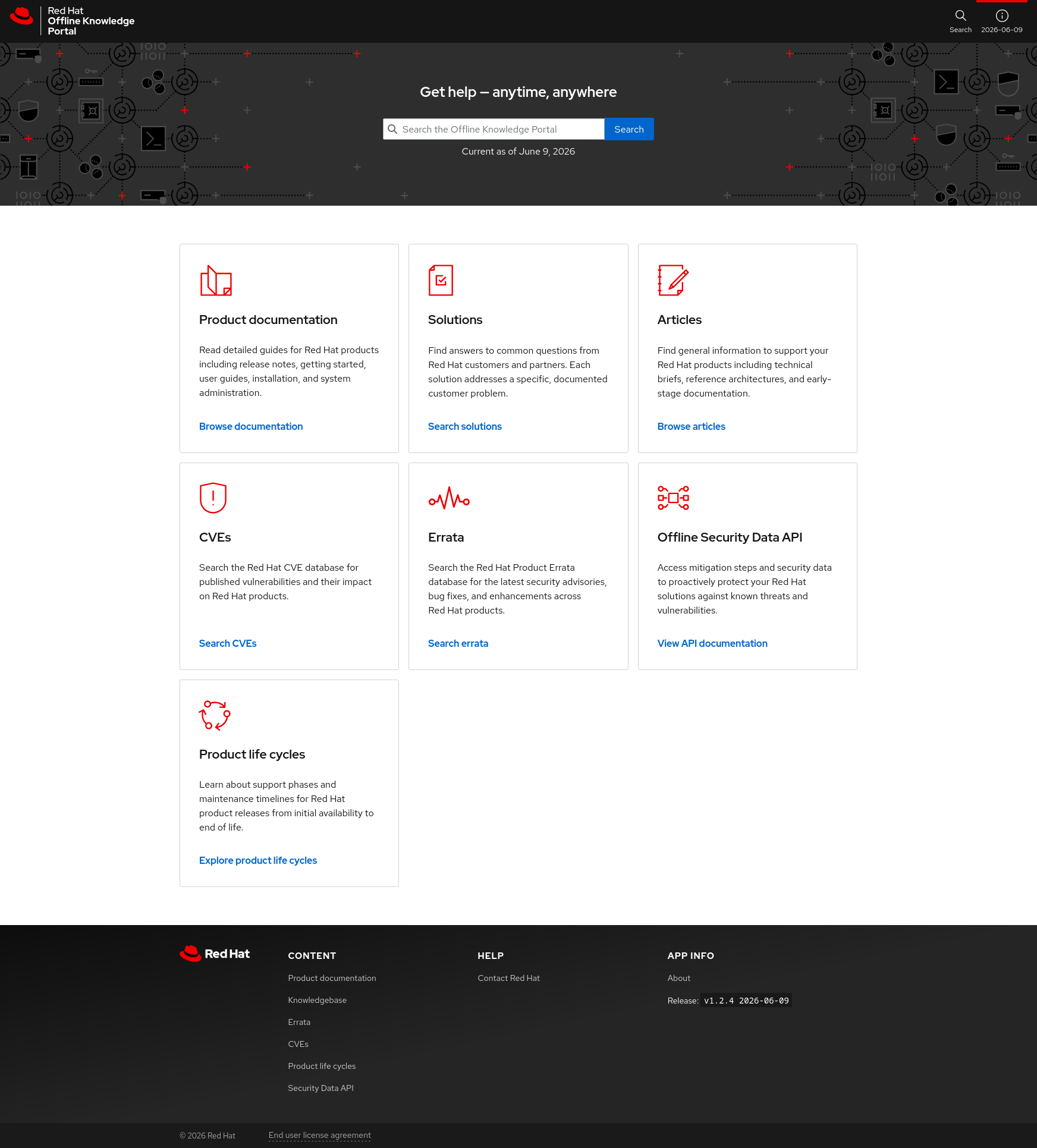
Screenshot of the Red Hat Offline Knowledge Portal with full access to all included content.
Conclusion
Whether or not you have an active Red Hat Satellite subscription, the Offline Knowledge Portal can provide value to all Red Hat customers in environments with restricted or limited network connectivity.
For more information:
저자 소개
Husband, Father, Firefighter, 1x Engineer, Jedi and Trekkie.
유사한 검색 결과
지금 바로 시작해야 하는 이유: 금융 서비스를 위한 포스트 양자 보안을 지금 시작해야 하는 이유
Red Hat Enterprise Linux Long-Life Add-On: 지원 종료 걱정 없는 RHEL 소개
Infrastructure At The Edge | Compiler
Operating System Management | Compiler
채널별 검색

오토메이션
기술, 팀, 인프라를 위한 IT 자동화 최신 동향

인공지능
고객이 어디서나 AI 워크로드를 실행할 수 있도록 지원하는 플랫폼 업데이트

오픈 하이브리드 클라우드
하이브리드 클라우드로 더욱 유연한 미래를 구축하는 방법을 알아보세요

보안
환경과 기술 전반에 걸쳐 리스크를 감소하는 방법에 대한 최신 정보

엣지 컴퓨팅
엣지에서의 운영을 단순화하는 플랫폼 업데이트

인프라
세계적으로 인정받은 기업용 Linux 플랫폼에 대한 최신 정보

애플리케이션
복잡한 애플리케이션에 대한 솔루션 더 보기

가상화
온프레미스와 클라우드 환경에서 워크로드를 유연하게 운영하기 위한 엔터프라이즈 가상화의 미래
