
The Ghost blog setup relies on their custom ghost-cli to install everything that’s needed. We’re going to use the Red Hat OpenShift Source-to-Image (S2I) build process to encapsulate everything needed for the install, and then package the whole deployment into an easily shared and reproduced OpenShift Template.
Video sped up for the sake of brevity. Full install process takes ~3 minutes to build and deploy the application.
Installing the Ghost Template
Using the ghost template from a community provided repository, we can have an easily reproducible Ghost blog via a one-click install. First install the template into your project
<span>oc create -f https://raw.githubusercontent.com/openshift-cs/ghost-example/master/ghost_template.yaml</span>
Now you can continue on the command line with oc new-app --template=ghost-template or you can deploy this through the web console
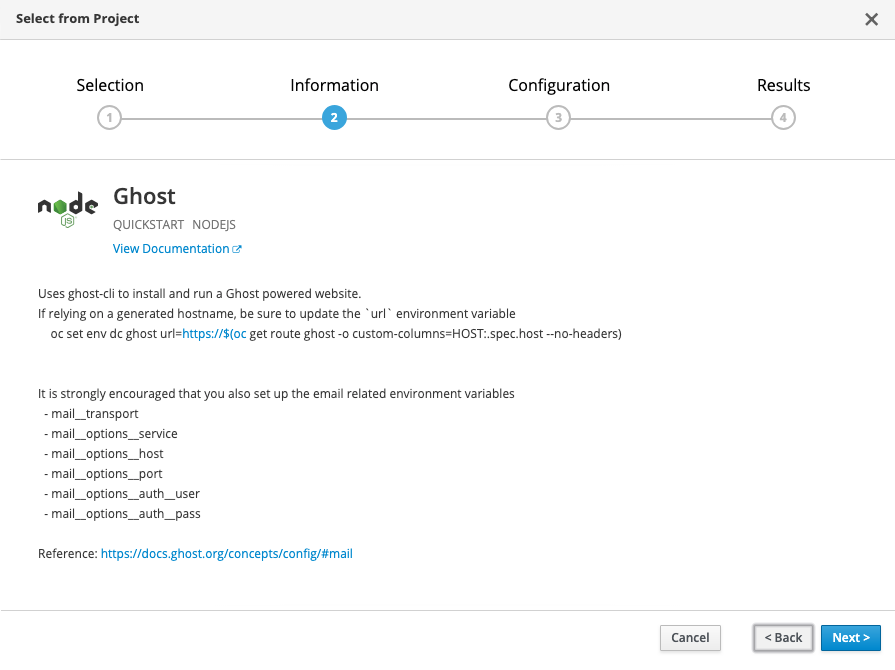
Configuring your Ghost Blog
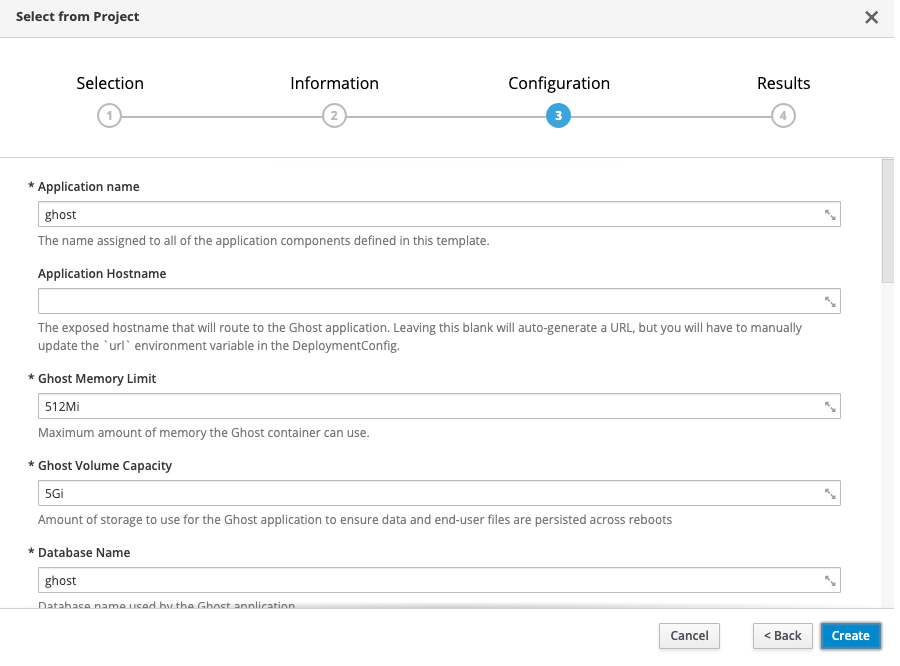
If you don’t want to change any settings, all of the defaults are set up for you to just hit create and go. Using the defaults, this will create the following:
- 1 persistent volume for your MySQL database (1Gi)
- 1 persistent volume for your Ghost blog content (5Gi)
- 1 secret for the MySQL database credentials
- A MySQL deployment
- A Ghost build (using the ghost-cli)
- A Ghost deployment
- A Ghost route
If using a platform like Red Hat OpenShift Online, a default route will be created for you, e.g., https://ghost-ghost-example.b9ad.pro-us-east-1.openshiftapps.com/. Be sure that you update your deployment with this URL by running
<span> </span><span>oc set env dc ghost url=https://$(oc get route ghost -o custom-columns=HOST:.spec.host --no-headers)</span>
If you’re not using a default route, simply provide your custom URL in the “Application Hostname” template parameter, and this will be filled in for you.
That’s it! The OpenShift S2I build system has some amazing capabilities in taking nothing more than a Git repository and deploying a full application. This is simply one use case of that.
저자 소개
유사한 검색 결과
Red Hat 파트너가 최고의 통신 비즈니스 자산인 이유
에이전틱 패러독스와 하이브리드 AI의 필요성
Crack the Cloud_Open | Command Line Heroes
Edge computing covered and diced | Technically Speaking
채널별 검색

오토메이션
기술, 팀, 인프라를 위한 IT 자동화 최신 동향

인공지능
고객이 어디서나 AI 워크로드를 실행할 수 있도록 지원하는 플랫폼 업데이트

오픈 하이브리드 클라우드
하이브리드 클라우드로 더욱 유연한 미래를 구축하는 방법을 알아보세요

보안
환경과 기술 전반에 걸쳐 리스크를 감소하는 방법에 대한 최신 정보

엣지 컴퓨팅
엣지에서의 운영을 단순화하는 플랫폼 업데이트

인프라
세계적으로 인정받은 기업용 Linux 플랫폼에 대한 최신 정보

애플리케이션
복잡한 애플리케이션에 대한 솔루션 더 보기

가상화
온프레미스와 클라우드 환경에서 워크로드를 유연하게 운영하기 위한 엔터프라이즈 가상화의 미래
