
Illustrated by: Mary Shakshober
The first workshop in our Customer Empathy Workshop series was held October 28, 2019 during the AI/ML (Artificial Intelligence and Machine Learning) OpenShift Commons event in San Francisco. We collaborated with 5 Red Hat OpenShift customers for 2 hours on the topic of troubleshooting. We learned about the challenges faced by operations and development teams in the field and together brainstormed ways to reduce blockers and increase efficiency for users.
The open source spirit was very much alive in this workshop. We came together with customers to work as a team so that we can better understand their unique challenges with troubleshooting. Here are some highlights from the experience.
What we learned
Customers participated in a set of hands-on activities mirroring the initial steps of the design thinking process: empathize, define, ideate.
They were able to discover key problems, connect with similar users, and impact future solutions.
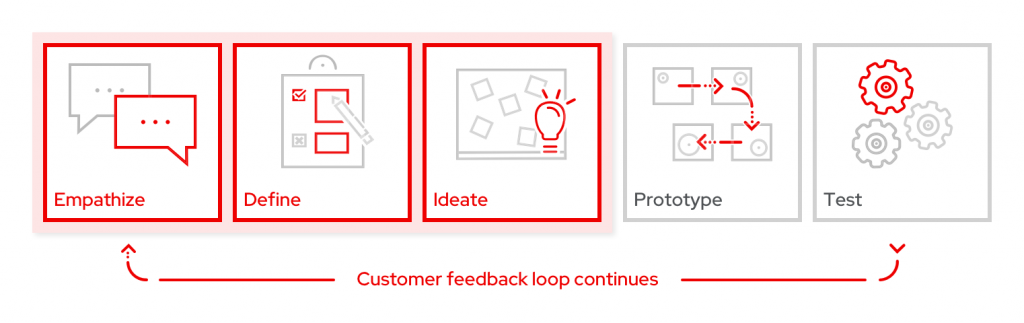
Empathize
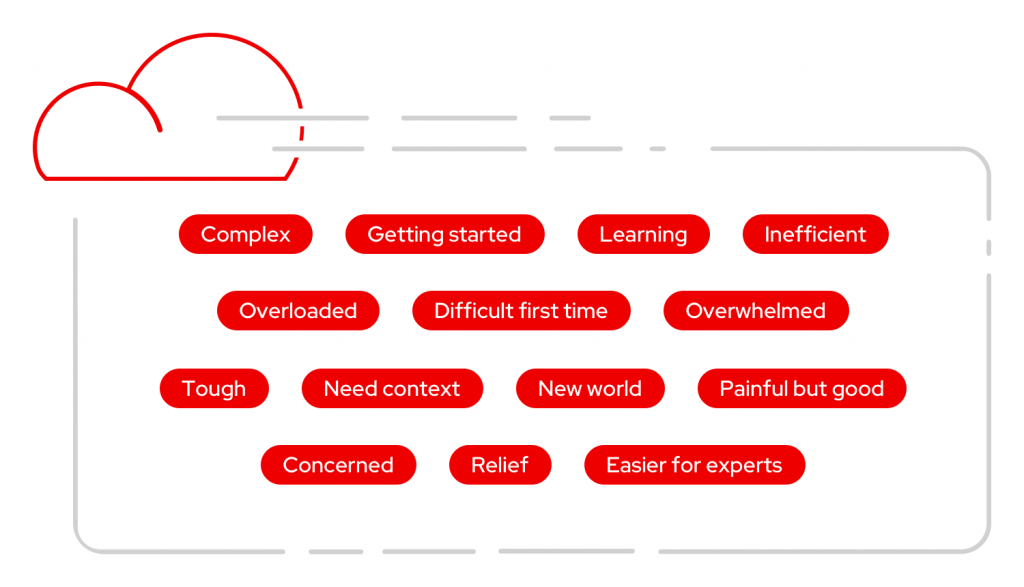
For the first activity, participants were asked, “What words come to mind when you think of troubleshooting in OpenShift?” Users had a chance to reflect on past experiences and provide others with a way to discover what they were thinking, seeing, feeling, and doing. Participants wrote down a variety of words such as “complex,” “overloaded,” “tough,” and “painful but good.”
Next, participants shared more about their experiences by thinking about the question, “What went wrong the last time you had to troubleshoot, and why was it a problem?” In this phase, they worked individually and wrote one answer per sticky note to describe the setbacks in their troubleshooting experiences.
In small teams, we discussed the pain points and noted similarities between users by grouping the sticky notes into common buckets. Here are the common themes that emerged, along with paraphrased responses from customers noting why these are pain points:
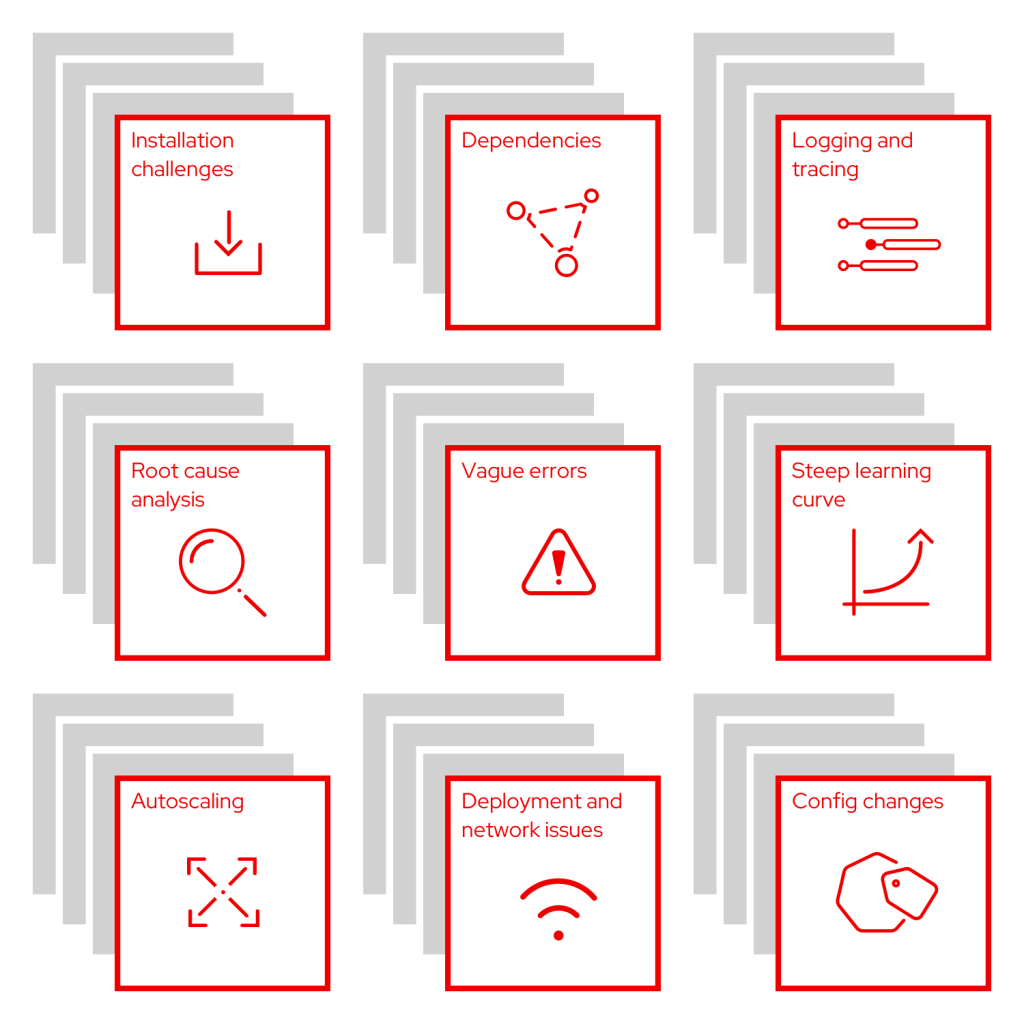
- Installation challenges: “It’s hard to get started setting up new features.”
- Dependencies: “I have trouble tracing dependencies when they are not automatic. Can I resolve issues with a parent resource and expect the related resources to be updated as well?”
- Logging and tracing: “It is difficult to differentiate which log is needed, and accessing the right logs to find what I’m looking for can be difficult.”
- Root cause analysis: “I am struggling to obtain the original cause of an issue to know where to focus on a resolution.”
- Vague errors: “Errors (or alerts) are not specific enough and often do not provide next steps or suggested actions.”
- Steep learning curve: “There are lots of new users with a lack of knowledge on Kubernetes. It can be overwhelming, and we need help learning more through the UI.”
- Autoscaling: “It is difficult to set up and especially complex for new users to know how to use cluster, machine, and pod autoscaling.”
- Deployment and network issues: “I have issues where a service will not start due to a deployment, but it’s unclear why. Network policies, firewalls, and certificate security issues often crop up for my team.”
- Config changes: “I often have problems with pod or container configs. It’s also easy to get configuration drift with RBAC management.”
Define
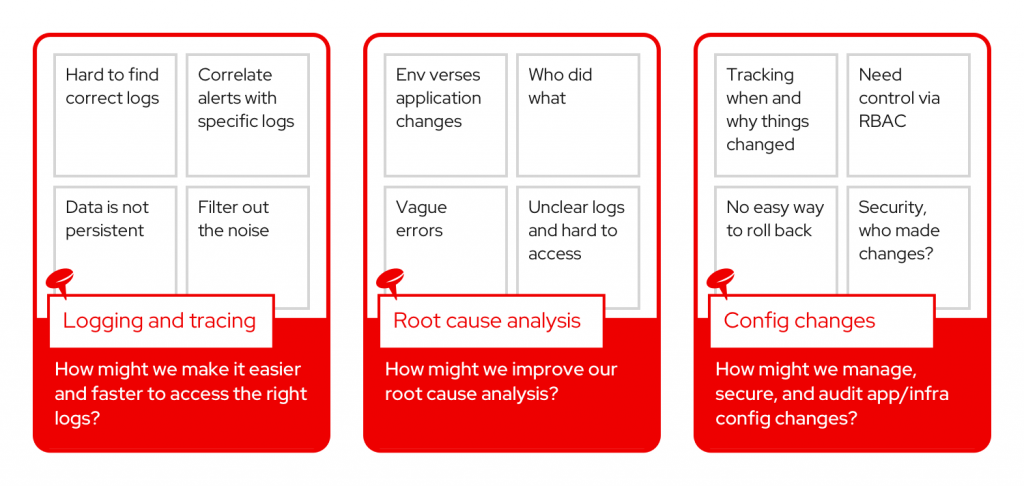
After identifying common pain points, each group was asked to select one pain point and convert it into a problem statement. Here are the problem statements the teams created:
- How might we make it easier and faster to access the right logs?
- How might we improve our root cause analysis?
- How might we manage, secure, and audit app/infra config changes?
Ideate
The ideation part of the workshop encouraged participants to start brainstorming possible solutions to the various challenges that have been shared. We used the “Yes, and” method to encourage participants to work together and build on the suggestions and ideas of others. Individuals offered solutions to address the problem statement by shouting, “Yes, and,” then explaining their great idea.
Problem statement: How might we make it easier and faster to access the right logs?
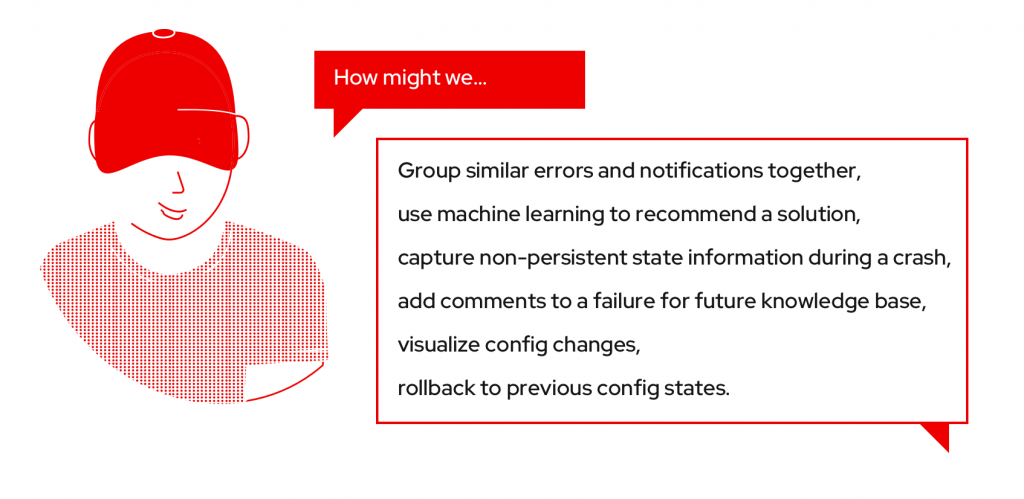
- Group similar errors and notifications together.
- Include date ranges and error codes.
- Make alerts customizable.
- Filter errors based on user type and privileges.
- Show a pop-up with cause and solution.
- Provide links from notifications to logs and application logs.
- Bring users to the right place in the logs.
- Only surface relevant parts of the log for errors and warnings.
- Pull docs into the log view.
Problem statement: How might we improve our root cause analysis?
- Use machine learning to recommend a solution.
- Always include the pod ID in the error messages.
- Add a tool to correlate the logs with the error.
- Show what has changed since last time (try to determine the cause).
- Capture non-persistent state information during a crash.
- When users do resolve issues, provide a way to add comments somehow so next time the problem arises there is a reference and knowledge base already.
- Automate the resolution.
Problem statement: How might we manage, secure, and audit app/infra config changes?
- Visualize changes through the GUI and CLI.
- Rollback config state.
- Have Git manage config changes.
- Provide a comparison tool.
- Show why people made changes, and allow comments.
- Secure configs with RBAC or add a security analysis tool.
- Track config changes verses application verses environment.
- Set up policy for the config changes.
To finish up, each group presented the problem and solutions to the room. Participants were given a set of stickers to vote for their top ideas. By taking part in the prioritization, they had an opportunity to impact the direction of the product and help the OpenShift product management team with the difficult job of prioritizing upcoming features.
Below are the highest-voted solutions.
What’s next
The ideas generated by customers at this troubleshooting workshop will help shape future designs for OpenShift. Using this foundation, the Red Hat user experience and product management teams will work through the next phases of the design thinking process to design, prototype, and test.
Customer validation is equally as important during these phases, so we need your help. Sign up to be notified about research participation opportunities or provide feedback on your experience by filling out this brief survey.
Stay tuned for upcoming workshops! Future events will be posted on the OpenShift Commons calendar. If you have general feedback or questions, reach out to our team by email.
저자 소개
유사한 검색 결과
Red Hat 파트너가 최고의 통신 비즈니스 자산인 이유
에이전틱 패러독스와 하이브리드 AI의 필요성
Crack the Cloud_Open | Command Line Heroes
Edge computing covered and diced | Technically Speaking
채널별 검색

오토메이션
기술, 팀, 인프라를 위한 IT 자동화 최신 동향

인공지능
고객이 어디서나 AI 워크로드를 실행할 수 있도록 지원하는 플랫폼 업데이트

오픈 하이브리드 클라우드
하이브리드 클라우드로 더욱 유연한 미래를 구축하는 방법을 알아보세요

보안
환경과 기술 전반에 걸쳐 리스크를 감소하는 방법에 대한 최신 정보

엣지 컴퓨팅
엣지에서의 운영을 단순화하는 플랫폼 업데이트

인프라
세계적으로 인정받은 기업용 Linux 플랫폼에 대한 최신 정보

애플리케이션
복잡한 애플리케이션에 대한 솔루션 더 보기

가상화
온프레미스와 클라우드 환경에서 워크로드를 유연하게 운영하기 위한 엔터프라이즈 가상화의 미래
