
Happy May Fourth, everyone! A few weeks after Star Wars first released, I was lucky enough to see it in a Dolby theatre in Denver, CO. I was hooked, completely, and totally hooked. Over the past decade or so, I’ve built a really nice large screen television with surround sound setup and rarely go to the movies anymore. I wait for them to be streamed or hit Blue-Ray. I make an exception for Star Wars movies. Those I go see at least once at a theatre. Then yes, I buy a copy to watch at home when available.
[ You might also like: Stupid Bash tricks: History, reusing arguments, files and directories, functions, and more ]
As I know being a Star Wars fan is a trait that I share with many in the tech industry, I thought I’d celebrate May the Fourth with a little mix of containers and Star Wars in one. Several years ago, Simon Jansen created Star Wars Asciimation, which shows the first Star Wars movie, now called “Star Wars: Episode IV - A New Hope,” entirely in ASCII and runs over Telnet. It has made the rounds over the years and is fun to watch, but lately, trying to get it to run over Telnet can sometimes be challenging.
So after a colleague said I should run it from a container, I thought I’d try doing so. I made a few attempts at getting it to run but ran into issues with Telnet both in the container and on my host. Google to the rescue. I discovered the ascii-telnet-server project.
So on my Fedora machine, I did:
mkdir StarWars
cd StarWars
git clone https://github.com/nitram509/ascii-telnet-server
cd ascii-telnet-server
Now, if you look in this directory, you’ll notice that it’s been set up with a Dockerfile. However, the Dockerfile will play a sample movie if you use it without changing it. To play the ASCII Star Wars movie, edit this line in the Dockerfille:
ENV input_file sample_movies/short_intro.txtRemoving short_intro and replacing it with sw1 like this:
ENV input_file sample_movies/sw1.txtNow using Podman, do:
podman build -t asciistarwars .And once complete, run the container and enjoy.
podman run -it --rm -e mode=stdout asciistarwars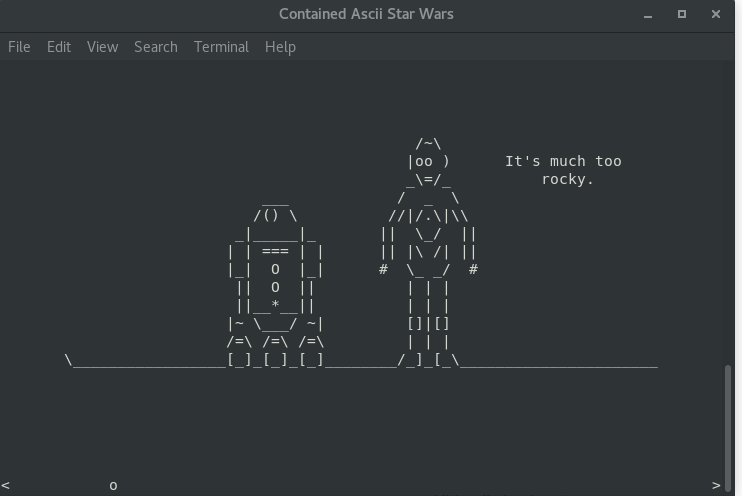
If by chance, you just want to run the movie without doing the configurations above, you can use the image that I put together on quay.io with:
podman run -it --rm -e mode=stdout quay.io/tomsweeneyredhat/asciistarwars[ Get this free ebook: Managing your Kubernetes clusters for dummies. ]
Wrap up
I thought it was a great way to get a little container fun in and celebrate May the Fourth. Now go enjoy your day, and I hope this helps you get a little Star Wars into it.
저자 소개
Software engineer at Red Hat working on containers focusing on the Buildah and Podman projects. Manages the buildah.io and podman.io websites and can be found on freenode at #buildah and #podman. Joined the Open Source world in 2016 and wished he'd joined the community sooner. Husband and dad of 3 just trying to contain them, but has better luck containing bits and bytes with containers. When it's time to do some serious coding, it's time to crank the Bluegrass in the headphones and get the tea brewing!
유사한 검색 결과
Red Hat Enterprise Linux Long-Life Add-On: 지원 종료 걱정 없는 RHEL 소개
인프라를 Red Hat Lightspeed에 어떻게 연결해야 할까요?
Scaling with Orchestrators | Compiler
Container Roundup | Compiler
채널별 검색

오토메이션
기술, 팀, 인프라를 위한 IT 자동화 최신 동향

인공지능
고객이 어디서나 AI 워크로드를 실행할 수 있도록 지원하는 플랫폼 업데이트

오픈 하이브리드 클라우드
하이브리드 클라우드로 더욱 유연한 미래를 구축하는 방법을 알아보세요

보안
환경과 기술 전반에 걸쳐 리스크를 감소하는 방법에 대한 최신 정보

엣지 컴퓨팅
엣지에서의 운영을 단순화하는 플랫폼 업데이트

인프라
세계적으로 인정받은 기업용 Linux 플랫폼에 대한 최신 정보

애플리케이션
복잡한 애플리케이션에 대한 솔루션 더 보기

가상화
온프레미스와 클라우드 환경에서 워크로드를 유연하게 운영하기 위한 엔터프라이즈 가상화의 미래
