
In technology terms, an Easter egg is a hidden message or feature in a piece of software that, when triggered, prints or does something inoffensive and fun. In many cases, these messages credit someone for their work or pay tribute to a person or a piece of art like a novel or a movie. In other cases, it's just a hidden message that requires a special circumstance to be triggered.
Although Easter eggs are usually hidden and undocumented, for this article I am using a looser definition that includes terminal programs that are fun and may surprise you if you're not familiar with them.
1. Vim knows…
The Vim text editor knows the answer to the Meaning of Life. If you also want to know it, open Vim, then type :help 42 and see for yourself.
Alternatively, you can launch Vim straight into that help page:
vim +h42
This is Vim's way to pay homage to the classic comedy science fiction novel The Hitchhiker's Guide to the Galaxy by the late Douglas Adams.
This Easter egg also works in Neovim.
2. Try Ansible Cowsay
The program cowsay is a popular fun Linux command that generates ASCII art of a cow "saying" anything the user inputs when calling it. This program is so popular that I do not even consider it to be an Easter egg.
But what you may not know is, if you have cowsay installed on your computer and you run an Ansible playbook on the command line, Ansible uses it to print the task names for a fun and surprising output:
$ ansible-playbook playbook.yaml

< PLAY [Test playbook] >
 ----------------------
        \   ^__^
         \  (oo)\_______
            (__)\       )\/\
                ||----w |
                ||     ||

 __________________________
< TASK [Print Hello World] >
 --------------------------
        \   ^__^
         \  (oo)\_______
            (__)\       )\/\
                ||----w |
                ||     ||

ok: [localhost] => {
    "msg": "Hello World!"
}
 ____________
< PLAY RECAP >
 ------------
        \   ^__^
         \  (oo)\_______
            (__)\       )\/\
                ||----w |
                ||     ||

localhost   : ok=1 changed=0 unreachable=0 failed=0 skipped=0 rescued=0 ignored=0
[ How well do you know Linux? Take a quiz and get a badge. ]
3. Learn from your mistakes
If you're around the Linux or Unix terminal for a while, you've probably mistyped the command ls as sl many times when trying to list the contents of your directory. This is inoffensive and not too annoying; just retype the command and move on.
This experience changes if you install a nifty little program called sl:
sudo dnf install -y sl
The next time you make that mistake, you see a fun steam locomotive cross your terminal:
4. Play Emacs games
Among the many many things you can do with the Emacs text editor, you can also play games! To see a list of available games, list the contents of directory /usr/share/emacs/*/lisp/play:
$ cd /usr/share/emacs/*/lisp/play
$ ls *.elc
5x5.elc       decipher.elc    gamegrid.elc   life.elc       spook.elc
animate.elc   dissociate.elc  gametree.elc   morse.elc      studly.elc
blackbox.elc  doctor.elc      gomoku.elc     mpuz.elc       zone.elc
bubbles.elc   dunnet.elc      handwrite.elc  snake.elc
cookie1.elc   fortune.elc     hanoi.elc      solitaire.elc
To play one of these games, start Emacs, press Esc + x to execute a program, and type the name of the game you want to play:
M-x 5x5

+--------------------------+
| .... .... .... .... .... |
| .... .... .... .... .... |
| .... .... .... .... .... |
| .... .... #### .... .... |
| .... .... #### .... .... |
| .... .... #### .... .... |
| .... #### #### #### .... |
| .... #### #### #### .... |
| .... #### #### #### .... |
| .... .... #### .... .... |
| .... .... #### .... .... |
| .... .... #### .... .... |
| .... .... .... .... .... |
| .... .... .... .... .... |
| .... .... .... .... .... |
+--------------------------+
On: 5  Moves: 0
Some of these games are interesting, so give them a try!
[Cheat sheet: Old Linux commands and their modern replacements. ]
5. Get more color in your life
Is your terminal dull and monochromatic?
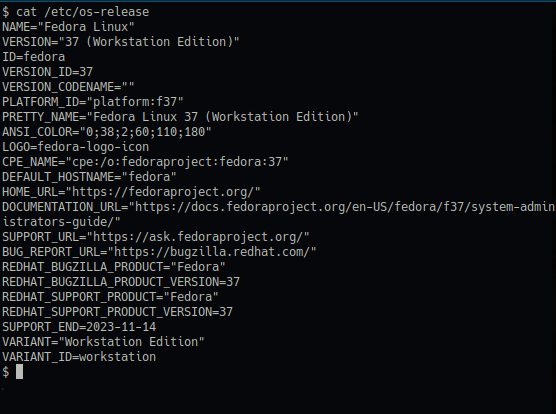
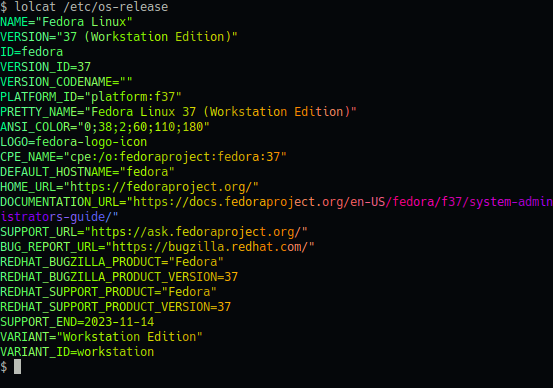
The little program lolcat can fix that. Install it:
sudo dnf install -y lolcat
Then use it on a file or pipe the output of any program to lolcat for a more colorful experience:
6. Set your terminal on fire
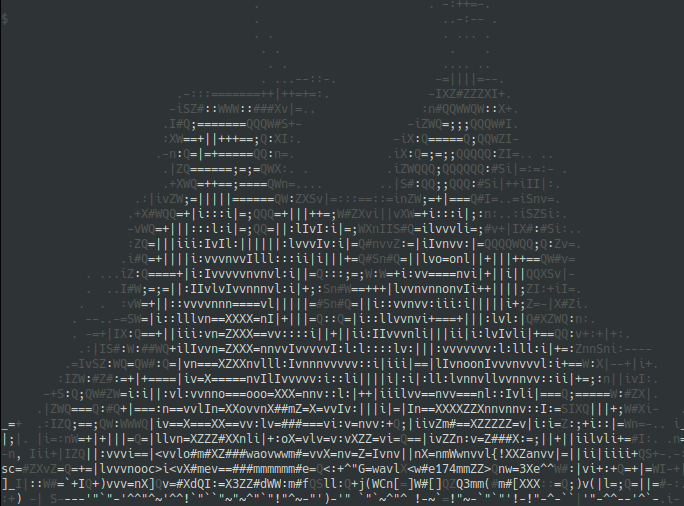
Well, not really, but using aafire, you can see the effects of an ASCII flame animation on your terminal:
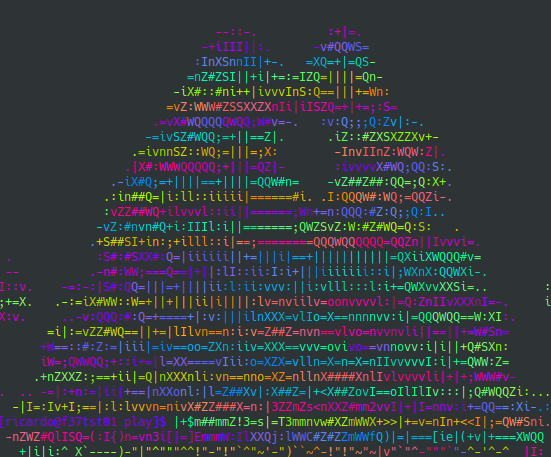
You can also combine that with lolcat for colorful flames:
7. Transform your terminal into an aquarium
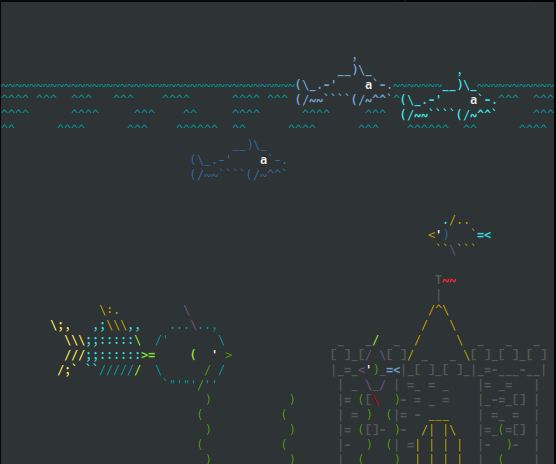
If instead of flames, you prefer something more peaceful, asciiaquarium transforms your terminal into a lively aquarium with a variety of aquatic life and a few surprises:
8. Explore the zen of Python
Python hides a few Easter eggs. One of them is "The zen of Python," a list of 19 guiding principles to make your Python programming more effective. If you don't know or don't remember them, open a Python interactive session and type import this to see that list:
$ python
Python 3.11.2 (main, Feb  8 2023, 00:00:00) [GCC 12.2.1 20221121 (Red Hat 12.2.1-4)] on linux
Type "help", "copyright", "credits" or "license" for more information.
>>> import this
The Zen of Python, by Tim Peters

Beautiful is better than ugly.
Explicit is better than implicit.
Simple is better than complex.
Complex is better than complicated.
Flat is better than nested.
Sparse is better than dense.
Readability counts.
Special cases aren't special enough to break the rules.
Although practicality beats purity.
Errors should never pass silently.
Unless explicitly silenced.
In the face of ambiguity, refuse the temptation to guess.
There should be one-- and preferably only one --obvious way to do it.
Although that way may not be obvious at first unless you're Dutch.
Now is better than never.
Although never is often better than *right* now.
If the implementation is hard to explain, it's a bad idea.
If the implementation is easy to explain, it may be a good idea.
Namespaces are one honking great idea -- let's do more of those!
>>>
Collect all the eggs
Your Linux terminal doesn't have to be monochromatic and boring. Try these 8 Linux Easter eggs and add some color and fun to your command line.
[ Want to test your sysadmin skills? Take a skills assessment today. ]
저자 소개
Ricardo Gerardi is a Principal Consultant at Red Hat, having transitioned from his previous role as a Technical Community Advocate for Enable Sysadmin. He's been at Red Hat since 2018, specializing in IT automation using Ansible and OpenShift.
With over 25 years of industry experience and 20+ years as a Linux and open source enthusiast and contributor, Ricardo is passionate about technology. He is particularly interested in hacking with the Go programming language and is the author of Powerful Command-Line Applications in Go and Automate Your Home Using Go. Ricardo also writes regularly for Red Hat and other blogs, covering topics like Linux, Vim, Ansible, Containers, Kubernetes, and command-line applications.
Outside of work, Ricardo enjoys spending time with his daughters, reading science fiction books, and playing video games.
유사한 검색 결과
지금 바로 시작해야 하는 이유: 금융 서비스를 위한 포스트 양자 보안을 지금 시작해야 하는 이유
Red Hat Enterprise Linux Long-Life Add-On: 지원 종료 걱정 없는 RHEL 소개
Infrastructure At The Edge | Compiler
Operating System Management | Compiler
채널별 검색

오토메이션
기술, 팀, 인프라를 위한 IT 자동화 최신 동향

인공지능
고객이 어디서나 AI 워크로드를 실행할 수 있도록 지원하는 플랫폼 업데이트

오픈 하이브리드 클라우드
하이브리드 클라우드로 더욱 유연한 미래를 구축하는 방법을 알아보세요

보안
환경과 기술 전반에 걸쳐 리스크를 감소하는 방법에 대한 최신 정보

엣지 컴퓨팅
엣지에서의 운영을 단순화하는 플랫폼 업데이트

인프라
세계적으로 인정받은 기업용 Linux 플랫폼에 대한 최신 정보

애플리케이션
복잡한 애플리케이션에 대한 솔루션 더 보기

가상화
온프레미스와 클라우드 환경에서 워크로드를 유연하게 운영하기 위한 엔터프라이즈 가상화의 미래
