In previous blog posts, I've looked into how Kyverno can be used to validate resources, as well as verify images. In the final blog of this series on Kyverno, we will look at another feature that provides mutating and generating resources.
Mutate
Mutating resources is the ability to add, replace or remove a stanza from a resource that is processed via the Kubernetes API. A common mutation pattern is adding a sidecar container to all pods to offer a capability pre-built in, such as monitoring, without any interaction from the developer:
1	apiVersion: kyverno.io/v1
2	kind: ClusterPolicy
3	metadata:
4	  name: insert-monitoring-container
5	spec:
6	  rules:
7	  - name: insert-monitoring-container
8	    match:
9	      resources:
10	        kinds:
11	        - Pod
12	    mutate:
13	      patchesJson6902: |-
14	        - op: add
15	          path: "/spec/containers/1"
16	          value: {"name":"pod-monitoring","image":"registry.acme.com/pod-monitoring:latest"}
Let's go line by line and explain what each bit is doing:
- line 1 to 2: declares what type of resource it is, which in this example is cluster-wide
- line 3 to 4: is defining the metadata about the policy
- line 7: is the name of the rule
- line 8 to 11: is defining the resources, which this policy should match against
- line 13: is the type of patch used to update the resource
- line 14 to 16: is the patch operation
Generate
Generating resources is the ability to create an additional resource when a parent resource is created or updated via the Kubernetes API. A common generation pattern is adding a NetworkPolicy when a Namespace is created, allowing for security policies to be applied by default:
1	apiVersion: kyverno.io/v1
2	kind: ClusterPolicy
3	metadata:
4	  name: deny-all-traffic
5	spec:
6	  rules:
7	  - name: deny-all-traffic
8	    match:
9	      resources:
10	        kinds:
11	        - Namespace
12	        selector:
13	          matchLabels:
14	            redhat-cop.github.com/internal: "true"
15	    generate:
16	      kind: NetworkPolicy
17	      name: deny-all-traffic
18	      namespace: "{{request.object.metadata.name}}"
19	      data:
20	        spec:
21	          # select all pods in the namespace
22	          podSelector: {}
23	          policyTypes:
24	          - Ingress
25	          - Egress
Let's go line by line and explain what each bit is doing:
- line 1 to 14: are similar to the above mutate policy, except for one addition. In this policy, we are only interested in
namespaceswith the labelredhat-cop.github.com/internal - line 16 to 18: is defining the type of object we will generate and where
- line 19 to 25: is resource definition of the
NetworkPolicywe will create in every namespace, which has the labelredhat-cop.github.com/internal
Cool, How Do I Run Them?
To run the above policies, it is expected the following tools are installed:
- bats-core, which is a testing framework that will execute
oc. - jq, which is used by the BATS framework to process JSON files.
- yq, which is used by the BATS framework to process YAML files.
You can execute the above policies by running the below commands. NOTE: A user with cluster-admin permissions is required to deploy Kyverno.
git clone https://github.com/garethahealy/kyverno-mutate-generate-blog.git
cd kyverno-mutate-generate-blog

echo "Firstly, Let's have a look at the test data..."
cat policy/generate/deny-all-traffic/test_data/unit/list.yml
cat policy/mutate/insert-monitoring-container/test_data/unit/list.yml

echo "Let's have a look at the policies..."
cat policy/generate/deny-all-traffic/src.yaml
cat policy/mutate/insert-monitoring-container/src.yaml

echo "Let's have a look at the BATS tests..."
cat test/kyvernMutations of a resource on OpenShift with Kyvernoo-integrationtests.sh

echo "Now, let's deploy kyverno (cluster-admin permissions required with a valid session)..."
test/deploy-kyverno.sh deploy_kyverno

echo "Now, let's deploy the kyverno policies..."
test/deploy-kyverno.sh deploy_policy

echo "Finally, let's check the policy is active for our namespace..."
bats test/kyverno-integrationtests.sh
So what did the above do?
- You executed
test/deploy-kyverno.sh deploy_kyverno, which deployed Kyverno onto your cluster in thekyvernonamespace. - You executed
test/deploy-kyverno.sh deploy_policy, which applied theClusterPolicyKyverno CRs to your cluster. - You executed
test/kyverno-integrationtests.sh, which usedBATSto runoc createwhich validated the policy worked as expected on-cluster.
If you are unable to install the software required, you can fork my GitHub repository which contains an action that runs the above on commit. So why not have a tinker in your own little playground.
OK, But How Do I Fit These Policies Into My CI/CD Pipeline?
The following example presumes you are using a Jenkins deployed onto your cluster via:
oc new-project jenkins
oc process jenkins-persistent -p DISABLE_ADMINISTRATIVE_MONITORS=true -p MEMORY_LIMIT=2Gi -n openshift | oc create -n jenkins -f -
oc rollout status dc/jenkins --watch=true -n jenkins
Firstly, let's allow the jenkins service account to create Kyverno policies:
oc adm policy add-cluster-role-to-user kyverno:admin-policies system:serviceaccount:jenkins:jenkins
And create projects, so we can test the deny-all-traffic generate policy:
oc create -f jenkins/project-admin-role.yml -n jenkins
oc adm policy add-cluster-role-to-user project-admin system:serviceaccount:jenkins:jenkins
Next, let's open Jenkins and create two new pipeline jobs. The first is for our cluster-admin who controls the policies:
node ("maven") {
    stage("Clone blog") {
        sh "git clone https://github.com/garethahealy/kyverno-mutate-generate-blog.git"
    }

    stage("Deploy ClusterPolicy") {
        dir("kyverno-mutate-generate-blog") {
            sh "oc delete clusterpolicy --all"
            sh "test/deploy-kyverno.sh deploy_policy"
        }
    }
}
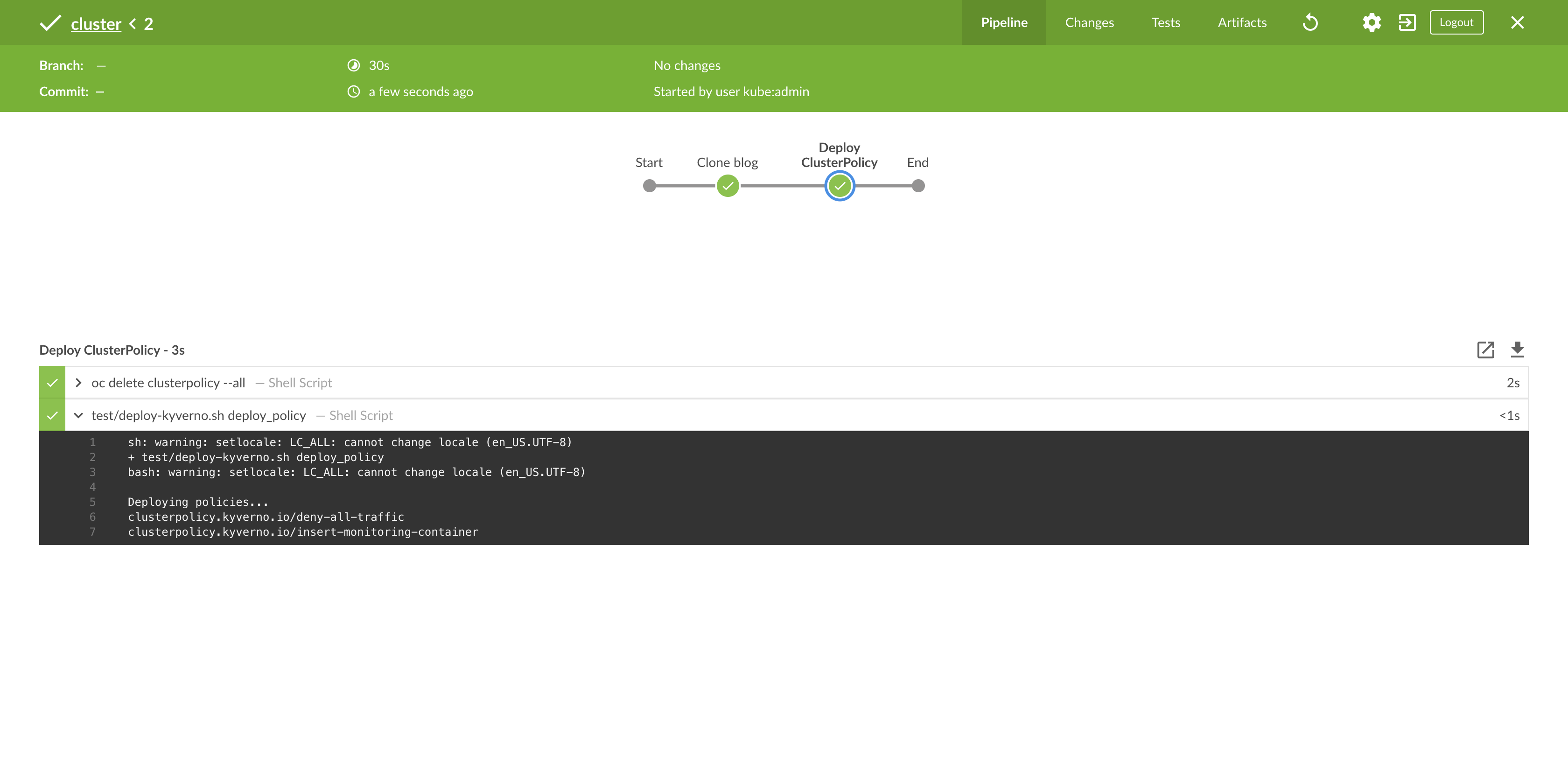
Which once triggered should give you similar output to:
The second is for our developers who will be creating resources that might trigger the policies:
node ("maven") {
    stage("Clone blog") {
        sh "git clone https://github.com/garethahealy/kyverno-mutate-generate-blog.git"
    }

    stage("Deploy generate resources") {
        try {
            dir("kyverno-mutate-generate-blog") {
                sh "oc create -f policy/generate/deny-all-traffic/test_data/unit/list-ocp.yml"
                sh "[[ \$(oc get networkpolicy -n kyverno-undertest-denyalltraffic -o name) == 'networkpolicy.networking.k8s.io/deny-all-traffic' ]]"
            }
        } finally {
            sh "oc delete project/kyverno-undertest-denyalltraffic --wait=false"
        }
    }

    stage("Deploy mutate resources") {
        try {
            dir("kyverno-mutate-generate-blog") {
                sh "oc create -f policy/mutate/insert-monitoring-container/test_data/unit/list.yml"
                sh "oc rollout status deployment/signedimage --watch=true"

                sh "[[ \$(oc get pod -l app.kubernetes.io/name=Foo -o jsonpath='{.items[0].spec.containers[0].name}') == 'foo' ]]"
                sh "[[ \$(oc get pod -l app.kubernetes.io/name=Foo -o jsonpath='{.items[0].spec.containers[1].name}') == 'pod-monitoring' ]]"
            }
        } finally {
            sh "oc delete deployment/signedimage"
        }
    }
}
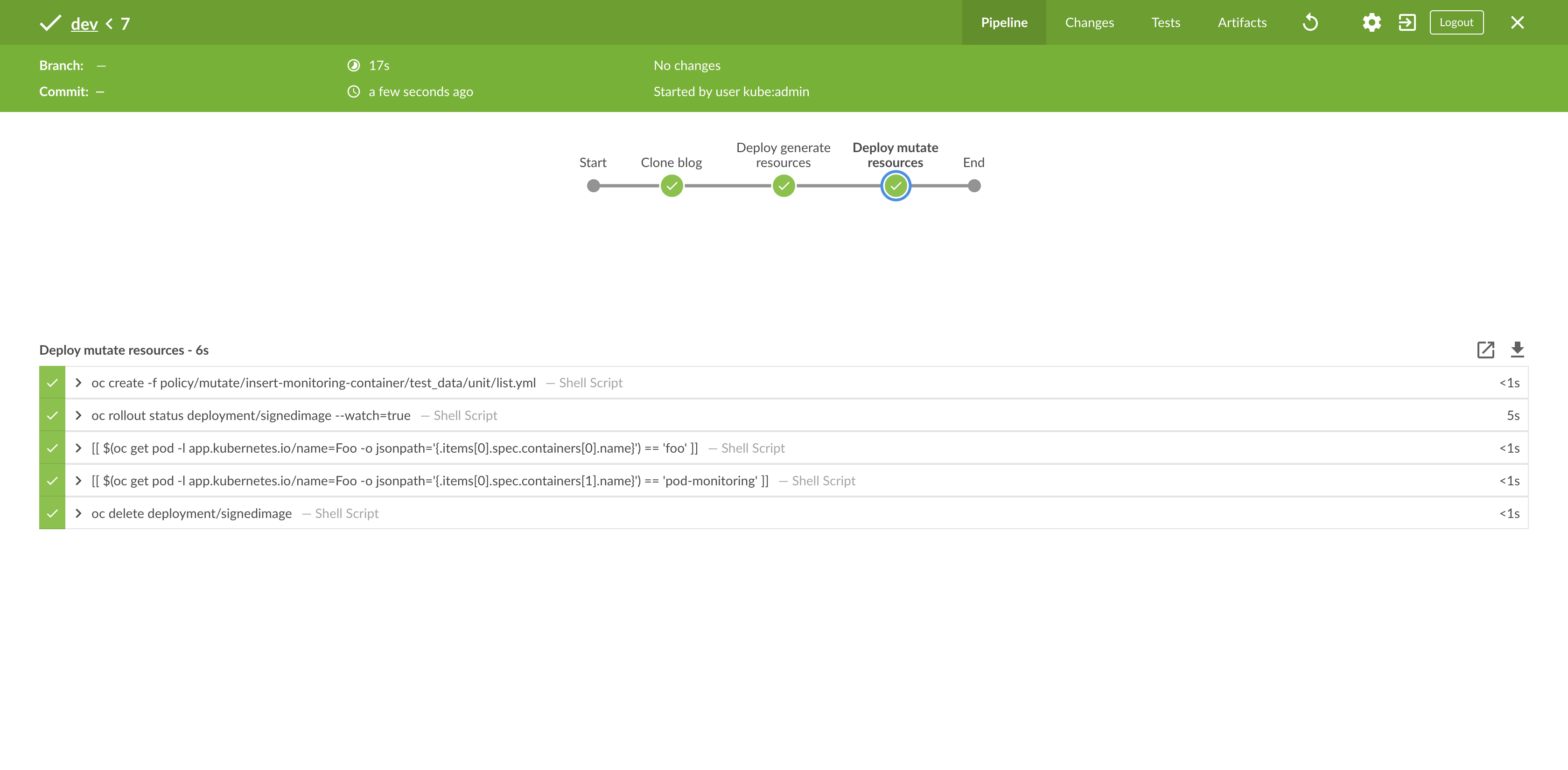
This should give you a similar output to the below, which shows our deployment containing two containers:
Just Because You Can, Does Not Mean You Should
"Just because you can, does not mean you should" is a common phrase used in the IT sector when a new piece of software is released and everyone attempts to adopt it for every use case imaginable, even if it is not the best fit.
For example, if you are following a GitOps deployment model to create namespaces, using the generate policies might be counter-intuitive, as they are competing concepts. On one hand, you are expressing what your namespace should look like in git but then have a policy which changes this, which feels like a "code smell".
With that said, I think there are a number of good use cases where these types of policies can fit into the lifecycle of your cluster but as always, it depends on what you are currently doing to fully understand if it is the best solution for your requirements.
À propos de l'auteur

Gareth Healy has extensive experience developing enterprise applications on both desktop and web systems, working in a variety of market sectors such as ecommerce, procurement, utilities, banking and finance. Healy is currently specialising in middleware integrations based on Red Hat Fuse running on a container platform based on Red Hat OpenShift Container Platform.
Plus de résultats similaires
Cessez de gérer le passé et commencez à bâtir l'avenir de l'informatique
Prochain point d'inflexion de l'IA : transformation des agents en super-utilisateurs pour l'entreprise
Collaboration In Product Security | Compiler
Keeping Track Of Vulnerabilities With CVEs | Compiler
Parcourir par canal

Automatisation
Les dernières nouveautés en matière d'automatisation informatique pour les technologies, les équipes et les environnements

Intelligence artificielle
Actualité sur les plateformes qui permettent aux clients d'exécuter des charges de travail d'IA sur tout type d'environnement

Cloud hybride ouvert
Découvrez comment créer un avenir flexible grâce au cloud hybride

Sécurité
Les dernières actualités sur la façon dont nous réduisons les risques dans tous les environnements et technologies

Edge computing
Actualité sur les plateformes qui simplifient les opérations en périphérie

Infrastructure
Les dernières nouveautés sur la plateforme Linux d'entreprise leader au monde

Applications
À l’intérieur de nos solutions aux défis d’application les plus difficiles

Virtualisation
L'avenir de la virtualisation d'entreprise pour vos charges de travail sur site ou sur le cloud
