
We’re always looking for ways to provide a better user experience. With growing numbers of users across the globe, localization has become increasingly important. In OpenShift 4.7, we’re introducing support for two new languages: Simplified Chinese and Japanese. And there are more languages to come. Read on to learn more about our new localization features.
How to Change the Language
If your browser language is set to Simplified Chinese, Japanese, or English, OpenShift should automatically default to your preferred language. If your browser language is set to one that we do not yet support, you will continue to see OpenShift in English.
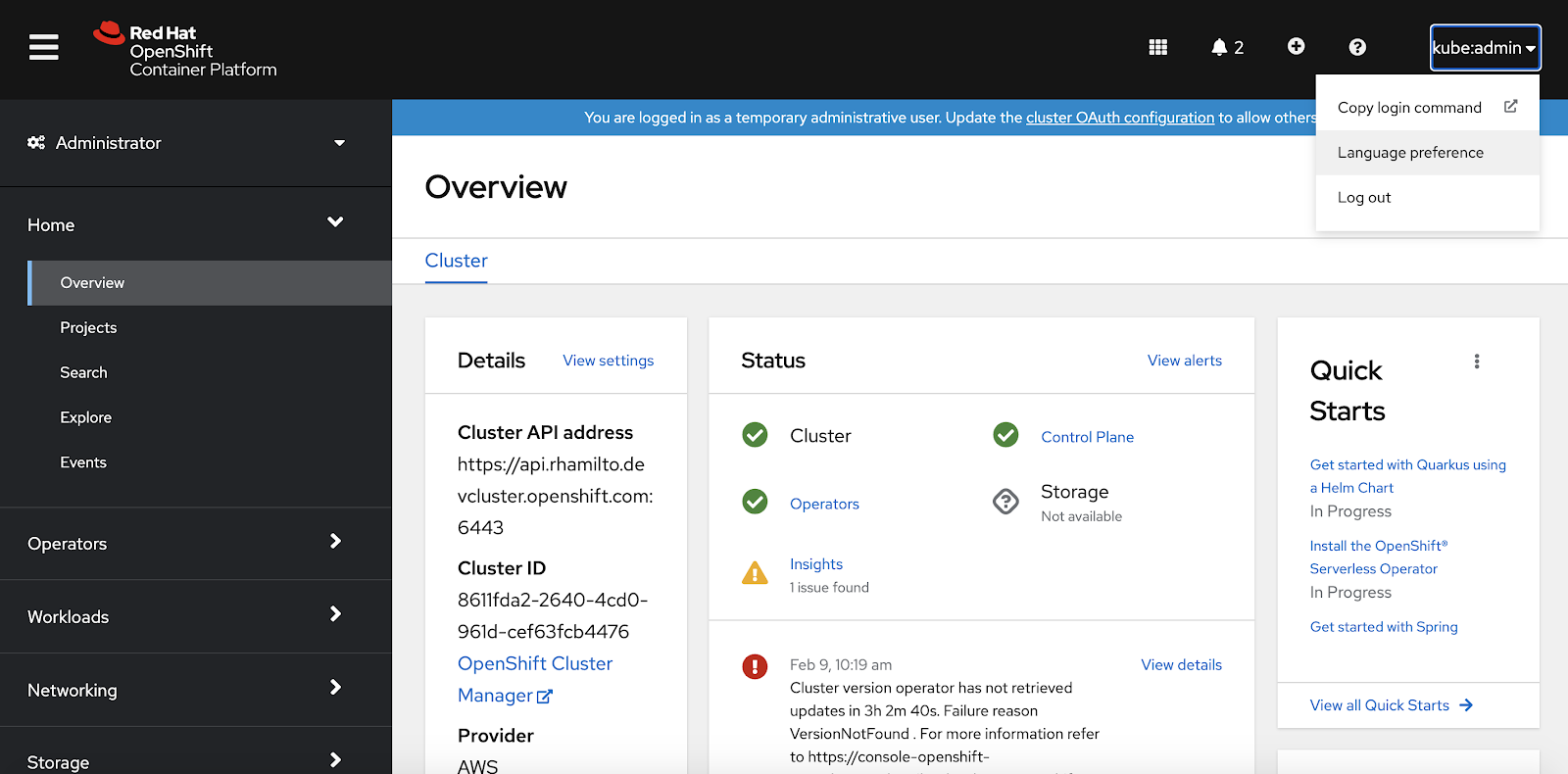
You can also manually update your preferred language. To get started, select the Language preference option in the user dropdown:
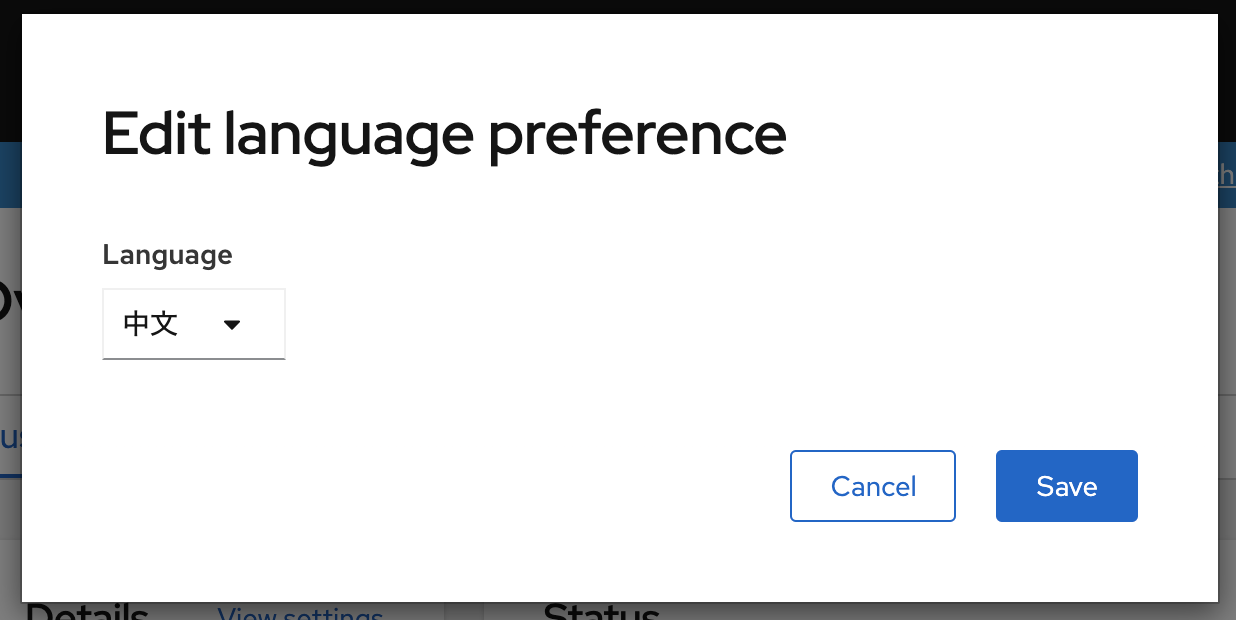
In the modal, you can select the language that you would like to use OpenShift in:
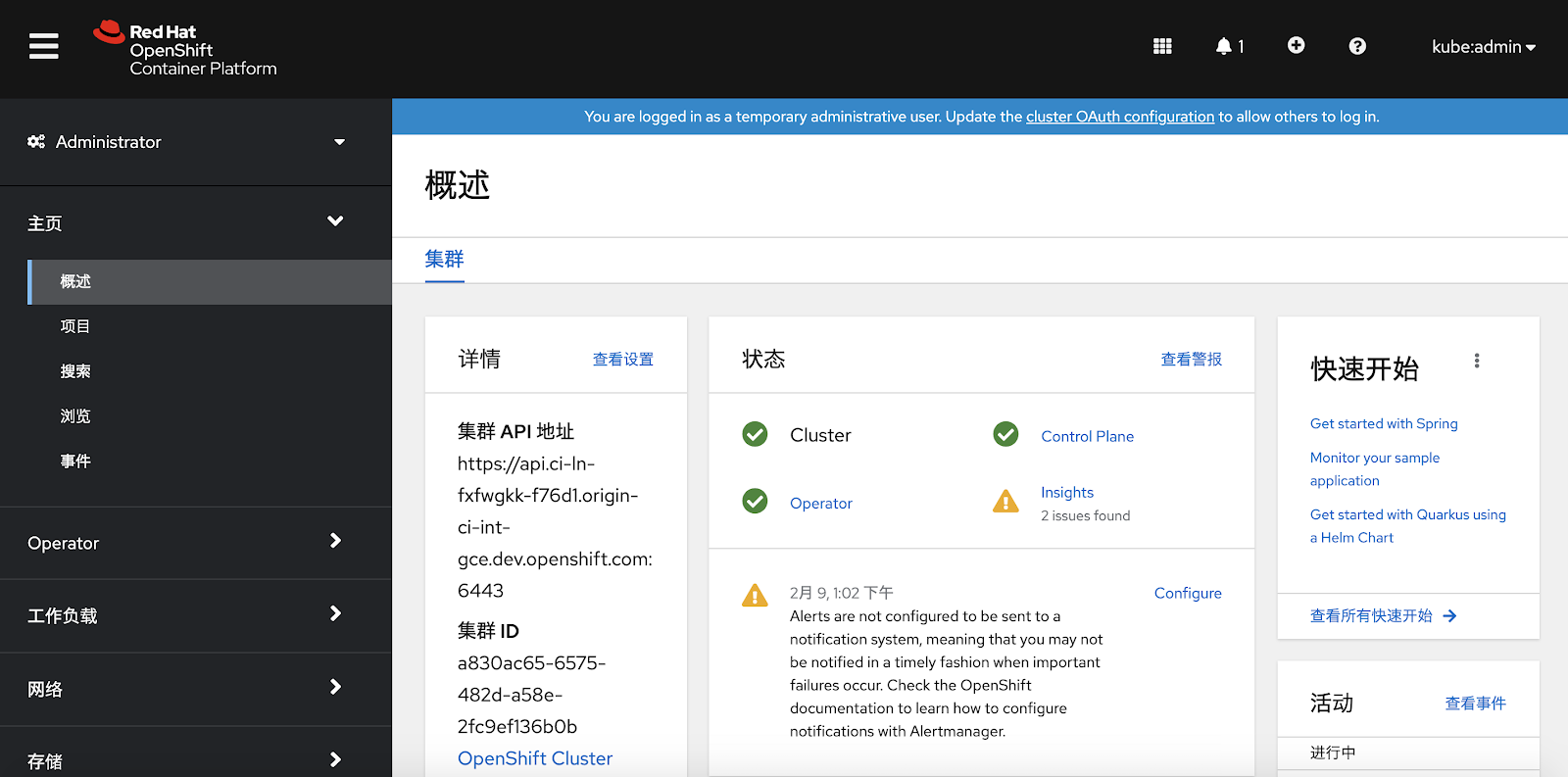
Once your preferred language is saved, OpenShift will update to the selected language.
Accessibility
We care about accessibility, and we have translated many ARIA attributes to support a great experience for assistive technology users. The attributes we’ve targeted are aria-label, aria-placeholder, aria-roledescription, and aria-valuetext. They will update automatically when the language is changed so we can support users in multiple languages. We will continue increasing our translation coverage for aria attributes in 4.8.
Things to Consider
As you explore the newly translated console, there are a few things to keep in mind:
- Localization of all text in OpenShift was not possible at this time. Items such as events surfaced from Kubernetes, alerts, error messages, informational messages from Operators, and logging messages will still be displayed in English.
- Localization is not included in the CLI at this time.
- We will continue to add more translations for Simplified Chinese and Japanese in future releases.
More Languages Are on the Way
We look forward to adding support for Korean, Traditional Chinese, and other languages.
If you are up for trying out this new feature, or if you are just getting started with OpenShift, visit Try OpenShift to get instant access to a cluster.
And, as always, we want to connect with users like you. Learn more about what the OpenShift design team is up to on the OpenShift Design site, and be sure to catch us on the OpenShift Twitch channel.
Sobre o autor
Mais como este
Por que os parceiros da Red Hat são o principal ativo comercial de telecomunicações
O paradoxo agêntico e o argumento a favor da IA híbrida
Crack the Cloud_Open | Command Line Heroes
Edge computing covered and diced | Technically Speaking
Navegue por canal

Automação
Últimas novidades em automação de TI para empresas de tecnologia, equipes e ambientes

Inteligência artificial
Descubra as atualizações nas plataformas que proporcionam aos clientes executar suas cargas de trabalho de IA em qualquer ambiente

Nuvem híbrida aberta
Veja como construímos um futuro mais flexível com a nuvem híbrida

Segurança
Veja as últimas novidades sobre como reduzimos riscos em ambientes e tecnologias

Edge computing
Saiba quais são as atualizações nas plataformas que simplificam as operações na borda

Infraestrutura
Saiba o que há de mais recente na plataforma Linux empresarial líder mundial

Aplicações
Conheça nossas soluções desenvolvidas para ajudar você a superar os desafios mais complexos de aplicações

Virtualização
O futuro da virtualização empresarial para suas cargas de trabalho on-premise ou na nuvem
