
What Is New?
In Red Hat OpenShift 4.6, we introduced Quick starts, a feature that enables users to discover and learn about key capabilities through step-by-step tutorials in the OpenShift Console. By guiding and highlighting capabilities in context, users are able to configure their system quickly, and learn as they go. In 4.7 we added Quick start extensibility, so customers can add their own step-by-step guides directly into the Console. In OpenShift 4.8, we have enhanced the component with the addition of code snippets, a resizable panel, and visibility on the Topology view.
Code Snippets
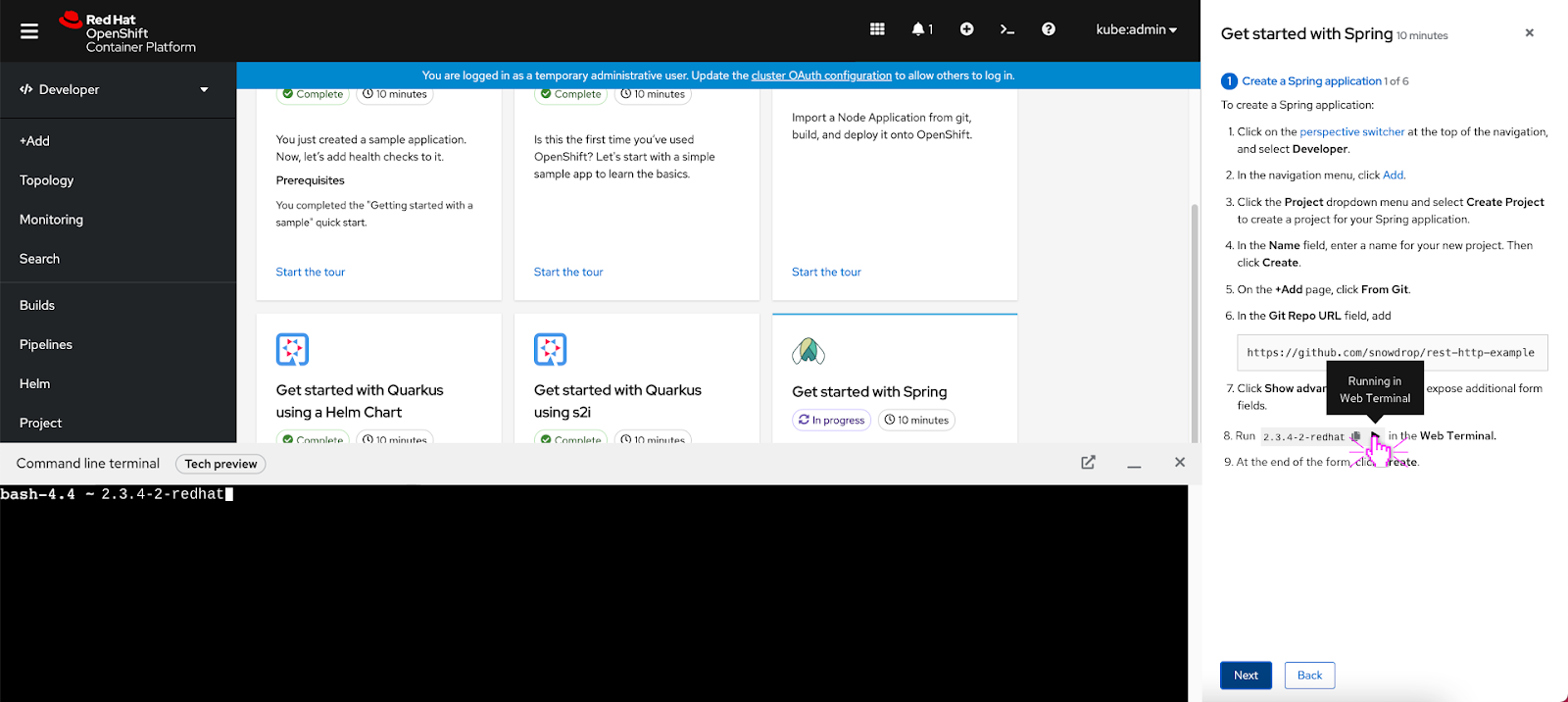
Code snippets and inline actions will now be supported by Quick starts and can optionally be included as part of the task instructions. A single line of code and a block of code will be treated the same way:

By default, the user will be able to click a copy icon to copy the code snippet to their clipboard:

If the Web Terminal operator is installed, users will also be able to click a play button to process code in the Web Terminal directly:
Resizable Panel
Another improvement to the Quick start feature that was added in 4.8 is the resizable side panel:
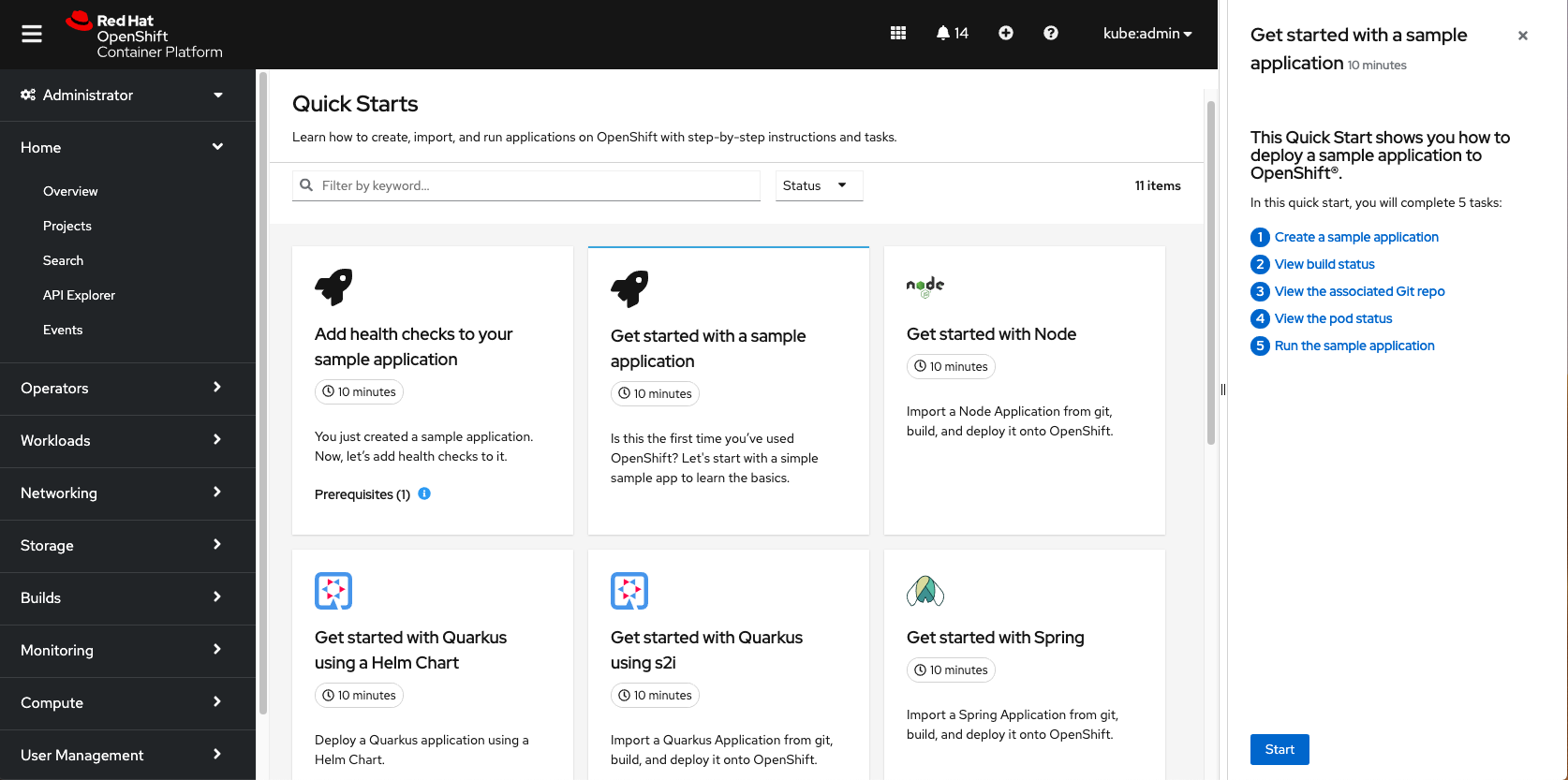
Users can click anywhere on the edge of the side panel and drag it out to the left to expand the content area or drag it to the right to maximize the screen real estate and shrink the side panel:
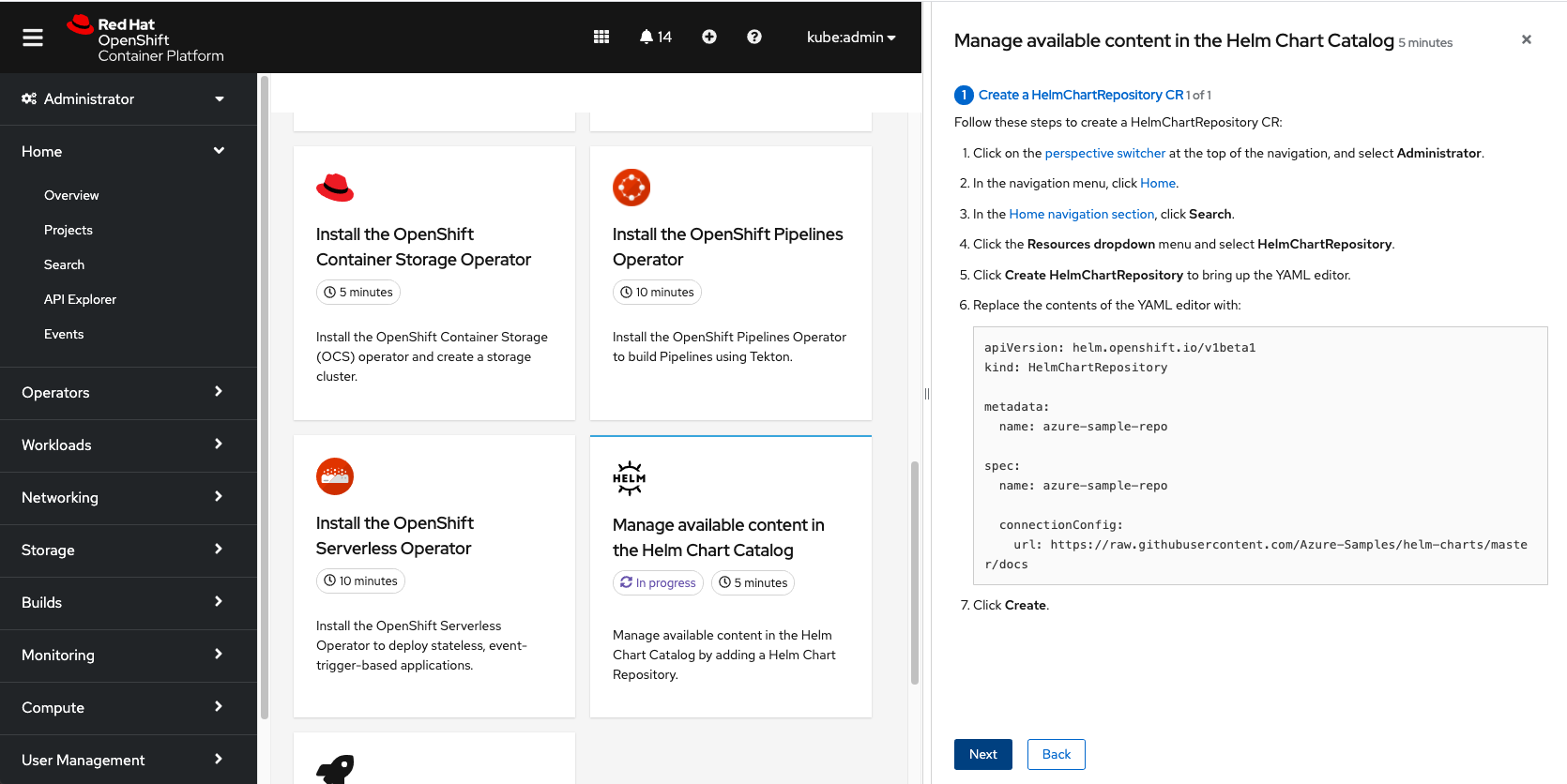
This provided flexibility allows users to adapt to varying use cases and screen sizes.
Topology View Search
In the Topology view of the Developer perspective (also visible in the Workloads tab of the Administrator perspective), there is an Add to project option that allows users to quickly search for something to add to a project. Quick starts are now included in this search and will appear with the Quick start badge to denote the type of content:


This is especially helpful for newer users who may be searching for a guide that can assist in completing a task. Users can preview the Quick start description and any prerequisites in context before choosing to start.
Want to Try It Yourself?
In this fast-paced environment where technology continues evolving, users are constantly trying to keep up with the latest features and capabilities in the Kubernetes space. Our goal is to improve the onboarding experience for new users and enhance the learning journey for all users. To learn more about how you can create and contribute a Quick start, check out our Quick start guidelines here and keep an eye out for continued enhancements in upcoming OpenShift releases.
If you are up for trying out this new feature, or if you are just getting started with OpenShift, visit Try OpenShift to get instant access to a cluster. You can also learn more about what the OpenShift design team is up to on our OpenShift Design site, and be sure to catch us on the OpenShift Twitch channel.
Sobre o autor
Mais como este
Por que os parceiros da Red Hat são o principal ativo comercial de telecomunicações
O paradoxo agêntico e o argumento a favor da IA híbrida
Crack the Cloud_Open | Command Line Heroes
Edge computing covered and diced | Technically Speaking
Navegue por canal

Automação
Últimas novidades em automação de TI para empresas de tecnologia, equipes e ambientes

Inteligência artificial
Descubra as atualizações nas plataformas que proporcionam aos clientes executar suas cargas de trabalho de IA em qualquer ambiente

Nuvem híbrida aberta
Veja como construímos um futuro mais flexível com a nuvem híbrida

Segurança
Veja as últimas novidades sobre como reduzimos riscos em ambientes e tecnologias

Edge computing
Saiba quais são as atualizações nas plataformas que simplificam as operações na borda

Infraestrutura
Saiba o que há de mais recente na plataforma Linux empresarial líder mundial

Aplicações
Conheça nossas soluções desenvolvidas para ajudar você a superar os desafios mais complexos de aplicações

Virtualização
O futuro da virtualização empresarial para suas cargas de trabalho on-premise ou na nuvem
