
This unit of work is a part of our continuous effort to improve the upgrade experience. Updates can be configured to receive information from Red Hat or via a custom update service. This set of enhancements allows customers to edit the Cincinnati server location directly in the console UI.
Let’s take a closer look.
How to edit the Cincinnati server location
Navigate to the Cluster Settings details page. The new Upstream configuration field enables users to receive updates from Red Hat or provide a custom update service:

Click the pencil icon to open a modal, where you can edit the way your cluster is configured to receive updates.
The modal provides two ways to configure the upstream service:
- Default. Receive updates from Red Hat.
- Custom update service.
We also provide a link to documentation to learn more about OpenShift local update services:
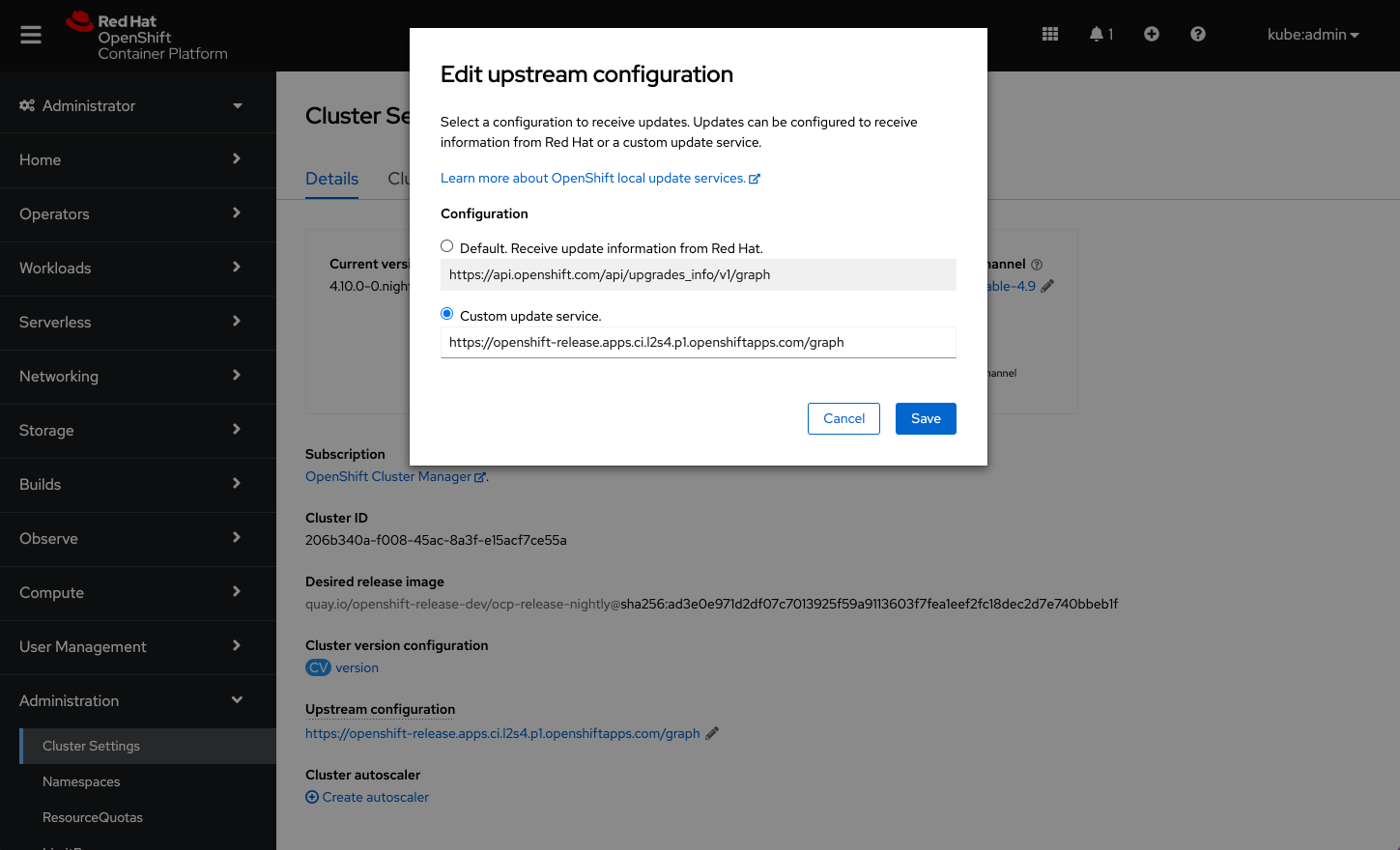
When the configuration is saved, it will appear on the Cluster Settings details page under the Upstream configuration field.
Note: Users can also edit the Upstream configuration on the Cluster Version details page. By default, the configuration will be set to receive update information from Red Hat. Any changes to the upstream configuration will take effect immediately.
Connect with us
Look for more user preference enhancements to come in upcoming releases.
We are always growing and evolving our improvements to OpenShift with a customer-first mindset. Be on the lookout for more enhancements in future releases. And do not forget to sign up to participate in future research opportunities to share your OpenShift experiences.
Let us know your thoughts. We would love to connect with users like you. Stay up to speed with the OpenShift design team on our OpenShift Design site, and be sure to catch us on the OpenShift Twitch channel.
Sobre el autor
Más como éste
Cómo Lightwell protege tus resultados y la velocidad de los desarrolladores
La nueva moneda de la velocidad empresarial
Can Compliance Be A Piece Of Cake? | Compiler
Collaboration In Product Security | Compiler
Navegar por canal

Automatización
Las últimas novedades en la automatización de la TI para los equipos, la tecnología y los entornos

Inteligencia artificial
Descubra las actualizaciones en las plataformas que permiten a los clientes ejecutar cargas de trabajo de inteligecia artificial en cualquier lugar

Nube híbrida abierta
Vea como construimos un futuro flexible con la nube híbrida

Seguridad
Vea las últimas novedades sobre cómo reducimos los riesgos en entornos y tecnologías

Edge computing
Conozca las actualizaciones en las plataformas que simplifican las operaciones en el edge

Infraestructura
Vea las últimas novedades sobre la plataforma Linux empresarial líder en el mundo

Aplicaciones
Conozca nuestras soluciones para abordar los desafíos más complejos de las aplicaciones

Virtualización
El futuro de la virtualización empresarial para tus cargas de trabajo locales o en la nube
