

OpenShift Pipelines based on Tekton provides a Kubernetes-native CI/CD framework to design and run your pipelines. You do not need a separate CI/CD server to manage or maintain.
An important aspect of OpenShift Pipelines is that each step of the CI/CD pipeline runs in its own container thereby allowing each step to be customized as required.
A typical CI/CD pipeline is a set of tasks, and each task is a set of steps. Further, a task is run as a Kubernetes Pod, and each step of the task is a separate container in the Pod.
The diagram below will help to visualize the relationship between task, step, pipeline. and Pod.
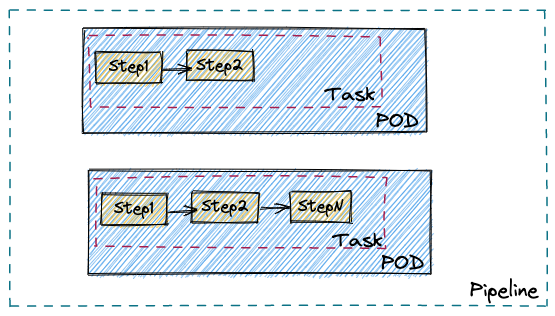
By virtue of the task running as a Kubernetes Pod, it is possible to customize each step with respect to container resource requirements, runtime configuration, security policies, attached sidecar, and others.
Let’s say you are looking for a safe way to handle one of these requirements:
- Run a task requiring additional privileges
- Run a step in the task with unsafe sysctl settings (for example, kernel.msgmax) and capture some test data
This is where the combination of OpenShift sandboxed containers and OpenShift Pipelines can help you.
With a single line change to the associated Pod template used to run the tasks, you can provide an additional isolation layer by leveraging the Kata container runtime.
The one line change is adding the following statement to the Pod template spec: runtimeClassName: kata
Sample Pod template spec
…
spec:
  pipelineRef:
    name: mypipeline
  podTemplate:
    …
    runtimeClassName: kata
    …
A short video demo can be viewed here:
In the remainder of the blog, we will see a complete example of using OpenShift sandboxed containers with OpenShift Pipelines. Specifically, we will use the pipelines tutorial and an example TaskRun with Kata container runtime.
Prerequisites
Make sure Red Hat OpenShift Pipelines Operator and OpenShift sandboxed containers Operator are installed.
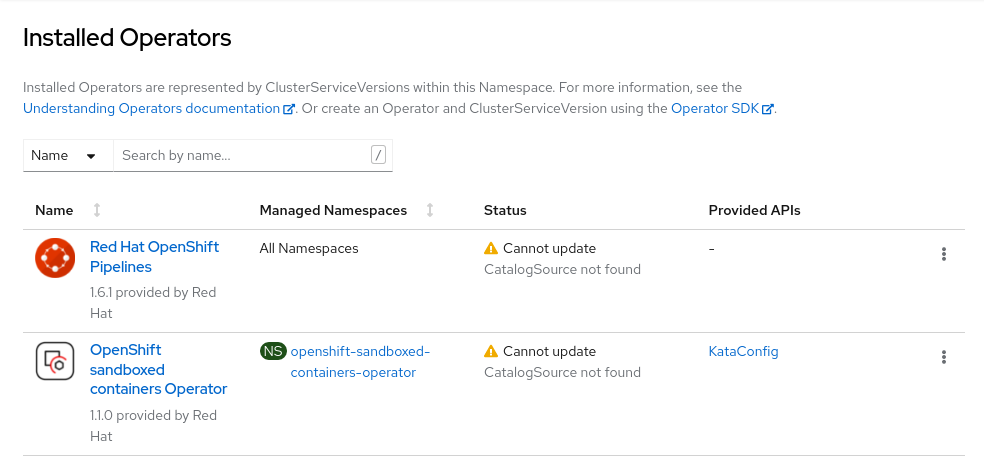
Create KataConfig by following the instructions given in this doc:
Pipelines Tutorial - Using Kata runtime
Setup
$ git clone https://github.com/openshift-pipelines/pipelines-tutorial.git
$ cd pipelines-tutorial
$ ./demo.sh setup-pipeline
[...snip…]
 Tasks
 NAME                  TASKREF             RUNAFTER           TIMEOUT   CONDITIONS   PARAMS
 ∙ fetch-repository    git-clone                              ---       ---          url: string, subdirectory: , deleteExisting: true, revision: master
 ∙ build-image         buildah             fetch-repository   ---       ---          IMAGE: string
 ∙ apply-manifests     apply-manifests     build-image        ---       ---          ---
 ∙ update-deployment   update-deployment   apply-manifests    ---       ---          deployment: string, IMAGE: string
[...]
$ ./demo.sh run
INFO: Running API Build and deploy
tkn -n pipelines-tutorial pipeline start build-and-deploy -w name=shared-workspace,volumeClaimTemplateFile=01_pipeline/03_persistent_volume_claim.yaml -p deployment-name=pipelines-vote-api -p git-url=https://github.com/openshift/pipelines-vote-api.git -p IMAGE=image-registry.openshift-image-registry.svc:5000/pipelines-tutorial/pipelines-vote-api --showlog=true
 ? Value for param `git-revision` of type `string`? (Default is `master`) kata
Entering kata here will use the ‘kata’ branch, and the pipelines-tutorial will be using Kata containers runtime.
Verify by checking the runtimeClassName attribute in the Pod yaml.
$ oc -n pipelines-tutorial get pod -o yaml pipelines-vote-api-64c4984b9c-w2gr7 | grep -i kata
  runtimeClassName: kata
$ oc -n pipelines-tutorial get pod -o yaml pipelines-vote-ui-58767bc8f4-dnlsk | grep -i kata
  runtimeClassName: kata
You can see the one line change here.
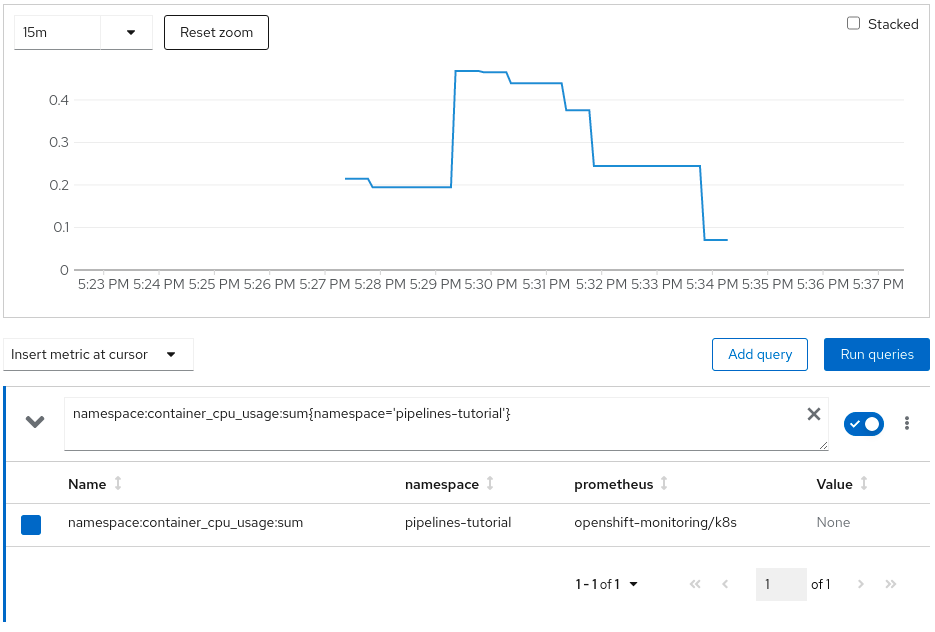
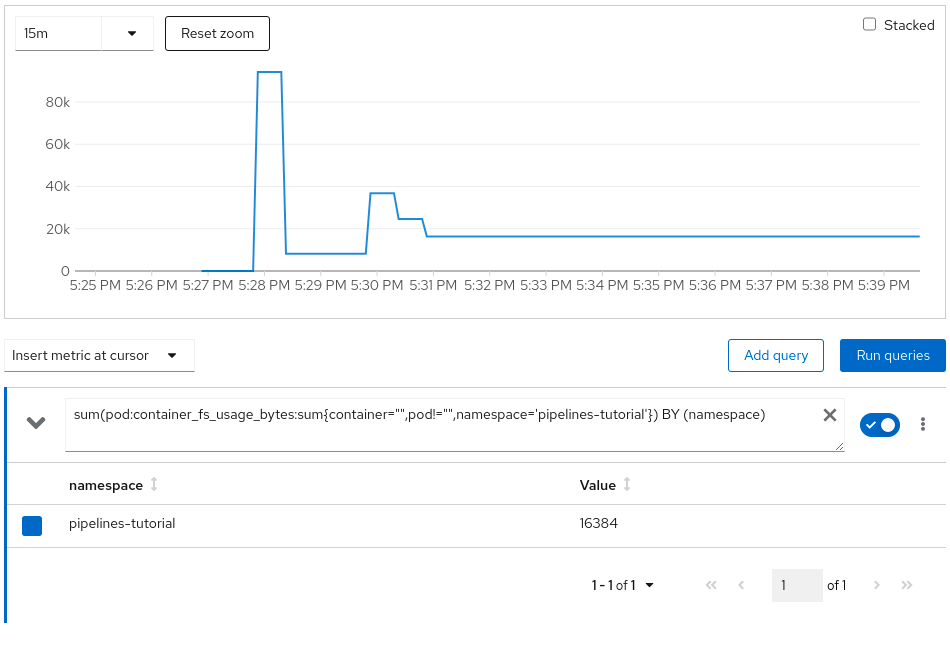
Observe the resource consumption on the web console
CPU Utilization:
Memory Utilization:

File System Utilization:
Network Utilization:

Pipelines Tutorial - default cri-o runtime
Setup
Follow the same steps as highlighted in the previous section, but enter main (or simply press ‘Enter,’ which will take default) when prompted to enter git-revision instead of kata.
Observe the resource consumption on the web console
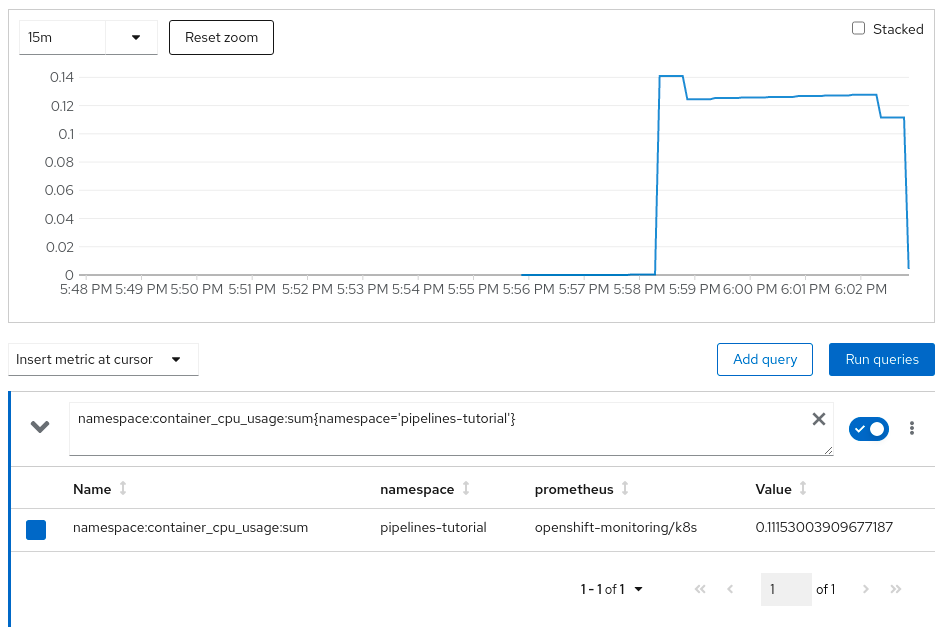
CPU Utilization:
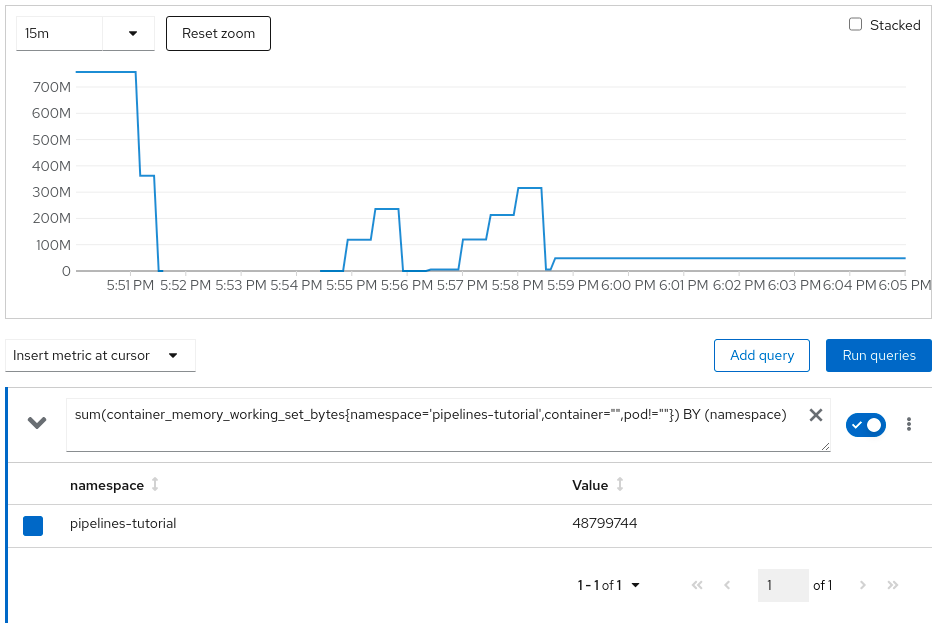
Memory Utilization:
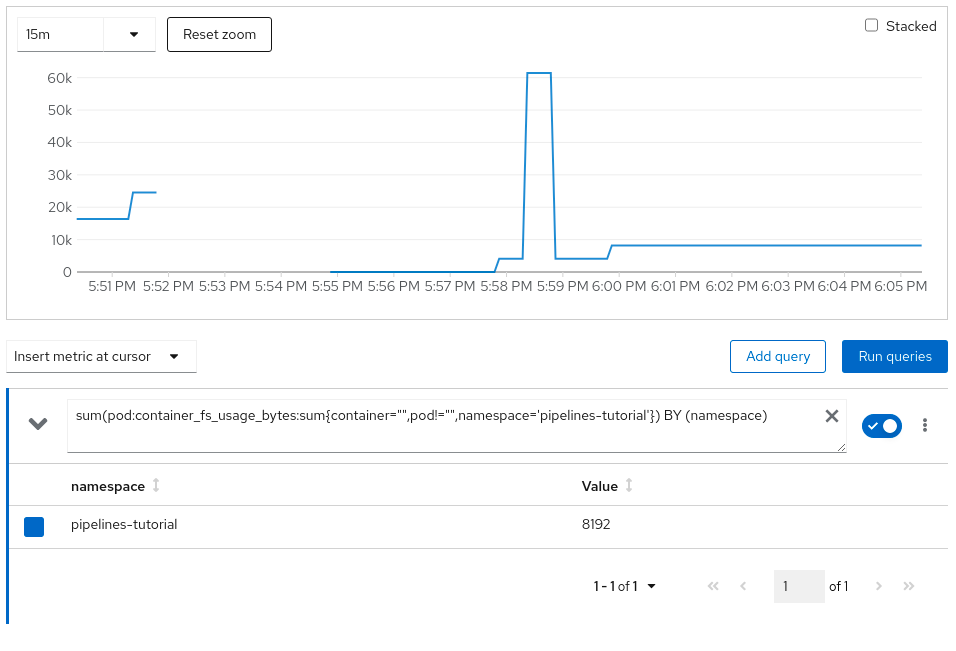
File system Utilization:
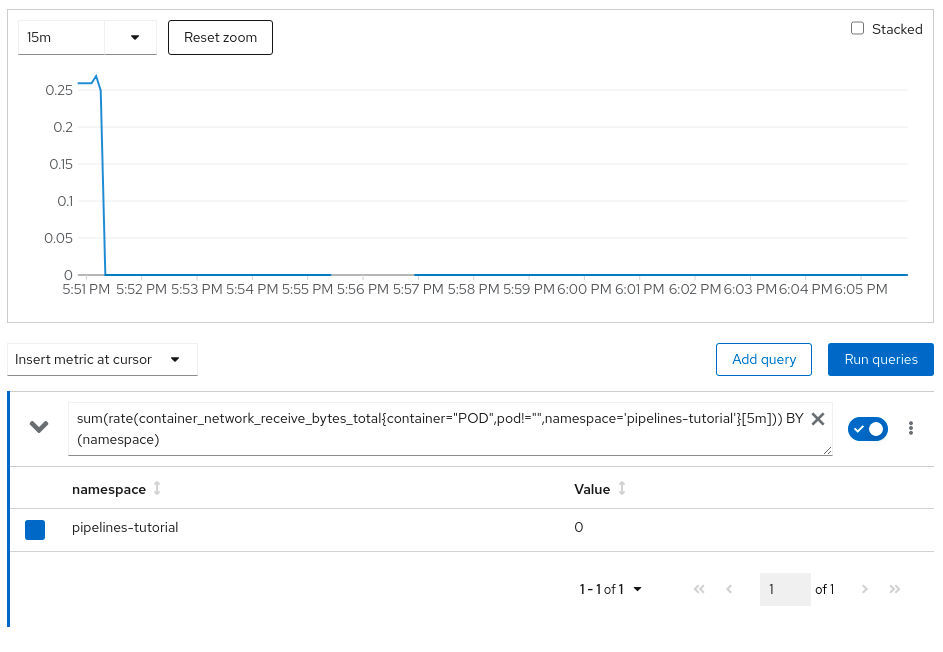
Network Utilization:
Conclusion
As you can see via the pipeline demo example, providing an additional isolation layer to some of your cloud-native CI/CD tasks using Kata containers runtime is extremely easy. However, it should also be noted that this additional isolation layer comes with a small amount of resource overhead as reflected in the resource utilization charts. There is always a trade-off, and you will need to decide what is applicable for your environment.
Sobre los autores
Pradipta is working in the area of confidential containers to enhance the privacy and security of container workloads running in the public cloud. He is one of the project maintainers of the CNCF confidential containers project.
Más como éste
¿No puedes aplicar parches con la suficiente rapidez? La confianza cero como última línea de defensa
Motivos por los que los partners de Red Hat son el principal recurso empresarial para las telecomunicaciones
Scaling with Orchestrators | Compiler
Container Roundup | Compiler
Navegar por canal

Automatización
Las últimas novedades en la automatización de la TI para los equipos, la tecnología y los entornos

Inteligencia artificial
Descubra las actualizaciones en las plataformas que permiten a los clientes ejecutar cargas de trabajo de inteligecia artificial en cualquier lugar

Nube híbrida abierta
Vea como construimos un futuro flexible con la nube híbrida

Seguridad
Vea las últimas novedades sobre cómo reducimos los riesgos en entornos y tecnologías

Edge computing
Conozca las actualizaciones en las plataformas que simplifican las operaciones en el edge

Infraestructura
Vea las últimas novedades sobre la plataforma Linux empresarial líder en el mundo

Aplicaciones
Conozca nuestras soluciones para abordar los desafíos más complejos de las aplicaciones

Virtualización
El futuro de la virtualización empresarial para tus cargas de trabajo locales o en la nube
