As deployments of Red Hat Enterprise Linux AI (RHEL AI) workloads grow, Red Hat has been working to create a new set of recommendations to help RHEL AI administrators streamline operations. Connecting a RHEL AI system to Insights remains simple, as with any other RHEL system. To register, run this command:
$ rhc connectOnce registered, there's no further action required. You can immediately see your findings for this host at console.redhat.com/insights/advisor and benefit from the new set of RHEL AI recommendations. Read more in Configuring accounts for RHEL AI or use the Red Hat Insights registration assistant to help you get started.
New Red Hat Insights recommendations for RHEL AI
RHEL AI is based on the same underlying image as traditional RHEL, but it's purposefully built and tested as an appliance. Modifications to the image itself aren't expected, nor recommended. This has led us to adjust existing recommendations in Red Hat Insights to accommodate the unique characteristics of RHEL AI, mostly due to bootc upgrades only preserving contents of the /etc and /var directories. We've modified the resolution steps and detection logic of existing recommendations to avoid incompatibilities with RHEL AI.
New recommendations designed especially for RHEL AI workloads cover a wide range. You can see them in the Red Hat Enterprise Linux AI topic within Red Hat Insights Advisor.

Supported hardware
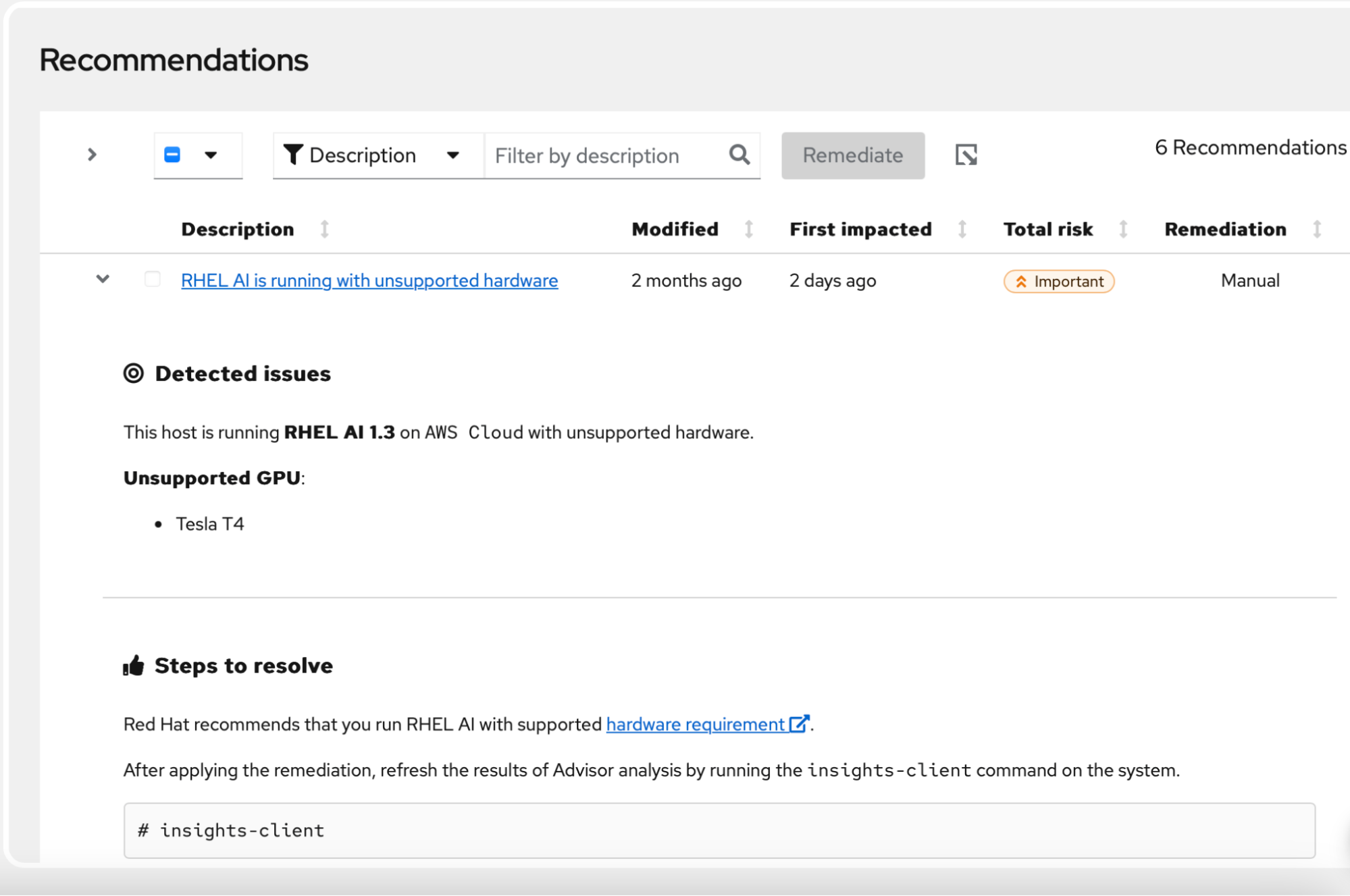
RHEL AI requires high-performance capacity to support all phases of the LAB model alignment methodology, like model fine-tuning, synthetic data generation and AI model serving. It's important to make sure a RHEL AI system has the resources it needs and runs on supported hardware. Red Hat Insights Advisor is now capable of detecting unsupported hardware and alerting customers about this suboptimal setup.
To learn more about hardware requirements, read Red Hat Enterprise Linux AI hardware requirements.
Supported RHEL AI version
Because RHEL AI is rapidly developing, bug fixes and new feature development are aimed at the latest versions of the product. Keeping up with the latest supported version can be a challenge, so Red Hat Insights keeps an eye on the currently supported versions of RHEL AI and alerts you whenever it detects an unsupported version in your environment.
RHEL AI image updates
RHEL AI is built on image mode RHEL and bootable container technology (bootc), which relies on pulling images from Red Hat's container registry. To avoid facing bootc authentication problems, it's recommended to log in to redhat.registry.io and make a copy of /run/containers/0/auth.json to /etc/ostree . Red Hat Insights helps with precisely this task, alerting you when the file is missing or empty.
Power supply of GPUs
When a GPU is not receiving adequate power, it results in a downward throttling of its clock speed. As a result, Instructlab’s training and synthetic data generation performance decreases. Insights can detect the hardware power brake slowdown of certain GPU brands and alert about it.
Deploy AI with confidence
These new recommendations demonstrate our commitment to supporting the growth of RHEL AI workloads and ensuring that you have a smooth day-2 operations experience when managing RHEL AI with Red Hat Insights.
Try deploying RHEL AI through our product trial and connect it to Red Hat Insights.
Prueba del producto
Red Hat Enterprise Linux AI | Versión de prueba del producto
Sobre el autor

With more than 10 years of experience in the software industry, Stefan Bunciak is currently the Product Manager for Red Hat Insights. He completed his master's degree in Informatics at Masaryk University in Brno and is skilled in project and people management, quality engineering, and software development. In his spare time, he plays violin in a folklore band.
Más como éste
Navigating the Mythos-haunted world of platform security
Red Hat and NVIDIA: Setting standards for high-performance AI inference
Technically Speaking | Build a production-ready AI toolbox
Technically Speaking | Platform engineering for AI agents
Navegar por canal

Automatización
Las últimas novedades en la automatización de la TI para los equipos, la tecnología y los entornos

Inteligencia artificial
Descubra las actualizaciones en las plataformas que permiten a los clientes ejecutar cargas de trabajo de inteligecia artificial en cualquier lugar

Nube híbrida abierta
Vea como construimos un futuro flexible con la nube híbrida

Seguridad
Vea las últimas novedades sobre cómo reducimos los riesgos en entornos y tecnologías

Edge computing
Conozca las actualizaciones en las plataformas que simplifican las operaciones en el edge

Infraestructura
Vea las últimas novedades sobre la plataforma Linux empresarial líder en el mundo

Aplicaciones
Conozca nuestras soluciones para abordar los desafíos más complejos de las aplicaciones

Virtualización
El futuro de la virtualización empresarial para tus cargas de trabajo locales o en la nube
