
Red Hat Ansible Automation Platform 2.1 introduced automation execution environments, which is a new way to package automation into a container runtime environment. In addition, private automation hub also joined the party by adding significant support for execution environments.
Let's dive into those features:
Feature 1 - The registry
Private automation hub now ships with the pulp container registry. This means it can store and serve up container images.
We only support the Ansible private automation hub registry serving execution environment images.
Feature 2 - Remote registries
The Ansible private automation hub user interface allows the administrator to define remote registries. This allows for the registry to mirror container images from their source. A good example of remote registries is adding the base execution environment images available at Red Hat.
To access the Red Hat registry, visit registry.redhat.io and use the same username and password that you use for access.redhat.com.
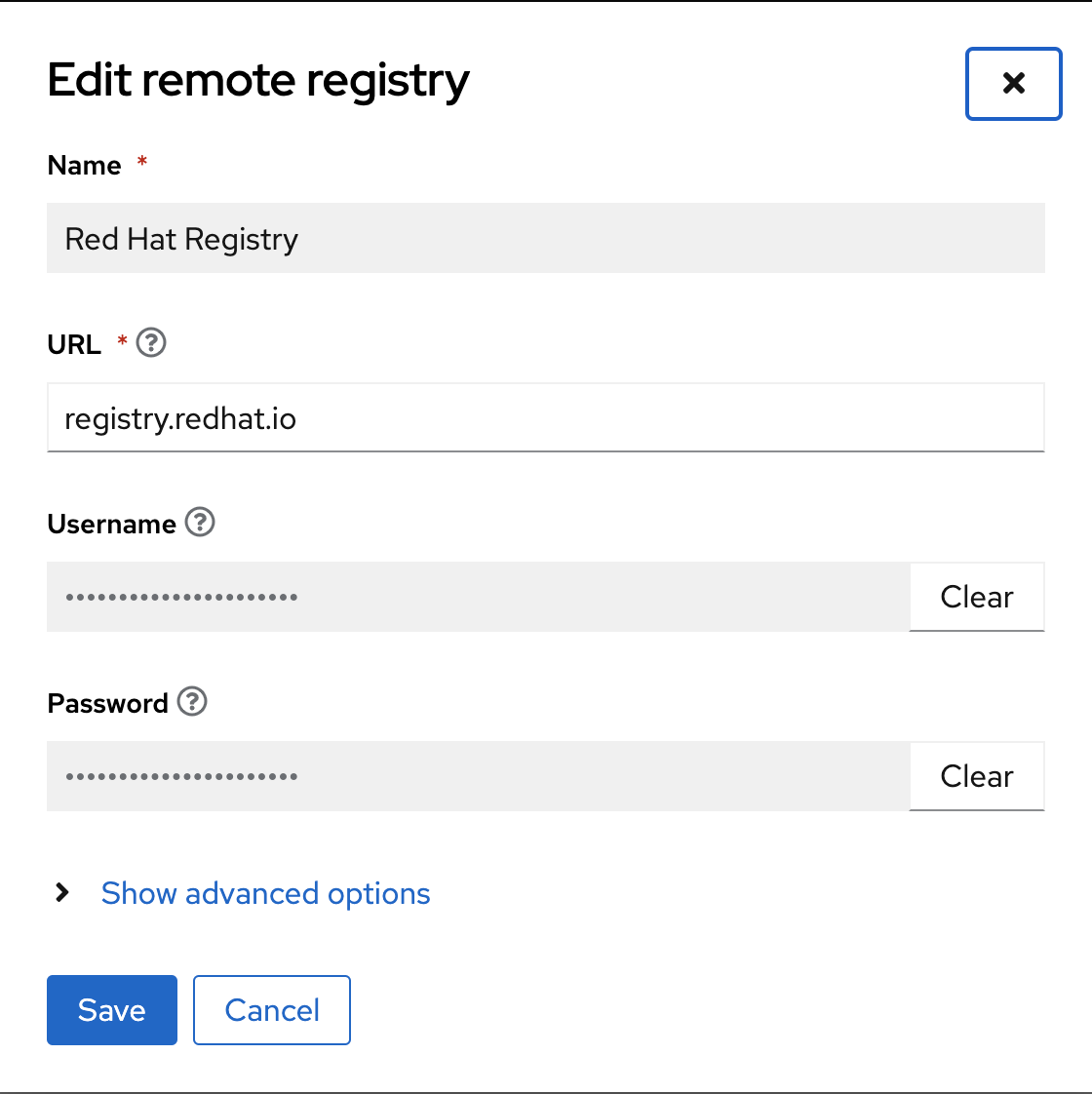
Upon adding the registry, you will see a new remote registry definition.
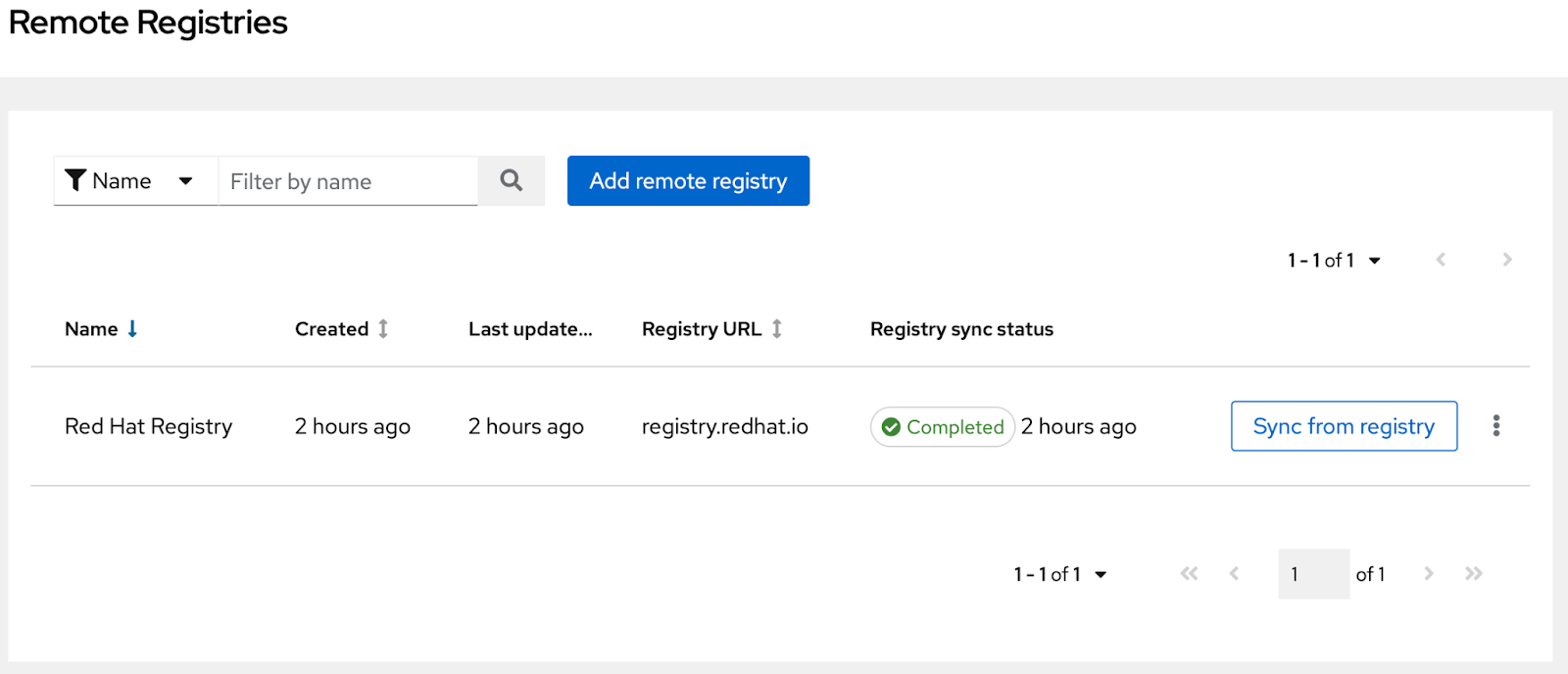
Feature 3 - Indexing a remote registry
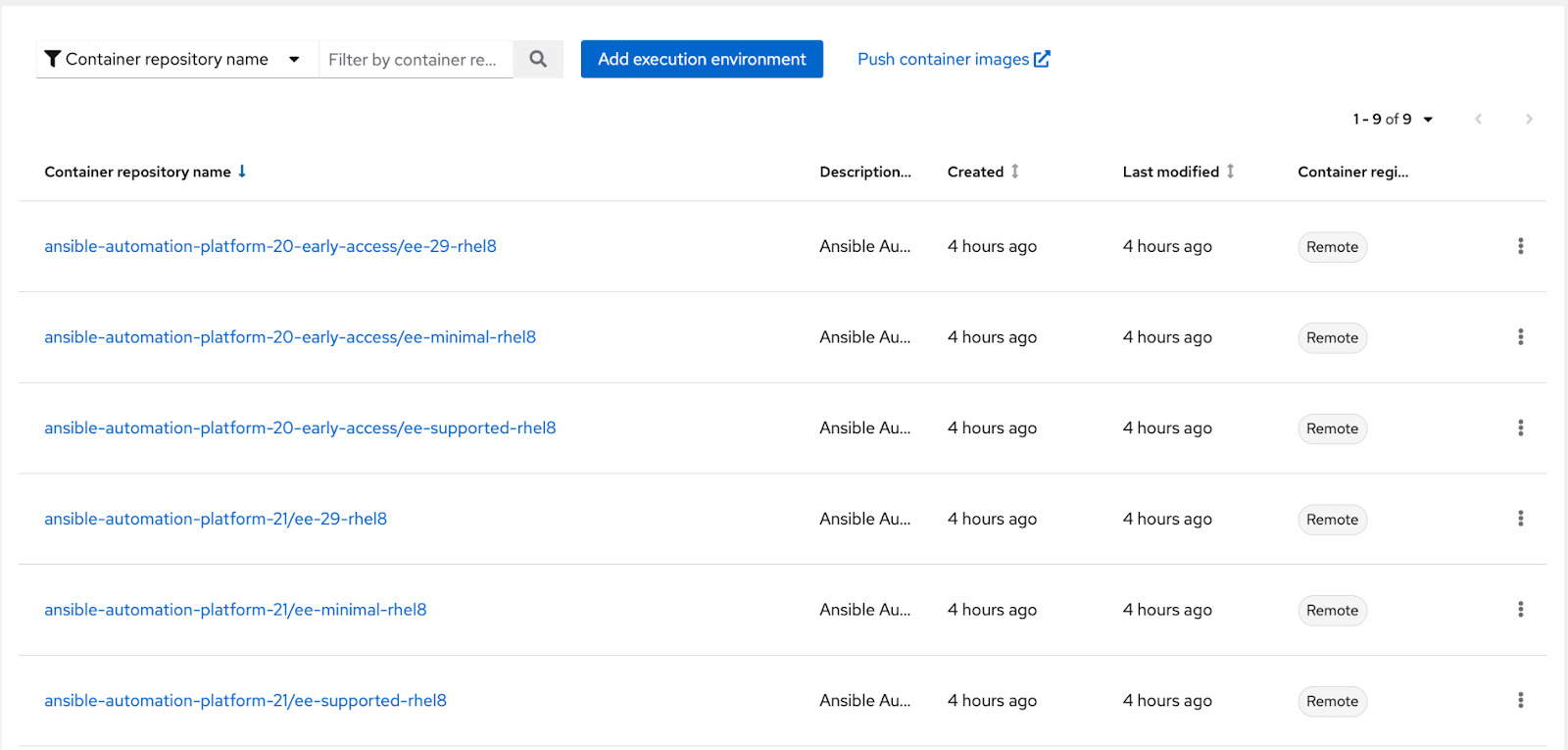
This capability is available after you have added a remote registry as per Feature 2; click the menu on the registry and select “Index Registry”. It will enumerate the remote registry for any execution environment images, and it does this by filtering on any image that matches build_categories=”Automation Execution Environment”. Any images that match are automatically added as execution environments as shown here:
Feature 4 - Mirrored container images
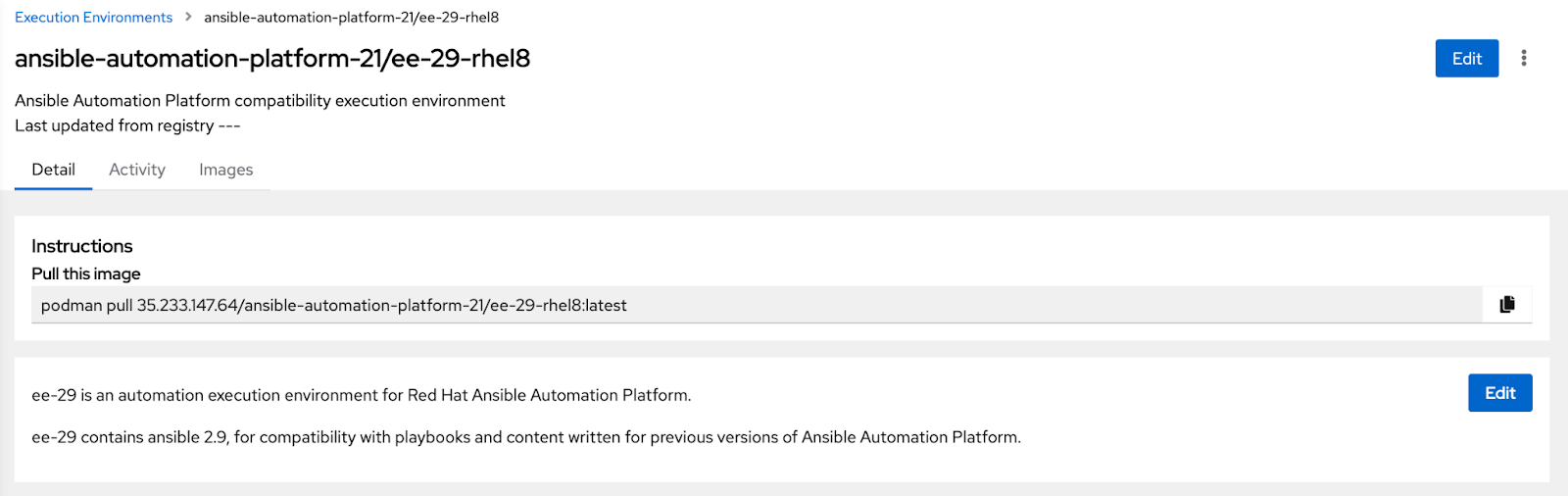
When you have either manually added a remote execution environment container image or had them automatically created for you through indexing (as in Feature 3), these images are mirrored to your private automation hub. This means you can set your automation controller to pull from your private automation hub rather than over the internet to the remote source. Images that are mirrored also include their metadata and coming soon as technical preview the image signatures will also be mirrored. This is shown here with the ee-29-rhel8 base image that was indexed in registry.redhat.io remote registry.
Feature 5 - Audit trail
Something for the security folks is an audit trail of changes to an execution environment image. This includes pushes, sha changes and tags.

Feature 6 - Image pull instructions
The private automation hub user interface displays the instructions on how to download the execution environment container image using the command line, the same as it does for Collections. This is a good example of continuity between Collections and container images.
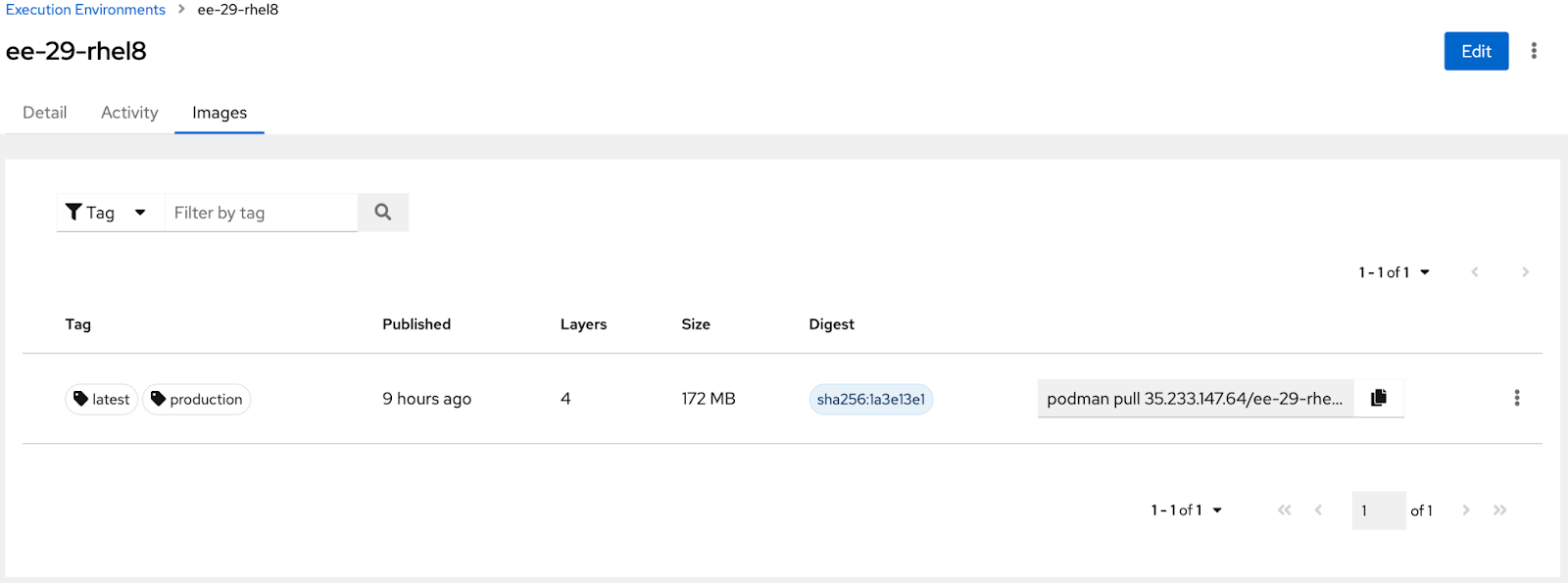
Feature 7 - Use in controller
This feature enhances the user experience for managing execution environment images in the platform. In summary, you can select “use in controller” and it will display the following modal:
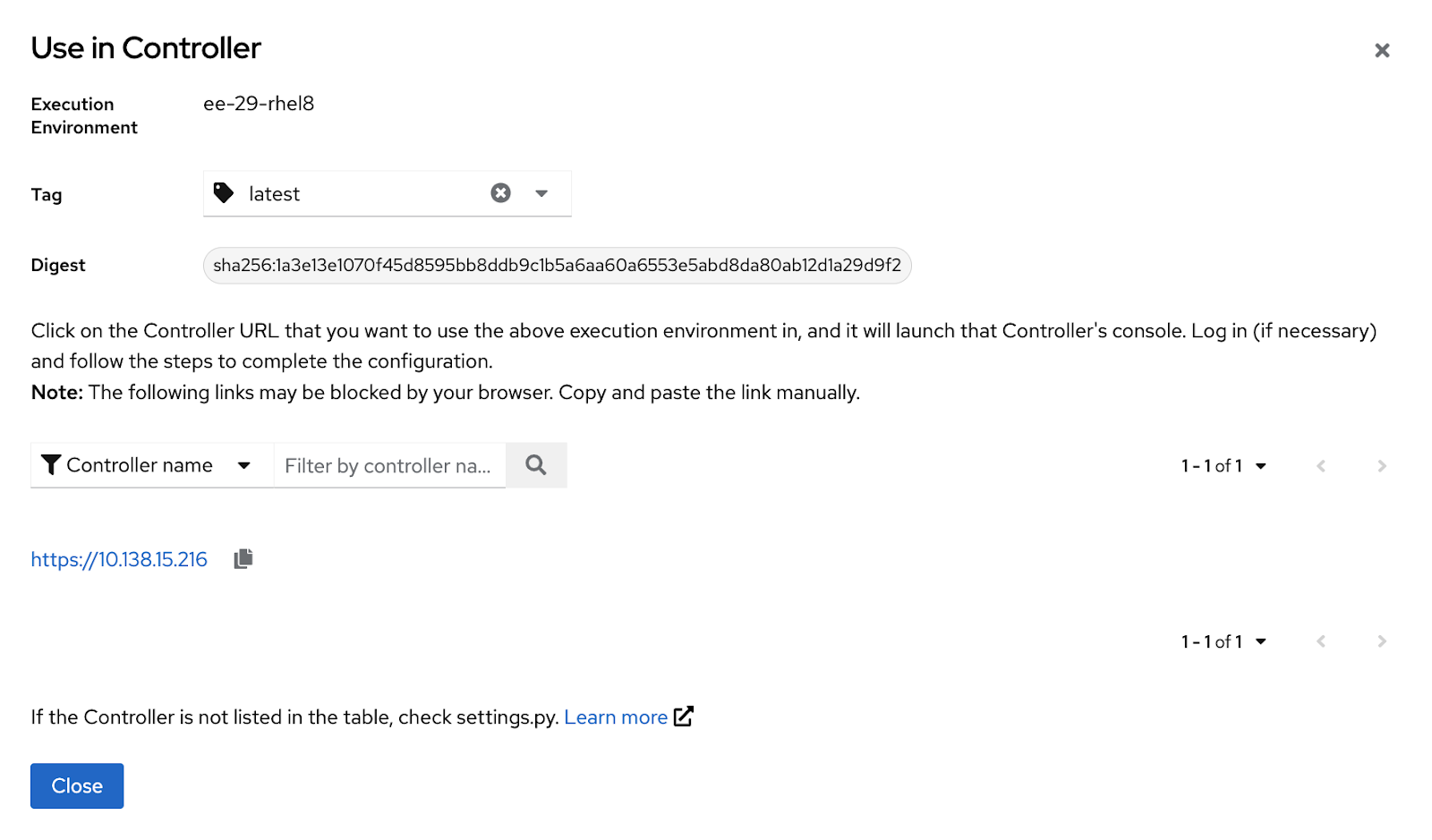
This will create an execution environment in the automation controller pointing to the container image in private automation hub with all the correct references for sha, tag, repo and URL.
Feature 8 - Role based access integration
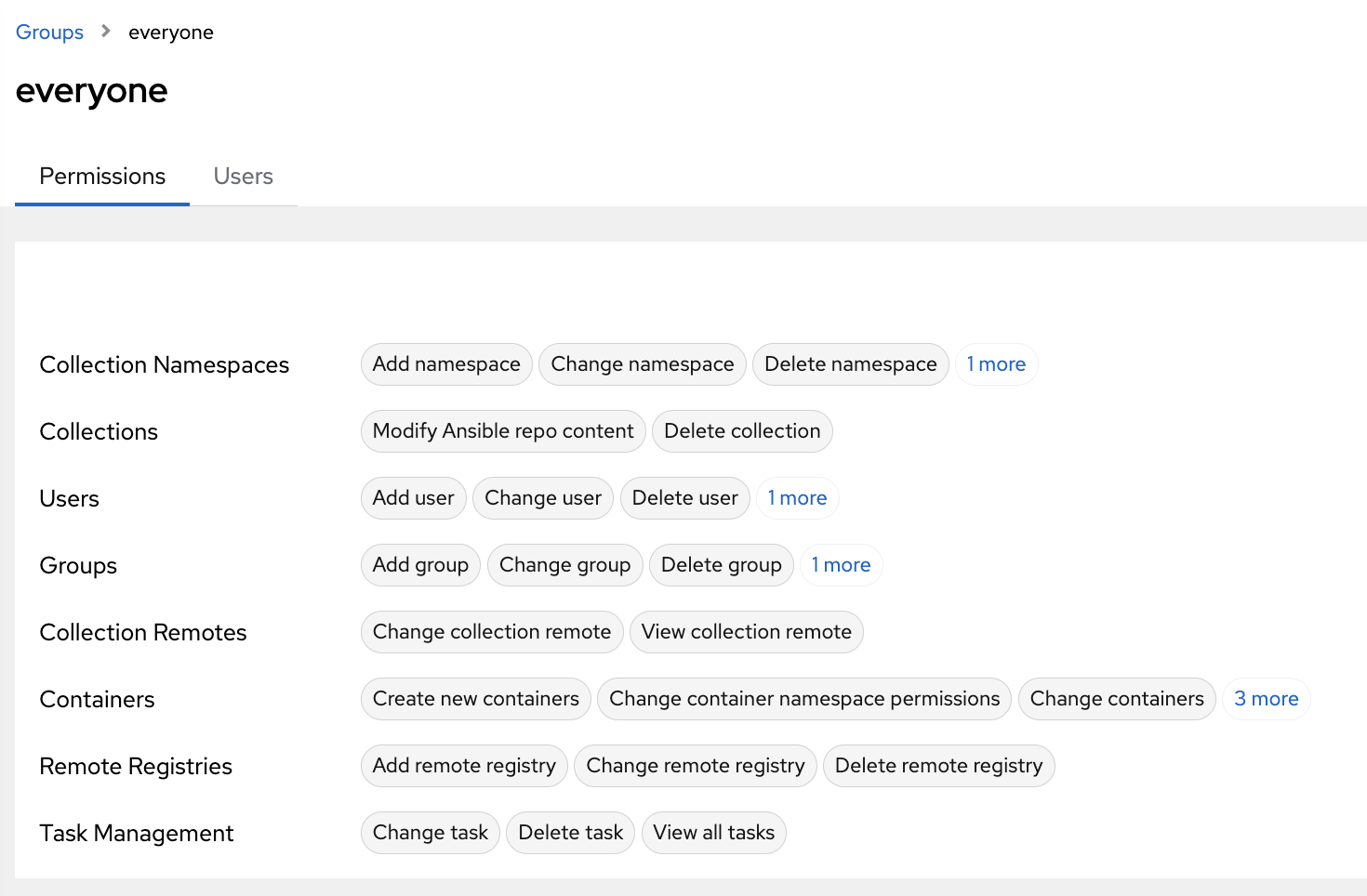
Lastly, the RBAC service in private automation hub has been updated to support the container registry constructs. You can control remote registries and containers to a granular level with your users and groups.
Conclusion
Ansible private automation hub's first release with a built-in container registry for execution environments enhances the user experience for better adoption of execution environments. There is more on the roadmap to , such as container image introspection and building execution environment images in Ansible private automation hub. For now, be on the lookout for new features that enable the signing of Collections and container images. This will allow execution environment builder to create images using signed content through verifying the signature of the base image being pulled in for the execution environment builder session, then outputting a container image that is also signed and can be stored in the Ansible private automation hub container registry along with its signature.
À propos de l'auteur

Plus de résultats similaires
Cessez de gérer le passé et commencez à bâtir l'avenir de l'informatique
De l'inférence aux agents : mise à l'échelle de l'IA en entreprise avec Red Hat AI 3.4
Collaboration In Product Security | Compiler
Keeping Track Of Vulnerabilities With CVEs | Compiler
Parcourir par canal

Automatisation
Les dernières nouveautés en matière d'automatisation informatique pour les technologies, les équipes et les environnements

Intelligence artificielle
Actualité sur les plateformes qui permettent aux clients d'exécuter des charges de travail d'IA sur tout type d'environnement

Cloud hybride ouvert
Découvrez comment créer un avenir flexible grâce au cloud hybride

Sécurité
Les dernières actualités sur la façon dont nous réduisons les risques dans tous les environnements et technologies

Edge computing
Actualité sur les plateformes qui simplifient les opérations en périphérie

Infrastructure
Les dernières nouveautés sur la plateforme Linux d'entreprise leader au monde

Applications
À l’intérieur de nos solutions aux défis d’application les plus difficiles

Virtualisation
L'avenir de la virtualisation d'entreprise pour vos charges de travail sur site ou sur le cloud
