
Introduction to Instana APM in an OpenShift Environment
Maintaining a handle on service quality in a highly distributed and dynamic environment is a challenge facing the managers of today’s containerized microservice architectures. Instana has built the next generation of application performance monitoring for modern containerised microservice applications, using automation and artificial intelligence to make this task possible. Without a high level of automation and the application of artificial intelligence, the monitoring will fail to keep up with the constant change in orchestrated microservice applications. If the monitoring configuration is not in synchronisation with the application, then it can not provide accurate information and error-free alerting.
Because automation is already used extensively in the development and deployment of applications, it makes sense to use it for monitoring as well. Instana provides continuous automatic discovery of both technology stacks and services, resulting in the monitoring always being aligned with the application under management. Metric data is captured at a 1 second granularity and every request is traced end to end, ensuring nothing is overlooked in the ever-changing structure of orchestrated microservice applications. Instana’s artificial intelligence already knows which KPIs to monitor for each technology and it soon learns the normal patterns for your application, intelligently alerting on abnormalities. Not only is the discovery of the technology stack automatic, the understanding of service quality is automatic as well.

Getting Started with Instana and OpenShift
For this walkthrough, I am using Minishift along with VirtualBox to run the OpenShift stack on my MacBook Pro. If you want to try it for yourself you can sign up for a free time limited trial of Instana on the website.
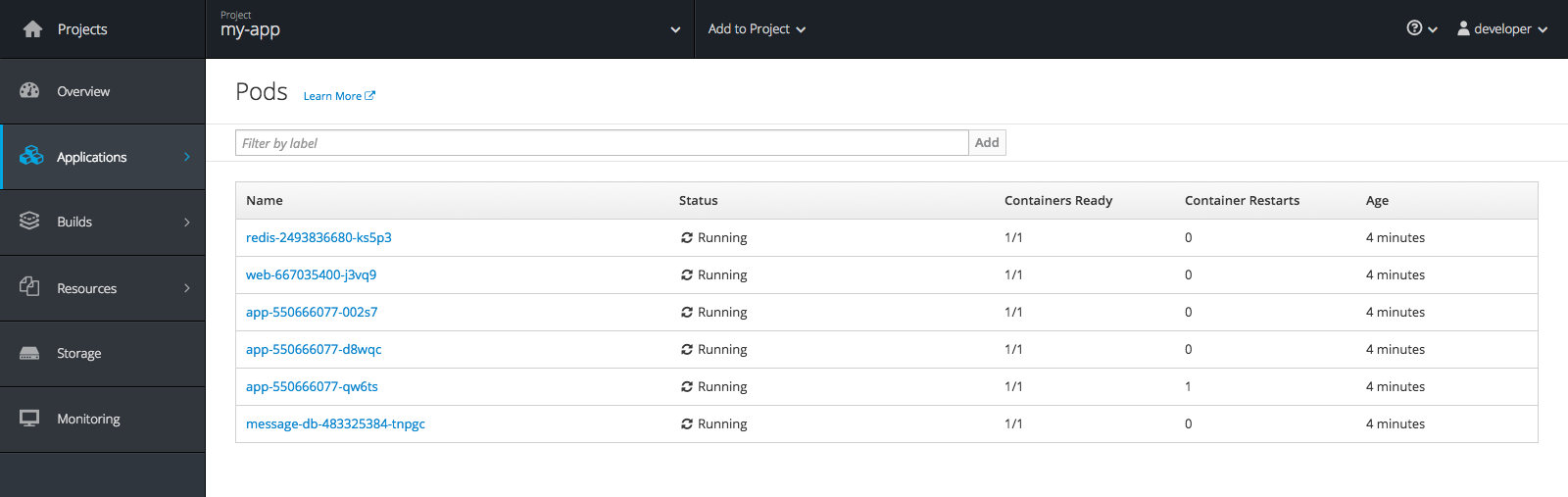
I have signed into the OpenShift web console and selected Applications -> Pods. Below are the pods making up my simple microservices application. It consists of:
- NGINX hosting static resources (AngularJS web app) and a reverse proxy to the API service
- 3 replicas of the Python Flask API service
- MongoDB for persistent data storage
- Redis provides some caching
Installing Instana in an OpenShift Environment
With the following steps, it is simple to deploy the Instana agent into OpenShift. Once installed, it automatically discovers all the technology stacks and services and starts tracing every request. Due to the enhanced security of OpenShift, the Instana agent requires higher privileges to perform automatic discovery.
Edit instana-agent-os.yml and add in your connection details. Get your agent key from your Instana console, then encode it via base64.
$ echo “your agent key” | base64
Set the endpoint depending on your location. Now install the agent into OpenShift.
$ oc login -u system:admin

$ oc create -f instana-agent-os.yml

$ oc project instana-agent

$ oc adm policy add-scc-to-user privileged -z instana-admin
That’s a lot of commands, what did we just do?
- Become the superuser on OpenShift
- Create the Instana agent project, daemonset, and admin user
- Switch projects
- Add privileged permissions to the Instana admin user who owns the daemonset
Now, let’s take a look at the daemonset:
$ oc get daemonset
The agent is installed as a daemonset. This mechanism enables running one instance of the agent container on each targeted node. The NODE-SELECTOR is set to “agent=instana” which tells OpenShift on which nodes to run the daemonset agent (that is, those nodes that are labeled with “agent=instana”). At the moment, there are not any nodes that match. Now label up the node(s) where you want the agent to run.
$ oc label node <nodename> agent=instana
When new nodes are added to the OpenShift cluster, if they are labeled with “agent=instana” the Instana agent will be automatically started on that node.
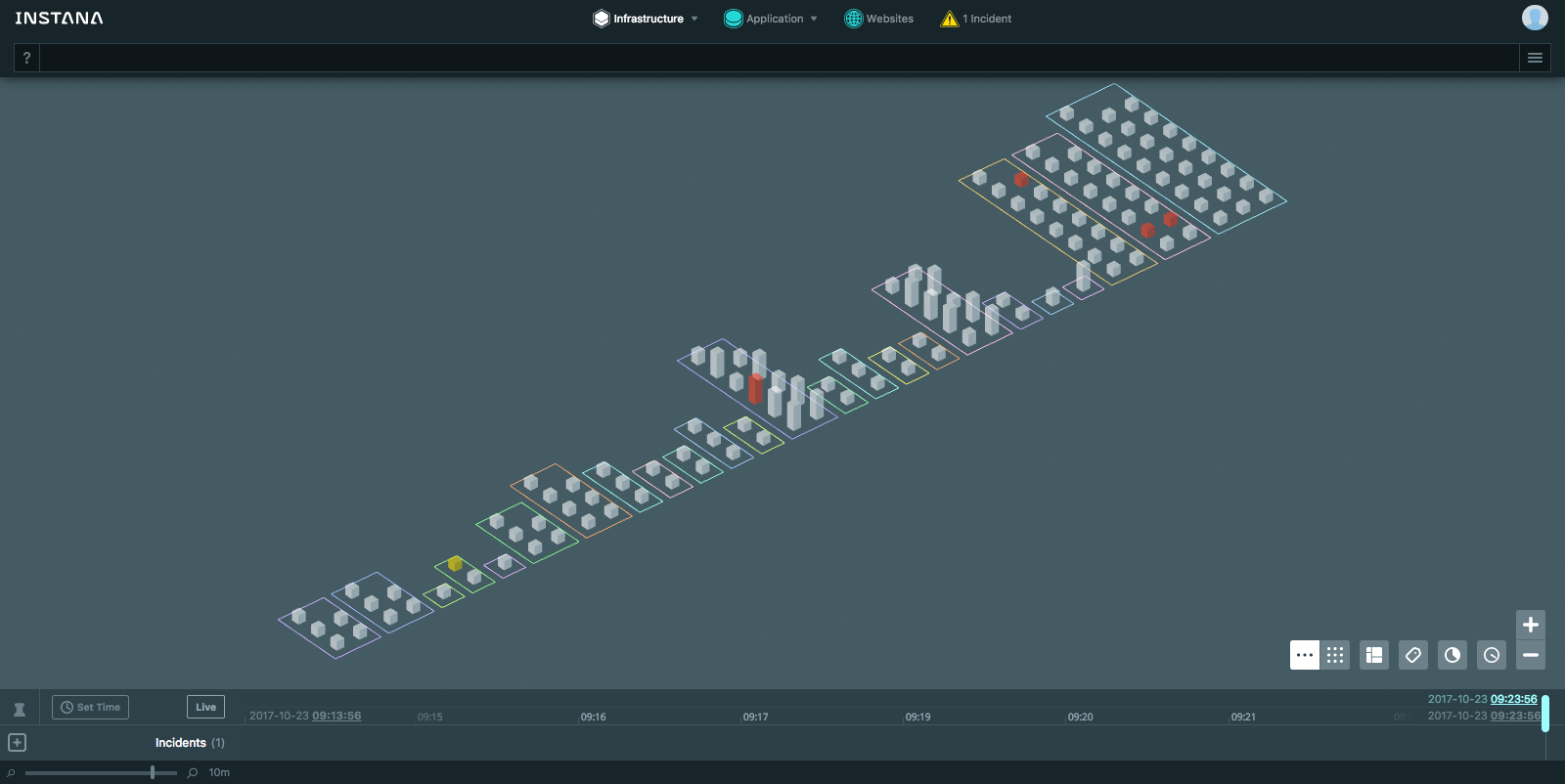
Wait a couple of minutes for the agent to start and do its automatic discovery, then take a look at the Instana dashboard to see the results. If you want to see the instana-agent project in the OpenShift console, give the developer user admin rights.
$ oc adm policy add-role-to-user admin developer -n instana-agent
Conclusion: It’s Easy To Add Performance Monitoring into OpenShift with Instana
That was easy. Now that the Instana agent is deployed to your OpenShift environment, it will continuously discover all the running technology stacks and services automatically, tracing every request along the way. This is fully automatic monitoring, meaning you will no longer have to update the monitoring whenever your application environment changes. You already have invested in automation for the development and deployment steps of the application lifecycle, now you can maintain that velocity with live application monitoring.
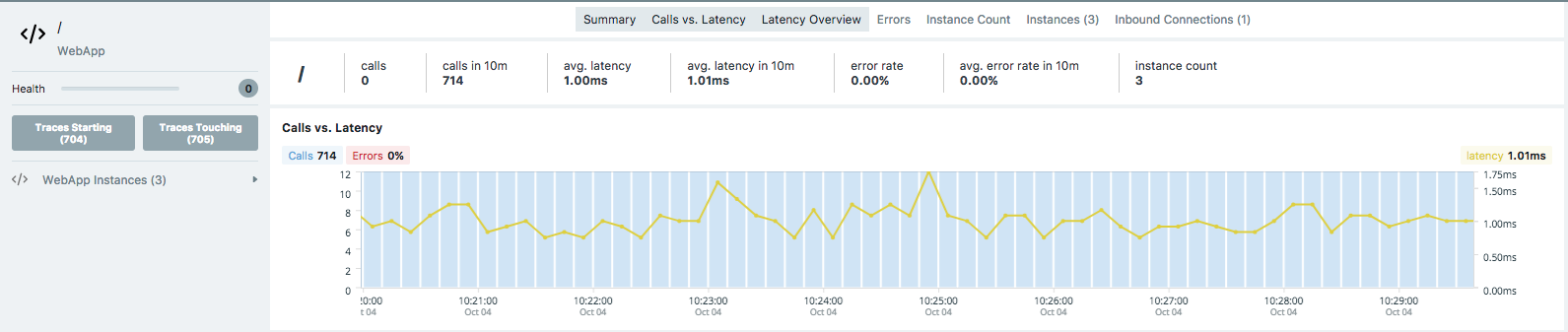
Adding performance monitoring into your orchestrated environment makes your orchestration more powerful, allowing resource allocation to be tied directly to maintaining service quality. The better the data is, the better the integration will be. With Instana, you get time series data with 1 second resolution; and end to end tracing of every request.
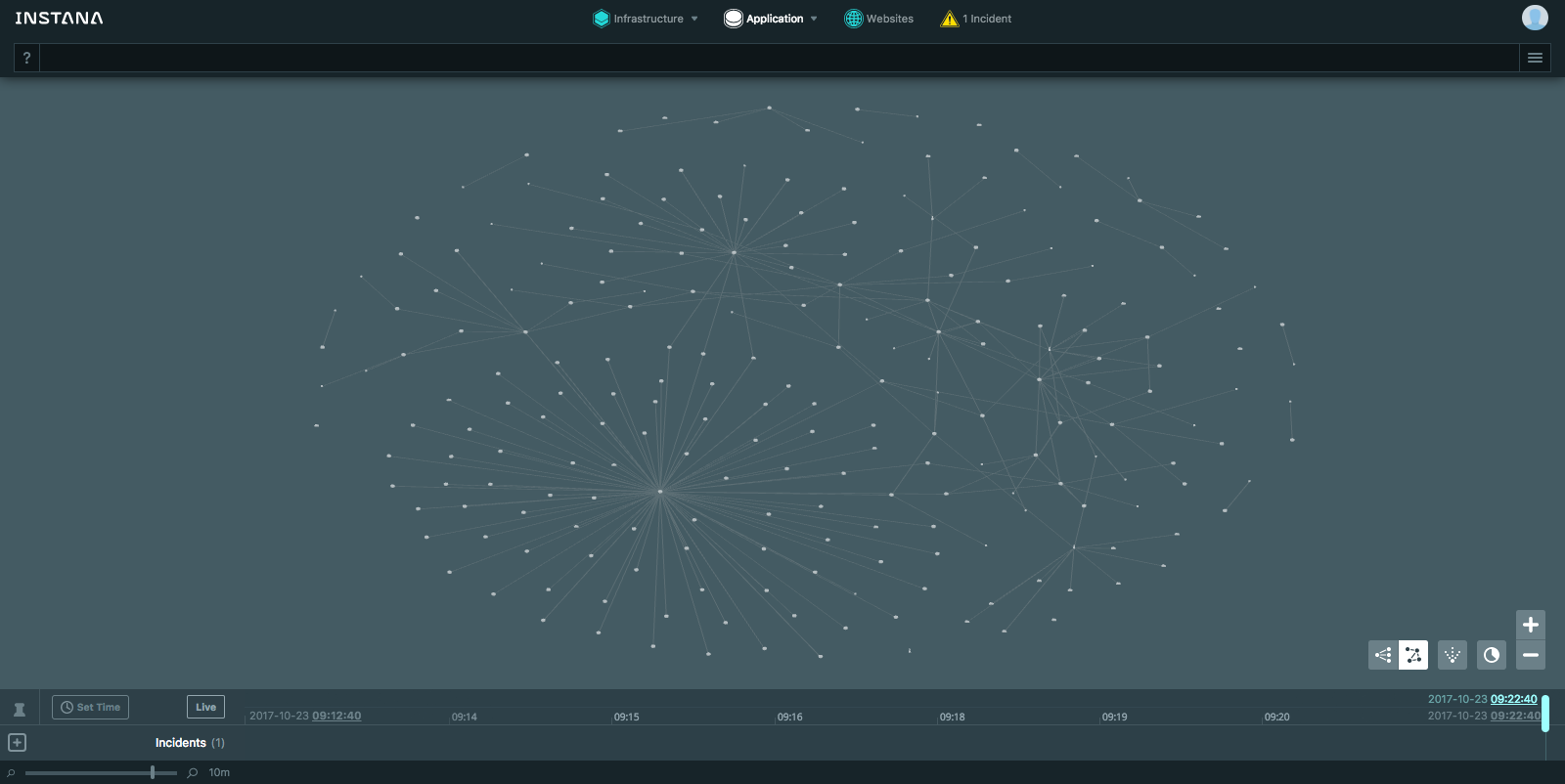
All this data enables Instana to provide AI-powered alerting that allows you to focus in on any performance or quality problems that may occur with your microservices application. For more information, check out the Instana white paper on Applying AI to APM.
Steve Waterworth is the Instana Technical Marketing Manager.
À propos de l'auteur
Plus de résultats similaires
Partenaires Red Hat : l'atout commercial ultime pour les télécommunications
Le paradoxe agentique et l'intérêt de l'IA hybride
Edge computing covered and diced | Technically Speaking
Crack the Cloud_Open | Command Line Heroes
Parcourir par canal

Automatisation
Les dernières nouveautés en matière d'automatisation informatique pour les technologies, les équipes et les environnements

Intelligence artificielle
Actualité sur les plateformes qui permettent aux clients d'exécuter des charges de travail d'IA sur tout type d'environnement

Cloud hybride ouvert
Découvrez comment créer un avenir flexible grâce au cloud hybride

Sécurité
Les dernières actualités sur la façon dont nous réduisons les risques dans tous les environnements et technologies

Edge computing
Actualité sur les plateformes qui simplifient les opérations en périphérie

Infrastructure
Les dernières nouveautés sur la plateforme Linux d'entreprise leader au monde

Applications
À l’intérieur de nos solutions aux défis d’application les plus difficiles

Virtualisation
L'avenir de la virtualisation d'entreprise pour vos charges de travail sur site ou sur le cloud
