
You can customize the OpenShift Container Platform web console to set a custom logo and product name. This is especially helpful if you need to tailor the web console to meet specific corporate or government requirements.
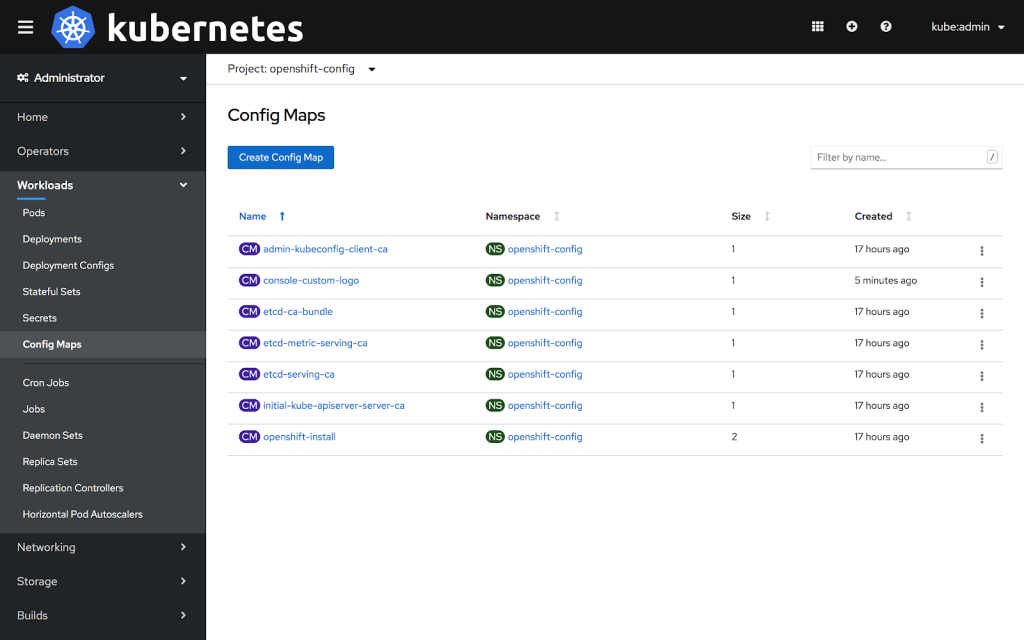
Add a Custom Logo and Product Name
Prerequisites
Create a file of the logo that you want to use. The logo can be a file in any common image format (e.g. GIF, JPG, PNG, or SVG) and is constrained to a max-height of 60px.
Procedure
1: Import your logo file into a ConfigMap in the openshift-config namespace:
$ oc create configmap console-custom-logo --from-file=/path/to/console-custom-logo.png -n openshift-config
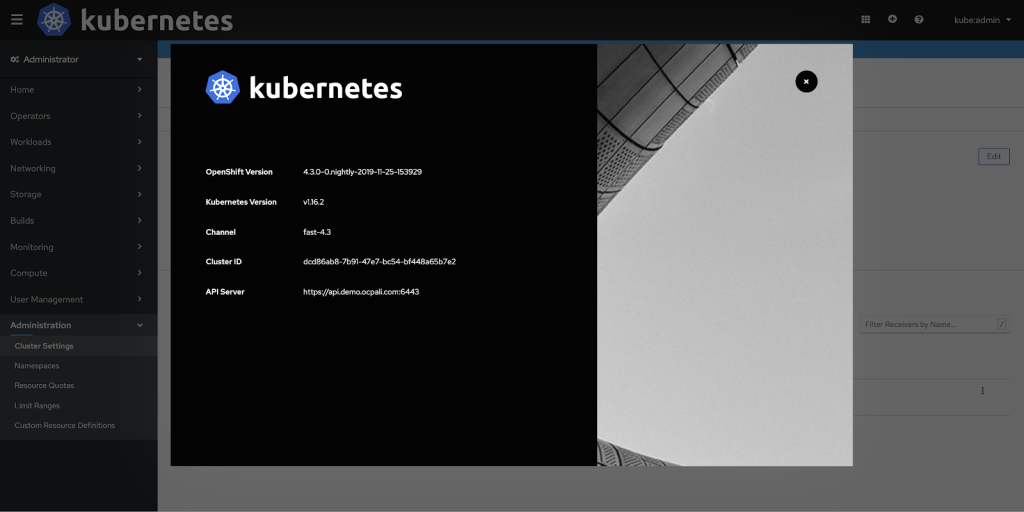
2: Edit the web console’s Operator configuration to include customLogoFile and customProductName:
$ oc apply -f <file>


apiVersion: operator.openshift.io/v1
kind: Console
metadata:
   name: cluster
spec:
   customization:
      customProductName: MyProduct
      customLogoFile:
         name: console-custom-logo
         key: console-custom-logo.png
Once the Operator configuration is updated, it will sync the custom logo ConfigMap into the console namespace, mount it to the console pod, and redeploy.
3: Check for success. If there are any issues, the console cluster operator will report Degraded, and the console Operator configuration will also report CustomLogoDegraded, but with reasons like KeyOrFilenameInvalid or NoImageProvided.
To check the clusteroperator, run:
$ oc get clusteroperator console -o yaml
To check the console Operator configuration, run:
$ oc get console.operator.openshift.io -o yaml
À propos de l'auteur
Plus de résultats similaires
Partenaires Red Hat : l'atout commercial ultime pour les télécommunications
Le paradoxe agentique et l'intérêt de l'IA hybride
Crack the Cloud_Open | Command Line Heroes
Edge computing covered and diced | Technically Speaking
Parcourir par canal

Automatisation
Les dernières nouveautés en matière d'automatisation informatique pour les technologies, les équipes et les environnements

Intelligence artificielle
Actualité sur les plateformes qui permettent aux clients d'exécuter des charges de travail d'IA sur tout type d'environnement

Cloud hybride ouvert
Découvrez comment créer un avenir flexible grâce au cloud hybride

Sécurité
Les dernières actualités sur la façon dont nous réduisons les risques dans tous les environnements et technologies

Edge computing
Actualité sur les plateformes qui simplifient les opérations en périphérie

Infrastructure
Les dernières nouveautés sur la plateforme Linux d'entreprise leader au monde

Applications
À l’intérieur de nos solutions aux défis d’application les plus difficiles

Virtualisation
L'avenir de la virtualisation d'entreprise pour vos charges de travail sur site ou sur le cloud
