
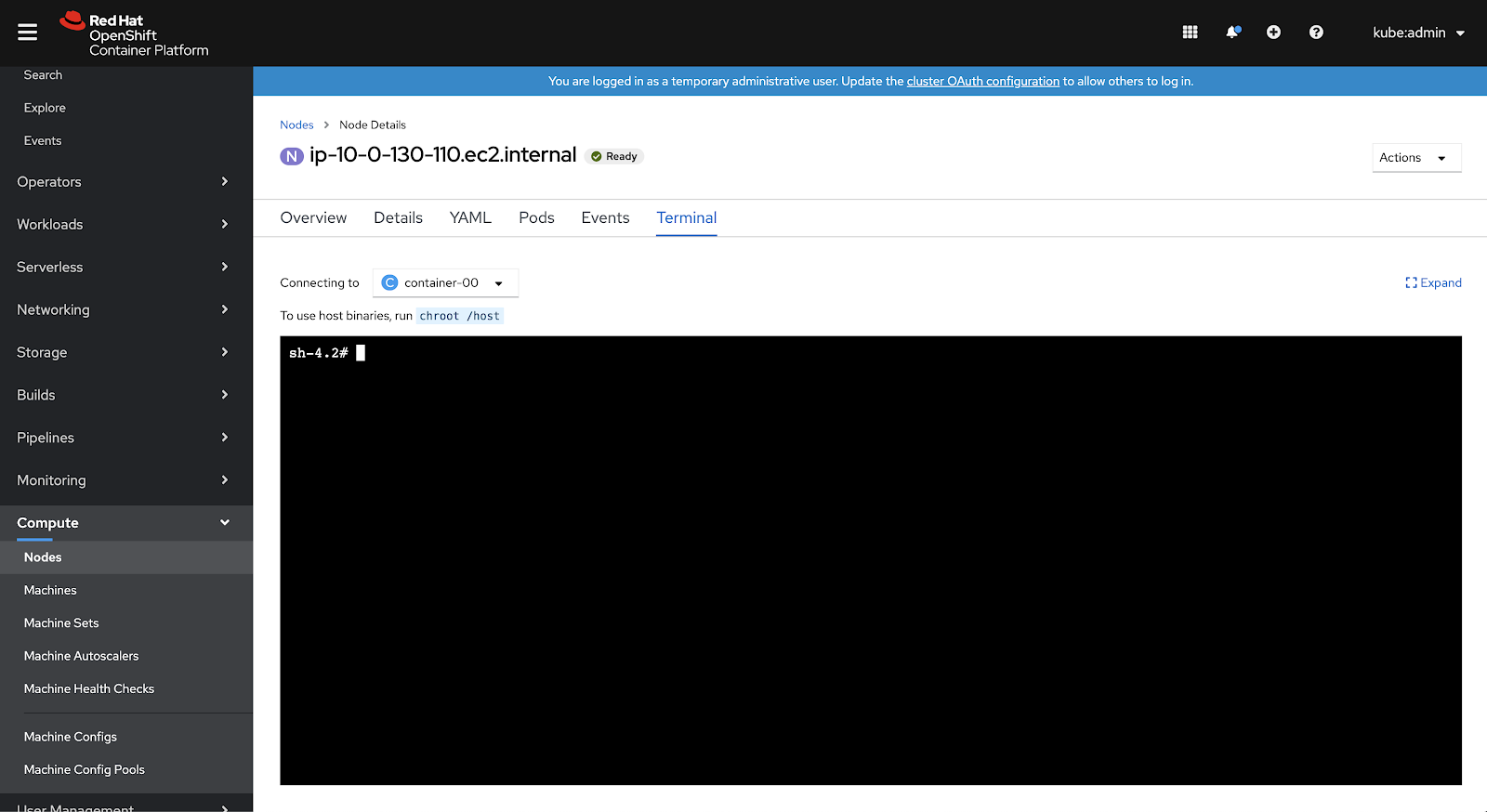
In Red Hat OpenShift 4.5, we enhanced Node views to encompass at-a-glance views right from the Console. This included surfacing key Node data in the List view, offering a new Overview to provide insights into critical data, and adding direct access to your Node with a new Terminal view.
List View
Additional columns are now surfaced in the Node list view, including Pods, CPU, Memory, Filesystem, and Created date, surfacing more node-related critical data to the forefront. The Status column now surfaces degraded status conditions in addition to the other status conditions shown pre-4.5. Lastly, the toolbar within the list view has been updated to include filtering by various statuses and roles as well as filtering by name or label.
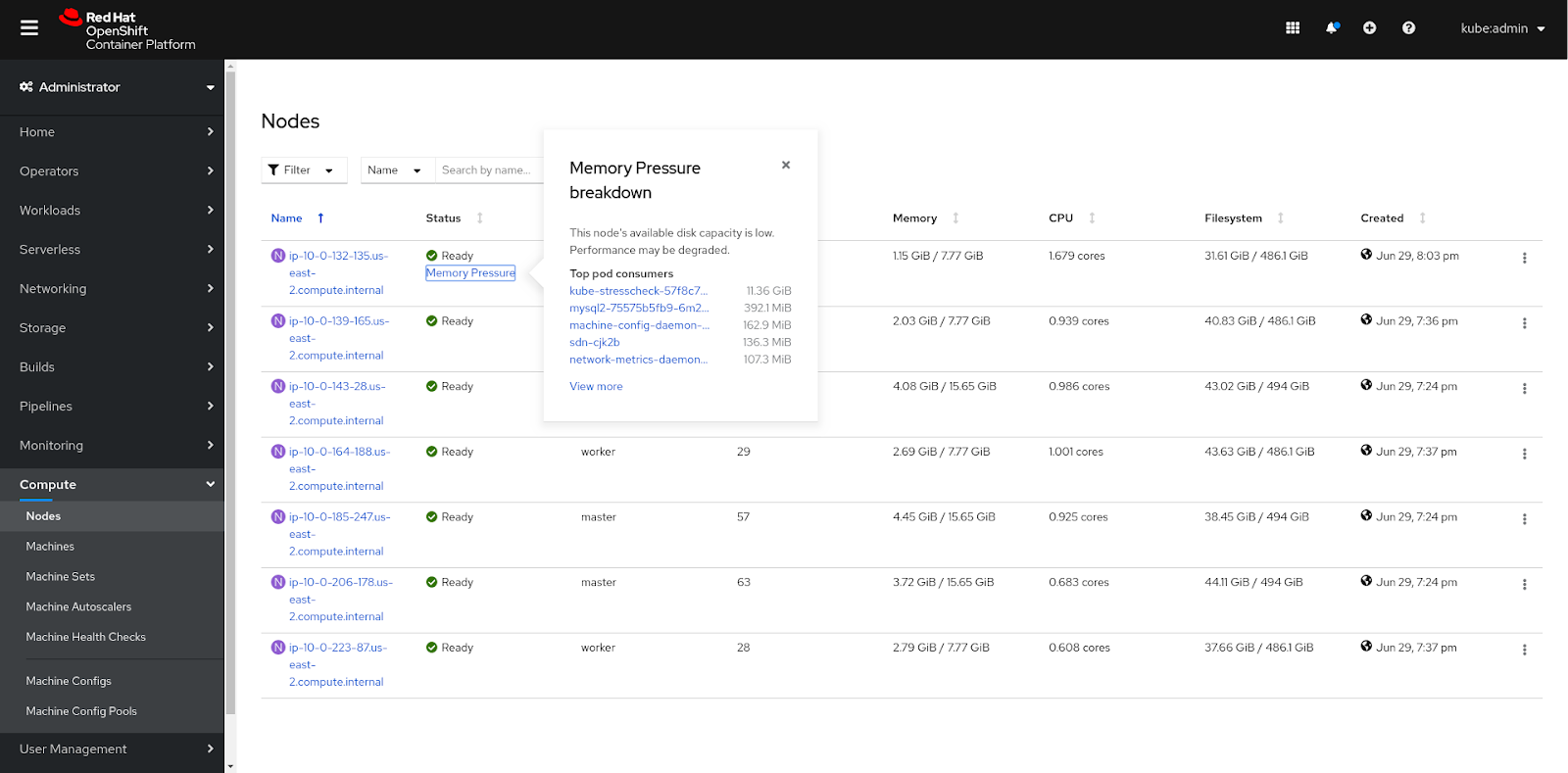
Overview
Similar to the Cluster and Project overviews that were introduced in previous OpenShift releases, the new Node Overview provides an at-a-glance view with critical data including Node Details, Inventory, Status, Utilization, and Activity.
Status updates
The Node’s status and Health Check statuses (if configured) are represented in the Node Overview’s Status card. If Machine Health Checks are configured, the “Health Checks” link will show a popover when clicked with a breakdown of the conditions and accompanying statuses. If there are any warnings, they will be shown in the popover as well as the ability to edit the Health Check. At the bottom of the Status card, alerts regarding CPU and Memory resource requests and limits will be tracked in addition to the rest of the list.
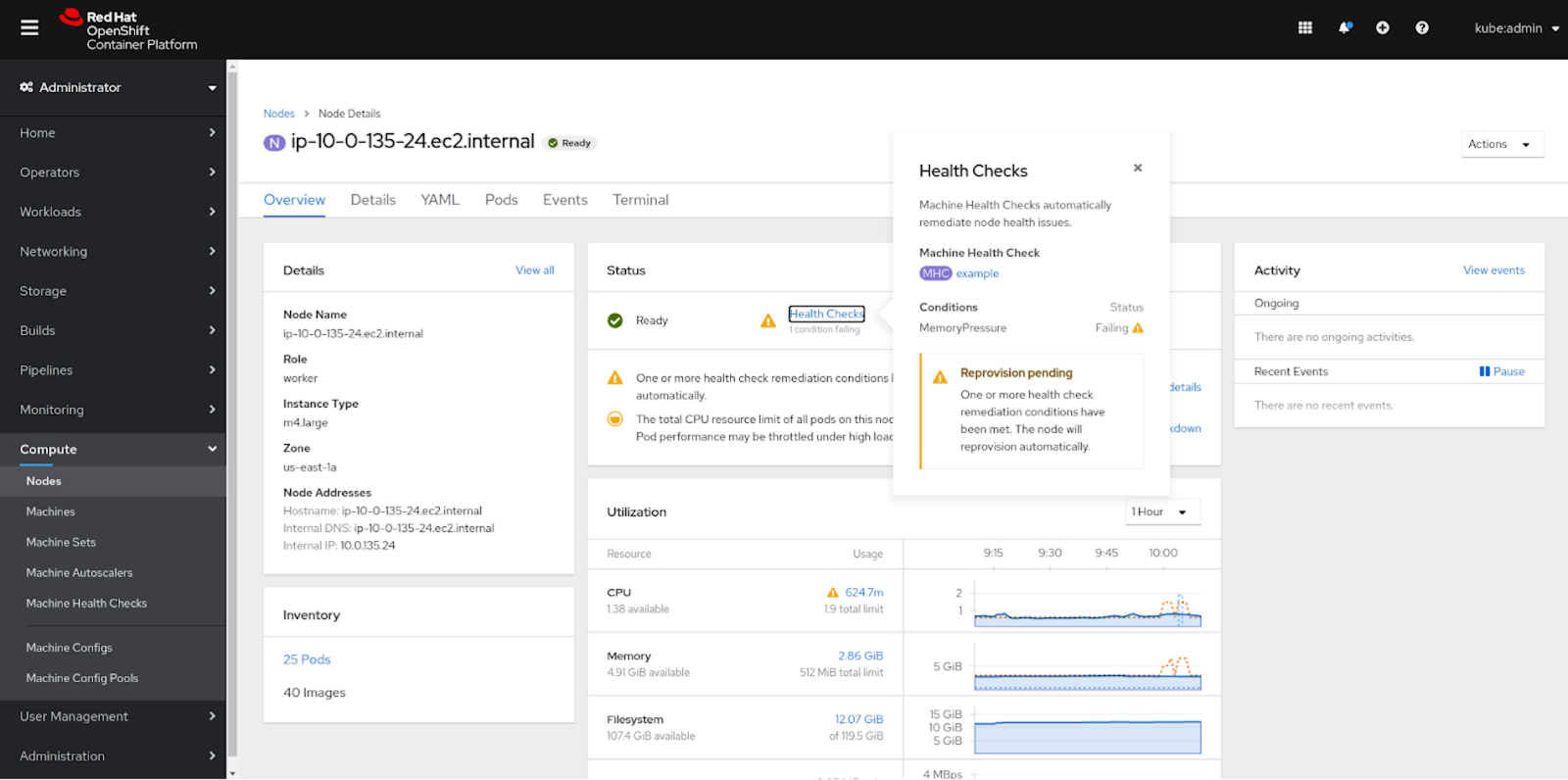
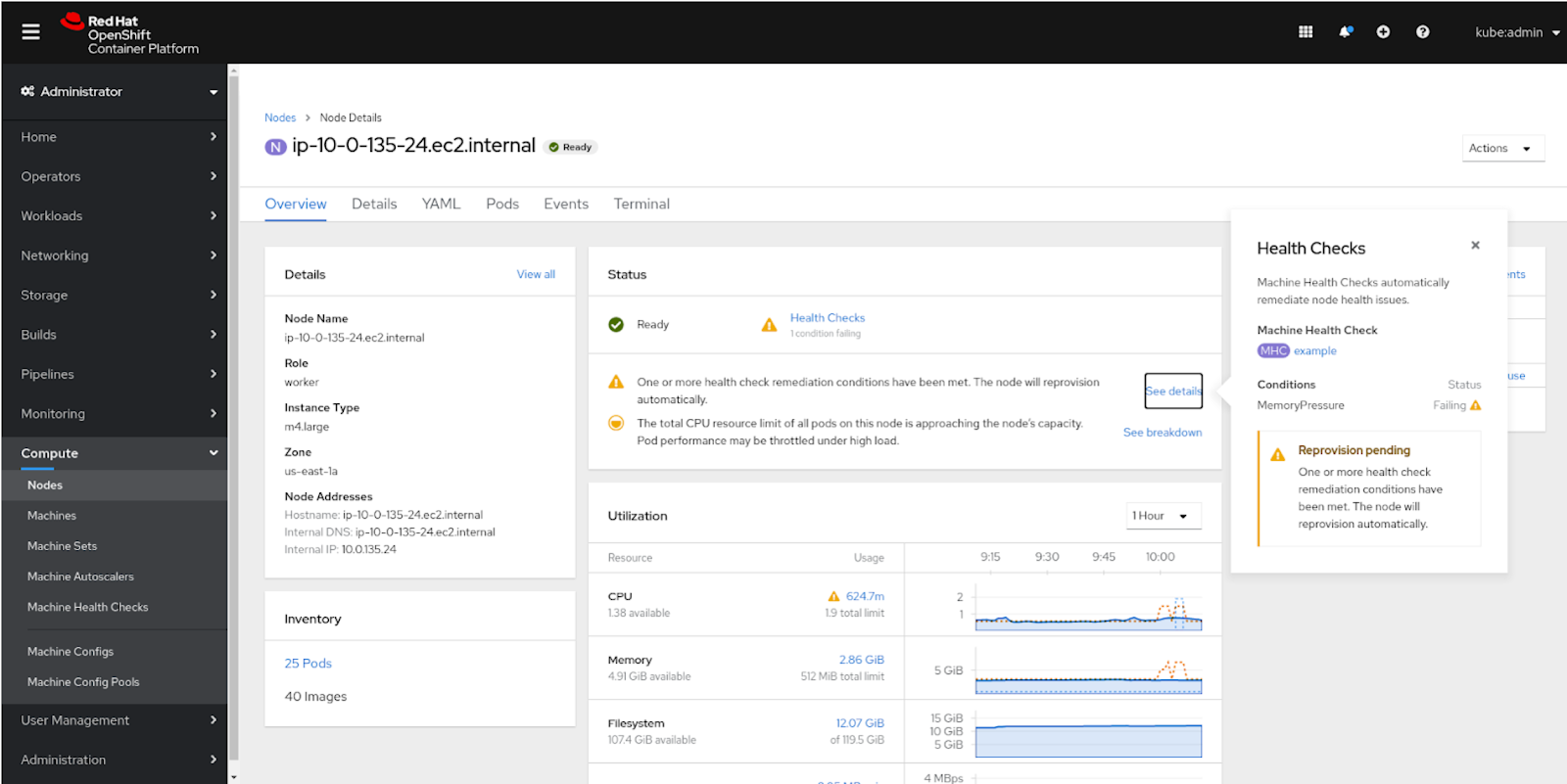
Utilization Updates
Within the Utilization card, resource utilizations are tracked including CPU, Memory, and Filesystem. Limits and requests per resource are both visualized in the graphs as dotted lines and show specific details if hovered over. Depending on the total resource limit and total requests, specific status messages will appear in the Status card depending on the percentage of Node capacity reached. Each message is accompanied by a “See breakdown” link that brings up a popover if clicked on with more information about the resource’s utilization.

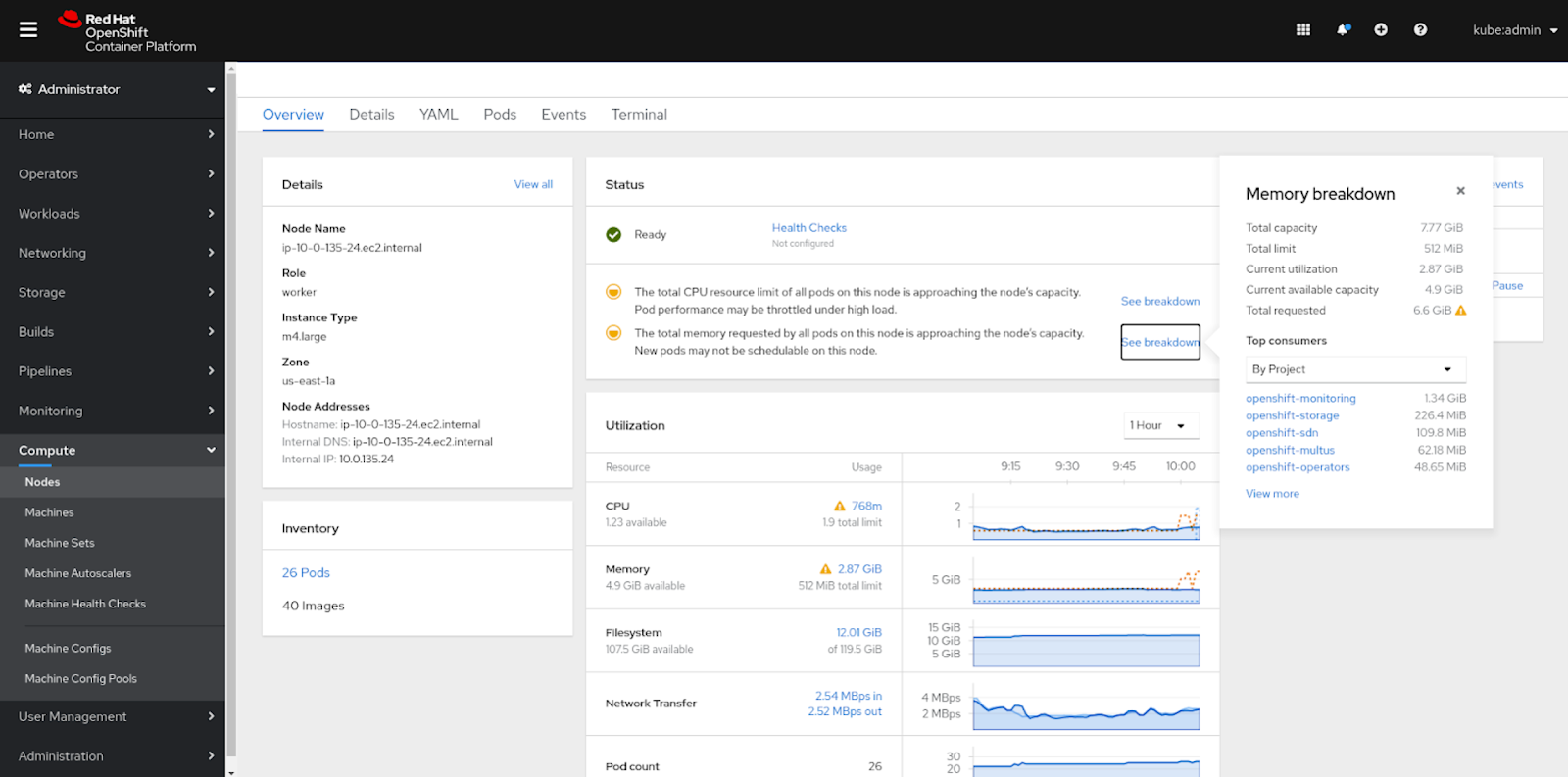
Terminal
The new Terminal view provides direct access to the Node without having to leave the Console. It streamlines the node troubleshooting and debugging processes for admins. You can access the view by going to the Terminal tab alongside the rest of the Node tabs, such as, Details, YAML, and others. The Terminal view allows you to access Node logs through journalctl, enabling you to view system logs collected by systemd.
Bare Metal
Overview highlights
If a Bare Metal cluster is in use, there are key highlights added to the Overview page related to the cluster. One of them is the underlying BareMetalHost resource (the physical computer powering this “node”), which is displayed in the Details card. Another addition to the view is information on Disks, NICs, and CPUs, which are displayed in the Inventory card.
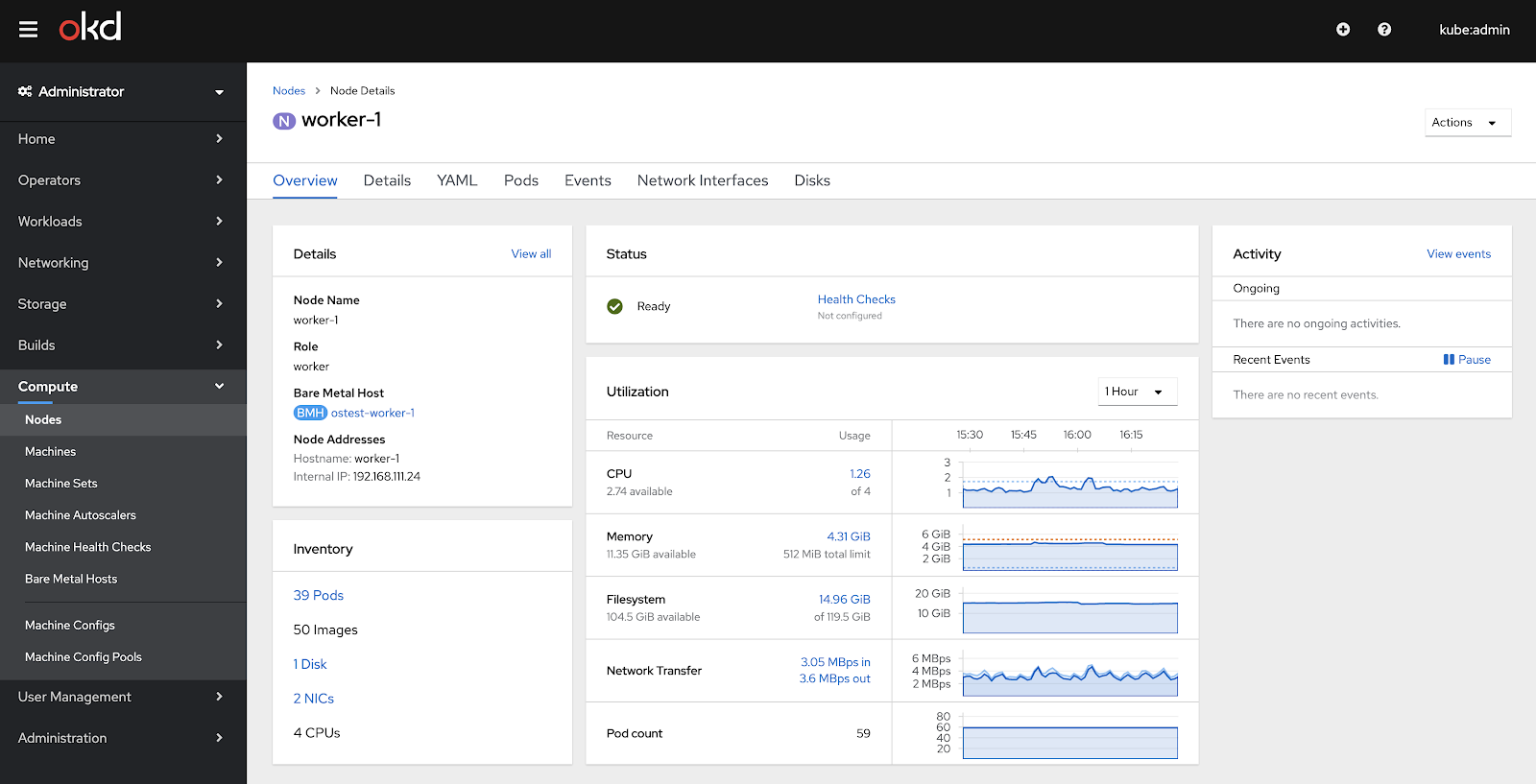
In summary, the Node Overview enhancements in 4.5 allow quick and easy access to critical data and Nodes themselves. Status and utilization insights are all provided within one view, making it easy to get an at-a-glance look at what is happening within your Node. And finally, debugging and troubleshooting Nodes is easier than ever with direct access to the Terminal.
{{cta('1ba92822-e866-48f0-8a92-ade9f0c3b6ca')}}
À propos de l'auteur
Plus de résultats similaires
Partenaires Red Hat : l'atout commercial ultime pour les télécommunications
Le paradoxe agentique et l'intérêt de l'IA hybride
Crack the Cloud_Open | Command Line Heroes
Edge computing covered and diced | Technically Speaking
Parcourir par canal

Automatisation
Les dernières nouveautés en matière d'automatisation informatique pour les technologies, les équipes et les environnements

Intelligence artificielle
Actualité sur les plateformes qui permettent aux clients d'exécuter des charges de travail d'IA sur tout type d'environnement

Cloud hybride ouvert
Découvrez comment créer un avenir flexible grâce au cloud hybride

Sécurité
Les dernières actualités sur la façon dont nous réduisons les risques dans tous les environnements et technologies

Edge computing
Actualité sur les plateformes qui simplifient les opérations en périphérie

Infrastructure
Les dernières nouveautés sur la plateforme Linux d'entreprise leader au monde

Applications
À l’intérieur de nos solutions aux défis d’application les plus difficiles

Virtualisation
L'avenir de la virtualisation d'entreprise pour vos charges de travail sur site ou sur le cloud
