
The Ghost blog setup relies on their custom ghost-cli to install everything that’s needed. We’re going to use the Red Hat OpenShift Source-to-Image (S2I) build process to encapsulate everything needed for the install, and then package the whole deployment into an easily shared and reproduced OpenShift Template.
Video sped up for the sake of brevity. Full install process takes ~3 minutes to build and deploy the application.
Installing the Ghost Template
Using the ghost template from a community provided repository, we can have an easily reproducible Ghost blog via a one-click install. First install the template into your project
<span>oc create -f https://raw.githubusercontent.com/openshift-cs/ghost-example/master/ghost_template.yaml</span>
Now you can continue on the command line with oc new-app --template=ghost-template or you can deploy this through the web console
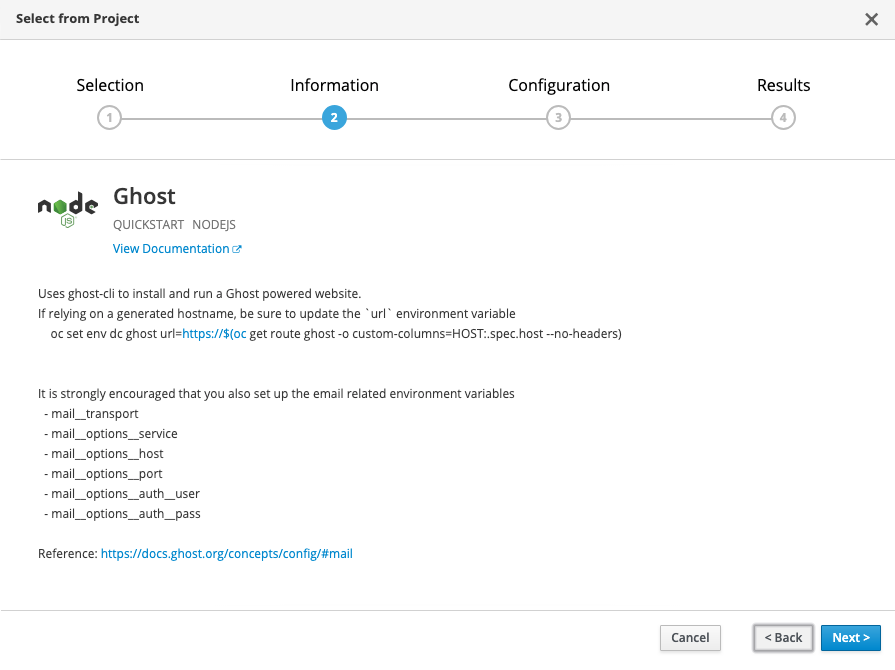
Configuring your Ghost Blog
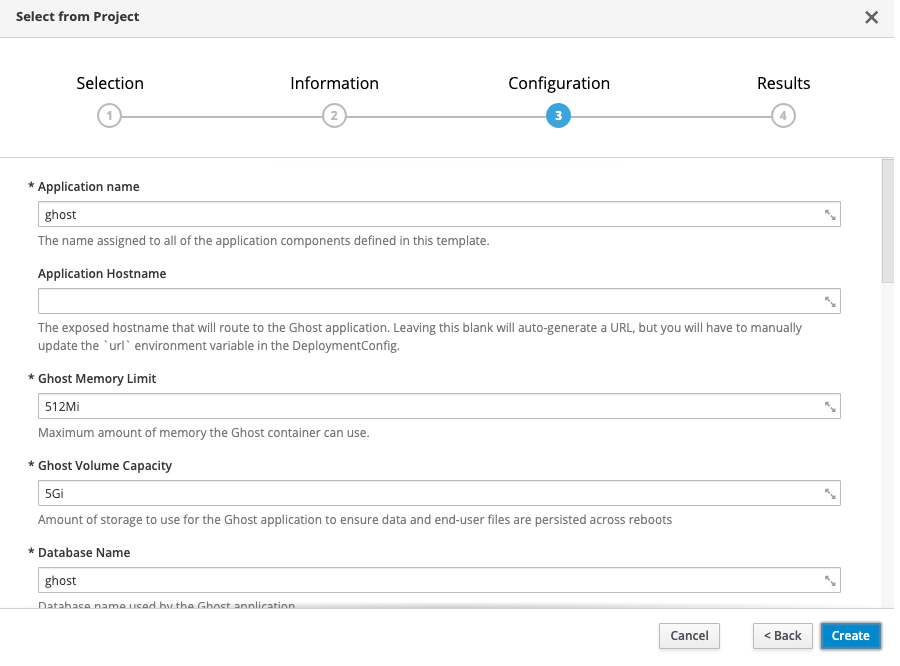
If you don’t want to change any settings, all of the defaults are set up for you to just hit create and go. Using the defaults, this will create the following:
- 1 persistent volume for your MySQL database (1Gi)
- 1 persistent volume for your Ghost blog content (5Gi)
- 1 secret for the MySQL database credentials
- A MySQL deployment
- A Ghost build (using the ghost-cli)
- A Ghost deployment
- A Ghost route
If using a platform like Red Hat OpenShift Online, a default route will be created for you, e.g., https://ghost-ghost-example.b9ad.pro-us-east-1.openshiftapps.com/. Be sure that you update your deployment with this URL by running
<span> </span><span>oc set env dc ghost url=https://$(oc get route ghost -o custom-columns=HOST:.spec.host --no-headers)</span>
If you’re not using a default route, simply provide your custom URL in the “Application Hostname” template parameter, and this will be filled in for you.
That’s it! The OpenShift S2I build system has some amazing capabilities in taking nothing more than a Git repository and deploying a full application. This is simply one use case of that.
À propos de l'auteur
Plus de résultats similaires
Partenaires Red Hat : l'atout commercial ultime pour les télécommunications
Le paradoxe agentique et l'intérêt de l'IA hybride
Crack the Cloud_Open | Command Line Heroes
Edge computing covered and diced | Technically Speaking
Parcourir par canal

Automatisation
Les dernières nouveautés en matière d'automatisation informatique pour les technologies, les équipes et les environnements

Intelligence artificielle
Actualité sur les plateformes qui permettent aux clients d'exécuter des charges de travail d'IA sur tout type d'environnement

Cloud hybride ouvert
Découvrez comment créer un avenir flexible grâce au cloud hybride

Sécurité
Les dernières actualités sur la façon dont nous réduisons les risques dans tous les environnements et technologies

Edge computing
Actualité sur les plateformes qui simplifient les opérations en périphérie

Infrastructure
Les dernières nouveautés sur la plateforme Linux d'entreprise leader au monde

Applications
À l’intérieur de nos solutions aux défis d’application les plus difficiles

Virtualisation
L'avenir de la virtualisation d'entreprise pour vos charges de travail sur site ou sur le cloud
