
Learning something new can require a lot of effort and Red Hat OpenShift is no exception. The platform has a significant learning curve. However, that's not meant to say it's hard to get started if you know how.
Red Hat Academy is an initiative within Red Hat that turns academic institutions into centers for enterprise-ready talent by outfitting them with Red Hat training and certification. If you get to know me well, you'll discover that I have a natural tendency to learn and contribute to the community.
[ You might also like: Troubleshooting handshake errors in OpenShift ]
I have an extremely strong passion and almost unlimited energy to mentor others and, particularly, to nurture students who are fresh out of college. That internal motivation is driven by my nearly unconscious yet longtime belief that the best way to make society better and benefit everyone is to create a community where everyone is emphatic, shares knowledge, and helps each other.
Guest lecturer
For the past few months, through this great Red Hat Academy program, I had opportunities to visit many different universities as a guest lecturer to teach students about Red Hat OpenShift. Each lecture usually lasted for an hour, so I often had time to reflect on what did and did not work well, which helped improve the session for next time.
After some experimenting, I realized what works best is a class setting where I can accomplish the following objectives:
- An interactive session where everyone can participate in a lab setting.
- An environment that minimizes separate installation steps. Instead, everything should be done in a verified, working cloud environment.
- The instructor/moderator ensures no one gets left behind. The lecturer stops frequently to check that everyone is following.
- Let everyone have fun and get excited so that they can pursue further learning on their own. It's nearly impossible to learn everything in such a short time frame.
During the most recent lecture, I had each student deploy an interactive game of duck in Red Hat OpenShift's namespace. You can see how I did it in this video.
Preparing
An instructor who actually needs to teach OpenShift must be sure that the following steps are complete before the lecture.
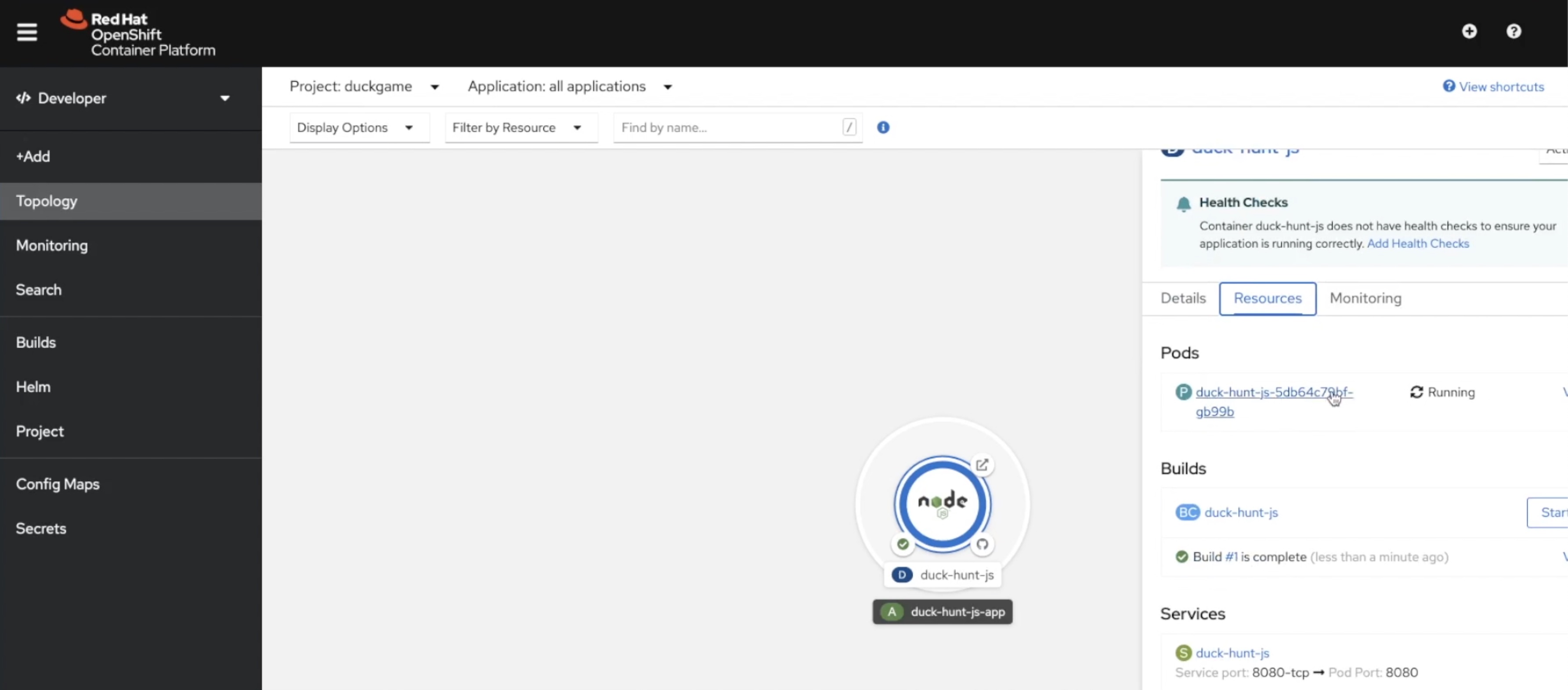
First, an OpenShift cluster with a cluster-admin privilege has to be ready. Follow this video to see an example of installing a fresh new Red Hat OpenShift 4 on AWS, but you can deploy OpenShift on other environments as well.
During the classroom session, the instructor can walk the students through the steps to create the username and password. One of the easiest ways is to leverage htpasswd. I recently wrote an [LINK TO HTPASSWD and OAUTH] article on htpasswd here on Enable Sysadmin.
Finally, the instructor can further explain the industry's use cases for Red Hat OpenShift, some interesting metrics behind Red Hat OpenShift, and how knowing about OpenShift can help with a professional career.
[ A free course for you: Virtualization and Infrastructure Migration Technical Overview. ]
Wrap up
That's everything I wanted to discuss on how to teach somebody Red Hat OpenShift in less than 10 minutes. A session might run for 30 minutes or more, but the actual installation step should not take you more than 10 minutes to complete.
Sobre o autor
Bryant Jimin Son is a Consultant at Red Hat, a technology company known for its Linux server and opensource contributions. At work, he is working on building the technology for clients leveraging the Red Hat technology stacks like BPM, PAM, Openshift, Ansible, and full stack development using Java, Spring Framework, AngularJS, Material design. Prior to joining Red Hat, Bryant was at Citi Group's Citi Cloud team, building the private Infrastructure as a Service (IaaS) cloud platform serving 8,000+ teams across Citi departments. He also worked at American Airlines, IBM, and Home Depot Austin Technology Center. Bryant graduated with Bachelor of Sciences in Computer Science and Aerospace Engineering with minor concentration in Business at University of Texas at Austin.
He is also the President and Founder of Korean American IT Association group, known as KAITA (www.kaita.org). He is an avid coder spending extra time on building side projects at cafes, and he travels every week on business. He also loves to work out daily and to grow KAITA.
Mais como este
Por que a segurança pós-quântica financeira deve começar já
Red Hat Enterprise Linux Long-Life Add-On
Infrastructure At The Edge | Compiler
Operating System Management | Compiler
Navegue por canal

Automação
Últimas novidades em automação de TI para empresas de tecnologia, equipes e ambientes

Inteligência artificial
Descubra as atualizações nas plataformas que proporcionam aos clientes executar suas cargas de trabalho de IA em qualquer ambiente

Nuvem híbrida aberta
Veja como construímos um futuro mais flexível com a nuvem híbrida

Segurança
Veja as últimas novidades sobre como reduzimos riscos em ambientes e tecnologias

Edge computing
Saiba quais são as atualizações nas plataformas que simplificam as operações na borda

Infraestrutura
Saiba o que há de mais recente na plataforma Linux empresarial líder mundial

Aplicações
Conheça nossas soluções desenvolvidas para ajudar você a superar os desafios mais complexos de aplicações

Virtualização
O futuro da virtualização empresarial para suas cargas de trabalho on-premise ou na nuvem
