
You can customize the OpenShift Container Platform web console to set a custom logo and product name. This is especially helpful if you need to tailor the web console to meet specific corporate or government requirements.
Add a Custom Logo and Product Name
Prerequisites
Create a file of the logo that you want to use. The logo can be a file in any common image format (e.g. GIF, JPG, PNG, or SVG) and is constrained to a max-height of 60px.
Procedure
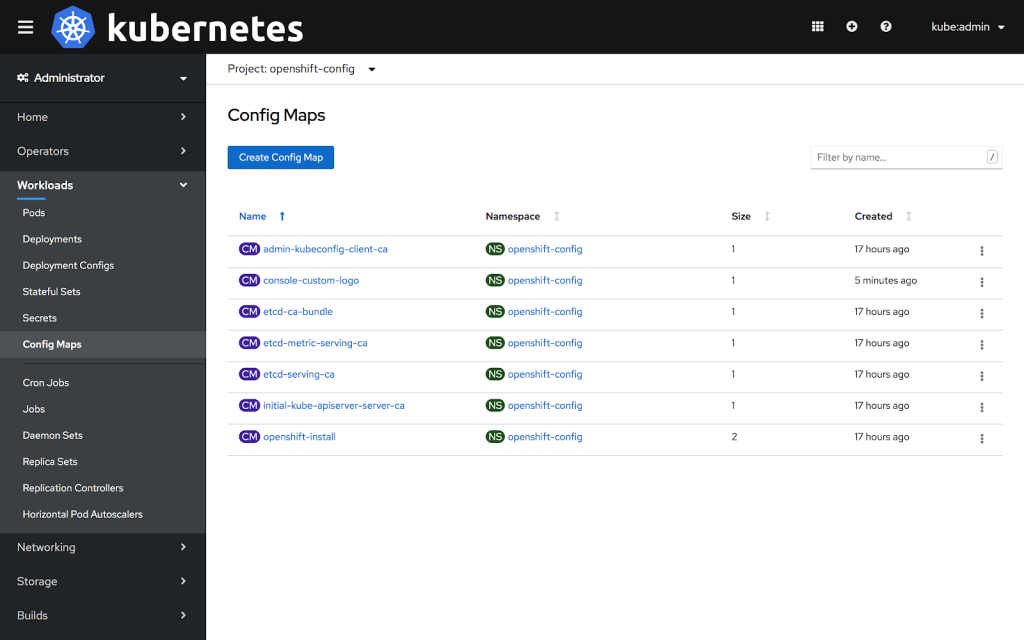
1: Import your logo file into a ConfigMap in the openshift-config namespace:
$ oc create configmap console-custom-logo --from-file=/path/to/console-custom-logo.png -n openshift-config
2: Edit the web console’s Operator configuration to include customLogoFile and customProductName:
$ oc apply -f <file>


apiVersion: operator.openshift.io/v1
kind: Console
metadata:
   name: cluster
spec:
   customization:
      customProductName: MyProduct
      customLogoFile:
         name: console-custom-logo
         key: console-custom-logo.png
Once the Operator configuration is updated, it will sync the custom logo ConfigMap into the console namespace, mount it to the console pod, and redeploy.
3: Check for success. If there are any issues, the console cluster operator will report Degraded, and the console Operator configuration will also report CustomLogoDegraded, but with reasons like KeyOrFilenameInvalid or NoImageProvided.
To check the clusteroperator, run:
$ oc get clusteroperator console -o yaml
To check the console Operator configuration, run:
$ oc get console.operator.openshift.io -o yaml
Sobre el autor
Más como éste
Motivos por los que los partners de Red Hat son el principal recurso empresarial para las telecomunicaciones
La paradoja agéntica y los argumentos a favor de la IA híbrida
Command Line Heroes en español. Temporada 1: Descifrando el código de la nube abierta
Edge computing covered and diced | Technically Speaking
Navegar por canal

Automatización
Las últimas novedades en la automatización de la TI para los equipos, la tecnología y los entornos

Inteligencia artificial
Descubra las actualizaciones en las plataformas que permiten a los clientes ejecutar cargas de trabajo de inteligecia artificial en cualquier lugar

Nube híbrida abierta
Vea como construimos un futuro flexible con la nube híbrida

Seguridad
Vea las últimas novedades sobre cómo reducimos los riesgos en entornos y tecnologías

Edge computing
Conozca las actualizaciones en las plataformas que simplifican las operaciones en el edge

Infraestructura
Vea las últimas novedades sobre la plataforma Linux empresarial líder en el mundo

Aplicaciones
Conozca nuestras soluciones para abordar los desafíos más complejos de las aplicaciones

Virtualización
El futuro de la virtualización empresarial para tus cargas de trabajo locales o en la nube
