

With the migration toolkit for virtualization 2.11 (MTV) release, users gain an improved learning experience.
A new “Tips and tricks” drawer was introduced as part of the 2.10 release and further improved in the following 2.11 release, which allows users to access contextual help, tips, and best practices directly within the interface. This feature is designed to reduce the learning curve for new users and provide immediate, in-context guidance for common and complex migration tasks, helping users learn key MTV workflows without ever leaving their current view.
Learn while doing: Interactive guidance
The "Tips and tricks" drawer is more than just a static help menu; it’s an interactive companion for your migration journey and can be accessed via the “Tips and tricks” button located on the top right of the MTV pages.
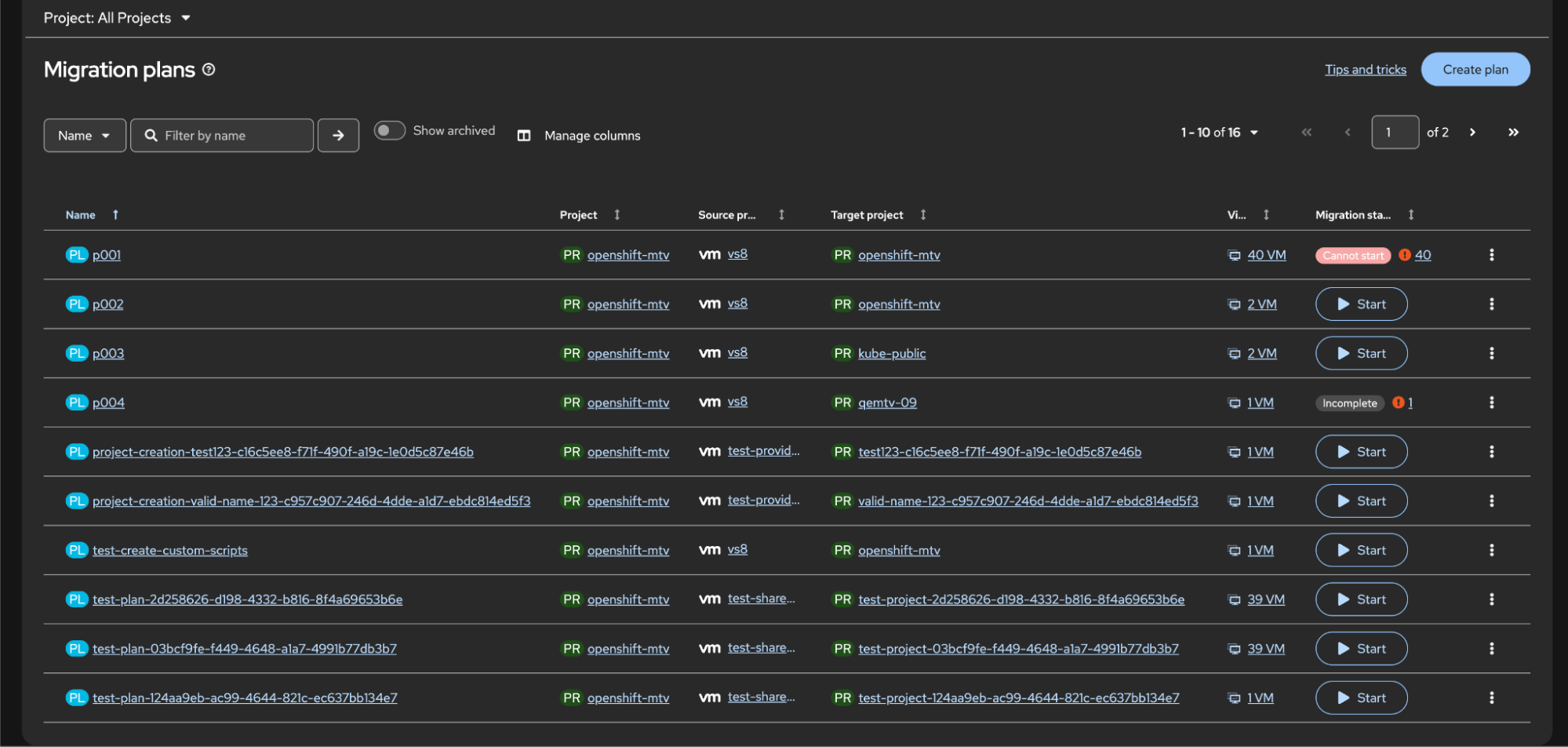
Image 1: Visual of the “Tips and tricks” drawer button on the top right of a migration for virtualization page
Its offerings include:
- Follow along in real time: You can follow the steps in the drawer and click on instructions to see the actual page change or to highlight the next action.
- Side-by-side execution: The side-by-side view ensures you never lose your place in a workflow while accessing in-depth information.
- Actionable steps: Every guide is structured to help you download, configure, or run tasks immediately, allowing you to see results at each stage.
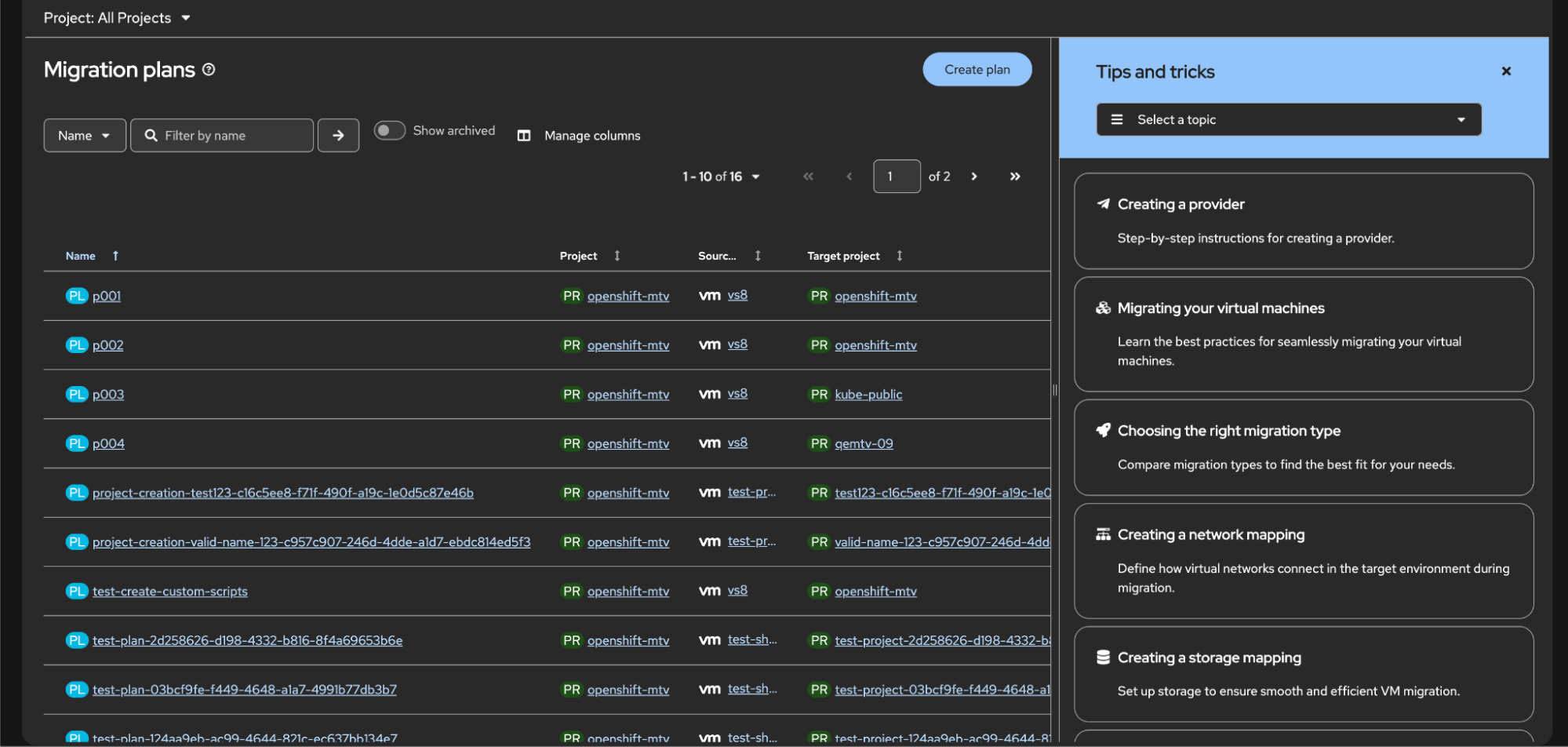
Instead of overwhelming you with everything you could know about virtualization, the drawer is organized around what you must do to be successful and includes the following advantages:
- Skip the fluff: Focus on the information you need to know regarding your current task.
- Follow the flow: The drawer allows you to click on specific instructions that update the main page, guiding you through the actual workflow in real time.
- Action over reading: Each topic is structured to get you to a result—whether that is configuring a network or running a migration—without needing to read through volumes of documents.
The why
We built this “Tips and tricks” drawer because our research strongly suggested that the way people learn is changing. We've found that users often hit a wall of text when navigating traditional documentation, which can stall progress and cause frustration.
Our investigations into the user experience revealed 3 core insights that drove this change:
- Documentation fatigue: Users prefer to stay within the product interface rather than context-switching to an external browser tab to find answers.
- The need for "just-in-time" learning: Platform engineers and sysadmins are typically looking for the answer to a specific question, not a full history of the product.
- Reducing cognitive load: By providing help directly where the task is being performed, we eliminate the need for users to memorize complex steps from a separate manual.
Better learning, better migrations
MTV 2.11's "Tips and tricks" drawer offers embedded, timely guidance, shifting to in-context learning to improve migration success. Easily navigate migration workflows and reduce cognitive load by accessing guidance directly in context. Try the new learning tool in the migration toolkit for virtualization and let us know what you think. To find out more about this version, check out the MTV 2.11 release notes.
Prueba del producto
Red Hat OpenShift Container Platform | Versión de prueba del producto
Sobre los autores
Margot is Senior Interaction Designer on the User Experience Design team, currently working in the OpenShift Virtualization space, with a focus on MTV
Allison Wolfe is a content designer on the User Experience Design (UXD) team. She joined Red Hat in 2021 and helps translate complex concepts into clear, concise language.
Más como éste
¿Tu plataforma de aplicaciones está preparada para lo que viene?
OpenShift: Integración consistente para la empresa híbrida
Command Line Heroes: Cuarta temporada: Las consolas: la vida de la Dreamcast después de su muerte.
Bad Bosses | Compiler: Tales From The Database
Navegar por canal

Automatización
Las últimas novedades en la automatización de la TI para los equipos, la tecnología y los entornos

Inteligencia artificial
Descubra las actualizaciones en las plataformas que permiten a los clientes ejecutar cargas de trabajo de inteligecia artificial en cualquier lugar

Nube híbrida abierta
Vea como construimos un futuro flexible con la nube híbrida

Seguridad
Vea las últimas novedades sobre cómo reducimos los riesgos en entornos y tecnologías

Edge computing
Conozca las actualizaciones en las plataformas que simplifican las operaciones en el edge

Infraestructura
Vea las últimas novedades sobre la plataforma Linux empresarial líder en el mundo

Aplicaciones
Conozca nuestras soluciones para abordar los desafíos más complejos de las aplicaciones

Virtualización
El futuro de la virtualización empresarial para tus cargas de trabajo locales o en la nube
