
Currently, in order for customers to find their cluster's subscription status and support level, they have to visit the OpenShift Cluster Manager at cloud.redhat.com/openshift. This makes it difficult for customers to know if the cluster they are using is unsupported. This is further complicated by the fact that customers with 60-day evaluations do not have a way to see the status of their trial (eg. the number of days left available).
In OpenShift 4.10, we added the OCP cluster subscription status to the OpenShift web console, allowing users to quickly identify if their cluster has support and providing quick access to manage subscriptions settings to properly register their cluster if they need to do so.
Cluster Overview
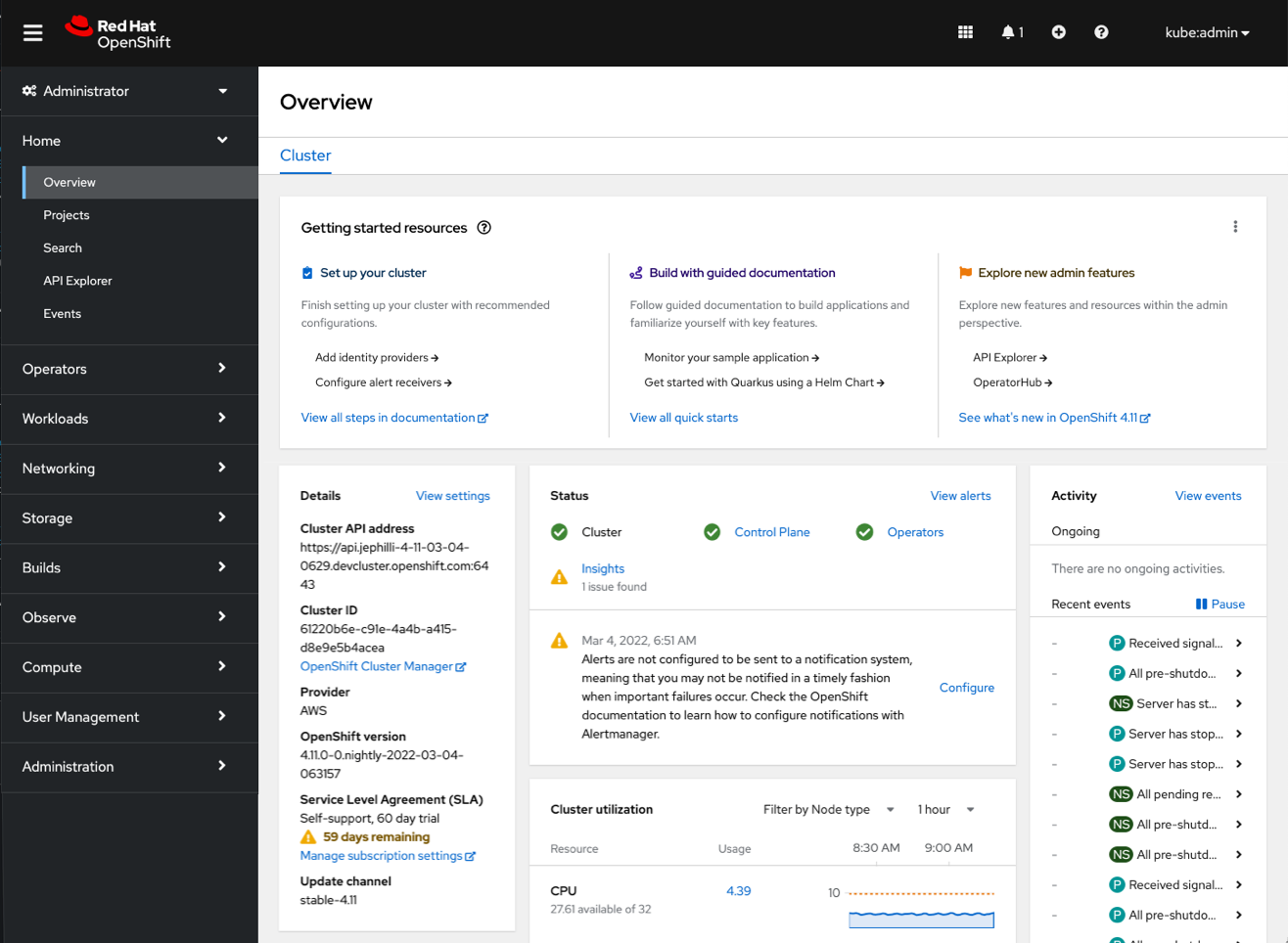
In order for customers to quickly see the support status of their cluster, we have added subscription information to the cluster details card on the overview page.
The example below is a cluster with a 60-day evaluation. We added a new Service Level Agreement field to the details card where we can see that the cluster has a Self-Support, 60-day trial, with 59 days remaining. This information is accompanied by a link to manage subscription settings where customers can register their cluster at any time.
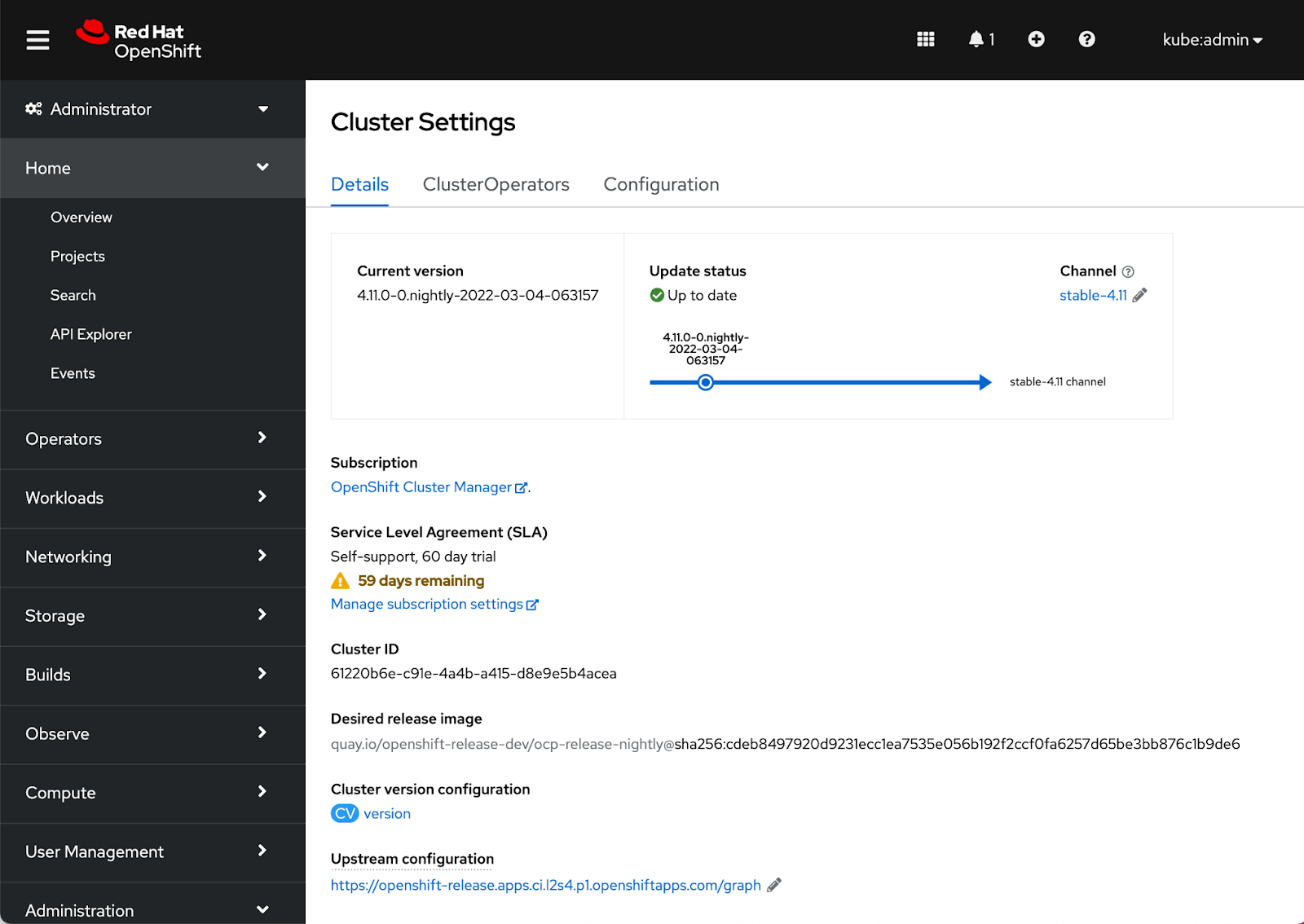
Cluster Settings
The Cluster Settings Details page also surfaces the same SLA field level information as the Cluster Overview.
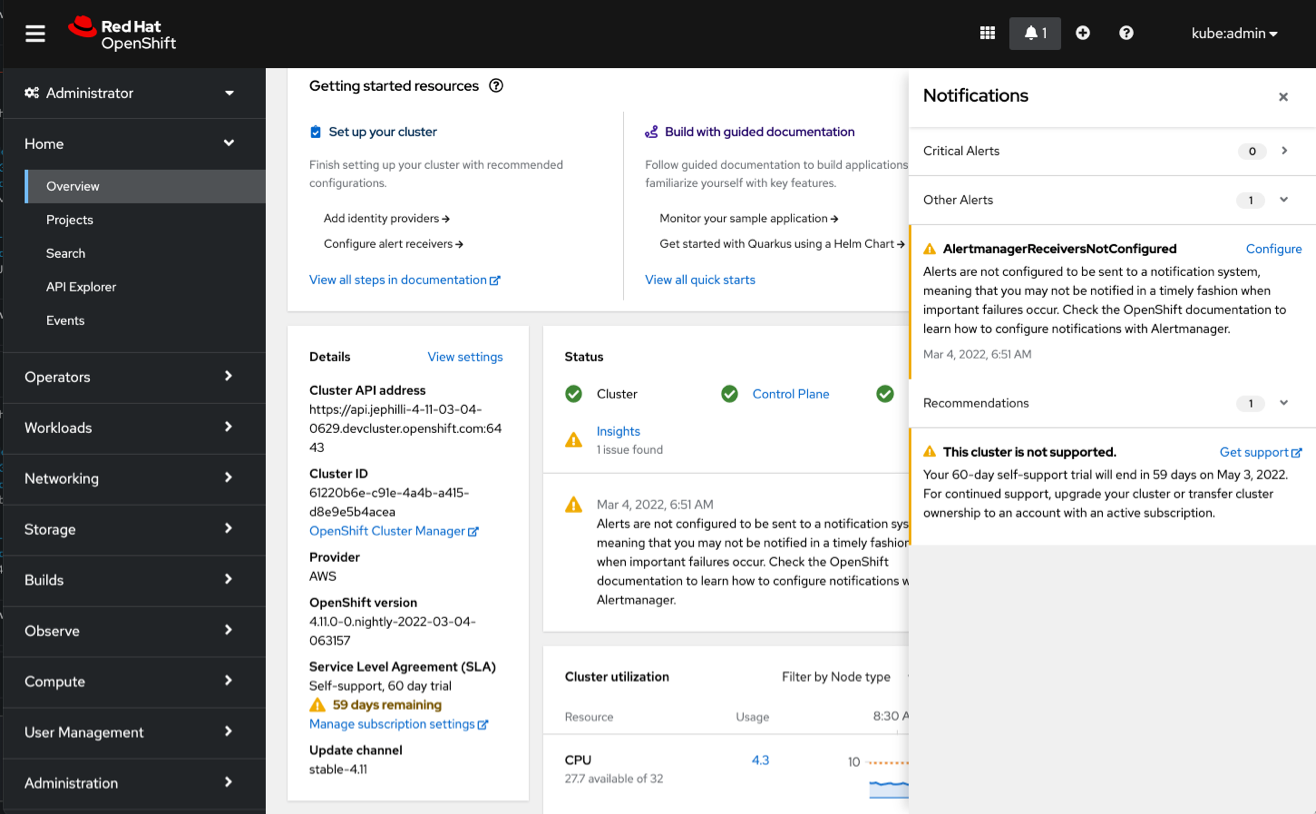
Notification drawer
In addition to the contextual information in the console, there is also a new notification in the drawer to let users know when the cluster is unsupported. This notification provides a little more detail about the different options to get support for the cluster and provides a direct link to do so.
Connect with us
We are always growing and evolving our improvements to OpenShift with a customer-first mindset. Be on the lookout for more enhancements in future releases. And do not forget to sign up to participate in future research opportunities to share your OpenShift experiences.
Let us know your thoughts. We would love to connect with users like you. Stay up to speed with the OpenShift design team on our OpenShift Design site, and be sure to catch us on the OpenShift Twitch channel.
Sobre el autor
Más como éste
Motivos por los que los partners de Red Hat son el principal recurso empresarial para las telecomunicaciones
La paradoja agéntica y los argumentos a favor de la IA híbrida
Command Line Heroes en español. Temporada 1: Descifrando el código de la nube abierta
Edge computing covered and diced | Technically Speaking
Navegar por canal

Automatización
Las últimas novedades en la automatización de la TI para los equipos, la tecnología y los entornos

Inteligencia artificial
Descubra las actualizaciones en las plataformas que permiten a los clientes ejecutar cargas de trabajo de inteligecia artificial en cualquier lugar

Nube híbrida abierta
Vea como construimos un futuro flexible con la nube híbrida

Seguridad
Vea las últimas novedades sobre cómo reducimos los riesgos en entornos y tecnologías

Edge computing
Conozca las actualizaciones en las plataformas que simplifican las operaciones en el edge

Infraestructura
Vea las últimas novedades sobre la plataforma Linux empresarial líder en el mundo

Aplicaciones
Conozca nuestras soluciones para abordar los desafíos más complejos de las aplicaciones

Virtualización
El futuro de la virtualización empresarial para tus cargas de trabajo locales o en la nube
