
Open source AI is more exciting than ever, offering a growing number of AI models to choose from. There are reasoning-heavy architecture options like DeepSeek and Kimi K2, more versatile options like the highly-adopted Qwen family, and the specialized, edge-ready Granite 4 from IBM. Having this many options is great news, but it can make users feel paralysis by analysis when trying to decide which model fits their project best.
For many organizations, the challenge is no longer finding an open source model, but identifying which will perform best given their specific constraints, whether that is maximizing reasoning for agentic workflows or minimizing latency for customer-facing chatbots.
This is where the OpenShift AI model catalog comes in. Rather than leaving teams to manually retrieve model sources and conflicting performance data, the catalog collects the world’s leading open source models into a single library. It provides a unified platform to discover and serve models with a few clicks, and a quick way to compare models based on trusted industry benchmarks. Let's take a closer look!

Find the model you need from our collection of open source models.
Screenshot of the Catalog page in Red Hat OpenShift AI. On the left, there is a panel to filter models by their intended task, and provider. On the right, there is a search bar and cards representing each model by their name.
In the catalog, users can filter models by use case like code generation or speech recognition. They can also directly toggle the performance view to see benchmark data. The main dashboard organizes the models by name and version, followed by its number of parameters and quantization, if there is any. You will also find the quantized versions of some models in the catalog. These are large language models (LLMs) that have been optimized for speed and efficiency using the open source tool, LLMCompressor.
These models are packaged following the Open Container Initiative (OCI) standard into portable container images hosted in Red Hat's registry. This format allows organizations to manage models with the same level of governance, versioning, and automation as traditional enterprise microservices.
When a model is selected, users can then view technical information like the model architecture, its licensing, and the performance results on HuggingFace OpenLLM V1 and V2 text-based tasks using lm_evaluation_harness. Models that have been validated by Red Hat also show the OpenShift AI versions in which they have been tested.
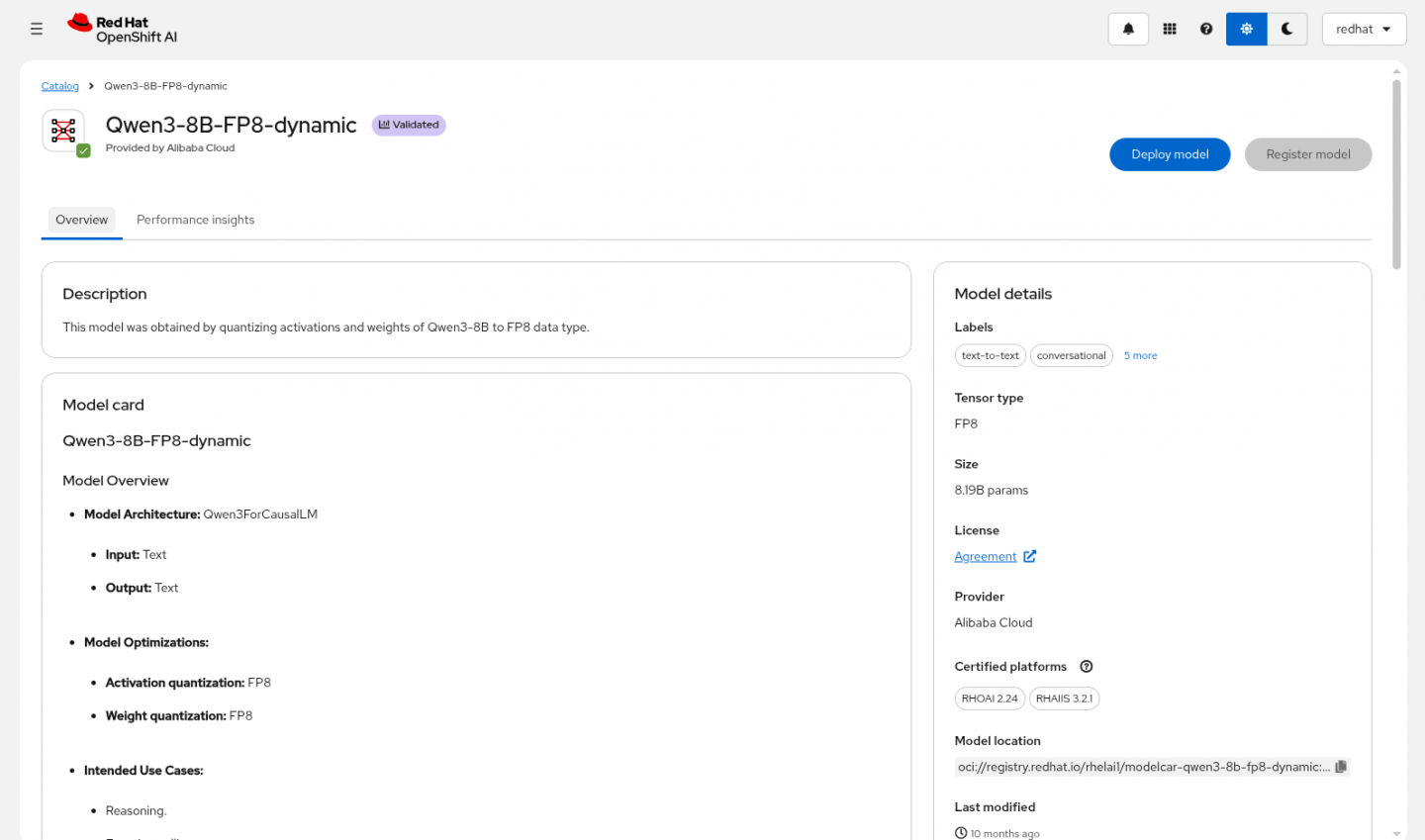
Find clear information about the model's origin and intended use cases.
Screenshot of the overview tab of the model page in Red Hat OpenShift AI, for the model Qwen3-8B-FP8-dynamic. On the top, there is the model name and buttons to deploy and register a model. On the left, there is information about the model card: architecture, optimization and intended use cases. On the right, there are other details like the tensor type, size, license, provider, certified platforms and model location.
One of the primary values of the catalog are the performance insights it provides. These are the results obtained by Red Hat teams running the model through several scenarios, such as a chatbot, retrieval-augmented generation (RAG), and as a coding assistant. The hardware used to test these models includes NVIDIA GPUs—like A100, B200, H100, H200 and L4—while using vLLM.
You can see how long it took each model to start responding to the user prompt with time-to-first-token (TTFT), and also how quickly the model generated a response with tokens-per-second (TPS). These metrics are fundamental to understanding the performance of the model, which has a direct impact on user experience.
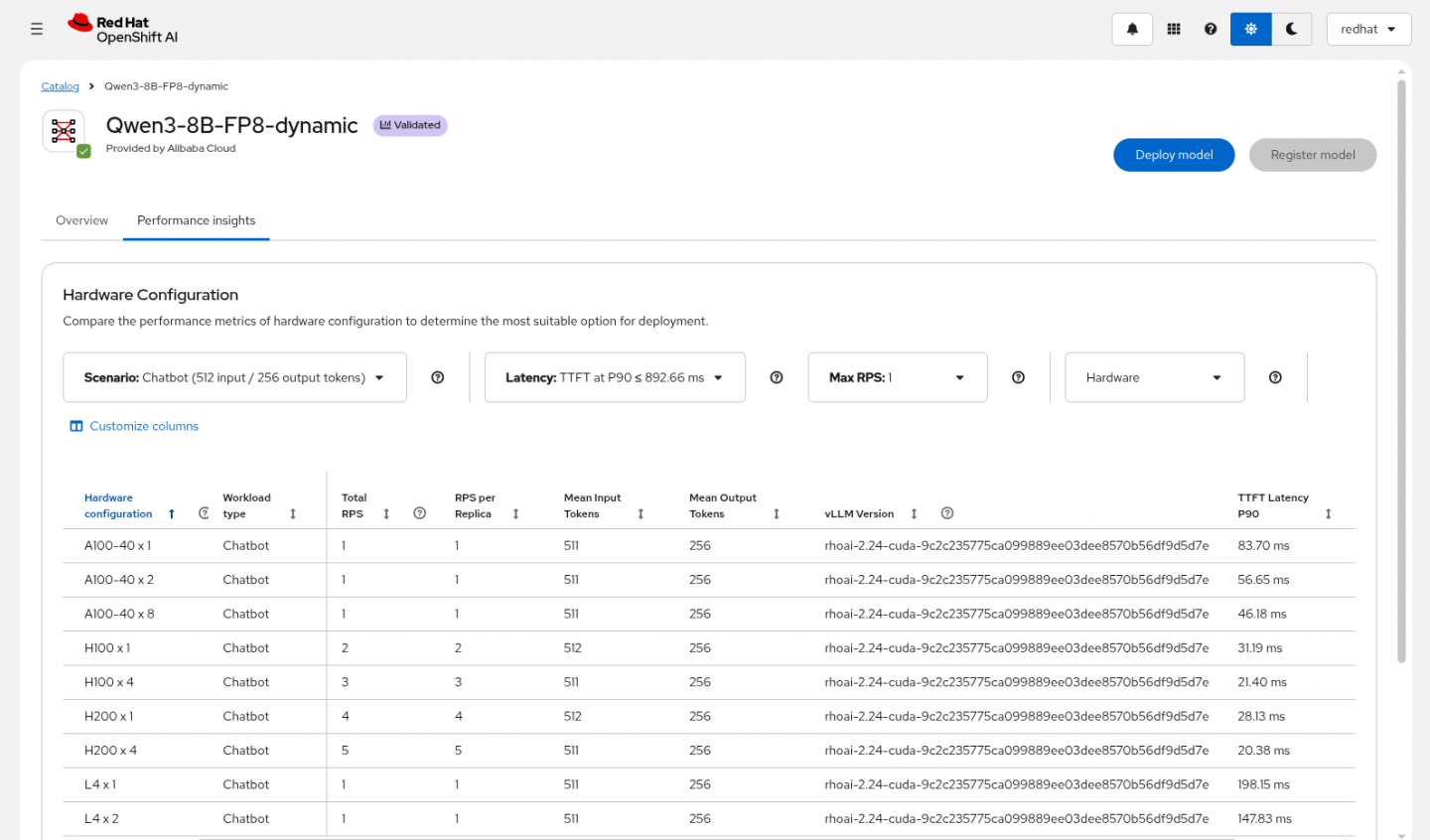
Performance insights curated by Red Hat model validation teams.
Screenshot of the performance insights tab of the model page in Red Hat OpenShift AI, for the model Qwen3-8B-FP8-dynamic. There is a table describing the TTFT latency depending on different hardware configurations by GPU, use case and vLLM version. On the top, there are filtering options like the use case, latency, max RPS and hardware.
Once a model is selected, your team can quickly deploy the model by providing some project details and clicking a button. And as simple as that, the model is ready to use! This eliminates manual environment setup, helping teams pivot quickly from model evaluation to AI application development.
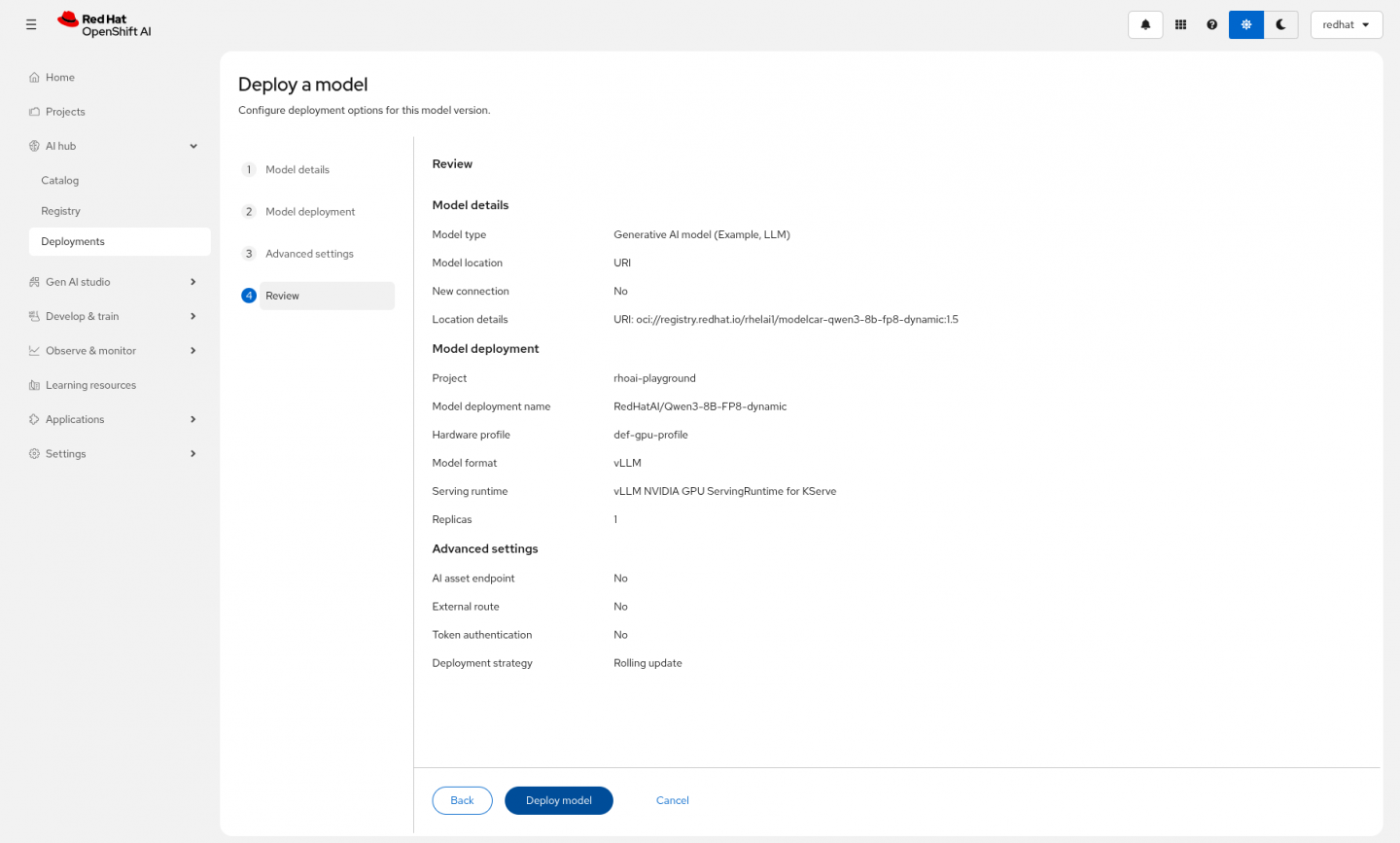
The model can be deployed easily into the OpenShift AI cluster.
Screenshot of the deploy a model page in Red Hat OpenShift AI. It shows a review of the answers provided to the form to deploy a model including model name, model location, project, serving runtime, token authentication and deployment strategy. On the bottom, there are buttons to go back and edit the answers, deploy the model or cancel.
Learn more
Ressource
Se lancer avec l'IA en entreprise : guide pour les débutants
À propos de l'auteur
Diego is a Specialist Solution Architect for OpenShift. He helps organizations navigate their digital transformation journeys by tailoring cloud-native solutions that align with their business objectives.
With a background spanning AI and application development, Diego brings a hands-on perspective to the adoption of AI solutions. He is passionate about the evolution of Agentic AI and focuses on helping enterprises simplify complex architectural challenges. By bridging the gap between innovative ideas and enterprise-grade execution, he helps customers gain a competitive edge through production-ready AI solutions.
Plus de résultats similaires
Pourquoi votre framework d'agent d'IA n'est pas suffisant : sept capacités de plateforme manquantes en production
Asago : orchestration de la sécurité et de la gouvernance de l'IA Open Source
Can agentic AI patch the internet?
How Red Hat cleared IT debt for scalable AI
Parcourir par canal

Automatisation
Les dernières nouveautés en matière d'automatisation informatique pour les technologies, les équipes et les environnements

Intelligence artificielle
Actualité sur les plateformes qui permettent aux clients d'exécuter des charges de travail d'IA sur tout type d'environnement

Cloud hybride ouvert
Découvrez comment créer un avenir flexible grâce au cloud hybride

Sécurité
Les dernières actualités sur la façon dont nous réduisons les risques dans tous les environnements et technologies

Edge computing
Actualité sur les plateformes qui simplifient les opérations en périphérie

Infrastructure
Les dernières nouveautés sur la plateforme Linux d'entreprise leader au monde

Applications
À l’intérieur de nos solutions aux défis d’application les plus difficiles

Virtualisation
L'avenir de la virtualisation d'entreprise pour vos charges de travail sur site ou sur le cloud
