A lot of organizations use Red Hat Ansible Automation Platform to orchestrate their infrastructure and Hashicorp Vault to manage their secrets. But how do they work together?
HashiCorp Vault is a powerful tool for managing secrets, providing a centralized platform for storing, accessing, and distributing sensitive information. When combined with Ansible Automation Platform, you can streamline and automate secret management across your infrastructure. In this blog post, we'll explore how to integrate HashiCorp Vault with Ansible Tower to automate secret management effectively.
Workflow outline

The above diagram represents how the communication happens between vault server and Ansible Automation Platform detailing how Vault secrets are used to access the client machine.
In our blog, we'll explore various methods for integrating HashiCorp Vault with Ansible Automation Platform. We'll guide you through the process of configuring machine credentials with HashiCorp Vault SSH CA. To start, you'll need to create a native credential definition for SSH CA. This involves leveraging Vault SSH's advanced signing mechanism to procure a secret for securely connecting to managed nodes or target machines via SSH. By harnessing Vault's SSH CA capabilities, you enable robust and secure management of your nodes.
In order to perform the integration, below are systems you need:
|
Setting up HashiCorp Vault:
The first step is to set up a HashiCorp Vault within your infrastructure. This involves installing Vault, initializing the Vault server, unsealing Vault and configuring authentication methods and access policies. Ensure that Vault is configured securely, with proper encryption, access controls and auditing mechanisms in place. You can follow the guidelines about installing Vault from the documentation here: https://developer.hashicorp.com/vault/tutorials/getting-started/getting-started-ui
Once the setup is complete and once you login via root token, you would see the Vault UI dashboard like below:
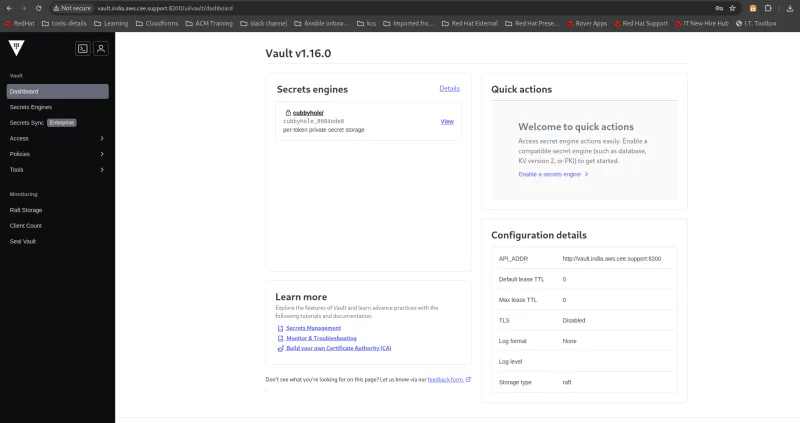
Please consider the following points during installation, based on what I encountered during my own installation process:
- While setting the Vault address, please provide the complete URL along with the port number, otherwise the secret engine would not be enabled and you will get below errors:

After correcting the Vault address, it is showing correct data:

- When defining the role for Vault SSH Secret Engine, please make sure that the user is present in the target machine. This is the user we will use to gain access to the SSH CA.
For example, below configuration I have used to define the role:
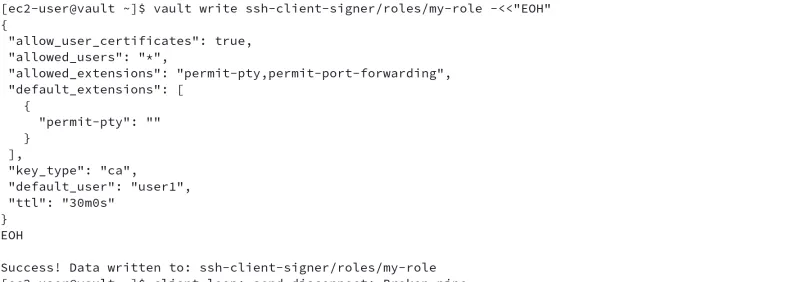
In above example, “user1” has access to the SSH CA, therefore my target managed machine (which is a managed node for my Ansible Automation Platform) has a user with name “user1” and our automation controller connects to the managed node via SSH authentication - with this account.
Configuring Ansible Automation Platform credentials:
Automation controller credentials integrate with Hashicorp Vault in order to retrieve SSH keys. This allows our automation controller to access and run job templates against that host.-Custom credential types allow us to inject authentication information from environment variables and Ansible variables into our automation controller.
So let's configure automation controller to communicate with HashiCorp Vault by setting up the appropriate credentials. Ansible Automation Platform supports various credential types, including Vault tokens and AppRoles.
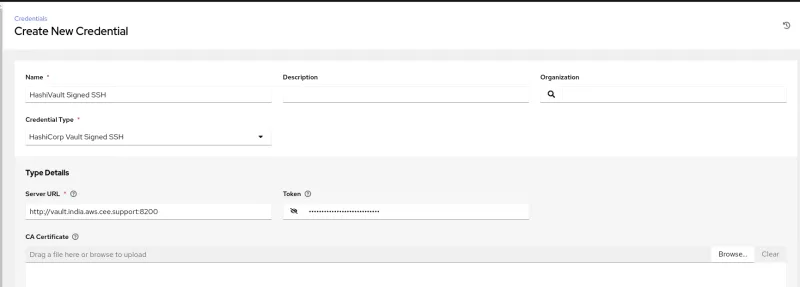
Below is an example of creating Vault credentials. You can test the configuration by providing parameters like the public unsigned key, path to secret, role name along with the role configured for that user. If the parameters are correct, it will show you the success and you will get a test passed message.
If any of the values are incorrect, including extra spaces, it will show you an HTTP 400 error message. Below is one example, where I have given the wrong role name and it is failing with 400 error message:
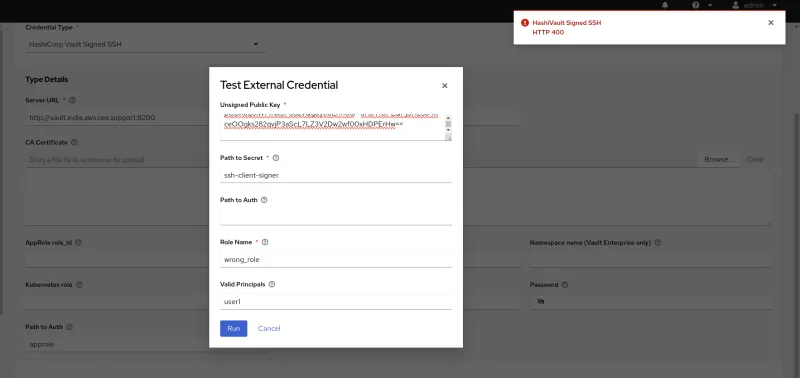
Another possibility to get 400 error messages is when a proxy is blocking the access to HashiCorp. So, we need to assure the values are correct and there are no proxy restrictions.
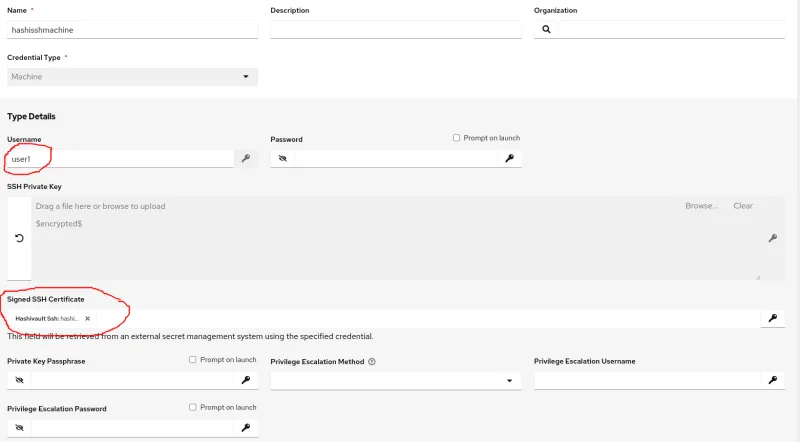
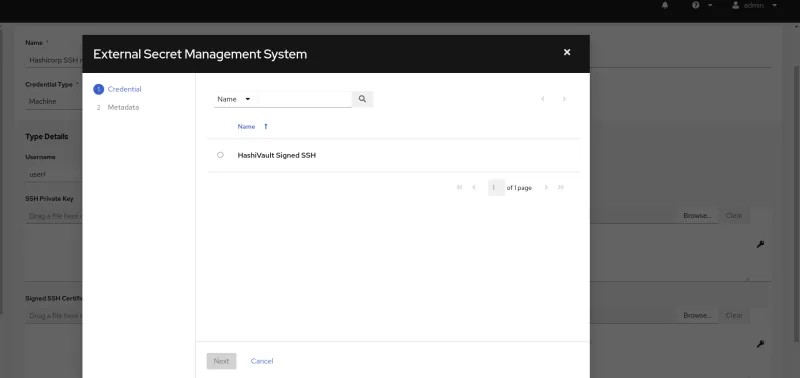
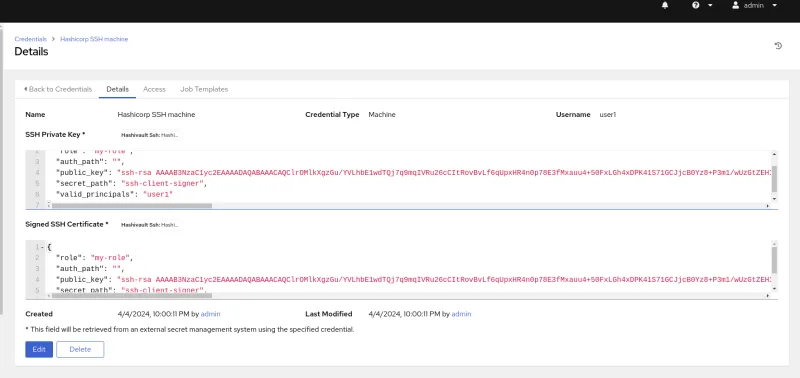
The next step is to create machine credentials to allow automation controller to access the secret engine for user “user1” by providing a username, private key and accessing the SSH private key from the vault server.
Time for testing:
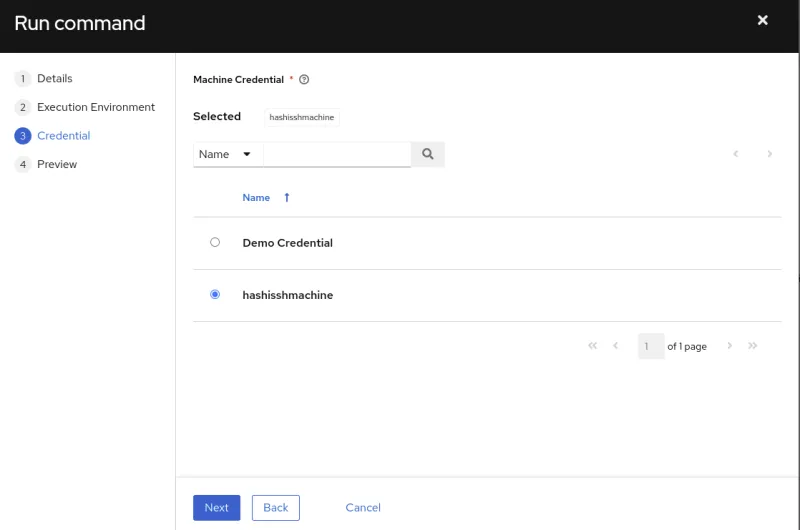
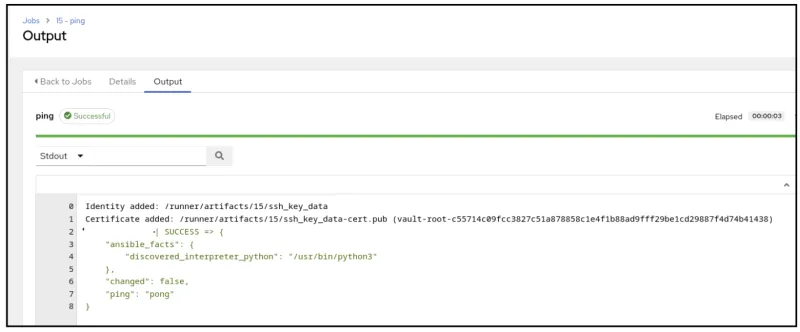
We can run a “Ping” ad hoc command on the target machine and choose “HashiCorp Credentials” so we can select the key from Vault and use it for verification:
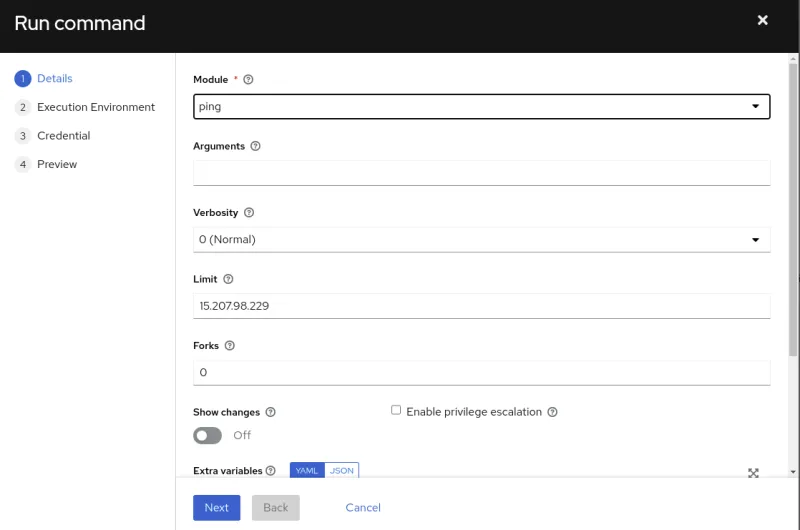
Success Logs in HashiCorp Vault for “User1”:

Summary
The integration of HashiCorp Vault with Ansible Automation Platform offers a robust solution for organizations seeking to enhance both their security and automation practices. This combination not only simplifies the management of secrets within automated workflows, but also helps your infrastructure remain secure and compliant.
By leveraging the strengths of both tools, you can achieve a higher level of operational efficiency and security, making it easier to manage complex environments and reduce the potential for human error.
Continue learning
Are you ready to elevate your automation and security practices? Start by exploring the HashiCorp Vault documentation and the Ansible Automation Platform documentation.
Thank you for following along as we delved into the integration of HashiCorp Vault with Ansible Automation Platform.
Stay secure and stay automated!
Sull'autore

Neha Chugh is a dedicated Principal Software Maintenance Engineer at Red Hat. With a deep commitment to technical support, she excels in resolving customer issues and ensuring seamless operations. Beyond her support role, Neha is passionate about innovation and automation, constantly exploring new ways to enhance efficiency and drive technological advancements.
Altri risultati simili a questo
A 5-step playbook for unified automation and AI
AI ambitions meet automation reality: The case for a unified automation platform
What Is Product Security? | Compiler
Technically Speaking | Security for the AI supply chain
Ricerca per canale

Automazione
Novità sull'automazione IT di tecnologie, team e ambienti

Intelligenza artificiale
Aggiornamenti sulle piattaforme che consentono alle aziende di eseguire carichi di lavoro IA ovunque

Hybrid cloud open source
Scopri come affrontare il futuro in modo più agile grazie al cloud ibrido

Sicurezza
Le ultime novità sulle nostre soluzioni per ridurre i rischi nelle tecnologie e negli ambienti

Edge computing
Aggiornamenti sulle piattaforme che semplificano l'operatività edge

Infrastruttura
Le ultime novità sulla piattaforma Linux aziendale leader a livello mondiale

Applicazioni
Approfondimenti sulle nostre soluzioni alle sfide applicative più difficili

Virtualizzazione
Il futuro della virtualizzazione negli ambienti aziendali per i carichi di lavoro on premise o nel cloud
